Cookie Away: The Open-Source Extension That Automatically Rejects Cookie Popups — Even the Sneaky Ones
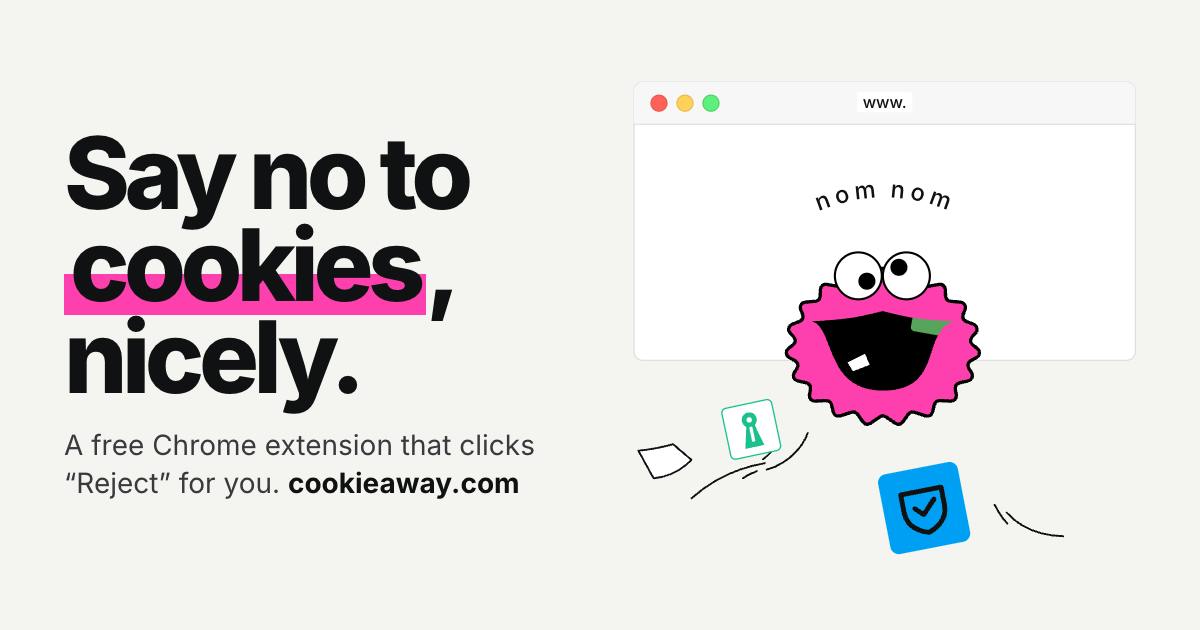
Cookie Away is a free, open-source Chrome extension that automatically rejects cookie popups.
Cookie Away is a free, open-source Chrome extension that debuted on Product Hunt to counter dark patterns in cookie consent popups. It automatically detects and rejects cookie banners, clicking reject buttons directly or disabling non-essential cookies via settings. It never auto-accepts. Tested on 69 websites with public results, its open-source code lets users audit its behavior. Limitations include dynamic loading and iframe challenges.
Every day you browse the web, are you interrupted by those annoying cookie consent popups? They not only block content but often entice you to click "Accept All" while burying the reject option deep out of sight. Cookie Away, recently launched on Product Hunt, is a free and open-source Chrome extension built specifically to take down these rogue popups.
Why Are Cookie Popups So Annoying?
To comply with regulations, websites commonly display cookie consent banners, but many are designed with dark patterns: the accept button is prominent while the reject button is grayed out or hidden; some even require multiple clicks to dismiss. Users often hastily click "Accept" and end up with their privacy data tracked. Cookie Away was born to fight back against these dark patterns.
"Dark Patterns" is a term from the field of user experience design, referring to interface designs that exploit cognitive biases to trick users into actions they didn't intend. Common dark patterns in cookie popups include: visually emphasizing the "Accept All" button while downplaying the "Reject" option, using pre-checked checkboxes, hiding the rejection path behind multiple layers of settings, or using "confirmshaming" copy that makes users feel guilty for declining. The EU's General Data Protection Regulation (GDPR) requires websites to obtain consent that is "freely given, specific, informed and unambiguous," but it doesn't prescribe the interface form — so dark patterns flourish under the cloak of compliance. Tools like Cookie Away counter these design tactics at the interaction level.
How Does Cookie Away Work?
According to developer Noel Braganza, Cookie Away's core logic is to automatically detect and reject cookie banners. If the page has a clear "Reject" button, it clicks it directly; if there are only "Accept" and "Settings" options, it automatically opens the settings panel, turns off all non-essential cookies, and saves. The entire process requires no user intervention and never "accepts" any requests.
The developer emphasizes: "It never pays to consent — every click is checked." This means the extension verifies click behavior to avoid accidental clicks or duplicate actions.
Cookie banner recognition typically relies on DOM selector matching and heuristic rules. The extension scans for fixed-position elements on the page, text nodes containing keywords like "cookie," "consent," or "privacy," and the container IDs of common third-party consent management platforms (CMPs) such as OneTrust and Cookiebot. Because implementations vary wildly across websites, such tools often maintain a rule library that matches click strategies by domain or page characteristics. When rules fail, the extension may fall back to generic heuristics: finding buttons with semantics like "reject," "decline," or "necessary only" and simulating clicks. This rule-based approach is low-cost and highly explainable, but carries a heavy maintenance burden, requiring continuous updates as websites are redesigned.
Tested on 69 Websites, Results Made Public
To validate effectiveness, the development team tested Cookie Away on 69 websites and published the results. Although the specific data wasn't disclosed in detail, this practice reflects the transparency of an open-source project. Compared with many commercial privacy tools, Cookie Away's test coverage is relatively broad and its results are verifiable, enhancing credibility.
Open Source and Free: Another Possibility for Privacy Tools
Cookie Away is completely free and open source, with code hosted on GitHub. This means users can audit its behavior, preventing the tool itself from becoming a privacy vulnerability. Against a backdrop of privacy tools frequently being suspected of "betraying their users," open source is undoubtedly a shot in the arm.
Limitations and Challenges
Despite Cookie Away's impressive performance, automatically rejecting cookie banners still faces challenges. Popup implementations vary enormously across websites — some use dynamic loading or iframe embedding, which the extension may fail to recognize. In addition, automated clicks may be flagged by websites as anomalous behavior, causing the feature to fail. Developers need to continuously adapt to new scenarios in future updates.
iframes (inline frames) are one of the main reasons cookie banners are hard to automate. Many websites embed consent management platforms in cross-origin iframes, and due to the same-origin policy, the extension's content script cannot directly access the DOM inside the iframe — and therefore cannot locate and click the reject button within it. Although Chrome extensions can inject scripts into all frames via the all_frames configuration, communication with cross-origin frames still requires mechanisms like postMessage, and each CMP implements them differently. Dynamic loading brings timing issues as well: banners may be rendered by JavaScript several seconds after page load, and the extension needs to use MutationObserver to watch for DOM changes — otherwise it will miss the popup. These technical details determine the actual coverage of auto-reject tools.
Conclusion: A Small but Beautiful Privacy Guardian
Cookie Away received 80 upvotes and 7 comments on Product Hunt, ranking 8th for the day — showing that real demand exists for such tools. It doesn't aim to be all-encompassing; instead, it focuses on a single pain point: giving users back control over rejecting cookies. If you're tired of endless popups, give this little open-source tool a try.
One-line Summary
Cookie Away is a free, open-source Chrome extension that automatically rejects cookie popups.
Paragraph Summary
Cookie Away is a free, open-source Chrome extension that debuted on Product Hunt, designed to counter the dark patterns in website cookie consent popups. Its core logic is to automatically detect and reject cookie banners: when a clear reject button exists, it clicks it directly; when only accept and settings options are available, it opens the settings panel and disables all non-essential cookies. The developer emphasizes that the extension never automatically accepts any request and verifies behavior before every click. The team tested it on 69 websites and published the results for transparency. Its open-source nature allows users to audit the code, preventing the tool itself from becoming a privacy vulnerability. However, auto-rejection still faces compatibility challenges from dynamic loading, iframe embedding, and anti-automation measures on websites, requiring continuous adaptation.
Related articles

Gemini 4 Neon Released: A Balance Between Frontier Intelligence and Efficient Task Execution
Google DeepMind releases Gemini 4 Neon, focused on frontier intelligence and fast end-to-end task execution. This article breaks down its benchmark performance in coding, enterprise analysis, scientific reasoning, and cybersecurity, its four thinking levels, pricing, and safety alignment data.

Is AI the Culprit Behind Global Outages? The Trust Crisis Behind the NSA and FAA Failures
Fourth major failure in five days hits NSA classified network. Microsoft blames a software bug, FAA denies its new AI system, NSA says routine maintenance. Senator Warner suggests AI accelerates vulnerability discovery, leading to rushed fixes — while 39% of Americans already view AI negatively, exposing a deepening trust crisis.

Robot Developer Builds Custom B-rep Kernel with 3,487 Tests
A robot developer builds a custom B-rep geometry kernel with 3,487 tests, exploring why robotics needs dedicated CAD tools and the barriers to building one.