Coze 3.0 Beginner's Guide: From Agents to Workflows — A Complete Breakdown

A complete beginner's breakdown of ByteDance's Coze 3.0 platform: agents, workflows, and Dify comparison.
This guide — based on a Coze 3.0 course from Bilibili — helps beginners build a solid understanding of ByteDance's AI application development platform. Coze is similar in positioning to the open-source Dify but is not open-source and only offers platform-hosted service. It supports two build types: Agents (tool-calling, proactive execution) and AI Apps (visual front-end with predefined workflows). Workflows are Coze's most powerful feature, with far more nodes than Dify and third-party extensibility. The plugin system and Coze SDK further connect the platform with external business systems. For quick onboarding and a rich ecosystem, Coze wins; for private deployment needs, Dify is the better fit.
ByteDance's Coze has become one of the most popular low-code platforms in China for building AI applications. This beginner's guide is based on a Coze 3.0 systematic course from a Bilibili creator. It breaks down the platform's core concepts, capability boundaries, and its relationship with Dify — helping newcomers understand what you can actually do with Coze and how to get started.
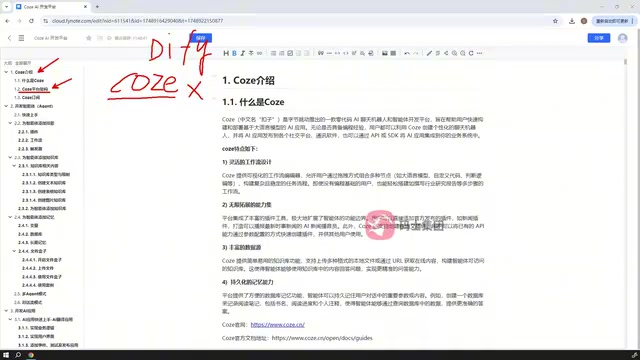
What Is Coze: An AI App Development Platform Comparable to Dify
Coze is an AI tooling platform launched by ByteDance, positioned similarly to the open-source framework Dify — both let users build a wide variety of AI applications quickly without writing code from scratch. Coze supports agents, workflows, conversation flows, and more.
The key difference between the two lies in openness: Dify is fully open-source, meaning users can inspect the source code and self-host it; Coze is not open-source. So when a course talks about Coze's "platform architecture," it's not about reading source code — it's about clarifying the terminology and hierarchy involved in building AI applications on Coze. For beginners, building this conceptual model first is more important than rushing to hands-on work.
In terms of subscription tiers, Coze offers a personal (free) plan and an enterprise plan. The free plan includes a daily usage quota that's more than enough for getting started and light use; higher usage volumes require a paid upgrade.
Two Application Types: Agents and AI Apps
The key to understanding Coze is recognizing that it only provides two ways to build AI applications — a notable difference from Dify.
For comparison, Dify supports more application types: chatbots, agents, text apps, workflows, and conversation flows — five in total. Coze focuses on just two:
- Agent: Can invoke tools, and supports adding skills, knowledge bases, and memory. Best suited for building AI roles with proactive capabilities.
- AI App: Appears simple on the surface, but is actually quite powerful. It can nest workflows and supports building visual interfaces through drag-and-drop, allowing users to chat, generate images, create presentations, and more — all directly within the app page.
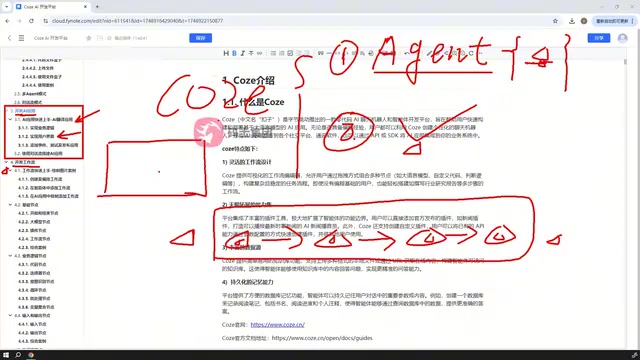
Worth noting: both Agents and AI Apps support nested workflows. The difference is that Agents emphasize completing tasks through tool invocations, while AI Apps are more focused on driving the LLM through a series of predefined steps, paired with an interactive front-end page.
Single-Agent vs. Multi-Agent Mode
Agents themselves come in single-agent and multi-agent modes, with a multi-conversation mode as well. Multi-agent collaboration means multiple agents can each handle their own responsibilities and work together to complete complex tasks — an increasingly important direction in AI application development. The course covers hands-on examples for each of these modes.
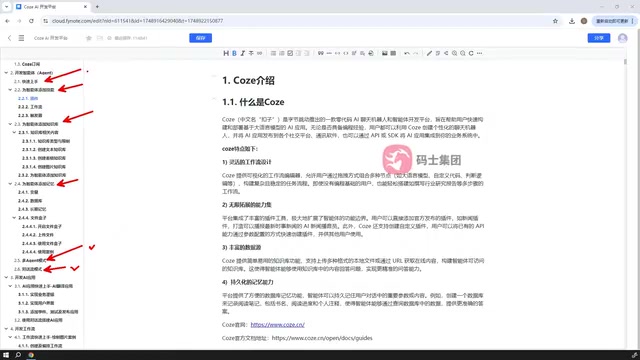
Multi-Agent Systems are a significant architectural evolution in AI applications in recent years. The core idea is to decompose complex tasks and assign different sub-tasks to specialized agents, which then coordinate to aggregate results. For example, in a content production scenario, a "Search Agent" handles information gathering, a "Writing Agent" handles text generation, and a "Proofreading Agent" handles quality review — working in series or in parallel. Compared to a single-agent setup, the advantage of multi-agent architecture is that each agent's prompts and toolset are more focused, errors are easier to isolate and fix, and the overall system scales better. That said, the information-passing and scheduling logic between agents adds design complexity. Beginners are advised to get comfortable with single-agent scenarios before gradually moving into multi-agent collaboration.
Workflows: The Core of Coze's Capabilities
Workflows deserve their own dedicated chapter because they represent the most flexible and powerful part of Coze.
A workflow connects a series of nodes according to user-defined logic, forming a process that handles data, generates content, or drives an LLM to execute tasks step by step. It's not limited to data processing — at its core, it makes the LLM "follow a procedure."
Coze's node library is far larger than Dify's and highly flexible. In addition to official nodes, third-party users can also submit their own. The course focuses on several commonly used node categories:
- Basic nodes
- Business logic nodes
- Input/output nodes
- Database nodes
- Knowledge and data nodes
- Image processing nodes
- Plugin nodes
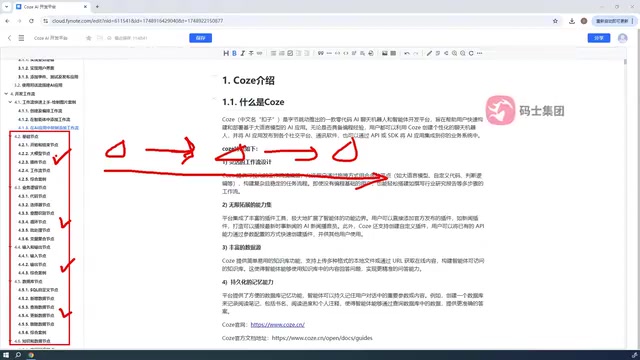
Given the sheer number of nodes, covering every single one isn't feasible. The practical approach is: master the common nodes, then learn how to search for the right node on the platform when a specific need arises. That way, even when you encounter an unfamiliar node, you can find and apply it on your own.
The concept of a Workflow originates from the field of business process automation. In AI application development, it specifically refers to organizing LLM calls, data processing, external API requests, and other operations into an execution flow using a visual "nodes + connections" model. Each node represents an atomic operation (e.g., calling an LLM, executing code, querying a database), and the connections between nodes define the data flow and execution order — with conditional branches and loops available for control logic. This design lets non-developers intuitively describe complex business logic, and also makes debugging easier: you can inspect inputs and outputs node by node to quickly pinpoint issues. Coze workflows can be published as standalone products or invoked as sub-processes by Agents or AI Apps, enabling nested structures — which is precisely the source of their flexibility.
Plugins and Code Integration: Advanced Capabilities
Plugins are a key way to extend Coze's capabilities. Whether inside workflow nodes or within an Agent, you can specify plugins to handle specific tasks. Coze supports three plugin sources: official plugins, community-submitted plugins, and user-defined custom plugins. When neither official nor community plugins meet your needs, defining your own becomes an essential skill.
Beyond the visual builder, Coze also provides code integration via the Coze SDK. Once you've built an Agent, you can write code in Python or Java to call that Agent and converse with it, integrating the agent directly into your own business systems.
The Coze SDK (Software Development Kit) is essentially a wrapper around the Coze API that lets developers interact with the platform using familiar programming languages (Python or Java) through function calls, without manually constructing HTTP requests. Typical use cases include: embedding agent conversation capabilities into an existing web app or enterprise internal system, triggering agents in batch via scheduled scripts, and invoking agents for regression testing in automated test pipelines. For users who aren't front-end developers but are comfortable with Python, the SDK is the most direct path to integrating Coze agents into real-world business workflows — and a key step in transitioning from a "platform user" to an "application developer."
Coze vs. Dify: How to Choose
Only after getting a solid grasp of Coze can you make an objective comparison with Dify. The two have similar positioning but distinct differences:
| Dimension | Coze | Dify |
|---|---|---|
| Open-source | No | Yes |
| Application types | Agent, AI App (2 types) | Chatbot, Agent, Workflow, etc. (5 types) |
| Node count | Very large, includes third-party nodes | Relatively fewer |
| Deployment | Platform-hosted, usage-based pricing | Self-hostable |
In short: if you want to get up and running quickly, benefit from a rich node and plugin ecosystem, and don't want to worry about infrastructure, Coze is the hassle-free choice. For teams with strong requirements around data privacy or custom development, the open-source Dify is the better fit.
One final note: most of the course content draws from Coze's official documentation, supplemented by the instructor's practical examples. The official docs contain even more detail. For the beginner stage, mastering these core concepts is more than enough to start building the AI applications you have in mind.
Related articles

Felix Rieseberg Personal Homepage
Felix Rieseberg's personal homepage sparks attention on Hacker News. This article covers the Slack engineer's technical background, the rise and fall of nativefier, and the value of a developer homepage as a tech calling card.

@ai-sdk/vue 3.0.306 Patch Release Syncs with [email protected] Update
@ai-sdk/vue 3.0.306 released, synced with [email protected]. A routine patch release for the Vercel AI SDK ecosystem with no public API changes; the Vue adapter layer stays version-aligned with the core package.

Gemini 4 Argon API Launches: The Era of Million-Token Output Begins
Google launches Gemini 4 Argon with sparse MoE architecture, up to 1M output tokens, and a 68.90% Vals Index score, available across API, AI Studio, and the Gemini app.