Coze Beginner's Guide: A Complete Breakdown of Multi-Agent Collaboration

A zero-to-one guide to building AI agents on ByteDance's Coze platform, no coding required.
Coze is ByteDance's multi-agent collaboration platform, going beyond simple chat tools to let multiple people and AI agents work together on a single project. Compared to the developer-focused Dify, Coze prioritizes visual, cloud-based collaboration for non-technical users. Its three core capabilities include multi-person AI teamwork, customizable agents (with local tool integrations like Claude Code), and cross-platform sync across web, desktop, and mobile. The most critical thing to watch is credit consumption — heavy tasks can drain your daily free quota instantly, so breaking work into daily steps is the recommended strategy.
What Is Coze?
Coze is a multi-agent collaboration (Multi-Agent) development platform developed by ByteDance. Unlike general-purpose chat tools such as Doubao or DeepSeekAd, its core purpose isn't just conversation — it's a work platform that enables multiple people and multiple AI agents to collaborate on the same project.
The platform's biggest advantage is its low barrier to entry. Whether you're a developer or a complete beginner with no technical background, you can build a fully functional AI agent through a simple, intuitive interface. No coding required — the platform automatically breaks down tasks, executes them in sequence, and even self-checks and retries when something goes wrong. This self-correcting behavior is itself a demonstration of agent capabilities.
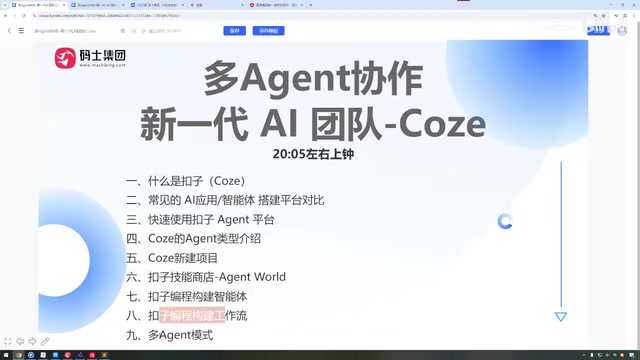
In terms of learning approach, we recommend starting directly with the official documentation. Once on the Coze website, you'll find the docs under the "Resources" section. While the official language can be somewhat formal and dense, it remains the most accurate and efficient way to get up to speed with any new tool.
Multi-Agent collaboration refers to breaking down a complex task and distributing subtasks among multiple AI agents, each with different specializations. These agents coordinate with one another, pass intermediate results along, and collectively achieve the final goal. Unlike a single AI conversation, this architecture is closer to an "AI team" concept — for example, one agent handles online research, another compiles the findings into an article, and a third handles formatting and output. This division of labor significantly improves the quality and efficiency of complex tasks, and represents one of the core directions in AI's evolution from "chat tools" toward "automated workflows."
How Coze Differs from Dify
When discussing multi-agent platforms, many people compare Coze with Dify. The two share considerable functional overlap, but they target different audiences.
Dify is more oriented toward developers and enterprise internal development scenarios, with a technically inclined user base. Coze, while also supporting enterprise development use cases, places greater emphasis on its official online team collaboration tool, targeting a broader, non-technical audience. This is precisely why Coze tends to feel more approachable for beginners — you can build a working, functional agent without knowing any programming or having prior experience with large language model applications.

Dify is an open-source LLM application development framework that supports local private deployment. It's primarily aimed at technically capable developers and enterprises looking to integrate AI into internal systems, and typically requires familiarity with Docker, API calls, and similar tools. Coze, by contrast, operates as a fully cloud-based SaaS platform — all features are accessible via browser or app, with no environment setup required. Both platforms support building multi-step workflows and agents, but Coze offers a highly visual, drag-and-drop interface closer to a "building blocks" experience, while Dify has the edge in system integration flexibility and data privacy control. The right choice largely depends on your technical background and use case.
Coze's Three Core Capabilities
Multi-Person, Multi-AI Collaborative Work
Coze's first capability is supporting collaboration among multiple people and multiple AI agents on the same project. When creating a new project, you can select different agents, and VIP users can even invite multiple team members into the same project — enabling instant team formation with role-based task assignment. All project materials and chat history are stored server-side.
Note that in the default personal mode, only single-user operation is supported, and the number of agents is currently capped at two. Multi-user collaboration requires a paid subscription. For users exploring the platform for learning purposes, there's no immediate need to pay.

Fully Customizable AI
The second capability is free customization of your AI. The platform includes industry-specific templates — for example, if you want to create an AI comic series but don't know where to start, you can use a ready-made template. Even more useful is the ability to connect to local development tools — for instance, linking the Coze platform to your local Claude Code instance for remote AI-assisted coding. This feature is currently available free of charge for a limited time.
All-in-One Project Capabilities with Cross-Platform Sync
The third capability is a comprehensive, all-in-one project environment covering remote AI coding, multi-person collaborative development, and even direct deployment to production. The platform also provides a sandbox environment to assist with development.
As a ByteDance product, Coze also offers seamless connectivity across web, desktop client, and mobile app, with real-time data sync so you can continue working on a project from any device, at any time.
The Credit System: What It Costs to Learn
There's one important detail every Coze user needs to understand — credit consumption. New accounts receive a daily allotment of free credits (roughly 1,500 to 3,000 depending on the source), which sounds like plenty but depletes quickly in practice.

Credit usage varies enormously by task type. Coding-related tasks tend to be relatively economical, while heavy tasks — like generating a full AI comic series from scratch in one go — can consume over 10,000 credits in a single session, far exceeding the free daily quota.
The practical recommendation: don't try to complete everything in one shot. Break tasks into steps and spread them across multiple days. For example, if a project involves six steps, use your free credits on step one the first day, step two the next day, and so on. This approach lets you experience the full platform at zero cost while avoiding instant credit exhaustion. Also, while the platform offers a wide selection of official models, some advanced and custom models require a VIP subscription — beginners don't need to pay for every Agent tool right away.
Credits are essentially Coze's abstracted billing unit for large model API call costs. Every time an AI model generates content, the platform incurs real fees paid to the model provider (such as OpenAI, Claude, ByteDance's own models, etc.), and the credit system passes those costs on to the user. Consumption scales directly with task complexity: simple Q&A uses few credits, while tasks involving multi-step reasoning, image generation, long-form text processing, or multiple chained agent calls are each billed individually — stacking up to enormous totals. Understanding this underlying logic explains why "generating an AI comic series all at once" can drain tens of thousands of credits in a single session — it's essentially dozens of consecutive calls to multiple high-cost models.
Summary
Coze's core value can be distilled into a few key points: multi-person and multi-AI collaboration, fully customizable AI, three-platform sync, and a beginner-friendly no-code interface. It can help you write code, produce comics, build content moderation bots, and tackle a wide range of other projects — each with its own dedicated chat window for persistent history, making it easy to switch between projects at any time.
For anyone looking to get started with agent development, Coze offers a low-cost, fast-to-learn entry point. Master the rhythm of credit usage, leverage the official documentation and templates, and you'll be running your first custom agent with virtually no upfront investment.
Related articles

Chain of Thought Isn't Just for AI: How Humans Can Use CoT to Improve Thinking Quality
Chain of Thought isn't just a prompt trick for large models. Starting from a Hacker News discussion, this article analyzes why CoT works for human thinking too, breaks down actionable ways to transfer it, and highlights the key differences between human CoT and machine CoT.
Cloudflare Teams Up with OpenAI: Closi…
Cloudflare Teams Up with OpenAI: Closing the Loop from Vulnerability Discovery to Defense with AI
Cloudflare uses OpenAI Daybreak to investigate security vulnerabilities and generate reviewable remediation plans, while developers use Codex to boost coding efficiency and quality.

Orca Multi-Agent Orchestration in Practice: A Guide to Parallel Collaboration with Claude and Codex
Orca is Stable AI's free open-source agent workbench supporting 34 agents like Claude Code and Codex in parallel. Learn its Git worktree isolation, multi-model orchestration, and mobile management.