CPU, GPU, and TPU: Core Differences and Best Use Cases Explained

Understanding CPU, GPU, and TPU differences and when to use each for AI workloads.
This article explains the fundamental architectural differences between CPUs, GPUs, and TPUs. CPUs excel at general-purpose tasks with complex branching, GPUs dominate massively parallel computations like matrix multiplication central to AI training, and TPUs are purpose-built for tensor-intensive machine learning workloads. Understanding these trade-offs is essential for making informed hardware decisions in modern AI systems.
Why Does the Same Task Perform So Differently on Different Chips?
The same computational task runs one way on a CPU, behaves completely differently on a GPU, and can sometimes run even faster on a TPU. The fundamental reason is: each chip is deeply optimized for a different type of computation. CPUs handle general-purpose tasks, GPUs excel at massively parallel math operations, and TPUs are purpose-built for specific machine learning workloads.
Understanding the differences between CPUs, GPUs, and TPUs isn't just about accumulating hardware knowledge — it's a core decision-making factor in modern AI system architecture design.
CPU: The Swiss Army Knife of General-Purpose Computing
A CPU is a general-purpose processor built for flexibility. It handles web servers, databases, operating systems, and application logic — work characterized by the fact that each step can be different: reading a request, checking authentication, looking up data, applying business rules, and returning a response. This involves a lot of branching and decision-making, and that's exactly what CPUs are designed for.
CPUs have a small number of extremely powerful cores, each capable of efficiently handling many different types of tasks. Their strength lies in being able to "do everything, and do it reasonably well." But when faced with scenarios that require the same math operation to be repeated across large volumes of data, the CPU's generality becomes a performance bottleneck.
GPU: The Powerhouse of Massively Parallel Computing
Unlike CPUs, GPUs pack far more arithmetic units, making them ideal for high-throughput parallel computation. Typical use cases include:
- Graphics rendering: Multiple pixels can be computed independently
- Scientific computing: The same numerical operation applied across massive datasets
- Video processing: Frame-level parallel operations
- Machine learning: The same math operations repeated across large batches of inputs
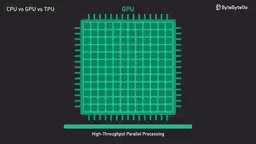
Matrix Multiplication: The Key to Understanding GPU Advantages
To understand why GPUs are so well-suited for AI training and inference, you first need to understand matrix multiplication. A matrix is simply a grid of numbers — for example, a 2×3 matrix has two rows and three columns. Matrix multiplication combines two compatible number grids into a new grid by performing multiplication and addition operations row by column.
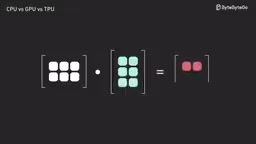
This sounds simple, but when matrices are enormous, it becomes a massive volume of repetitive math operations. And this kind of operation is everywhere in machine learning: when a neural network processes inputs, a large portion of the underlying operations are matrix multiplications. The input is a large set of numbers, the model weights are another large set of numbers, and the model combines them through matrix multiplication to produce outputs — then repeats this process across multiple layers.
This is the core reason GPUs are so critical to AI — they are exceptionally good at executing the same operation thousands of times in parallel.
Tensors and TPUs: Purpose-Built for Machine Learning
What Is a Tensor?
Tensors sound intimidating, but they're essentially a generalization of concepts we already know:
- A single number → Scalar
- A list of numbers → Vector
- A grid of numbers → Matrix
- Higher-dimensional arrays of numbers → Tensor

In machine learning, tensors are everywhere. For example, a color image can be represented as a 3D tensor with height, width, and color channels. If you batch multiple images together for processing, you get a 4D tensor.
The Design Philosophy of TPUs
TPUs (Tensor Processing Units) differ from both CPUs and GPUs. CPUs are general-purpose, GPUs are highly parallel but still quite flexible, while TPUs are far more specialized — they are purpose-built for machine learning workloads, especially tensor-intensive computations like training and inference for large neural networks.

Typical use cases include:
- Large language model inference: The massive tensor operations involved in the inference process
- Transformer model training: Workloads dominated by matrix multiplications on giant tensors
This is precisely where TPUs truly shine.
The Cost of Specialization: Why Can't We Use TPUs for Everything?
Because specialization itself is a trade-off. The more specialized the hardware, the less flexible it becomes:
| Chip Type | Core Strength | Main Limitation |
|---|---|---|
| CPU | Does almost everything reasonably well | Limited parallel computing capability |
| GPU | Excels at many types of parallel workloads | Inefficient for non-parallel tasks |
| TPU | Extremely efficient for ML workloads that match its design | Least flexible, limited general-purpose use |
When choosing a chip, the decision should be based on the actual characteristics of your workload, not simply chasing the peak performance of any single chip type.
Collaborative Architecture in Practice
In real-world AI systems, different chips are typically used for different parts of the workload:
- CPUs handle control flow, orchestration, and general-purpose logic
- GPUs handle massively parallel computation, such as graphics rendering and model training
- TPUs deliver maximum value when workloads are heavily concentrated on tensor operations
The key to performance optimization is matching workloads to the right hardware architecture. It's not a question of "which chip is better" — it's a question of "which chip is better suited for the current task." Understanding the design trade-offs of CPUs, GPUs, and TPUs is the foundation for building efficient AI systems.
Related articles

Alibaba Launches Happy Shrimp: AI-Powered One-Click Complete Song Generation
Alibaba launches Happy Shrimp, an AI music generation tool that creates complete songs with lyrics, melody, arrangement, and vocals from natural language descriptions. In-depth analysis of its core features, differentiation from competitors like Suno, and industry impact.

GPT Sol Ultra vs Grok 4.6: Real-World Task Completion Benchmark in Reasoning Mode
Developer benchmark reveals GPT Sol Ultra completes draw.io scientific diagrams in one iteration while Grok 4.6 fails to converge despite maximum reasoning mode, exposing that reasoning depth ≠ task delivery capability.
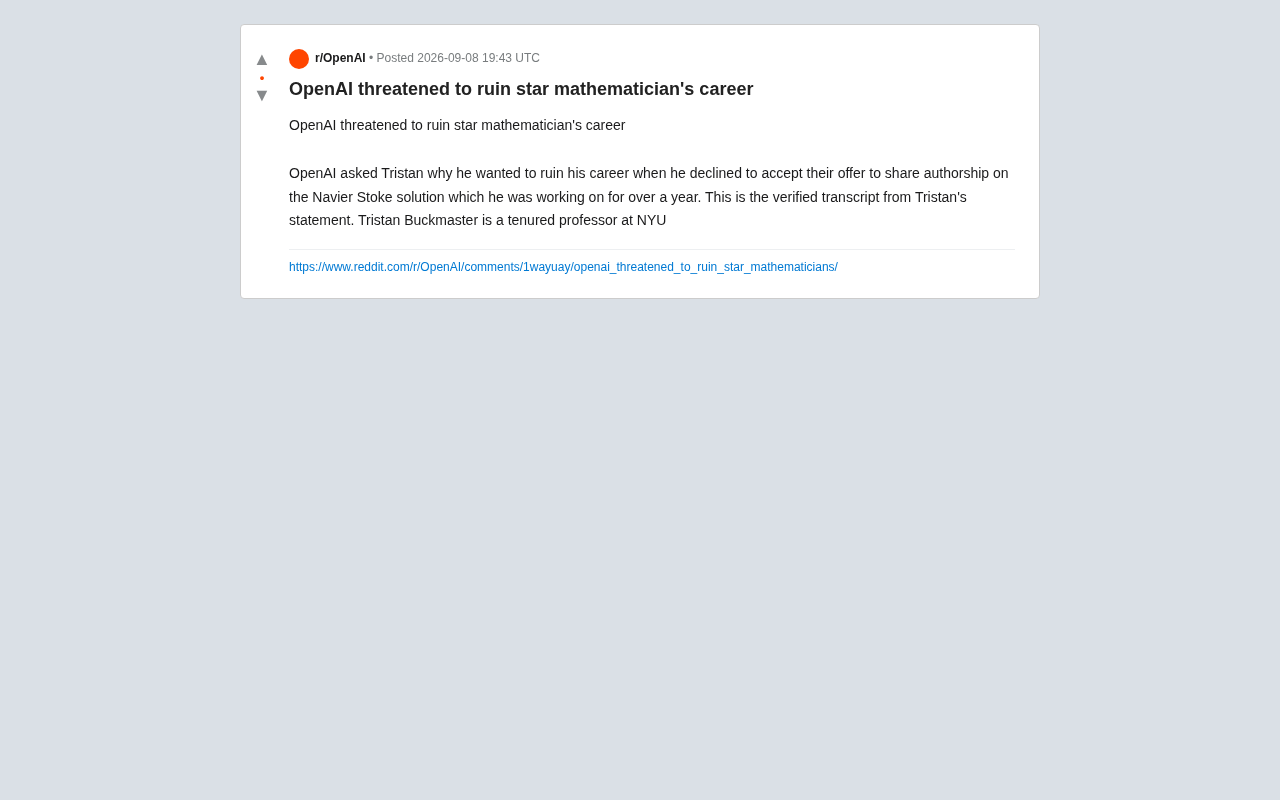
OpenAI Authorship Dispute: The Battle Over Academic Boundaries in the AI Era
OpenAI disputes authorship with mathematician Tristan Buckmaster over Navier-Stokes research, raising ethical questions about AI involvement in science.