Cross-Platform AI Meeting Note Tools: Is Integration a Compromise or an Upgrade?

Using two AI note tools creates duplicate costs and fragmented archives — the key is evaluating real-world experience, not feature tables.
Many teams use separate AI note-taking tools for Google Meet and Zoom, leading to duplicate subscriptions and fragmented archives. The central concern is whether consolidating means trading two specialized tools for one mediocre one. This article argues that feature comparison tables are misleading — evaluation should focus on real-world experience like transcription accuracy, speaker identification, and summary quality. Meanwhile, the value of unified archiving is often underestimated: consolidated search and consistent workflows can deliver a net efficiency gain that outweighs minor feature trade-offs. Decision tips include running real-meeting comparison tests, quantifying the time cost of fragmentation, and accepting "good enough" over "best on every dimension."
A Common Dilemma: Why People End Up Using Two AI Note-Taking Tools
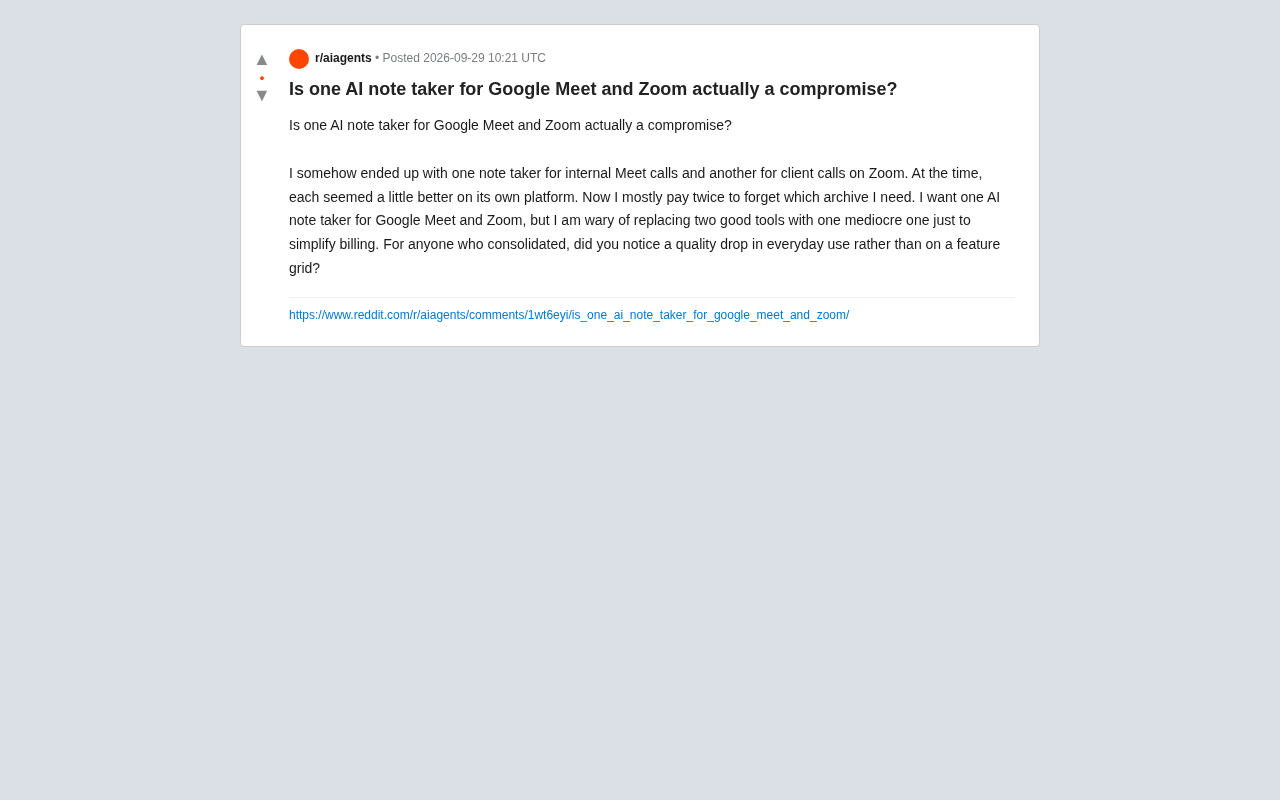
Many teams and individuals fall into a kind of "platform lock-in" when adopting AI meeting note tools. A Reddit user shared their real-world experience: one tool for internal Google Meet meetings, another for client Zoom calls. The original logic was simple — each tool performed better on its native platform.
But over time, problems started to surface. As the user put it bluntly: "I'm basically paying twice and constantly confused about which archive to look in." This fragmentation doesn't just create duplicate subscription costs — more critically, it breaks the continuity of information retrieval. Meeting notes scattered across two systems make looking back at historical content a genuine hassle.
The Core Concern About Integration: Trading Two Great Tools for One Mediocre One
The question this user raised is actually quite representative: they want a single AI note-taking tool that supports both Google Meet and Zoom, but worry that simplifying their billing might come at the cost of real-world quality.
In their own words: "I'm wary of replacing two good tools with one mediocre one just to make billing simpler." This perfectly captures the central tension in any tool consolidation decision — the trade-off between convenience and specialization.
What's worth noting is how they framed the evaluation criteria. They weren't asking about differences in a feature grid — they wanted to know whether, "in day-to-day actual use, you'd notice a drop in quality." This is a highly pragmatic perspective, because many tools look fully-featured on a marketing page, but the real gaps only show up in daily experience: transcription accuracy, speaker identification, summary quality.
Feature Checklists vs. Real-World Experience: The Right Way to Evaluate AI Note Tools
This question reveals a common pitfall in SaaS tool selection: over-reliance on feature comparison tables.
Why Feature Tables Mislead Decisions
A cross-platform tool might check every box on the list — supports Meet, supports Zoom, transcription, summaries, export — but the depth of that "support" can vary wildly. Native, specialized tools tend to be more finely tuned for a single platform, such as handling that platform's specific audio streams or deeply integrating with its calendar system.
This phenomenon is especially pronounced in AI transcription. Take speaker diarization as an example: a feature table typically just says "supports multi-speaker identification," but the actual implementation can differ enormously. Some tools use voice print models to distinguish speakers locally; others require users to manually tag and correct; still others only achieve high accuracy when backed by a single platform's native SDK. Similarly, "supports Zoom" might mean joining meetings via a bot to record audio, or it might mean directly accessing Zoom's native transcription API — the former is prone to losing audio segments during network instability, while the latter is limited by Zoom's own speech recognition capabilities. The same checkmark on a feature table can hide radically different technical approaches and real-world experiences. When evaluating, the question to ask isn't "does it support this?" but "how does it actually implement it?"
Daily Experience Metrics That Actually Matter
For users considering consolidation, the metrics worth evaluating are those that come up in high-frequency use cases:
- Transcription accuracy: Performance in noisy environments, cross-talk, and domain-specific terminology
- Speaker attribution: Can it accurately label who said what?
- Summary quality: Does the generated meeting recap capture key points, or is it just a transcript in disguise?
- Search and archiving: Can you quickly find historical records in a unified interface?
- Cross-platform consistency: Are the note formats from Meet and Zoom meetings standardized?
The Hidden Benefits of Integration: The Value of Unified Archiving
Looking at this user's pain points, the real frustration isn't just "paying twice" — it's "constantly not knowing which archive to look in."
This suggests that the benefits of tool consolidation are often underestimated. When all meeting notes flow into a single platform, what you gain isn't just a simpler bill — it's:
- A unified search entry point: Search for key information across meetings and platforms
- A consistent workflow: No mental context-switching between different tools
- More complete knowledge retention: All meeting data in one place, enabling long-term review and analysis
In other words, even if there are minor trade-offs on individual features, the information continuity gains from consolidation may actually produce a net positive effect on overall work efficiency.
Decision Framework: How to Rationally Decide Whether to Consolidate
For users facing this same dilemma, here's a structured way to think it through:
First, clarify the weight of your core use cases. If Zoom client meetings have extremely high transcription quality requirements (e.g., they involve contract details), while Meet internal meetings only need rough notes, then the cost of compromising on the client use case is much higher — consolidation should be approached with caution.
Second, run a real-meeting trial test. Don't look at feature tables. Instead, take a typical meeting, have both the candidate cross-platform tool and your current tools record it simultaneously, and directly compare the output quality.
Third, quantify the cost of archive fragmentation. Estimate how much time you lose each week because you "can't find which system the notes are in," and factor that into your evaluation alongside subscription costs.
Fourth, accept "good enough" instead of "the best." As the original poster's concern reflects, the goal of consolidation isn't to find a tool that's optimal on every dimension — it's to find one that's "good enough" across the board while eliminating the pain of fragmentation.
For most teams, as long as the cross-platform tool has no glaring weaknesses in day-to-day use, the value of unified archiving and reduced cognitive load is usually more than enough to offset minor gaps in any single feature.
Additional Context
This value becomes even more pronounced as organizations grow. Knowledge management has a concept called "information silos" — the situation where internal organizational data can't flow between systems, leading to duplicated effort and blind spots in decision-making. Fragmented AI meeting note tools are a classic example of this at the individual or team level. When historical meeting notes are scattered across two platforms, not only does retrieval cost increase, but cross-meeting relational analysis (such as tracking how a client requirement evolved across multiple meetings) becomes nearly impossible to perform.
Once notes are unified, some cross-platform tools also support semantic search — the ability to ask questions in natural language and retrieve relevant content from past meetings. This capability can only be fully realized when data is centralized.
Related articles

Chain of Thought Isn't Just for AI: How Humans Can Use CoT to Improve Thinking Quality
Chain of Thought isn't just a prompt trick for large models. Starting from a Hacker News discussion, this article analyzes why CoT works for human thinking too, breaks down actionable ways to transfer it, and highlights the key differences between human CoT and machine CoT.
Cloudflare Teams Up with OpenAI: Closi…
Cloudflare Teams Up with OpenAI: Closing the Loop from Vulnerability Discovery to Defense with AI
Cloudflare uses OpenAI Daybreak to investigate security vulnerabilities and generate reviewable remediation plans, while developers use Codex to boost coding efficiency and quality.

Orca Multi-Agent Orchestration in Practice: A Guide to Parallel Collaboration with Claude and Codex
Orca is Stable AI's free open-source agent workbench supporting 34 agents like Claude Code and Codex in parallel. Learn its Git worktree isolation, multi-model orchestration, and mobile management.