Cursor Agents Gain Computer Use: Local Agents Can Click and Type

Cursor agents gain local computer use, enabling them to build, test, and verify features on their own.
Cursor launched a "computer use" feature for its coding agents, enabling them to click and type on a computer like a human rather than being confined to the code editor. Previously, cloud agents had similar capabilities in VMs; this update extends it to agents running on users' local Mac or Linux machines. This means agents can build a feature, then open the app themselves, simulate interactions, and verify usability, forming a "develop-verify-fix" loop. On permissions, Mac requires accessibility and screen recording permissions, while self-hosted machines are off by default. Cursor also revealed that over 30% of its internally merged pull requests come from autonomously working agents, showing significantly increased agent participation in real production workflows.
Title
Cursor Agents Gain Computer Use: Local Agents Can Click and Type
Meta Description
Cursor coding agents gain computer use: local agents can click, type, open apps, and verify features on Mac or Linux. Mac requires accessibility and screen recording permissions; self-hosted is off by default. Over 30% of merged PRs at Cursor come from autonomous agents.
Article Content
Cursor's coding agents are breaking out of the editor. The newly launched "computer use" feature lets agents click and type on a computer like a human, rather than working solely inside the code editor. This means AI agents can build features, open apps, simulate interactions, and verify that things actually work—the loop from writing code to real-world testing is being automated end to end.
From Cloud VMs to the Local Desktop
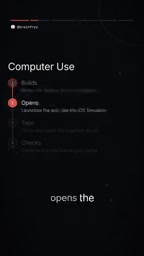
Previously, Cursor's cloud agents could already perform similar actions within their own virtual machine environments, completing in-app interaction verification. The core change in this update is that local agents now have this capability too, running directly on the user's own Mac or Linux machine.
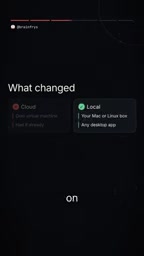
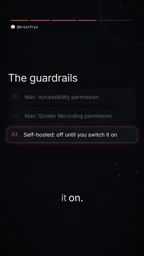
This shift matters. While cloud VMs offer good isolation, their environments often differ from developers' local configurations; local agents face the real development environment directly, enabling more accurate reproduction of issues and feature verification. Of course, permissions come into play—on Mac, the feature requires accessibility and screen recording permissions; on self-hosted machines, it's disabled by default and must be enabled manually by the user.
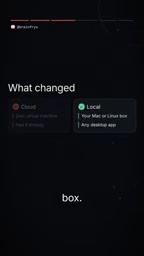
A cloud VM is a complete computer environment allocated by a service provider on a remote server and simulated through virtualization technology. Agents run operating systems and applications within it, isolated from the user's local device. The benefit is a clear security boundary and an environment that can be reset at any time, but the drawbacks are obvious: the system version, dependency libraries, and installed software in the VM often don't match the developer's local machine, so features that pass verification in the agent may still fail locally due to environment differences. Local agents run directly on the user's Mac or Linux machine, eliminating the environment-sync step and enabling more realistic reproduction and verification of issues.
Agent Autonomy Is Rising
Cursor shared a noteworthy figure: over 30% of its internally merged pull requests now come from autonomously working agents. This proportion shows that AI agents are already deeply involved in real production workflows—no longer just assisting with code completion, but beginning to independently complete full task units from development to submission.
Combined with local computer use, agent workflows can extend further: after building a feature, the agent can launch the app itself, simulate user interactions, check whether the feature runs as expected, and return to code changes if issues arise. If this "develop-verify-fix" loop runs reliably, it will significantly reduce the repetitive manual work of testing.
A pull request (PR) is a core concept in version control collaboration workflows like Git: after completing changes on a separate branch, a developer initiates a merge request to the main branch, which team members review, discuss, and decide whether to merge. A PR typically corresponds to a complete feature or fix unit, including code changes, descriptions, and tests. Therefore, "the proportion of merged PRs coming from autonomous agents" is an important metric for measuring the real productivity of AI agents—it means the agent not only generated code but also independently completed the full process from modification to submission, through review, and acceptance.
The Boundaries of Security and Trust
Letting agents drive the desktop naturally raises discussions about permissions and security. Cursor adopts a two-tier approach to permission design: on Mac, system-level permissions must be explicitly granted; in self-hosted environments, the feature is off by default and must be actively enabled. This conservative default setting reflects the vendor's cautious attitude toward the potential risks of local agents.
For developers, whether to enable it depends on the specific scenario. In isolated development environments, local agents can significantly boost efficiency; where sensitive data or production systems are involved, the controllability of agent operations must be weighed. The original material also leaves an open question: are you willing to let an agent drive your desktop? The answer to this question may determine the adoption pace of local agent capabilities.
Accessibility is a system-level interface provided by macOS that allows applications to read interface elements on the screen, simulate clicks, keyboard input, and focus switching. Screen recording permission allows applications to capture screen content to identify the current interface state. Together, these two form the technical foundation for agents to "see the screen and operate the computer." Because these permissions give applications the ability to observe and control the entire system, macOS requires users to explicitly authorize each one, and they can be revoked at any time in System Settings. For local agents, this means the scope of permissions directly determines the data and application boundaries the agent can reach—the primary variable in security assessment.
One-line Summary
Cursor agents gain local computer use, enabling them to build, test, and verify features on their own.
Paragraph Summary
Cursor launched a "computer use" feature for its coding agents, enabling them to click and type on a computer like a human rather than being confined to the code editor. Previously, cloud agents had similar capabilities in VMs; this update extends it to agents running on users' local Mac or Linux machines. This means agents can build a feature, then open the app themselves, simulate interactions, and verify usability, forming a "develop-verify-fix" loop. On permissions, Mac requires accessibility and screen recording permissions, while self-hosted machines are off by default. Cursor also revealed that over 30% of its internally merged pull requests come from autonomously working agents, showing significantly increased agent participation in real production workflows.
Related articles

Sugra MCP: One-Click Access to 200+ Data Sources, Connecting Mainstream AI Applications
Sugra MCP connects mainstream AI apps like Claude, ChatGPT, and Cursor through a unified MCP protocol, offering 200+ data sources and 1,600+ endpoints. Listed in Anthropic, OpenAI, and GitHub directories—integrate with one command.
 Tech Frontiers
T3 Code: Free, Open-Source, and a Unified Way to Manage All AI Coding Agents
T3 Code is a free open-source app that aggregates AI coding tools like Cloud Code and Codex into one interface, with conversation handoff, branch isolation review, automatic PR creation, and remote access.
 Tech Frontiers
Conductor Cloud Service Shutting Down? A Comparative Review of Three Parallel AI Coding Agent Solutions
Conductor's cloud service is shutting down—how can developers keep running AI coding agents in parallel? This article compares three alternatives: Orca, Codex, and Cursor: Orca is open-source and free and compatible with old workspaces, Codex is built into the ChatGPT desktop app and supports cloud handoff, and Cursor offers multi-agent windows within the editor. Choose the tool that best fits your workflow.