Cursor, Claude Code, and JackHamr Tested: Same Feature, Who Actually Delivers?

Three AI coding tools show different autonomy levels with the same prompt; choose based on how much process you want to own.
Using the same prompt—"add a dark mode toggle to the settings page"—the article tests Cursor, Claude Code, and JackHamr. Cursor autocompletes in-editor but you remain the build system; Claude Code reads the repo and writes changes but you still run tests and open PRs; JackHamr runs the full pipeline in the cloud, leaving you to review at key gates. The real difference lies in how much engineering process each tool takes over.
The same prompt—"add a dark mode toggle to the settings page"—was given to Cursor, Claude Code, and JackHamr respectively. The result: three tools delivered three completely different levels of "completion." This comparison demo from YouTube puts the most fundamental divide in today's AI coding tools on the table: are you buying autocomplete, a pair programmer, or an entire pipeline?
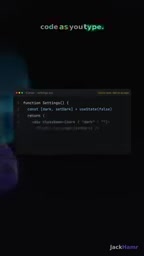
Three Tools, Three Levels of Autonomy
The demonstrator gave all three tools the exact same requirement, with no additional context. Their differing responses essentially reflect different answers to the question of "how deep should AI intervene in the development process." Cursor represents the instant-completion paradigm within the editor, Claude Code represents the pair-programming paradigm in the terminal, and JackHamr moves the entire engineering pipeline directly onto its own cloud machines.
Understanding the differences between these three is more important than remembering who scores higher on benchmarks. Because they don't correspond to the same type of user, nor the same working habits.
Cursor: Fast, But You're Still the Build System
Cursor's approach is "suggest as you write." You type code in the editor, it offers completions at the cursor, and you accept, paste, wire up, and run tests yourself, segment by segment. For a small, well-scoped change like a dark mode toggle, this workflow is quite smooth—almost no waiting, and no need to switch context between tools.
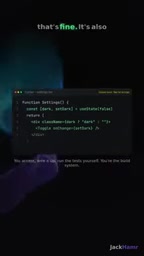
But the demonstrator points out an easily overlooked fact: you are still the build system itself. Autocomplete only generates code snippets; how code gets written to disk, how dependencies are connected, who triggers tests—all of this is done manually by you. Cursor's speed advantage is built on the premise that you hold the steering wheel the entire time. The more complex the requirement, the more you have to shoulder manually.
"Build system" originally refers to a term in the compilation domain, meaning the automated toolchain that transforms source code into runnable artifacts (such as Make, Bazel, Webpack). In this article it is borrowed as a metaphor: when Cursor is only responsible for generating code snippets, the automation capabilities missing from the process—how code is organized, how dependencies are resolved, how tests are triggered, how artifacts are deployed—are supplied by the developer themselves. In other words, you aren't using a build system; you are the build system. This metaphor highlights the ceiling of autocomplete tools: their capability boundary stops at the cursor, and every engineering action past the cursor is still 100% borne by humans.
Claude Code: Strong Pairing, But You're Still the Pipeline
Claude Code works in a completely different way. It runs in the terminal, proactively reads the entire repository, understands context, and then writes changes. You review its diff, run tests yourself, and open the PR yourself. This is a very capable pair programmer—it can read project structure, and its changes are more systematic than line-by-line completion.
The limitation is equally clear: you are still the pipeline. From code review to test triggering to opening a merge request, every step requires you to push it forward by hand. Claude Code does the "writing code" step very well, but the burden of process orchestration doesn't disappear—it just shifts from typing to running the workflow.
JackHamr: Moving the Entire Pipeline to the Cloud
JackHamr received the exact same prompt as the other two, but its approach is to run the entire pipeline autonomously on its own cloud machines. It first writes a spec, generates a prototype, waits for your confirmation, then codes, runs unit tests and browser tests, and finally automatically opens a pull request and deploys to an accessible live URL.

In this workflow, your role changes. You no longer need to run tests yourself or open the PR yourself—you appear at a few key "gates" to approve and review. The demonstrator's summary is precise: at these gates, you're the reviewer, not the pipeline itself.

The tradeoff, of course, exists—the higher the degree of autonomy, the more steps you need to trust. Whether the spec is written correctly, whether the prototype meets expectations, whether test coverage is sufficient—once these judgments are approved at the review points, the subsequent artifacts go directly into deployment.
"pull request" is a core collaboration mechanism of code hosting platforms such as GitHub: after a developer completes changes on a separate branch, they open a PR requesting to merge their branch back into the mainline. The PR page displays the full diff, supports line-by-line comments, and can attach a CI pipeline (such as automatically running tests and checking code style). In a traditional workflow, every step between writing code and opening a PR—switching branches, committing, pushing, filling out the description—is done manually by the developer. JackHamr directly automates this action, meaning it doesn't just generate code; it also takes over Git operations, handles branch strategy, and writes PR descriptions. This is one of the most critical dividing lines between it and Cursor and Claude Code.
Which to Choose: It Depends How Much You Want to Drive
These three tools are not competitors on the same dimension; each occupies a segment on the autonomy spectrum.
- Cursor is suited to scenarios where changes are localized, pace matters, and you enjoy controlling every detail. It optimizes input efficiency.
- Claude Code is suited to medium-sized changes that require understanding repository context, but where you still want to control the rhythm of testing and merging. It optimizes code quality and context awareness.
- JackHamr is suited to end-to-end delivery, where you're willing to trade approval points for process automation and accept handing the build environment to the cloud. It optimizes the entire chain from requirement to deployment.
The demonstrator's advice is direct and practical: choose based on how much you want to drive. Want full control throughout? Choose Cursor. Want a strong partner but want to manage the process yourself? Choose Claude Code. Want to check in only at key points and hand the pipeline to the machine? Choose JackHamr.
"Autonomy spectrum" is a commonly used analytical framework when evaluating AI coding tools: one end of the spectrum is zero autonomy (only offering suggestions as you type, such as autocomplete), and the other end is full autonomy (a complete closed loop from natural language requirement to deployed release). A tool's position on the spectrum determines how much decision-making, execution, and verification it takes over on your behalf. Choosing a tool is essentially choosing where you stand on this spectrum—the closer to the autonomy end, the more repetitive labor you save, but the more judgment points you need to trust in advance. This spectrum explains the vast differences in experience between tools better than "whether the code is written well."
A Judgment Question the Demo Obscures
The most valuable part of this comparison isn't providing an answer to "who is better," but exposing a commonly overlooked question: the differences between AI coding tools often lie not in code generation quality, but in how much of the engineering process they take over for you.
With the same prompt, Cursor hands you a pile of snippets waiting to be wired up, Claude Code hands you a diff waiting to be reviewed, and JackHamr hands you a PR and a live URL waiting to be approved. All three can claim "done," but the meaning of completion is completely different. Before choosing a tool, first figure out which role you're willing to play in the process.
Related articles

How Big Can Stars Really Get? The Physical Limits of the Largest Stars
Red supergiants are the largest stars by volume, with radii up to 2,000 times the Sun, engulfing the inner solar system. But there is no precise upper limit on stellar size—models predict up to 15,000 solar radii. The most massive blue stars are far smaller than red supergiants—biggest and heaviest are two different things.

Apple HomeView Smart Display Full Feature Breakdown: Wall-Mount or Desktop, $299
Apple launches HomeView, a $299 smart display with wall-mount and desktop options, 12MP camera for facial recognition, smart home control, music playback, and recipe step-by-step cooking. Full breakdown of watch faces, apps, privacy, and cooking integration.

Where Did the Promised New Studio Go? Craft Computing Answers After Five Years
Craft Computing's host responds to viewer questions: the new studio promised five years ago was shelved as construction costs soared from $30,000 to $75,000, and was replaced by a 168-square-foot garage conversion.