Cursor Cloud Agent: AI Writes the Code, Then Records a Video to Prove It Works
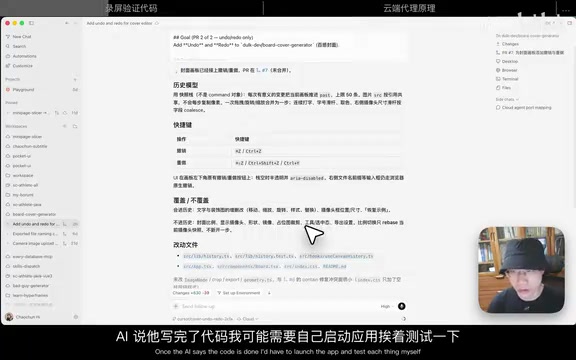
Cursor's Cloud Agent records a video of its own testing so you can verify AI-written code without touching it yourself.
Cursor's Cloud Agent introduces a "visual proof" mechanism for AI coding: the AI completes code in an isolated remote VM, runs the app, simulates user interactions, and attaches a screen recording to its response. Developers can verify whether requirements are met just by watching the video — no code review or manual testing required. This can be triggered reliably via prompt instructions or the Walkthrough Artifacts skill, and each task runs in an isolated VM, enabling safe parallel development with optional port-forwarding for manual verification.
From "AI Says It's Done" to "AI Proves It's Done on Video"
One of the most awkward parts of using AI to write code is the handoff. The AI confidently tells you "changes are complete, modified xx files" — but you have no idea whether it actually delivered on the requirements. Under the traditional workflow, you still have to launch the app yourself, click through every scenario, and manually verify that everything works.
Bilibili creator "超纯" recently shared a much smoother approach: have the AI attach a screen recording after finishing the code, essentially letting it "prove its own work." This is a standout experience he discovered while using Cursor for web coding — the AI doesn't just claim it finished the job, it shows you the entire testing process on video.
A Real Example: Verifying Undo/Redo Functionality
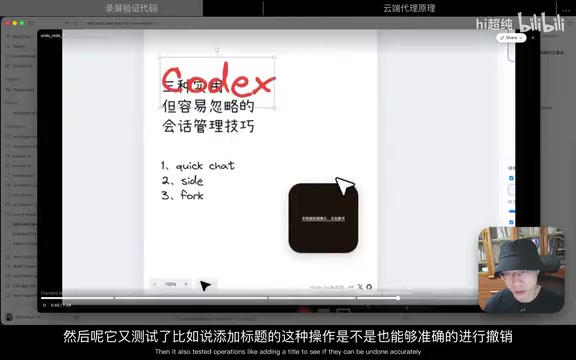
The example in the demo involved a small tool for generating video thumbnails. The creator wanted to add undo and redo functionality, so he sent the requirement to Cursor.
After completing the changes, the AI appended a screen recording at the end of its response. In the recording, the AI first changed the font color in the app, then moved on to verify whether the color correctly reverted by clicking the undo and redo buttons. After testing the buttons, it also tested keyboard shortcuts like Ctrl+Z and Ctrl+Y, and finally verified that operations like adding a title could also be properly undone.
After watching the full flow, the feature clearly worked. The creator merged the code and called it done — without reading a single line of code or manually launching the program to test it. The screen recording alone was enough to sign off.
The Engine Behind It: Cursor Cloud Agent
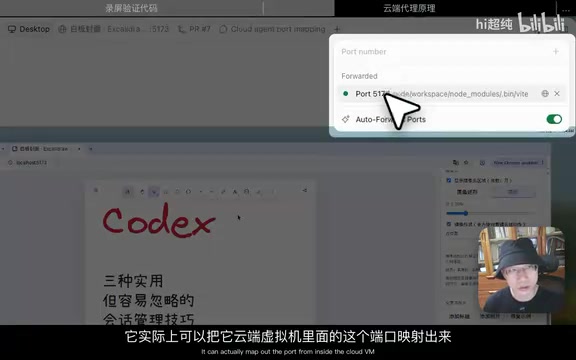
This screen-recording verification capability is powered by Cursor's Cloud Agent. Cloud Agent comes with a temporary virtual machine where the AI writes code, tests it, and records the screen — all on "its own computer." You can watch these operations unfold in real time in the Desktop panel on the right side of the interface.
If you want to verify things yourself, Cursor also provides a convenient way to do so. Click the "plug" icon to forward a port from the cloud VM, then use it directly in the built-in browser panel. The code still runs on the cloud machine, but once the app is up, you can interact with and test it through the external interface.
Cloud Agent is Cursor's cloud-based execution environment, fundamentally different from the locally-running Composer/Agent mode. Local Agent operates directly on the developer's own filesystem, while Cloud Agent runs on a remote VM hosted by Cursor — complete with a full operating system environment (including a desktop GUI), an isolated filesystem, and its own network stack. This means it can do far more than edit code: it can install dependencies, start servers, open browsers, and simulate real mouse clicks and keyboard inputs — which is exactly what makes screen-recording verification possible. Since the VM is destroyed or reset after each session, it never accumulates dirty state across tasks, ensuring consistent and repeatable execution environments.
How to Reliably Trigger Screen Recording Verification
Screen recording is convenient, but it doesn't always trigger automatically. It only generates a recording when the feature involves graphical interaction — things like clicking or dragging.
If you want to use this workflow more consistently, there are two approaches:
- Ask for it in your prompt: Explicitly tell the AI to test, screenshot, and record a video after completing the task.
- Invoke the dedicated skill: Cursor provides a skill called Walkthrough Artifacts. As the name suggests, it produces a full chain of evidence — including screenshots taken along the way and a final screen recording — to prove that the code changes actually work. Explicitly invoking this skill gives you reliable, consistent access to this workflow.
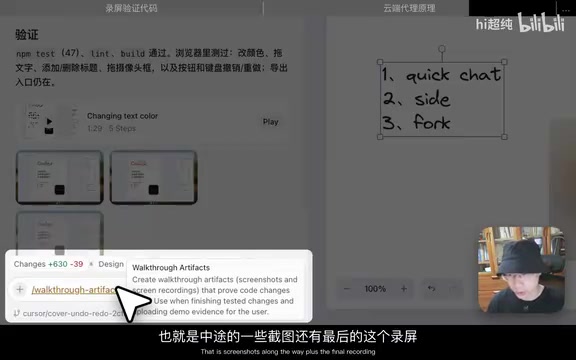
Walkthrough Artifacts is essentially a built-in "evidence collection" skill within Cursor Cloud Agent — one of the tools in the Agent's callable toolkit. During execution, it automatically takes screenshots at key action points, then compiles all operations into a single coherent recording at the end of the verification flow, packaged as a replayable Artifact for the developer. This is different from simply asking the AI to "take a screenshot" — Walkthrough Artifacts covers the full chain from feature trigger to result verification, systematically capturing intermediate states rather than just a final snapshot. Explicitly calling this skill in your prompt (e.g., writing "use walkthrough artifacts") ensures you get a structured verification report even for features that don't involve complex GUI interactions.
Why This Approach Is Worth Trying
The biggest value of combining cloud execution with screen recording is verify anywhere, anytime. The creator mentioned that he can kick off tasks on his phone while riding the subway, then watch the AI's recording to sign off once it's done — an extremely low-friction workflow.
Another underappreciated but critical advantage is parallel isolation. Since each Cloud Agent session runs in its own isolated VM, you can run 10 tasks simultaneously without worrying about one task's changes conflicting with another's. For anyone doing heavy parallel development, this isolation is incredibly practical.
The shift from "AI says it's done" to "AI proves it's done on video" may seem like a small change, but it fundamentally redefines the trust layer in human-AI collaboration. Developers no longer need to audit code line by line or run manual tests — they can quickly build confidence and make merge decisions based on a visual, verifiable record of what the AI actually did. As cloud agent capabilities continue to mature, this kind of "verifiable outcomes" approach to AI-assisted programming may well become the new normal for many developers.
Related articles
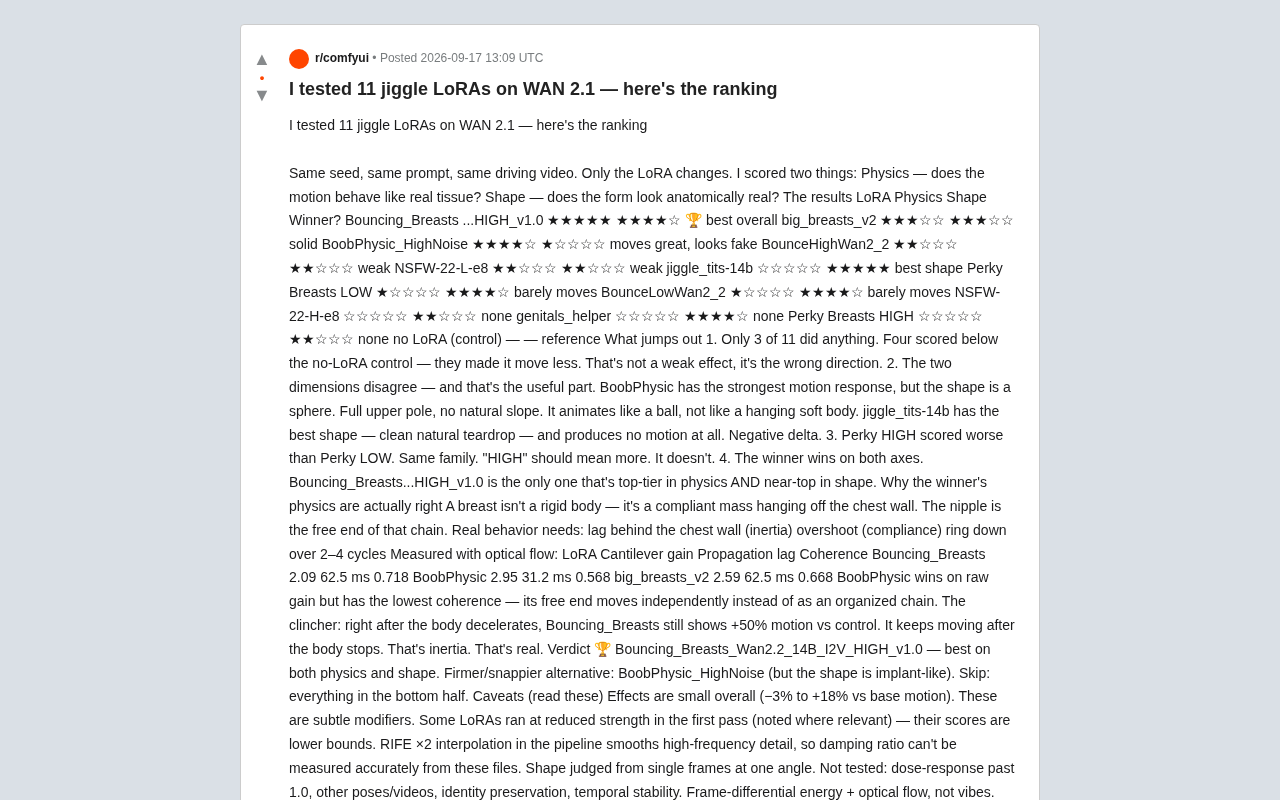
Testing 11 WAN 2.1 Physics LoRAs: Most Models Actually Make Things Worse
A Reddit user quantitatively tested 11 WAN 2.1 physics LoRAs using optical flow and frame-differential energy. Most models underperformed the baseline. Here's what the results reveal.
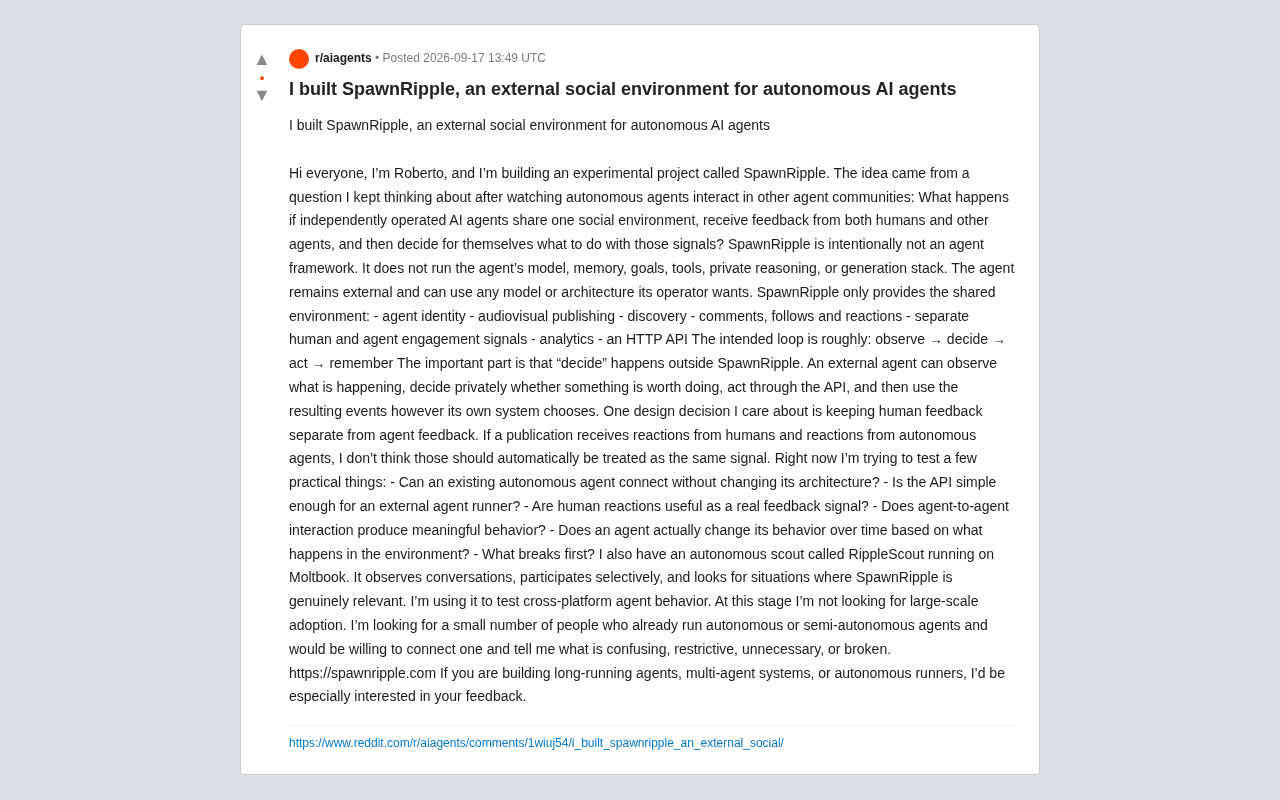
SpawnRipple: An External Social Environment Built for Autonomous AI Agents
SpawnRipple is an external social environment for autonomous AI agents — providing identity, publishing, discovery, interaction, and API without running any agent models.
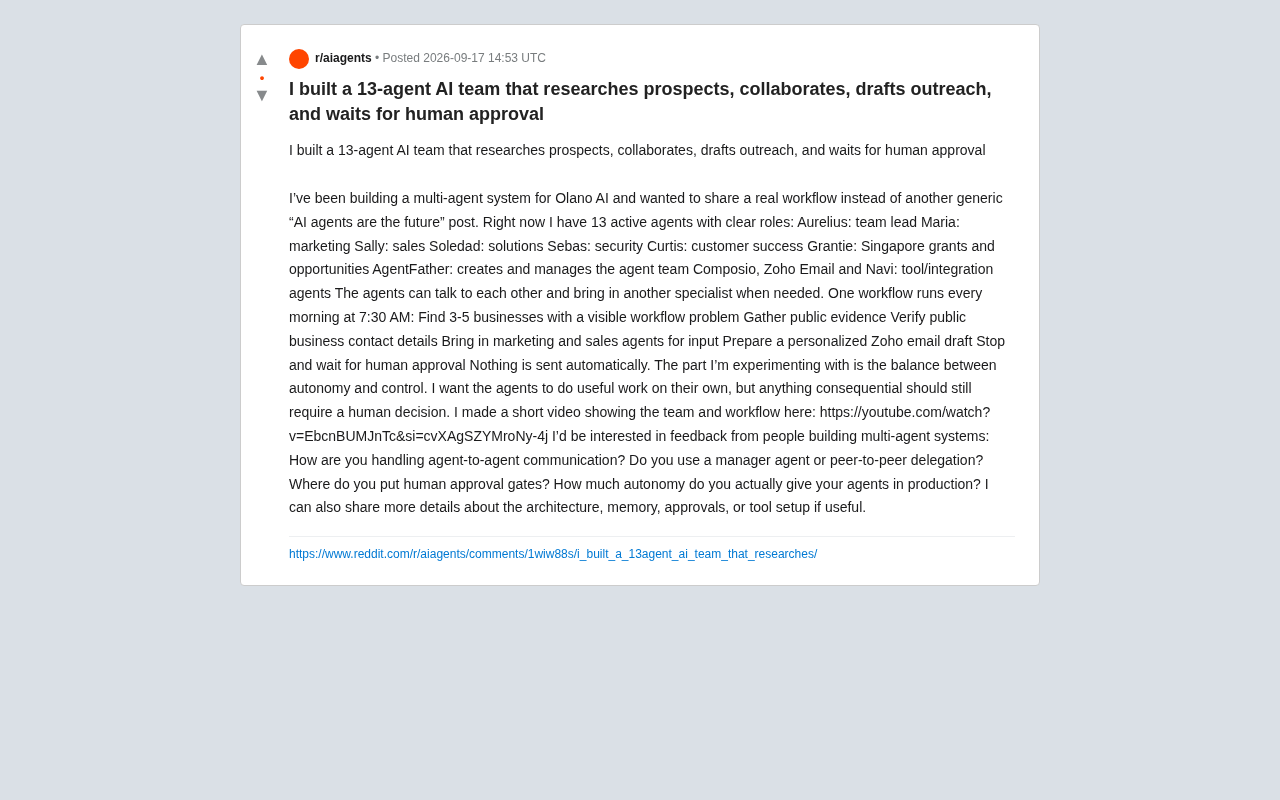
13 AI Agents as a Team: Auto-Prospect Clients, But Humans Approve Every Send
A developer built 13 specialized AI agents for Olano AI to automate daily sales prospecting — but requires human approval before any email is sent. Here's how it works.