Cursor + MetaMuse Spark 1.3 Hands-On: Can a Low-Cost AI Coding Model Keep Up with Frontier Models?

MetaMuse Spark 1.3 delivers near-flagship AI coding at ~$4.25/M tokens inside Cursor.
MetaMuse Spark 1.3 flies under the radar compared to GPT and Claude, but its output token price (~$4.25/M) is roughly half that of Claude/Opus. A hands-on demo in Cursor's Plan Mode produced a dark-themed Next.js SaaS dashboard with interactive charts in about seven minutes and 78K tokens. The test also covered multi-turn iteration (color changes, new analytics page), cross-session tasks (generating api.js with route structure in a fresh conversation), and Ask Mode Q&A. The verdict: Spark 1.3 is fast, accurate for UI generation, and a strong cost-efficient pick for small-to-medium tasks — though flagship models remain the safer bet for large, complex projects.
MetaMuse Spark 1.3 doesn't show up in conversations as often as GPT or Claude, but its benchmark scores come close to frontier models — and its price is a fraction of the mainstream alternatives. This article draws on a hands-on demo by a YouTube developer to evaluate how well this model holds up for real-world coding tasks in Cursor.
Cost Is the Headline Advantage
According to the video's author, MetaMuse Spark's output token price is around $4.25 per million tokens, compared to roughly $10 for models like Claude or Opus. That's a savings of about $5.75 per million output tokens — nearly half the cost.
For developers who rely heavily on AI-assisted coding and iterate frequently, that price gap compounds quickly over time. The author's core question follows naturally: at this price point, is Spark 1.3 capable enough for everyday development? The bar isn't to replace the strongest models — it's to serve as a reliable, cost-conscious alternative for the right use cases.
In large language model pricing, input tokens and output tokens are typically billed separately, with output tokens carrying a higher per-token rate. That's because generating each token requires a full forward pass through the model, whereas processing input can benefit from mechanisms like KV caching to spread out compute costs. In code generation scenarios, a single complete exchange often involves substantial output — functions, comments, config files — making output cost the dominant factor in real-world bills. The "$4.25 per million tokens" figure cited here refers specifically to the output-side rate, which is the key metric for estimating long-term costs in coding workflows. The 78K token context consumption mentioned later is also worth noting — some models charge extra or degrade in quality at long contexts, which should factor into any model selection decision.
Building a SaaS Dashboard with Cursor + Plan Mode
The author is a longtime Cursor user, calling it the best AI IDE available right now for integrating with frontier models. The test workflow: switch to Plan Mode in Cursor, have Spark generate a plan first, then proceed to code generation.

The initial prompt was straightforward — create a SaaS dashboard using Next.js (App Router), Tailwind CSS, and Lucide React icons. Once in Plan Mode, Spark's planning speed was noticeably faster than Claude's. The author noted that Claude tends to spend more time in the preparation phase, while Spark quickly produced a list of dependencies and functions to implement.
First Version in Seven Minutes
Generation started at 8:05 and wrapped up at 8:12 — roughly seven minutes and approximately 78K tokens of context. The author described the pace as impressively fast.

The resulting app, named Netzora, featured a dark UI with interactive charts — hovering over data points revealed specific values. The home page was fully implemented, though tabs like Analytics and Revenue weren't yet built out. The interface did include a CSV export feature.
Plan Mode is a two-phase workflow in Cursor: the model first outputs a structured execution plan (listing files to create or modify, dependencies, and function signatures), and only proceeds to actual code generation after the user confirms. This differs from asking the model to write everything in one shot — planning first reduces the risk of heading in the wrong direction halfway through, and gives developers a chance to catch misaligned requirements before the costly generation step begins. Ask Mode is a separate mode where the model answers questions and explains code without modifying any files — useful for quick lookups or code review without touching the codebase. Using both modes together lets you dial in how much the AI intervenes, keeping both costs and the risk of unintended changes under control.
Iteration and Multi-Turn Conversation
The author then gave a second prompt: implement the Analytics tab and switch the color scheme to pastel green. The model successfully applied the color change and generated a mockup for the analytics page.
The more revealing test came next: the author started a fresh conversation and asked Spark to write an api.js file for future backend endpoints, configured to match the current page structure.

Without any carry-over context from the previous session, Spark still understood the requirements and generated an api.js placed in an appropriate directory. The author noted that the structure was designed so that plugging in a real backend later would require only minimal additions and replacements.
Q&A Performance in Ask Mode
The author also switched to Ask Mode to query the codebase. The first question was simple: which icon package does the project use? Spark answered quickly and correctly — Lucide React.
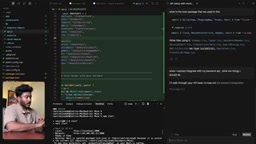
The second question was more complex: what should be considered when integrating a backend API? The model gave a thorough response centered on api.js, covering setting a base URL, configuring endpoints, handling headers, and managing authentication — hitting the key points for backend integration.
Verdict: A High-Value Pick for Smaller Tasks
Based on this hands-on test, MetaMuse Spark 1.3 stands out for UI generation — the interface looked polished, the charts worked well, and both planning and generation were faster than Claude. It also demonstrated solid coherence across multi-turn conversations and independent sessions.
The author's take is refreshingly pragmatic: for serious, large-scale projects, stick with a more capable flagship model; but for tasks that don't require that level of firepower, Spark gets the job done and saves you meaningful money. That's its real value — covering the bulk of everyday development needs at a lower price.
One caveat: the conclusions here are based on a single demo with limited scope. How Spark performs on complex business logic, large codebase maintenance, and other demanding scenarios still warrants more systematic evaluation.
Related articles

Chain of Thought Isn't Just for AI: How Humans Can Use CoT to Improve Thinking Quality
Chain of Thought isn't just a prompt trick for large models. Starting from a Hacker News discussion, this article analyzes why CoT works for human thinking too, breaks down actionable ways to transfer it, and highlights the key differences between human CoT and machine CoT.
Cloudflare Teams Up with OpenAI: Closi…
Cloudflare Teams Up with OpenAI: Closing the Loop from Vulnerability Discovery to Defense with AI
Cloudflare uses OpenAI Daybreak to investigate security vulnerabilities and generate reviewable remediation plans, while developers use Codex to boost coding efficiency and quality.

Orca Multi-Agent Orchestration in Practice: A Guide to Parallel Collaboration with Claude and Codex
Orca is Stable AI's free open-source agent workbench supporting 34 agents like Claude Code and Codex in parallel. Learn its Git worktree isolation, multi-model orchestration, and mobile management.