Cursor On-Demand Billing Trap: Deep Dive into Dynamic Threshold Charging and How to Avoid It

Cursor's hidden dynamic threshold billing mechanism causes unexpected multiple charges for new accounts.
A solo developer using Cursor Pro+ was charged twice in one day after enabling on-demand billing, causing bank overdrafts. Cursor's system uses dynamic threshold billing that charges new accounts more frequently at lower amounts ($40-60) rather than settling monthly. This article explains the mechanism, highlights the transparency gap between UI messaging and actual behavior, and provides practical tips to avoid similar issues.
Recently, an independent developer using the Cursor Pro+ plan posted a cautionary tale on Reddit: due to a misunderstanding of the "On-Demand billing" mechanism, he was charged twice in a single day, causing his bank account to overdraft and triggering multiple overdraft fees. This article breaks down the incident, dissects the opaque rules behind Cursor's on-demand billing, and provides practical tips for budget-conscious developers.
Incident Recap: "Unexpected" Charges from Cursor On-Demand Billing
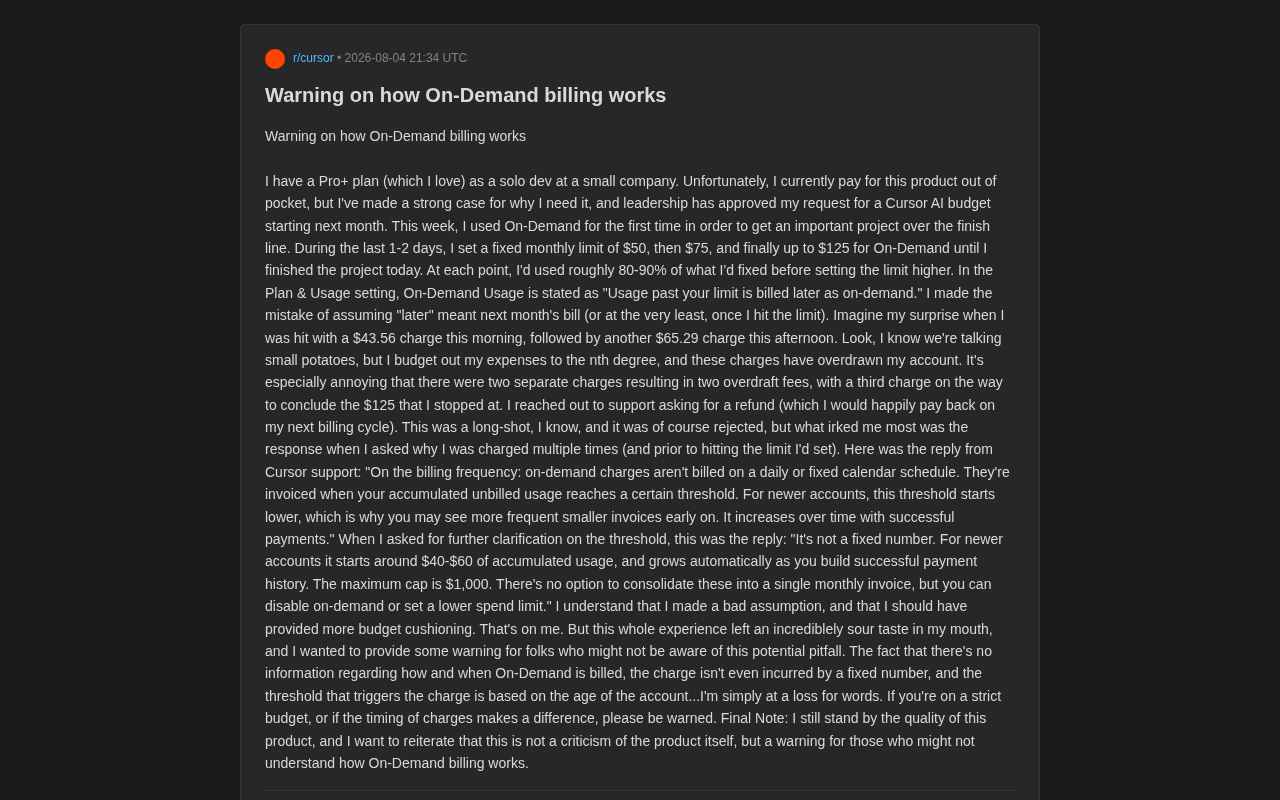
The developer in question is a solo developer at a small company, currently paying out of pocket for his Cursor subscription. He had already convinced his company to reimburse AI tool costs starting next month. To finish an important project before that deadline, he enabled "On-Demand billing" for the first time this week.
Industry Background on Pay-as-You-Go Billing
Pay-as-you-go is a widely adopted pricing strategy in cloud computing and SaaS, first popularized at scale when AWS launched EC2 in 2006. In the AI tools space, since LLM inference costs are directly tied to the number of API calls and token consumption, pay-as-you-go has become a common approach to balance user flexibility with platform cost recovery. OpenAI's API and Anthropic's Claude API both use similar models. However, unlike traditional cloud services, AI coding assistants have extremely volatile usage patterns — an intensive afternoon of coding might consume as many tokens as an entire typical week, making cost prediction particularly difficult.
What Is Cursor?
Cursor is an AI code editor developed by Anysphere, built on the VS Code architecture, integrating multiple large language models like GPT-4 and Claude to provide code completion, conversational programming, and code refactoring capabilities. Its subscription tiers include a free version, Pro (approximately $20/month), and Pro+. The Pro+ plan offers higher model call quotas and priority access to the latest models. When users exceed the fixed quota included in their plan, they enter the "on-demand billing" phase, where overages are charged based on actual token consumption. As of late 2024, Cursor has become one of the fastest-growing AI programming tools among independent developers and small teams, with a significant proportion of its user base being individual developers paying out of their own pockets.
His approach was fairly cautious: he first set a monthly cap at $50, adjusted it to $75 when usage hit 80%-90%, and finally raised it to $125 until the project was complete. He assumed that the phrase "Usage past your limit is billed later as on-demand" — specifically the word "later" — meant it would be settled in the next month's bill, or at least wouldn't be charged until hitting the cap.
The reality was different: he was charged $43.56 that morning, another $65.29 that afternoon, with a third charge on its way to round out his $125 limit. The two separate charges triggered two overdraft fees — a terrible experience for someone who plans every expense down to the dollar.
Cursor's Official Response: The Hidden Dynamic Threshold Billing Mechanism
The developer then contacted Cursor support, requesting a refund (and offering to repay in the next billing cycle). The refund request was unsurprisingly denied, but what truly frustrated him was the explanation for why he was charged multiple times.
Cursor's official response essentially stated:
On-demand charges are not billed on a daily or fixed calendar cycle. They are invoiced when accumulated unbilled usage reaches a certain threshold. For newer accounts, this threshold starts lower, so you may see more frequent, smaller bills early on. As successful payments accumulate, the threshold gradually increases.
When he pressed for the specific threshold value, support clarified:
It's not a fixed number. For new accounts, it starts at approximately $40-60 in accumulated usage and grows automatically as you build a successful payment history. The maximum cap is $1,000. It's not possible to consolidate these into a single monthly bill, but you can turn off on-demand billing or set a lower spending limit.
Technical Principles Behind Dynamic Threshold Billing
The dynamic threshold billing mechanism Cursor employs is known in the payments industry as "Accumulated Billing Trigger." Its core logic is: instead of generating invoices on a fixed time cycle (like month-end), the system automatically triggers a charge when unbilled fees accumulate to a certain amount. Payment platforms like Stripe offer SaaS products "threshold billing" APIs for usage-based billing, allowing service providers to customize trigger conditions. The benefit for platforms is reduced bad debt risk — if they wait until month-end to collect a large sum, the probability of user disputes or payment failures increases. The downside is that it shifts the platform's risk management costs onto users' cash flow management burden.
In other words, Cursor's on-demand billing trigger mechanism has three key characteristics: it doesn't settle on fixed cycles, the trigger threshold isn't a fixed amount, and the threshold depends on account "age" and payment history. This explains why this new user was hit with multiple smaller charges in rapid succession.
The Core Problem: Lack of Transparency in Cursor's Billing Rules
You might not have noticed, but the developer repeatedly emphasized that he still approves of the product quality itself — this wasn't a product criticism but a well-intentioned warning. The real issue isn't the amount (he called it "small potatoes" himself) but the lack of transparency in billing rules.
Triple Uncertainty Stacking
From a user experience perspective, this mechanism's problem lies in stacking three layers of uncertainty:
- Timing uncertainty: The vague word "later" led the user to assume next-month settlement, when charges could actually trigger at any time.
- Amount uncertainty: The threshold that triggers a charge isn't a publicly disclosed fixed number — users have no way to predict when a charge will occur.
- Rule opacity: The threshold changes dynamically based on account age and payment history, and this logic has virtually no explanation in the product interface.
For users relying on credit card buffers, the impact may be minimal. But for individual developers and small teams using debit cards with strict cash flow control, this "random timing + random amount" charging method can easily cause overdrafts, triggering additional bank fees.
The "Penalty" Mechanism of Lower Thresholds for New Accounts
More subtle is the design of "lower thresholds for new accounts." From a platform risk management perspective, this is essentially an anti-fraud mechanism — reducing single authorization limits for accounts without payment history, using multiple small charges to verify payment capability before gradually relaxing limits. This is not uncommon in credit systems.
In traditional finance, new customers typically receive lower credit limits that gradually increase as on-time payment records accumulate. Payment processors like Stripe and Braintree also recommend that SaaS platforms adopt similar strategies for new users to reduce credit card fraud and chargeback risks. According to industry data, the average chargeback rate for SaaS products ranges from 0.5%-1%, while newly registered accounts may see rates as high as 3%-5%. Therefore, from a platform operations perspective, small-amount high-frequency verification for new accounts is a reasonable risk control measure.
But the problem is that this logic is a complete black box to users. The user sets a $125 "cap" and instinctively interprets it as a "billing trigger point," never expecting the system to charge in batches well before reaching that cap. The gap between interface messaging and actual behavior is the root cause of this terrible experience.
Industry Comparison: The Evolution and Challenges of Usage-Based Billing
Usage-based billing is becoming the dominant pricing trend for AI products. According to OpenView Partners' 2023 SaaS Pricing Report, the proportion of B2B SaaS companies adopting usage-based billing has risen from 27% in 2018 to 46% in 2023. In the AI space, this percentage is even higher because model inference marginal costs are directly tied to call volume.
However, this model also introduces the "bill shock" problem. AWS was heavily criticized early on for users accidentally generating enormous bills, and later improved the user experience by introducing budget alerts, hard spending caps, and free tiers. GitHub Copilot chose a flat monthly fee model ($10/month, later adjusted to $19/month) to avoid this issue, but at the cost of being unable to precisely match the cost differential between heavy and light users. Cursor is trying to find a balance between the two — base quota plus on-demand overflow — but clearly has room for improvement in billing transparency.
It's worth noting that developer tool platforms like Vercel and Supabase, when facing similar issues, have introduced "hard spending caps" and "real-time usage dashboards" that let users know exactly when they'll be charged and how much. These practices offer valuable references for AI tool billing design.
Cursor On-Demand Billing: 5 Practical Tips to Avoid Getting Burned
Based on this incident, if you're using or considering Cursor's on-demand billing feature, here are key points to keep in mind:
- Don't assume "later" means next-month settlement. On-demand charges can be deducted the same day you enable the feature, and they may come in multiple installments.
- Maintain sufficient account balance buffer. Especially for debit card users — during the new account phase, you may face frequent small charges in the $40-60 range. Keep at least 1.5x your set limit in your account to handle batch charges and potential bank processing delays.
- Set spending caps carefully. Your "cap" is the total spending ceiling, not the billing trigger point — actual charges will occur in batches before reaching it.
- Turn off on-demand billing when cash flow is sensitive. It's better to manually assess during critical project moments than to passively accept unpredictable charges. If possible, use a credit card rather than a debit card for payment — the credit card's billing cycle buffer effectively prevents overdraft issues.
- Keep records of customer support communications. While refund success rates are low, clear communication records help protect your interests. Also consider sharing public feedback in community forums to build user voice and drive product improvements.
Conclusion: Good Products Need Good Billing Too
The amounts in this incident aren't large, but it reveals a problem many AI tools overlook: excellent product experience shouldn't stop at features alone — billing transparency is equally important to user trust.
Cursor's product strength as one of the most popular AI programming tools is beyond question. But when the timing, amount, and trigger rules of on-demand billing all exist in a "black box" state, even loyal users can't help feeling slighted. For any AI product using usage-based billing, clearly explaining billing rules and making charge timing transparent may win more long-term user trust than adding another feature.
From a broader perspective, as AI tools expand from early adopters to mainstream users, billing experience will become a critical factor influencing product reputation. Only products that find the balance between powerful capabilities and transparent billing will build lasting user loyalty in an increasingly crowded AI tools market.
Related articles

RAG Getting Started in Practice: From Principles to Building an Enterprise Knowledge Base
Bilibili RAG course highlights: from retrieval-augmented generation principles, document chunking and vectorization, to five accuracy factors and enterprise knowledge base boundaries, with fine-tuning vs RAG selection advice.

AI Model Selection Guide: DeepSeek vs. Qwen3 in Practice
How should AI developers choose models? Based on a Bilibili tutorial, this article breaks down the Function Calling differences between DeepSeek V3 and R1, Qwen3's programmatic thinking mode switching and agent capabilities, and outlines a multi-model learning path and practical selection logic.

Anchoring, Loss Aversion, and Nudges: 5 Psychological Tactics Retailers Use to Make You Spend
Behavioral economics reveals how retailers use anchoring, framing, loss aversion, and nudge theory to manipulate your spending decisions. This article breaks down 5 common psychological tactics and offers counterstrategies like slowing down decisions and setting your own anchors to see through the pricing design behind discounts.