Cursor vs Claude Code In-Depth Comparison: Real-World Testing Across 5 Dimensions

Cursor vs Claude Code compared across 5 dimensions — a 2-2 tie where combining both is the best strategy.
This article compares Cursor and Claude Code across five dimensions: speed, programming proficiency, usability, IDE features, and use cases. Cursor wins on response speed (seconds vs. minutes) and IDE ecosystem experience, while Claude Code excels in code comprehension depth (equivalent to 5 vs. 3 years of experience), instruction following, and command-line flexibility. The final score is a 2-2 tie, with the recommended strategy being to combine both tools for their complementary strengths.
The competition among AI programming tools is heating up. Since its launch, Cursor has become almost synonymous with AI-assisted coding, while Claude Code has seen its reputation soar since its debut, seemingly pushing AI programming to new heights. What are the strengths and weaknesses of each? This article provides an in-depth comparison across five dimensions—speed, programming proficiency, usability, IDE features, and use cases—to help you find the AI coding assistant that best fits your needs.
Testing Methodology: Real-World Engineering Cases
Traditional code acceptance rate metrics don't apply here. Cursor has a clear accept/reject mechanism, and the author's code acceptance rate was 33%. Claude Code, however, doesn't offer line-by-line accept or reject options, nor does it have a rollback feature—users essentially have to accept its output wholesale. This makes it impossible to compare the two tools fairly using this metric.
Code Acceptance Rate is a common metric for evaluating AI programming tools, first widely used with completion-based tools like GitHub Copilot. It measures the proportion of AI-generated code that users actually adopt. This metric is very intuitive in line-by-line or block-by-block suggestion interaction modes, but loses its comparability when AI tools evolve from "line-by-line completion" to "holistic solution generation." Claude Code uses an Agent-style interaction—it autonomously reads files, executes commands, and modifies code. The entire process is more like delegating a task to a programmer rather than reviewing code suggestions line by line. Therefore, an evaluation method closer to real development scenarios is needed.
The author chose a more convincing approach—testing with a real system design problem from an actual engineering project. The specific scenario: given an existing service architecture containing a client, relay server, backend, and database, the task is to add video processing capabilities (subtitle generation, video transcoding, etc.). Since video processing requires different compute resources than the backend, it needs to be deployed as an independent service.

In this architecture, the relay server serves two purposes: keeping the client's Socket connections stable, and scheduling across multiple backend instances. The Socket connections here typically refer to WebSocket or TCP long connections, allowing persistent bidirectional communication channels between client and server, widely used in instant messaging, real-time collaboration, and online gaming. The relay server (sometimes called a reverse proxy or connection gateway) plays a critical role in this architecture: it maintains long connections with clients while distributing requests to multiple backend instances. The benefit is that when backend instances need to scale up, scale down, or restart, client connections won't be interrupted. Common implementations include Nginx's WebSocket proxy, HAProxy, and dedicated message middleware like RabbitMQ or Redis Pub/Sub. Extending this architecture with a video service requires additional consideration of video task asynchronicity, GPU resource scheduling, and large file transfer—making it a system design problem with considerable complexity.
Speed: Cursor's Second-Level Response Wins Decisively
On the same task, Cursor delivered a complete solution in under a minute, while Claude Code took about a minute and a half. But this isn't even the typical case—Claude Code often needs five or even ten minutes to complete a task, while Cursor generally finishes in seconds to one minute.
In terms of perceived experience, Cursor's response speed is seconds to minutes, while Claude Code is consistently in the minutes range. In development scenarios requiring rapid iteration, this time gap is impossible to ignore. This round: Cursor wins decisively.
Programming Proficiency: Claude Code Shows Deeper Understanding
Cursor's solution was a complete microservices architecture including Gateway, load balancing, Service Mesh, and other enterprise-grade components. These are core infrastructure elements of enterprise microservice architectures: API Gateway serves as the unified entry point for all external requests, handling routing, authentication, and rate limiting (common implementations include Kong, Nginx, and AWS API Gateway); load balancing distributes traffic across multiple service instances to avoid single-point overload; Service Mesh is the infrastructure layer for inter-service communication, handling service discovery, traffic management, and observability through sidecar proxies (like Envoy), with Istio and Linkerd being the most well-known implementations.
The solution looked professional, but had a critical flaw: it treated Video and User as services at the same level, when in reality, Creation, User, and Task are modules within the codebase rather than independent services—only the video service actually needs to be deployed independently. This reveals that Cursor's understanding of the code logic was off.
This touches on a common architectural concept confusion: microservices and modules are fundamentally different concepts. A microservice is an independently deployed, independently running service unit with its own process, database, and potentially its own tech stack, communicating with other services via APIs or message queues. A module is a code organization unit within the same application—they share the same process and database, interacting through function calls rather than network requests. Misidentifying modules as independent services leads to over-engineered architecture—introducing unnecessary Service Mesh, service discovery, and distributed transaction mechanisms, increasing operational costs and failure points. Cursor's error here demonstrates a blind spot in understanding the project's actual architecture.

More notably, Claude Code didn't jump straight to a solution—it first asked a series of critical questions. Despite both tools using identical rule files (containing instructions like "if something is unclear, gather information first"), Cursor never asks questions before delivering solutions, while Claude Code almost always confirms key information first.
This difference relates to a core capability of large language models—instruction following. In AI programming tools, users typically define coding standards, interaction preferences, and project constraints through rule files (such as Cursor's .cursorrules or Claude Code's CLAUDE.md). Reasons for a model not following rules may include: rule information being "diluted" by other content in the context window, insufficient weight allocation to specific instructions, or RLHF (Reinforcement Learning from Human Feedback) training that biases the model toward "giving direct answers" rather than "asking questions first." Claude Code's advantage here may stem from Anthropic's specific optimization for instruction following during Claude model training, as well as differences in how its Agent architecture processes rule files.
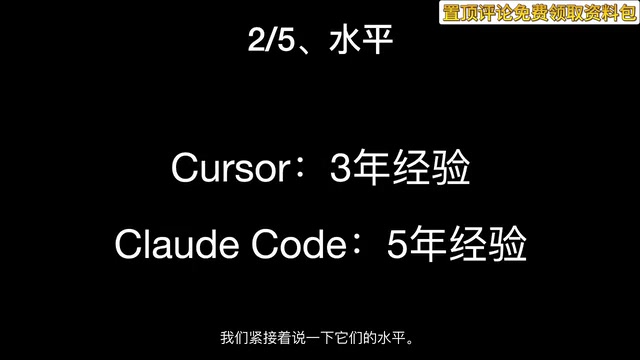
Using programmer experience as an analogy: Cursor is roughly equivalent to a programmer with 3 years of experience, while Claude Code is equivalent to one with 5 years of experience. More critically, Cursor sometimes ignores prompt rules—like "having one deaf ear"—you tell it something and it doesn't hear you. Claude Code, on the other hand, is very consistent in following rules. This round: Claude Code wins decisively.
Usability: Both Have Pain Points, Hard to Declare a Winner
This round is more nuanced. Cursor's usability issues are well-known—frequent connection failures, with many users reporting the same problem.
Claude Code's issue is more fundamental: it's officially blocked in China, making connection impossible without additional configuration. However, once connected, Claude Code's stability is excellent—the author reports never encountering a situation where a task couldn't be completed.
One can connect but is unstable; the other requires extra setup but is rock-solid once connected. This round is subjective—we'll call it a tie.
IDE Features: Cursor's Complete Ecosystem Has Clear Advantages
As a full-fledged IDE, Cursor has obvious advantages in daily development experience:
- Context awareness: Automatically references currently open files when starting a new conversation, while Claude Code requires manually adding files with the Add command
- Diff view and rollback: Intuitively view code changes and roll back with one click
- VS Code ecosystem: Built on VS Code, with access to all its plugins

By comparison, Claude Code is a command-line tool, naturally at a disadvantage in these convenience features. For day-to-day development within a codebase, Cursor's IDE experience is clearly superior. This round: Cursor wins decisively.
Use Cases: Claude Code's Command-Line Flexibility Is Irreplaceable
Cursor is an IDE, with use cases basically limited to working within a codebase. Claude Code, as a command-line tool, can be launched anywhere, opening up entirely new possibilities.
IDEs (Integrated Development Environments) and command-line tools represent two fundamentally different human-computer interaction philosophies. IDEs pursue a WYSIWYG graphical experience, integrating code editing, debugging, version control, and project management in a visual interface—lowering the barrier to entry but also constraining use cases to within a project workspace. Command-line tools follow the Unix philosophy of "do one thing well"—they can run anywhere there's a terminal and seamlessly combine with pipes, scripts, and other CLI tools. Claude Code's choice of command-line form means it can be embedded in CI/CD pipelines, cron jobs, SSH remote sessions, and various automation scenarios—a composability that GUI tools can rarely match.
Here are some practical examples:
- Modifying system configuration: Launch Claude Code in the home directory, ask it to modify the shell prompt to display the full working path—done in seconds
- Batch file operations: Switch to a log directory, ask Claude Code to delete all log files older than today—no need to remember complex Linux command parameters
- Server operations: You can even run Claude Code directly on a remote server to handle various ops tasks
This flexibility is something Cursor simply cannot provide—you can't open an IDE at any arbitrary location. Claude Code truly integrates AI capabilities into everyday command-line workflows. This round: Claude Code wins decisively.
Summary: A 2-2 Tie, Best Strategy Is to Use Both
| Dimension | Cursor | Claude Code | Winner |
|---|---|---|---|
| Speed | Seconds to minutes | Consistently minutes | Cursor |
| Programming proficiency | ~3 years experience, poor rule following | ~5 years experience, good rule following | Claude Code |
| Usability | Can connect but unstable | Requires setup but stable once connected | Tie |
| IDE features | Full IDE, rich ecosystem | CLI tool, limited features | Cursor |
| Use cases | Limited to codebase | Any location, highly flexible | Claude Code |
The final result is a 2-2 tie. Cursor excels in speed and IDE experience, making it ideal for daily development scenarios requiring rapid iteration and frequent single-file modifications. Claude Code shines in depth of programming understanding and usage flexibility, making it better suited for complex system design tasks and general-purpose scenarios beyond the code editor.
Perhaps the best strategy isn't choosing one over the other, but combining both—use Cursor for everyday code writing and rapid iteration, and Claude Code for architecture design requiring deep thinking and various tasks in command-line scenarios. Leveraging the complementary strengths of both tools delivers the best AI programming experience.
Key Takeaways
- Cursor is faster (seconds vs. minutes), but Claude Code has deeper programming understanding—equivalent to a 5-year programmer vs. a 3-year programmer
- Claude Code better follows prompt rules and proactively asks clarifying questions, while Cursor tends to ignore rules and jump straight to solutions
- As an IDE, Cursor has clear advantages in context awareness, diff views, and VS Code plugin ecosystem
- As a CLI tool, Claude Code can run anywhere, with use cases far beyond code editing—including system configuration, file management, and server operations
- The final score is a 2-2 tie; the best strategy is to combine both tools, leveraging each one's strengths
Related articles
 Product Reviews
The Programmer's Desk Setup Guide: Building a Workspace That Feels Like Home
Discover how programmers build productive, comfortable workspaces. From multi-monitor setups to ergonomic design, explore the desk philosophy that drives focus and flow.
 Product Reviews
Qoder vs Cursor Real-World Comparison: Which $20/Month AI IDE Is Better?
Hands-on comparison of Qoder vs Cursor AI IDEs: Agent autonomy, human interaction count, and architecture decisions. Qoder needed only 2 interactions vs Cursor's 8.
 Product Reviews
Cursor Cloud Agent Demo: Eliminating Bottlenecks Across the Entire Software Development Lifecycle
Deep analysis of Cursor's Cloud Agent demo showing how cloud VMs, automated test artifacts, and a full-chain control plane systematically eliminate human bottlenecks across the software development lifecycle.