Cursor vs Copilot vs Claude Code: How Laravel Developers Should Choose
Cursor, Copilot, and Claude Code differ by where the AI steps in; Laravel developers should choose by workflow.
The article groups today's AI coding tools into three approaches: Cursor is an editor with embedded AI, GitHub Copilot is a plugin inside existing editors, and Claude Code is a terminal agent that reads the repo, edits across files, and runs tests. The fundamental difference isn't model capability but "where the AI steps in." For Laravel developers, everyday small changes suit Cursor's in-place diff loop; teams unwilling to leave PHPStorm suit Copilot; structural changes like refactoring service classes or adjusting related models suit Claude Code's test-driven strength. It also stresses that regardless of tool, three disciplines remain: keep tasks small, read every diff, and run tests — the human is always the reviewer.
AI coding tools have split into three distinctly different approaches: editor, plugin, and terminal. For Laravel developers, which one to choose doesn't depend on which is "stronger" — it depends on what your workflow looks like. This article breaks down the scenarios each tool is best suited for, based on their positioning differences.
Three Tools, Three Ways of Working
Cursor, GitHub Copilot, and Claude Code are often compared side by side, but they're fundamentally not the same category of product. Understanding this is more meaningful than comparing feature lists.
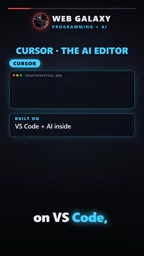
- Cursor is an editor: It's built on top of VS Code, with AI embedded directly in the editor. You select code, request changes, and review the diff in place.
- GitHub Copilot is a plugin: It lives inside the editor you're already using, such as VS Code or PHPStorm. It started with code completion and now also has chat and agent capabilities.
- Claude Code lives in the terminal: It reads the entire repository, edits across multiple files, and runs commands like
php artisan test, then fixes what fails.
The difference among the three isn't model capability — it's "where the AI steps in": inside the editor, beside the editor, or outside the editor.
agent here refers to a form of AI that can autonomously plan and execute multi-step operations: it doesn't just passively respond to a single completion or a single Q&A, but can read files, invoke commands, observe results, and then decide its next action until the task is complete or human confirmation is needed. Compared with chat-style assistants, the key difference of an agent is that it has operational authority over the environment (reading/writing files, running terminal commands) and closed-loop feedback capability. The article says Claude Code "reads the repository, edits across files, runs tests, and fixes failures" — this describes exactly that agent loop: execute—observe—correct. Understanding this helps you judge when to use agent-style tools: when task steps are uncertain and you need to adjust based on intermediate results, agents have the advantage; for single, well-defined changes, ordinary completion or chat is enough.
Cursor: When You Want an AI-First Editor
If your pain point is "the editor itself isn't smart enough," Cursor is the most direct choice. It puts AI in the very window where you type code — select code, state your requirement, review the diff — the whole loop without switching context.
For Laravel projects, this suits day-to-day iteration focused on "change one spot, take a look": tweaking a Blade template, rewriting an Eloquent query, adding a piece of validation logic to a controller. The scope of change is clear, and the human stays in the loop.
The cost is that you need to migrate to its editor. For people used to VS Code, migration cost is very low, because the foundation is VS Code.
diff is a fundamental concept in code collaboration: it shows a line-by-line comparison between two versions before and after a change, with added lines and deleted lines marked separately, so reviewers can judge whether the change is reasonable. The article repeatedly emphasizes "review the diff in place" and "read every diff," because AI generates code far faster than humans can read it — the diff view is the key interface through which humans regain control. In editor-based tools like Cursor, diffs are usually presented inline or side-by-side directly in the file, and the granularity of accepting or rejecting changes can be as fine as a single line; in terminal-based tools, diffs are often output as text, and reviewers need to actively check them before committing. Regardless of form, treating "reading the diff" as a non-skippable step is the most effective habit for preventing error accumulation in AI-assisted programming.
GitHub Copilot: Adding AI to Your Existing Editor
Copilot's logic is the exact opposite: don't change the editor, just add capability. According to the video, it started with autocomplete and has now expanded to chat and agent features.
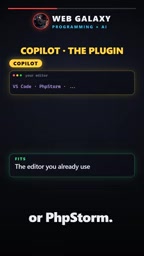
This is especially appealing to PHPStorm users — you don't have to give up a familiar IDE to get AI assistance. It suits teams whose workflows are already stable and who don't want tool churn to interrupt their rhythm. Completion-style interaction is handier for high-frequency, small-grained coding.
Claude Code: Multi-File Tasks and Test-Driven Work
Claude Code's battleground is the terminal. It reads the repository, edits across files, runs commands like php artisan test, and keeps fixing based on failure results.
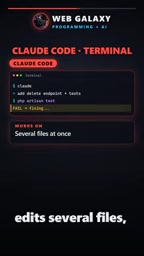
This kind of capability is more valuable for "structural changes" in Laravel projects: refactoring a service class, adjusting multiple related models, running tests to verify the changes didn't break anything elsewhere. The bigger the task and the more files involved, the more terminal-style agents show their advantage — because they can close the loop on test feedback.
Test-driven AI workflows means letting automated tests serve as the "acceptance gate" for AI changes: after the tool finishes editing, it immediately runs the test suite, uses failure information to locate problems, and continues fixing until tests pass. This is fundamentally different from simply having AI generate code — tests provide a machine-verifiable correctness signal, enabling the agent to self-correct without line-by-line human supervision. For Laravel projects, php artisan test is a natural feedback entry point, provided the project itself has runnable test coverage; the more thorough the tests, the safer and more worry-free these tools are. Conversely, if a project has almost no tests, the agent's "fixes" lose objective grounding, and the burden of manual review increases significantly.
Whichever You Choose, the Rules Don't Change
One point the video repeatedly emphasizes deserves to be called out separately: no matter which tool you use, the work discipline is the same.
- Keep tasks small: break large changes into reviewable chunks.
- Read every diff: the tool writes code, but you're still the reviewer.
- Run the tests: tests are the bottom line for judging whether a change is safe.
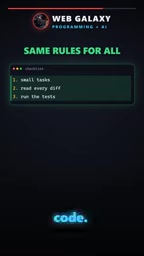
In other words, differences among tools affect "how you work," while "whether the work is right" always depends on whether the human carefully reviews and verifies.
How to Choose: Match Your Workflow
| Your need | Recommendation |
|---|---|
| Want an AI-first editor | Cursor |
| Want to add AI to your existing editor (e.g., PHPStorm) | GitHub Copilot |
| Multi-file tasks, need to run tests to verify | Claude Code |
The video's advice is pragmatic: try each with a small task first, and let real experience replace spec comparison. For Laravel developers, this advice holds especially true — your project structure, test coverage, and team habits determine which tool fits better than any side-by-side review.
Related articles

Multi-Agent Collaborative Development: Task Card-Driven Practices for Medium-to-Large AI Projects
A Bilibili creator shares a task card-driven, PM-orchestrated multi-Agent collaboration model with local-first repository state, so any Agent tool can take over a project anytime.
AgentScope Java Edition: A Practical Guide to Enterprise-Level Agent Frameworks
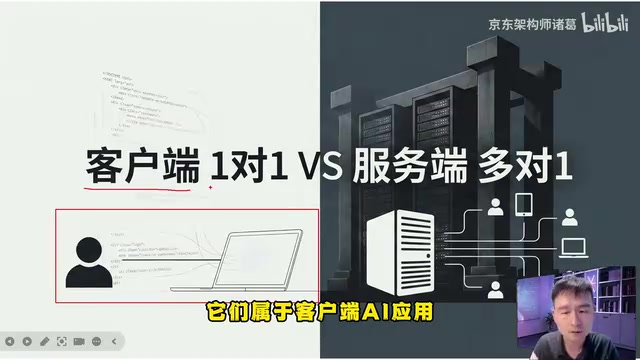
An in-depth analysis of Alibaba's AgentScope Java enterprise agent framework: contrasting client-side AI and server-side AI, explaining Java's natural advantages in high concurrency and distributed state management, and outlining a complete learning path from core principles to multi-agent collaboration.

LangChain in Practice: Hand-Writing a Multi-Tool Agent and Execution Loop
Based on a Bilibili tutorial, this article explains how LangChain unifies model interfaces, manages context and tool calling, and how to hand-write a multi-tool Agent.