Customizing Open-Source Software with AI Coding Agents: No Programming Skills Required

AI coding Agents let non-programmers customize open-source software with natural language.
AI coding Agents like Claude Code enable anyone to add personalized features to open-source software—even without knowing the underlying programming language. This article walks through a real example of customizing the Shotcut video editor, covering the complete workflow from forking code to building installable packages, and explores how AI is transforming open source's theoretical promise of customizability into practical reality.
An Underappreciated AI Use Case
When we talk about AI coding assistants, the conversation usually revolves around building apps from scratch, fixing bugs, or generating boilerplate code. But a YouTube creator recently shared a use case that reveals a truly exciting new paradigm: using AI coding Agents to add custom features to the open-source software you already use—even if you know virtually nothing about the programming language it's written in.
In his own words: "This is the coolest thing I've ever done with a coding Agent." Behind that slightly hyperbolic statement lies a value proposition most people have overlooked: the "freedom" of open-source software is no longer just about cost and privacy—it's now about the freedom for any individual to customize it however they want.
Real-World Example: Adding Silent-Gap Navigation to a Video Editor
The creator uses Shotcut—a cross-platform, open-source video editor built on the MLT framework, with a codebase written in modern C++. He freely admits that he only knows some basic C++ and lacks the ability to independently develop features in modern C++.
Shotcut makes for a particularly compelling case study because of its technical complexity. The MLT Multimedia Framework is a low-level framework designed for broadcast-grade video editing, originally developed by Ushodaya Enterprises and later adopted as the foundational engine for several open-source video editors. MLT uses a pipeline architecture for processing audio and video streams, supporting plugin-based filters, transitions, and a producer/consumer model. Shotcut builds its graphical interface on top of MLT using the Qt framework, combining modern C++ (C++11/14/17 features) for business logic, with a total codebase exceeding tens of thousands of lines. This means that even an experienced C++ developer unfamiliar with the project's architecture would need considerable time to understand the code structure before adding features—and this is precisely where AI Agents excel.
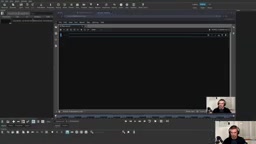
His pain point was very specific: when recording tutorial videos, he'd frequently pause—stumbling over words, forgetting lines, or looking something up—leaving gaps of silence in the audio. The default Shotcut only lets you navigate frame by frame with arrow keys, with no way to "jump to the next meaningful audio segment" or "skip to the next silent gap."
This type of need shares a common trait: it's too personalized. You can't expect to find a matching option in the settings menu, and it's nearly impossible to rally enough users to file an issue and push for official implementation. Before AI coding Agents existed, these kinds of needs were essentially destined to go unmet.
Implementing Custom Features Without Writing a Single Line of C++
His approach was surprisingly straightforward. The entire process can be summarized in three steps:
Step 1: Fork and Clone the Open-Source Repository
He forked Shotcut on GitHub, then cloned his customized version of the repository locally (he runs Arch Linux).
Step 2: Let the AI Coding Agent Familiarize Itself with the Codebase
He opened a Claude Code session in the project directory, did nothing complicated, and simply described his needs in natural language:
"This is my fork of the Shotcut codebase. Please familiarize yourself with it. How hard would it be to implement a keyboard shortcut for 'jump forward/backward half a second'?"
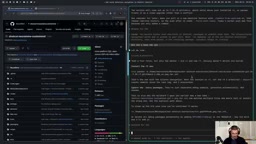
It's worth explaining how Claude Code works here. Unlike traditional code completion tools (such as GitHub Copilot, which suggests code line-by-line within an editor), Claude Code is a command-line AI coding Agent from Anthropic that can autonomously execute multi-step tasks: reading files, searching the codebase, understanding project structure, creating and modifying files, running terminal commands, and more. It runs directly in the terminal with access to the project file system, making it particularly well-suited for tasks like "understand an unfamiliar codebase and implement a specific feature within it." The Agent mode means it can independently determine which files to examine and which interfaces to understand, without the user having to manually copy and paste relevant code into a chat window.
The Agent spent some time reading through the codebase, then implemented the feature. He then raised a more complex request: jumping to the next "meaningful audio segment" after a silence.
Step 3: Describe the Problem with Programmer-Level Precision
This step is the core of the entire methodology. He emphasized: You don't need to know C++, but you need to think like a programmer. In other words, you must define the problem precisely enough for the AI to understand and correctly implement it.
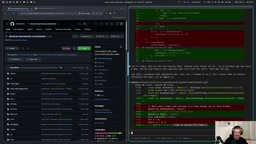
For example, "what counts as a meaningful silence?" He provided a clear definition: a silence lasting more than 2 seconds qualifies as a true "gap," as opposed to a natural pause during speech. It was precisely through this kind of precise definition that the Agent successfully implemented two new features: Shift+Right Arrow to jump half a second, and Ctrl+Shift+Right Arrow to jump to the next silent gap.
This ability to "precisely define problems" is essentially the core of Computational Thinking—decomposing problems, identifying edge cases, and defining thresholds. It doesn't require you to know how to manipulate audio buffers in C++, but it does require you to clearly understand the mathematical definition of "silence," how long a silence must be to matter, and where the cursor should land after a jump.
AI-Assisted Packaging: The Complete Loop from Source Code to Installable Software
You might not have noticed, but the AI Agent's help didn't stop at feature implementation. The creator was also unfamiliar with how to build his own software package from source on Arch Linux, so he continued asking:
- How to package the modified source code into an installable
.zstfile? - How to submit the package to AUR (Arch User Repository)?
AUR is Arch Linux's community-driven software repository where any user can upload PKGBUILD scripts—shell scripts that describe how to build a software package from source. Unlike pre-compiled binary packages in the official repositories, AUR software needs to be compiled from source on the user's local machine. Helper tools like yay or paru automatically parse PKGBUILDs, download source code, resolve dependencies, and complete the build and installation. Writing a correct PKGBUILD requires understanding the meaning and calling order of functions like makedepends, pkgver, prepare(), build(), and package()—a steep learning curve for anyone unfamiliar with Arch's packaging system.
Claude Code helped him complete the entire packaging and build workflow and provided step-by-step instructions for submitting to AUR (although AUR had temporarily suspended new registrations due to a security incident at the time). This meant he could ultimately install his customized version of Shotcut with a single yay command, just like installing any regular software.
This point is especially critical—it extends the isolated act of "modifying code" into a complete loop of "modify code → build → distribute → install," where every link in that chain used to be an insurmountable barrier for non-professional developers.
Maintenance Cost: Git Rebase Is the Only Price to Pay
Of course, this approach isn't completely free of ongoing costs. Every time Shotcut releases an official update, he needs to run git rebase to apply his custom patches to the latest code, hope there are no conflicts, then rebuild and reinstall.
Git Rebase is a Git version control operation that "replays" a series of commits on top of another base branch. In this scenario, the user's custom features exist as several commits on their own fork branch, and when upstream Shotcut releases a new version, the rebase operation attempts to apply these custom commits one by one on top of the latest official code. If upstream has modified the same files or adjacent lines of code as the custom features, "conflicts" will arise, requiring manual intervention to decide how to merge both sides' changes. Compared to a simple merge operation, rebase keeps the commit history linear and clean, which is more practical and sustainable for long-term maintenance of personal patch sets—similar to how Linux distributions maintain kernel patches.
However, he also pointed out that even the conflict resolution step during rebase can be handed off to Claude Code, Codex, or other open-source models. In other words, the maintenance burden is dramatically reduced with AI assistance. This pattern of "AI-assisted maintenance of personal patches" could give rise to a new software culture: users no longer passively wait for official updates but actively maintain their own differentiated versions.
AI Is Redefining the Value of Open-Source Software
The real value of this story isn't "how to add keyboard shortcuts to Shotcut"—it's the paradigm shift it reveals.
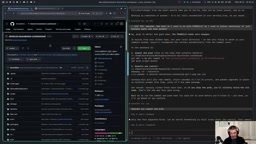
The creator listed a series of open-source tools he uses daily: OBS, Shotcut, KeePass, SpeedCrunch, MyPaint… all of which could become targets for AI-assisted customization. He specifically mentioned MyPaint—its developers deliberately omit cut, copy, and paste functionality (out of commitment to their design philosophy for painting software), but in theory, he could use AI to dive into the codebase and add those features himself.
This leads to an important argument:
In the past, we said open source was "free" in the sense of cost, freedom, and privacy. Now, open source also means customizable.
It's worth noting that "customizable" has always theoretically been one of open source's core promises—"Freedom 1" in Richard Stallman's four freedoms of free software is the freedom to study how the program works and modify it to suit your needs. But in practice, this freedom has long been rendered hollow by the programming skill barrier, remaining a "nominal freedom." The arrival of AI coding Agents makes this freedom operationally accessible to ordinary users for the first time, transforming the theoretical value of open source into practical value.
With just a subscription to Claude Code or Codex, anyone can continuously build and maintain their own version of any software. This effectively lowers the technical barrier to participating in and modifying open-source projects, and provides an entirely new reason to choose open-source software. By contrast, closed-source software—no matter how excellent—has a structural disadvantage in this new paradigm: you can't fork it, you can't let AI read its source code, and you can't add any features the vendor doesn't provide.
AI Coding Agents Mean "Ability" Is No Longer the Bottleneck
What's most compelling about this case is its simplicity. It doesn't involve complex multi-agent architectures or show-off prompt engineering—just an ordinary user with a specific, personal need, collaborating with AI in natural language, ultimately transforming a tool they use every day.
It reminds us that in the age of AI coding Agents, the limiting factor is often no longer "whether you know a particular programming language," but "whether you can think through the problem clearly and articulate it well." For the broad community of open-source software users, this may be a direction worth trying immediately—find an open-source tool where you've always wished "if only it could do this," fork it, and start describing your requirements.
From a broader perspective, this case also hints at a possible evolution in the software industry: when every user can customize open-source software at low cost, commercial software's competitive advantage will shift from "feature richness" to "out-of-the-box experience" and "ecosystem integration." Meanwhile, the competitive narrative for open-source software will evolve from "free alternative" to "infinitely customizable personal tool."
Key Takeaways
Related articles

@ai-sdk/vue 3.0.306 Patch Release Syncs with [email protected] Update
@ai-sdk/vue 3.0.306 released, synced with [email protected]. A routine patch release for the Vercel AI SDK ecosystem with no public API changes; the Vue adapter layer stays version-aligned with the core package.

Gemini 4 Argon API Launches: The Era of Million-Token Output Begins
Google launches Gemini 4 Argon with sparse MoE architecture, up to 1M output tokens, and a 68.90% Vals Index score, available across API, AI Studio, and the Gemini app.

DukaanAI: Turning Product Photos into Inventory Lists with Open-Source AI
DukaanAI is an AI inventory tool for small retailers that turns product photos into inventory entries using the open-source Gemma 3 model, with local inference, editable fields, and CSV export.