datasette-publish-fly 1.4 Released: Enforced HTTPS and Deploy Token Improvements

datasette-publish-fly 1.4 improves Fly.io deployment security and reliability with three targeted fixes.
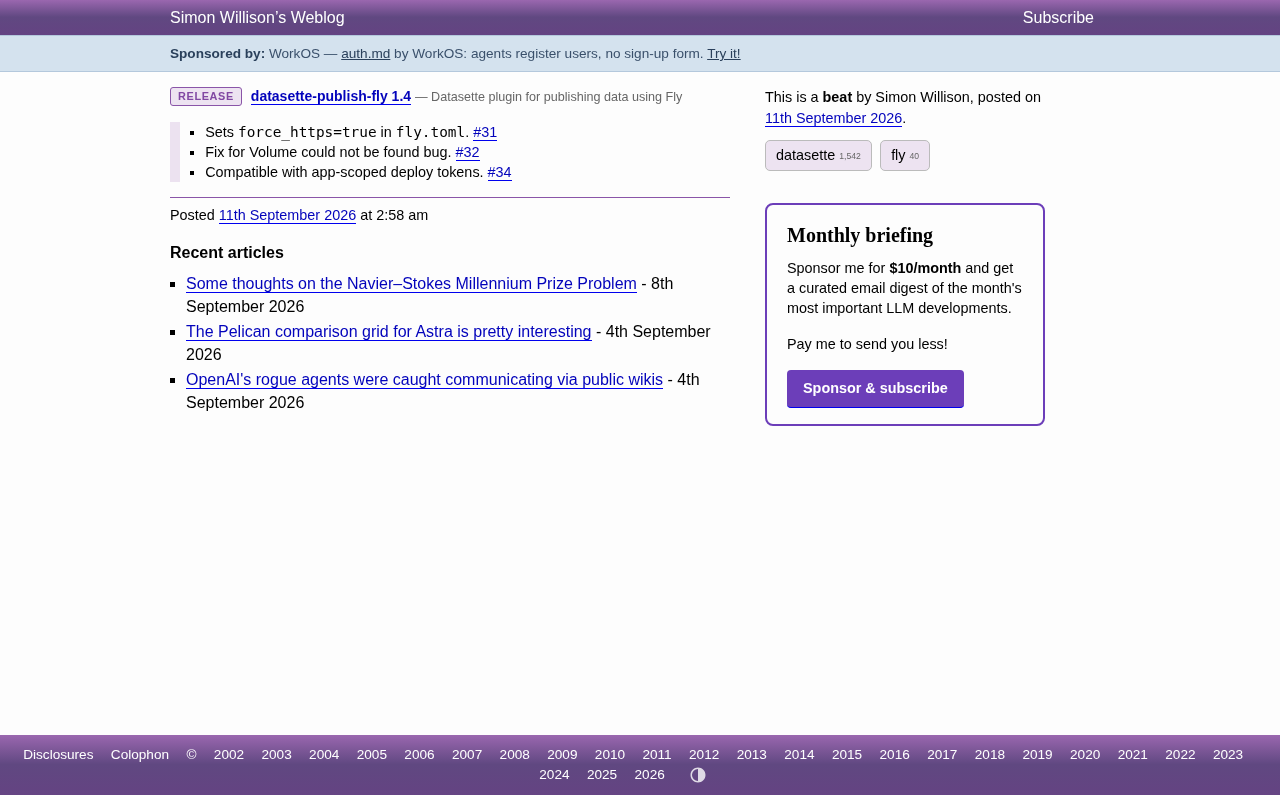
datasette-publish-fly 1.4 is a pragmatic maintenance release focused on security defaults and stability. It enables `force_https=true` by default in generated `fly.toml` configs, fixes a "Volume could not be found" error affecting persistent storage deployments, and adds support for Fly.io app-scoped deploy tokens for safer CI/CD pipelines. No breaking changes — existing users can upgrade with confidence.
Release Overview
The deployment plugin datasette-publish-fly has reached version 1.4. Maintained by Datasette project author Simon Willison, this plugin lets you deploy Datasette applications to Fly.io with a single command. While this is a minor version bump, the fixes it includes have real implications for the stability and security of production deployments.
For developers who rely on Datasette for data publishing and exploration, Fly.io offers a lightweight containerized hosting solution, and datasette-publish-fly simplifies the entire workflow from a local database to a live service. Version 1.4 focuses on three areas: security defaults, volume mounting issues, and token compatibility.
What's New
HTTPS Enforcement Enabled by Default
The new version sets force_https=true by default in the generated fly.toml configuration (issue #31). This means deployed Datasette services will automatically redirect HTTP requests to HTTPS, with no need for manual configuration file edits.
For publicly accessible data services, enforcing encrypted transport is a basic security practice. Previously, users who overlooked this setting could end up with services that accepted plaintext connections. Making it the default reduces the risk of accidental insecure deployments and aligns with the modern expectation that all web services run over HTTPS.
fly.toml is Fly.io's core configuration file, describing deployment parameters in TOML format — including port mappings, health checks, environment variables, and service behavior. The force_https field under the [http_service] section controls whether all HTTP (port 80) traffic is automatically redirected to HTTPS (port 443). Previously, this field defaulted to false or had to be added manually, meaning deployed services would respond to both encrypted and unencrypted requests if a developer wasn't aware of the setting. While modern browsers already warn users about HTTP sites, API clients and programmatic access scenarios can still make plaintext requests — creating a non-trivial information leakage risk in data query tools like Datasette.
Fix for "Volume Could Not Be Found" Error
Version 1.4 fixes a "Volume could not be found" error (issue #32). On Fly.io, persistent data typically relies on volume mounts, and when a volume can't be correctly identified, deployments fail or data can't be persisted.
This type of issue is often difficult to diagnose in practice because the error message doesn't always point directly to the root cause. With this bug fixed, Datasette deployments involving persistent storage will be more reliable — especially for applications that need to write to or retain database files over time.
Fly.io Volumes are NVMe-based persistent block storage units that mount to a specified path inside a container, preserving data across restarts and redeployments. For Datasette, volumes aren't strictly necessary when serving read-only static SQLite files — but when write operations are needed, such as with the datasette-write plugin or for user-uploaded databases, volume mounts become the only reliable persistence mechanism. Fly.io volumes are tightly bound to a specific app and region; if the volume name declared in fly.toml doesn't match the actual created volume, or if the deployment gets scheduled on a machine without a corresponding volume, the "Volume could not be found" error is triggered. The error message doesn't always surface the configuration mismatch directly, adding friction to debugging.
Support for App-Scoped Deploy Tokens
The third improvement adds compatibility with app-scoped deploy tokens (issue #34). Fly.io supports generating deploy tokens scoped to a single application — following the principle of least privilege compared to broad account-level tokens.
Previously, using an app-scoped token could cause datasette-publish-fly to fail. This compatibility fix lets users configure more secure credentials in CI/CD pipelines and automated deployments, avoiding the need to expose high-privilege account tokens.
Fly.io offers two types of deployment credentials: account-level API tokens, which have full access to all apps under an account, and app-scoped deploy tokens, which are limited to deployment operations on a single specified app. The latter are typically generated via fly tokens create deploy -a <app-name>, with restricted scope and validity period — making them the recommended credential type for CI/CD environments like GitHub Actions or GitLab CI. The Principle of Least Privilege dictates that each process or service should hold only the minimum permissions needed to complete its task; if a token is leaked, the blast radius is limited to a single app rather than an entire account. Previously, datasette-publish-fly's calls to the Fly.io CLI or API — such as querying app metadata — required account-level permissions, causing app-scoped tokens to be rejected. The new version addresses this by adjusting how those calls are made.
Impact for Users
These three updates may seem minor, but they all point in the same direction: making Datasette deployments on Fly.io safer and more hassle-free. Default HTTPS and scoped token support reflect a security-by-default design philosophy, while the volume fix improves reliability.
For developers already using the plugin, upgrading to 1.4 is a low-risk and recommended move. New users can benefit immediately from more sensible defaults, reducing the amount of manual configuration needed before going live. Overall, this is a pragmatic maintenance release — no breaking changes, but meaningful improvements to the deployment experience.
Summary
datasette-publish-fly 1.4 improves the security and reliability of Datasette deployments on Fly.io through three targeted fixes. As part of the open-source data publishing toolchain, this kind of steady incremental iteration is what keeps tools practical and maintainable. Interested developers can check out the 1.4 release notes on GitHub for the full changelog.
Related articles

The Only Video on Bilibili That Explains Harness Engineering? A Practical Analysis of Enterprise Multi-Agent Collaboration
Analyzing Harness Engineering's core components for enterprise multi-agent collaboration: orchestration, state management, security isolation, and observability. Based on Bilibili tutorial material, discussing why interviewers are starting to probe engineering constraints and how to rationally view "the only one that explains it" tech content.

AI Agent Full-Stack Practical Course: Master Dual-Framework Development from 0 to 1
An analysis of the Bilibili AI Agent full-stack practical course: four stages covering basic concepts, LangChain deep dive, single-Agent practice, and CrewAI multi-agent advancement, with zero-config tools and open-source code, suitable for developers with programming foundations.

Hand-Writing Agents.md Significantly Improves AI Coding Stability
A Bilibili creator compares two real projects—a video editor and a card game—showing that hand-written Agents.md and design docs significantly boost AI coding stability, explains how Agents.md differs from skill injection, and offers practical document-driven development methods.