Decoding the DeepSeek Product Family: Web Version, App, and Hornets — What's the Difference?

DeepSeek web and App are free older-model entry points; Hornets is the Agent execution layer requiring installation.
Based on a Bilibili video, the article distinguishes easily confused "DeepSeek" entry points. Core conclusion: the DeepSeek official website and mobile App are free and zero-barrier but do not provide the latest model and cannot handle "specific affairs" requiring tool calls and multi-step execution. Hornets (also called "Body") requires installation and is essentially an Agent execution layer for large models to complete actual operations. Hornets has web and client versions with no usage difference, both accessing V4.1 Flash and supporting plugins installed manually or by the Agent itself. Choose by task complexity: web/App for simple Q&A, Hornets for complex execution.
Decoding the DeepSeek Product Family: Web Version, App, and Hornets — What's the Difference?
There has been a lot of discussion lately about DeepSeekAd-derived tools, particularly a video from Bilibili that systematically sorts out several easily confused "DeepSeek" entry points on the market. Many users open a browser, download an App, or hear about something called Hornets and assume they're all the same service. In reality, these products have clear differences in capability boundaries and usage methods. This article, based on the video's explanation and combined with product logic, provides a systematic overview.
Free Entry Points vs. Latest Models: Not the Same Thing

The video first points out a common misconception: the DeepSeek official website opened through a browser and the App downloaded directly on a phone are both free, but they do not provide the latest model capabilities. In other words, if you simply open the web page or App and ask questions casually, the responses you get may come from an older model version, with limited performance on complex tasks.
This point is crucial. Many users assume that "anything DeepSeek is the strongest version," but the official free entry points and the "latest model" cannot be directly equated. According to the video, these free channels "cannot help you handle specific affairs" — here, "specific affairs" refers to complex tasks that require calling external tools and executing multi-step operations, not simple Q&A.
What Is Hornets: An Agent Execution Layer That Requires Installation
Another product mentioned in the video is called Hornets (the material also shows similar names like "Body," which work essentially the same way). It has a fundamental difference from the web version and App: it requires installation first. It is not a service you can use by opening a web page, but a tool that needs to be deployed in a local or client environment.
From a product positioning perspective, Hornets is closer to a vehicle for "a large model borrowing an Agent to execute specific affairs." That is, the model itself handles understanding and decision-making, while Hornets provides the ability to execute specific operations. This explains why the free web version "cannot handle specific affairs" — what's missing is precisely this execution layer.
AI Agent refers to a software system that uses a large language model as its decision-making core, capable of autonomously planning steps and calling external tools (such as browsers, file systems, APIs) to complete user-specified tasks. Unlike pure chatbots that can only output text, an Agent has a closed loop of "perception—planning—execution—feedback": the model first understands the goal, then breaks it down into subtasks, then actually operates system or network resources through tool calls, and finally adjusts the next action based on execution results. The key to this concept lies in "Tool Use/Function Calling" capability — the model outputs structured instructions for external programs to execute, rather than merely generating natural language. The "execution layer" role that Hornets undertakes is precisely to provide this set of tool interfaces and runtime environment for the model, enabling it to go from "can talk" to "can do."
Web and Client: No Difference in Usage

Regarding the form of Hornets, the video clearly divides it into two types: browser web version and client. The key commonality between the two is — there is no difference in usage; both can use the latest large model V4.1 Flash. This breaks an intuitive assumption: many people would think the client is more powerful and the web version is a stripped-down version, but at least at the model invocation level, the two are equivalent.
Which one to choose depends more on your usage habits and runtime environment than on capability differences. If you don't want to install anything locally, the web version is a lighter entry point; if you're used to desktop applications, the client can equally access the capabilities of V4.1 Flash.
Plugin Mechanism: Install It Yourself, or Let It Install for You
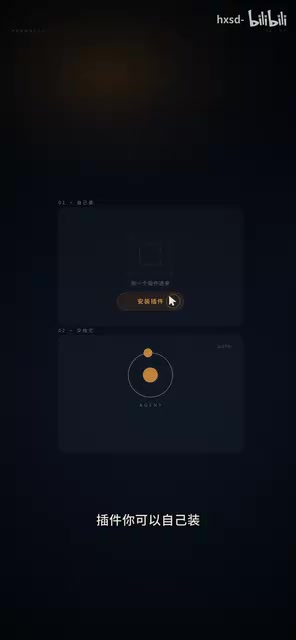
Another capability of Hornets is plugins. The video mentions that you can install plugins to extend operational functions, and there are two installation methods: manual installation by yourself, or letting it install for you. The latter reflects the Agent characteristic — tools can not only be invoked but also participate in the configuration process of their own capabilities.
This detail is worth noting. In traditional software, "installing plugins" is the user's job; but under the Agent framework, the model can understand your needs and proactively complete plugin installation, turning "configuration" into a delegable task as well. This is also where Hornets sets itself apart from ordinary chat entry points.
Plugin mechanism in the Agent framework usually refers to external capability modules encapsulated with standardized interfaces, such as web scraping, document parsing, code execution, third-party API integration, etc. Each plugin declares its name, function description, and parameter structure to the model; during reasoning, the model selects the appropriate plugin according to task needs and generates invocation parameters. The value of the plugin mechanism lies in decoupling: the model itself does not need to have all capabilities built in, but loads them on demand and combines them dynamically, thereby expanding the types of tasks it can handle. Letting the Agent install plugins itself further requires the model to have metacognition about its own toolset — understanding "what capability am I missing" and proactively filling the gap. In engineering, this depends on tool-based encapsulation of the plugin marketplace's retrieval interface and installation process.
How to Choose: By Task Complexity, Not by Name
Synthesizing the video content, the correct way to distinguish these "DeepSeek" products is not by name, but by what you want to do:
- Simple Q&A, quick information lookup: the web version or mobile App is sufficient — free and zero-barrier.
- Need to execute specific affairs, call tools, multi-step operations: you need an Agent vehicle like Hornets, used in conjunction with the latest model V4.1 Flash.
- Don't want local installation: choose the Hornets web version, whose capabilities are identical to the client.
The core message of the video can be condensed into one sentence: the web version and App are free entry points but not the latest model and do not handle specific affairs; Hornets requires installation, is divided into web and client with no difference in usage, relies on V4.1 Flash, and executes specific affairs through plugins and the Agent mechanism. Once you understand this chain, you won't treat them as the same thing anymore.
It should be noted that the above information mainly comes from a single Bilibili video explanation. Some product naming (such as the mixed use of Hornets and Body) is not fully clarified in the material. In actual use, it is recommended to refer to official channel descriptions.
One-line Summary
DeepSeek web and App are free entry points to older models; Hornets is the Agent execution layer that requires installation.
Paragraph Summary
Based on a Bilibili video, this article systematically distinguishes several easily confused "DeepSeek" entry points. The core conclusion: the DeepSeek official website opened via browser and the mobile App are free and zero-barrier, but they do not provide the latest model and cannot handle "specific affairs" that require tool calls and multi-step execution. The product called Hornets (also referred to as "Body" in the material) is different — it requires installation first and is essentially the execution layer that a large model borrows an Agent for to complete actual operations. Hornets is divided into web and client versions, with no difference in usage; both can access the latest model V4.1 Flash and support extending functionality through plugins, which can be installed manually or by the Agent itself. The article recommends choosing by task complexity rather than product name: use the web version or App for simple Q&A, and Hornets for complex execution tasks.
Related articles

Gemini 4 Neon Leak: A Potential Strong Contender Against Opus 5.5
A Hacker News thread suggests Gemini 4 Neon looks like an Opus 5.5 competitor. This article unpacks the product positioning behind this community signal, shifts in the top-model competitive landscape, and what it means for developers' model selection strategy.

Claude Fable 5.2's Self-Authored Short Film 'Fable' Sparks Discussion
A short film 'Fable,' credited to Claude Fable 5.2 for script, visuals, and directing, appears on Hacker News. This article analyzes the significance of full-pipeline AI creation, community reactions, and what it means for content creators.

Anthropic IPO Pricing: A Signal of AI Giants Going Public
Anthropic's IPO pricing draws attention. This article analyzes its potential impact on AI industry valuation, commercialization paths, and the competitive landscape, and highlights public-market expectations and challenges for AI companies.