DeepSeek Harness 0.2.2 RC2 Upgrade: Multi-Agent Collaboration and GitHub Review Land

DeepSeek Harness 0.2.2 RC2 strengthens multi-agent collaboration, GitHub review, and toolchain integration
DeepSeek Harness released the 0.2.2 RC2 pre-release, aiming to make the open-source Agent workspace collaborative, reviewable, and able to connect to real toolchains. Core changes include multi-level sub-agent collaboration with a shared task board, Git workspace diff viewing by branch/commit/file type with direct GitHub review handling, default switch to the DeepSeek Search API with 10-query/10-source limits and parallel read-only queries, plus a Gemini native interface for custom providers and dynamic MCP service registration. Upgrading requires checking billing configuration, migrating old skills and SDK integrations, and noting that Git workspaces are cleaned up by default when archiving sessions.
DeepSeek Harness released 0.2.2 RC2 on the evening of November 11, and the official repository labels it as a pre-release version. The main thread of this update is clear: to move this open-source Agent workspace from "being able to run" toward "being able to collaborate, review, and connect to real toolchains." According to the DeepSeek official GitHub release notes, the changes focus on four areas: sub-agent collaboration, code review, search and office tools, and model integration, along with several migration items that existing users need to be aware of.
Multi-Agent Collaboration: From One Assistant to a Team
This version pushes the sub-agent capability a step further. Sub-agents now support multi-level collaboration, and team mode can be enabled per session (the official text says "painting," which should be "session"). Members and tasks share a single panel. In other words, multiple Agents are no longer isolated sessions, but share task status on the same board.
A related change is the task browsing experience: the official release improved multi-level task browsing, prioritizes task descriptions, supports layer-by-layer expansion, and allows retries after read failures. In the example of the official plugin interface, an Agent Teams entry appears, used to enable team collaboration and the shared task board.
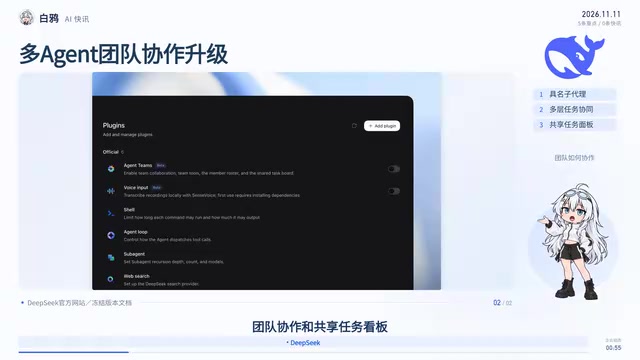
The value of multi-agent collaboration is not in "having more," but in whether task status is traceable. This time, members, tasks, and hierarchical browsing are placed in the same panel, which in effect fills in the most easily失控 link in collaboration scenarios—letting users know what each sub-agent is doing and how far it has gotten.
A sub-agent is an agent instance derived from a main agent and responsible for a specific subtask. In an Agent workspace, the main agent can break down complex tasks and assign them to sub-agents for parallel execution, but the sub-agent's context is usually isolated from the main agent and only returns results. Multi-level collaboration means a sub-agent can itself derive the next level of sub-agents, forming a tree-shaped task structure, which requires the workspace to track the status, dependencies, and outputs of each level of agents. The difference between team mode and ordinary multi-agent setups is shared state: multiple agents read the same task board, and task status is visible to all members, avoiding duplicate claims or lost tasks.
GitHub Review: Stringing Code Viewing, Review, and Progress Tracking into One Flow
Code review is another key update in this release. The Git workspace supports viewing changes by branch, commit, and file type, and can also directly handle GitHub reviews, sync review progress, and update branches. The official release also improved comments, file navigation, and narrow-screen layout, reducing lag when viewing large changes, and relaxed the wait time for creating workspaces in large repositories.
The practical value of these changes is putting "viewing code, doing reviews, and tracking reading progress" into the same workflow. In the past, this kind of work often required switching back and forth between the IDE, the GitHub web page, and local diff. Now Harness attempts to complete the loop within one workspace. For teams that often handle large changes, reduced lag and relaxed wait times are improvements at the feel level, but the actual effect still depends on repository size and the local environment.
The Git workspace is a code copy directory that Harness prepares separately for each session or task, isolating the agent's changes from the user's main repository for review before merging. Viewing changes by branch, commit, and file type corresponds to Git's three diff dimensions: branch-to-branch differences for overall review, commit-level differences for tracing step by step, and file-type filtering to focus on specific languages or configurations within large changes. GitHub Pull Request Review support means directly pulling the PR's comment threads within the tool, submitting review comments, and marking read progress without jumping to the web page—combined with local diff viewing, this forms a loop from reading to feedback.
Search and Tool Scheduling: Default Switch to DeepSeek Search API
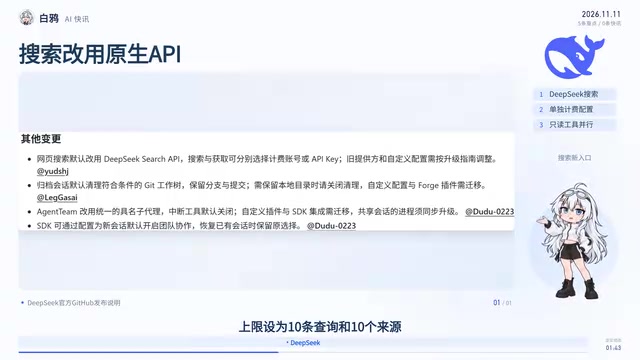
Web search now uses the DeepSeekAd Search API by default. Search and web fetching can separately choose the billing account or API Key provider, and support custom configuration—the official release notes indicate that adjustments are needed according to the upgrade instructions, and the actual billing configuration should be checked before use.
For tool scheduling, the official release set the default limit for a single web search to 10 queries and 10 sources, and allows more read-only file, task, and resource queries to execute in parallel, with results still displayed in call order. Here it is important to distinguish "scheduling capability" from "actual elapsed time": parallel execution is a change at the tool scheduling and configuration level, and how fast a task actually completes still depends on the model and the task itself, so it cannot simply be equated with end-to-end acceleration.
Model Integration and Plugins: Gemini Native Interface, MCP Dynamic Management
On model integration, custom providers now support the Gemini native interface, allowing retrieval of the model list and setting of reasoning levels. The provider management page in the official documentation shows the relevant configuration, and native interface support is written in this release note.
On plugin capabilities, plugins can dynamically register and remove MCP services, query status, restart, and probe connections. This means MCP services no longer require frequent restarts of the entire workspace to take effect, reducing operational overhead.
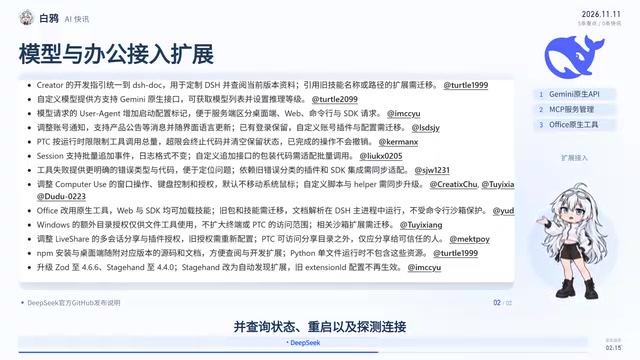
Office has switched to native tools, and skills can be loaded on both the web version and the SDK; old packages and skills need to be migrated. The official release also notes that document parsing runs in the Harness main process, outside the protection scope of the command-line sandbox—this is worth noting, as it involves the security boundary for document processing. Computer Use has also been adjusted, involving windows, keyboard control, and authorization; the system mouse does not move by default, and custom scripts need to be upgraded accordingly.
MCP (Model Context Protocol) is an open protocol proposed by Anthropic to let models connect to external tools and data sources in a standardized way; the server exposes tools, resources, and prompt templates, and the client calls them according to the protocol. Previously, integrating MCP services often required writing configuration at startup and restarting the workspace for it to take effect; dynamic registration and removal means services can be added or removed during runtime, and combined with status queries and connection probing, it is easier to troubleshoot service unavailability. The Gemini native interface refers to directly using Google's official API protocol (including model list and reasoning level parameters) rather than forwarding through an OpenAI-compatible layer, which usually provides more complete capability support and more accurate error messages.
Upgrade Notes: Retries, Channels, and Several Easy Pitfalls
After a model request fails, you can set retry conditions, counts, and wait times, and temporary request failures can be resumed by directly clicking continue generation. On desktop, you can also switch between stable and development update channels.
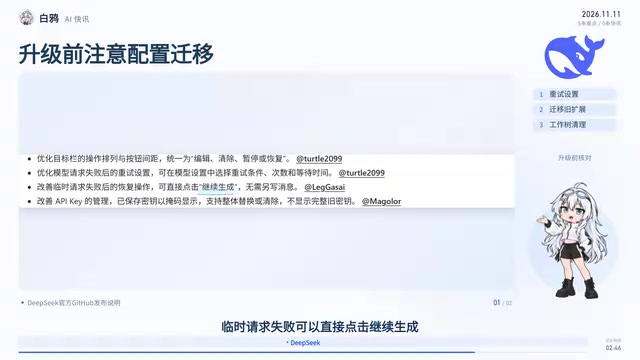
This version also fixes some duplicate submissions, duplicate sub-agent wakeups, and issues where model gateway errors were mistakenly reported as invalid API Keys. Users of custom plugins and SDK integrations need to migrate accordingly, and processes connected to shared sessions must also be upgraded together; otherwise, version mismatches can easily cause connection anomalies.
There is another easily overlooked change: when archiving a session, eligible Git workspaces are cleaned up by default, while branches and commits are retained. If you want to keep the local working directory, you need to turn off this cleanup setting. Full instructions and code are in the DeepSeek official repository.
Overall, 0.2.2 RC2 is an engineering-oriented update: the collaboration panel, GitHub review, and the default switch of the search API are all pushing Harness toward "real workflows." As a pre-release version, checking billing configuration, migrating old skills, and reviewing cleanup settings before upgrading are three unavoidable preparation steps.
A pre-release version (RC, Release Candidate) refers to a candidate version whose features are frozen and awaiting final verification; its stability is lower than the stable version, and interfaces and behavior may still change. The difference between stable and development update channels lies in update frequency and risk: the development channel follows the latest commits and is suitable for early adoption and feedback; the stable channel has undergone longer verification and is suitable for production environments. Cleaning the Git workspace when archiving a session is a disk management policy enabled by default; it only deletes uncommitted content in the working directory, while branches and commits remain in the repository. Therefore, to keep local temporary files or artifacts not included in version control, you need to turn off this cleanup option in advance.
One-line Summary
DeepSeek Harness 0.2.2 RC2 strengthens multi-agent collaboration, GitHub review, and toolchain integration
Paragraph Summary
DeepSeek Harness released the 0.2.2 RC2 pre-release version, with the main thread being to move the open-source Agent workspace toward collaboration, review, and integration with real toolchains. Core changes include: sub-agents support multi-level collaboration, team mode shares a task board and improves multi-level task browsing; the Git workspace supports viewing changes by branch, commit, and file type, and can directly handle GitHub reviews and sync progress; web search switches to the DeepSeek Search API by default, with a default limit of 10 queries and 10 sources per search and more read-only queries executed in parallel; custom providers add a Gemini native interface, and plugins can dynamically register and remove MCP services. Upgrading requires checking billing configuration, migrating old skills and SDK integrations, and noting that Git workspaces are cleaned up by default when archiving sessions.
Related articles

Gemini 4 Neon Leak: A Potential Strong Contender Against Opus 5.5
A Hacker News thread suggests Gemini 4 Neon looks like an Opus 5.5 competitor. This article unpacks the product positioning behind this community signal, shifts in the top-model competitive landscape, and what it means for developers' model selection strategy.

Claude Fable 5.2's Self-Authored Short Film 'Fable' Sparks Discussion
A short film 'Fable,' credited to Claude Fable 5.2 for script, visuals, and directing, appears on Hacker News. This article analyzes the significance of full-pipeline AI creation, community reactions, and what it means for content creators.

Anthropic IPO Pricing: A Signal of AI Giants Going Public
Anthropic's IPO pricing draws attention. This article analyzes its potential impact on AI industry valuation, commercialization paths, and the competitive landscape, and highlights public-market expectations and challenges for AI companies.