DeepSeek Harness V4.1 Flash Hands-On: Native Image Input and Cache Reuse Get Major Upgrades
DeepSeek Harness 0.1.5 RC1 brings native image input, cache reuse, and better agent control with V4.1 Flash.
DeepSeek has updated its open-source coding toolchain Harness to version 0.1.5 RC1, centered on V4.1 Flash model integration. The harness layer — which governs tool calls, file editing, and agent coordination — can measurably affect benchmark scores independent of the model itself. Key additions include native image input for feeding design mockups or error screenshots directly to the model, cache reuse optimization for long tasks that reduces input costs, a new file preview sidebar, and real-time sub-agent control. Two hands-on tests confirmed working bug fixes (~1m20s) and illustrated report generation (~6min), with input cache hit rates above 90%. The release remains in developer preview, with minor issues like blank HTML in-app preview still to be resolved.
DeepSeek has updated its in-house programming toolchain (harness) with V4.1 Flash integration — and the changes go far beyond adding a new option to a model menu. The latest version at time of publication is 0.1.5 Release Candidate 1, still in developer preview. This update bundles several features that rolled out over the past week alongside the new Flash integration: native image support, smarter handling of instruction changes, a more practical file preview system, and finer-grained control over agents executing tasks.
What Is a Harness, and Why Does It Matter More Than the Model?
A harness is the software layer that wraps around a model. It determines which tools the model can call, how files get edited, how conversations persist, and how multiple agents communicate with each other. The model makes decisions; the harness translates those decisions into actions that actually happen on your computer.
DeepSeekAd Harness is open-sourced under the MIT license, and is designed to break capabilities into plugins — model connections, tools, storage, and even the UI can each be swapped out independently, so developers can change one piece without rebuilding the entire application. This pluggable architecture is what sets it apart from closed-source coding assistants.
The critical insight here is that the surrounding software itself has a measurable impact on model performance. According to comparison data published in DeepSeek's technical report, using the same checkpoint at max effort settings, their streamlined harness scored 72.6 on DeepStop UE, while OpenCode scored only 65.5. In other words, the same model in different harnesses can differ by several percentage points. This is why DeepSeek emphasizes the harness — its technical report notes that the model was trained via reinforcement learning across multiple environments, including its own OpenCode, Py, and several Claude Code variants, rather than being optimized for a single application.
It's worth clarifying: these are results published by DeepSeek in their research, not benchmark numbers from hands-on testing of this RC release.
DeepStop UE (DeepSeek Open Source Benchmark for Unified Evaluation) is DeepSeek's benchmark suite for evaluating coding agent capabilities, covering code generation, debugging, and multi-step task execution. What distinguishes it from general benchmarks like SWE-bench is that DeepStop UE explicitly measures the combined performance of an agent working with a harness, rather than testing a model's language abilities in isolation. This is why the same checkpoint can produce significantly different scores across different harnesses — the benchmark itself is measuring the "model + toolchain" system as a whole. OpenCode is another common open-source coding agent framework; the comparison figures come from DeepSeek's official technical report and reflect controlled experimental results, not independent third-party reproductions.
Three Core Improvements: Model ID, Thinking Intensity, and Cache Reuse
The most direct model-level change in this release is support for the official model ID deepseek-flash. New sessions default to V4.1 Flash, but explicitly configured models take priority — if you previously saved a specific model, updating the app won't automatically switch it for you.
The thinking settings are also worth paying attention to. Thinking is enabled by default, and the default intensity is set to high. The max tier requires manual selection; high and max are two distinct settings with different cost and response time implications. In prior model testing, thinking settings made a substantial difference to outcomes, so confirming this before running evaluations is essential.
The most interesting change is how caching is handled. In long tasks, the harness sometimes needs to modify its own instructions. Previously, changing something at the beginning of a conversation would invalidate the cached history that followed. With V4.1 Flash, the harness can append updated system instructions after the existing history — the model uses the latest system message, while earlier conversation content still qualifies for cache reuse.
This is especially useful for long tasks carrying large amounts of context, improving both efficiency and cost. That said, it doesn't mean every request will hit the cache — modifying tools or other parts of the request can still break reuse.
Cache reuse (prompt caching) is an important cost and latency optimization mechanism in large language model APIs. When the prefix portion of a request (typically system instructions and early conversation history) exactly matches a previous request, the server can reuse the already-computed KV cache without reprocessing those tokens, reducing input token charges and time-to-first-token latency. The problem is that once the prefix is modified (for example, by updating the system prompt), the cache is invalidated for everything that follows. The key idea behind this harness improvement is appending the updated system instructions to the end of the history rather than inserting them at the beginning, keeping the history prefix unchanged so that the large cached context continues to get cache hits. For long coding tasks that can run into tens of thousands of tokens, this can produce meaningful cost savings.
Native Image Input: Feed the Model Design Mockups and Error Dialogs
Flash supports image input through an official adapter, making screenshots a genuine part of the coding workflow. The model can inspect a design mockup, an error dialog, or a chart alongside your instructions. This is an image understanding capability — output still comes back as text, code, and tool actions.
Installation and Configuration: A Developer Preview
Installation on Mac uses the official NPM package @deepseek-ai/dsh, with the tested version being 0.1.5 RC1. You can launch the web interface via NPX or install it globally with NPM.
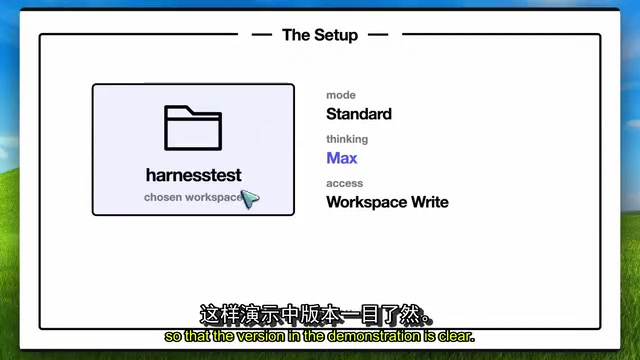
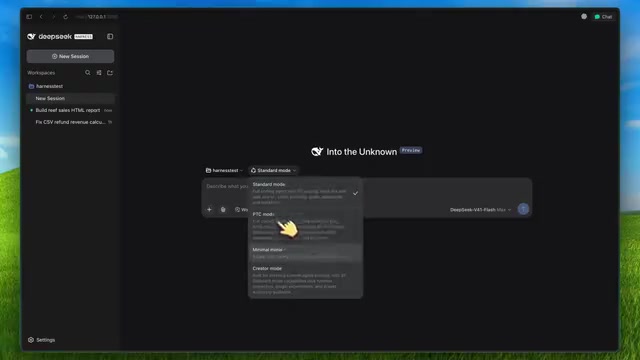
There are Node version requirements: node 22.19 or higher within the 22.x series, or node 24 and above. After installation, running dsh-web starts a web interface locally (default port 3080) and opens it in a browser. The --no-open flag starts the server without opening a new window. There's also a headless mode for running individual tasks directly from the terminal — useful for handing off a fix and then validating the results with your own tests.
Two Hands-On Cases: Bug Fix and Illustrated Report Generation
The first case involved a sales report project with two calculation bugs — canceled orders and refunds were being counted incorrectly. The project had 8 tests, with 5 passing and 3 failing, plus a sample CSV with a known correct total. DeepSeek located the issues and patched the calculation module; all 8 tests passed, with no changes to the tests or data themselves. The report showed a net total of $108.06 before the fix and correctly showed $65.05 after. The full agent run took about 1 minute 20 seconds at max thinking — a verifiable, effective fix.
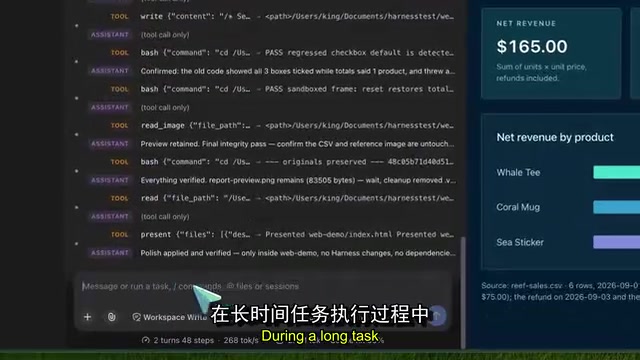
In the second case, a sales CSV and an image showing a target report layout were uploaded, with a request to generate an HTML report and a standalone calculation document. The model produced index.html and calculations.md; the page was self-contained, totals were correct (net revenue $165, 18 net units, 3 products), and the layout matched the reference image. The full web task took close to 6 minutes, with the initial browser verification stalling once before recovering on its own.
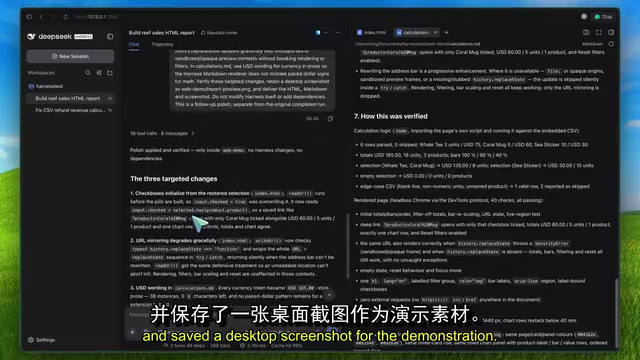
An important note for anyone reproducing this: keep the two types of input clearly separated. Chart values or lengths in a layout screenshot may be placeholder indicators only — the report must calculate from the actual source data.
Practical Upgrades to File Workflows and Agent Control
File workflows have improved noticeably. An earlier update added uploads for any file type with a progress bar and cancel option, and the ability to switch conversations during upload. However, uploading a spreadsheet or document doesn't mean the model automatically understands every format — the agent reads and processes files through available tools.
A new sidebar makes reviewing output much easier, with in-app previews for Markdown, code, HTML, PDF, and images, supporting tabs, split view, and full screen. That said, it's worth noting that while Markdown and image previews worked fine in testing, HTML preview rendered blank in the in-app browser, even though the same HTML rendered correctly in Chrome.
Improved control over running sub-agents is another significant addition. You can queue new instructions, edit or delete them before they're dispatched, course-correct an agent in real time while it's working, or stop it entirely. Being able to surgically correct a specific agent's behavior mid-task is far more practical than waiting for everything to finish before intervening. There's also an experimental agent team installation, but it requires explicitly enabling the configuration — updating the harness doesn't turn every task into a multi-agent collaboration, and more agents means more API requests.
Reliability Improvements and Performance Observations
Several reliability fixes are also included under the hood. An R-seq streaming fix preserves tool call names and identifiers when empty fields appear in subsequent response chunks, preventing otherwise valid requests from being treated as failed tool calls.
Recent updates have also improved reconnection after disconnects and reduced latency when opening or resuming long conversations. The interface now summarizes statistics as per-turn and speed summaries, with detailed token usage and cache hit rates available.
From log observations across the two raw demos: the bug fix task ran at approximately 242 tokens/sec output speed, and the web task at approximately 269 tokens/sec, for a weighted average of about 262 tokens/sec (including reasoning tokens). When accounting for the wait time at the start of each request, the effective throughput was approximately 136 tokens/sec. Input cache hit rates were approximately 92.5% (fix task) and 97.8% (web task). These are client-side observations and should not be taken as general conclusions about speed or cost.
Session format has also been upgraded to version 3; old logs are migrated with the original files preserved, but older versions of the app cannot read upgraded sessions, and plugin authors will need to adapt to API changes.
R-seq (Response Sequence) is a field mechanism in streaming output protocols used to identify the sequence and identity of tool calls. In streaming responses, model output is split into multiple chunks transmitted progressively. If an intermediate chunk contains empty fields (such as a missing tool name or call ID), the client may be unable to attribute subsequent chunks to the correct tool call when reassembling them, causing the entire request to be treated as failed. The significance of the R-seq streaming fix is that even when intermediate chunks carry incomplete information, the harness can correctly reconstruct tool call context from sequence identifiers, avoiding the loss of valid model output due to minor transmission anomalies — particularly important in environments with network instability.
Conclusion: Open Source and Inspectable, but You Still Pay the Bill
The real value of this update is that it provides an open-source application that can fully leverage Flash's specific capabilities while making outputs easier to inspect. You still pay for model usage — max thinking, repeated tool calls, and multi-agent setups all push costs up, while reusable context helps bring input costs down.
Across the two demos, it fixed calculation logic and produced a report with correct figures — a solid start for an RC release. Having real files, existing tests, and session logs to judge the quality of work is one of this toolchain's genuine strengths — though more testing on larger projects will be needed before making broader comparative conclusions.
Related articles
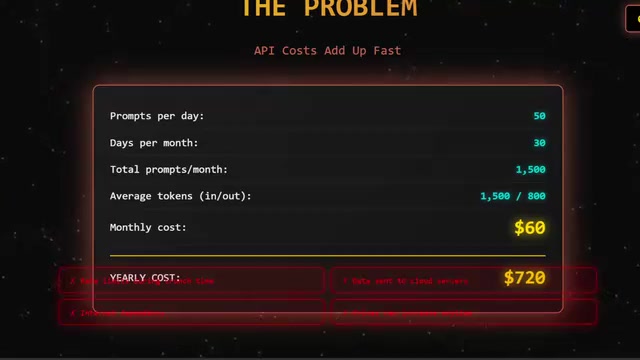
Qwen 27B Local Deployment Test: Can Open-Source LLMs Replace GPT-4?
Qwen 27B local deployment test: one command via Ollama, hybrid attention for 262K context, faster than GPT-4 on code audits, saves ~$1,300 over 3 years.
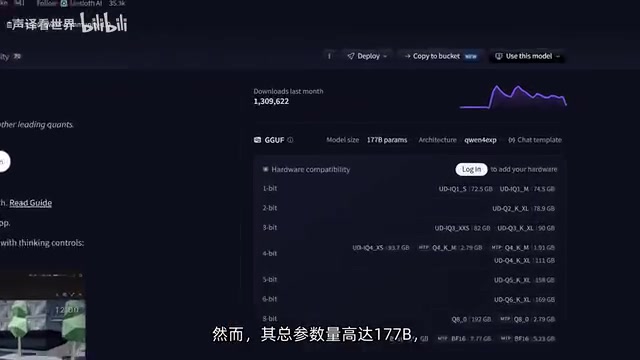
177B LLM on Budget GPUs? Running Qwen3 Flash Next Locally — Real-World Test
A Bilibili creator ran 177B Qwen3 Flash Next locally on two budget GPUs + 32GB RAM at 22 tokens/s by offloading the 51B Ngram table to SSD. Full breakdown of architecture, llama.cpp params, and performance.
MiniMax H3 Arrives on Draw Things: A Guide to Running the Best Open-Source Audio-Video Model Locally on Mac and iPad
MiniMax H3, one of the best open-source audio-video models, is now supported in Draw Things. This guide covers FLR/REF variants, acceleration LoRAs, Apple Silicon requirements, and LLM prompt tips for Mac and iPad users.