DeepSeek Opens API Web Search and File Reading, Releases Open-Source Chat Page
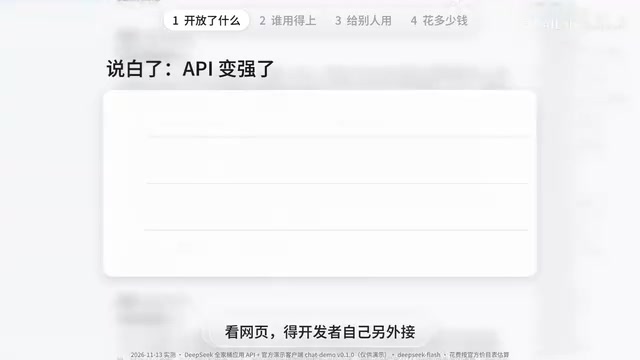
DeepSeek opens web search and other API capabilities and open-sources a chat page template, lowering the barrier but requiring a self-built backend.
DeepSeek has opened the web search, file reading, link parsing, and speech recognition/text-to-speech capabilities behind its official chat via API, so developers can call them by enabling parameters, with search and assembly done server-side. It also open-sourced a chat page similar to the official site as a demo template. Tests show smart search, link reading, file parsing, and voice transcription all work; a typical Q&A costs under one cent, while web search or text-to-speech costs about five cents, doubling during daytime peak. The page has no backend and stores the key in the user's browser, suiting developers who want to embed a chat box in their own site—but offering it externally requires a self-built backend for key security, usage control, chat records, and compliance. For personal or internal team use, DeepSeek Harness is more suitable.
DeepSeek recently did something quite appealing to developers: it opened up the web search, file reading, link parsing, and voice capabilities behind its official chat through the API, and also open-sourced a chat page styled similarly to the official site. This means the tedious work developers previously had to stitch together themselves—search, document parsing, voice processing—can now be done simply by toggling a few parameters in an API call.
From "selling only rice" to "ready-made side dishes"
To understand the significance of this update, you first need to distinguish between the DeepSeekAd official site and the API. By analogy, the official site is like a restaurant DeepSeek runs itself: it's decorated, you walk in, sit down, and eat—for free. The API is the kitchen of that restaurant, selling wholesale. Developers who want to open their own shop—say, build a chat app or put an AI assistant in their own mini-program—buy from the kitchen and pay for what they use.
But previously the kitchen mainly sold the model's answers—essentially just rice. Those side dishes in the store, like web search, reading files you upload, and opening links to read web pages, were either not for sale or had to be bought separately and prepared yourself. After this update, the kitchen sells them pre-assembled: by turning on the corresponding parameters in the existing API, you get web search, file input, link reading, and more, with search and assembly all handled server-side. A whole pile of things you used to have to build yourself are now available with a switch. In addition, speech recognition and text-to-speech can be purchased separately.
There are two things to know, though: web search, file reading, and link reading currently only work with a model called Flash; and search, web page reading, file reading, and text-to-speech are all billed separately.
API (Application Programming Interface) is a set of predefined rules and protocols that allow different software to communicate and call each other's functions without needing to know how the other is implemented internally. In this article's context, DeepSeek's API is a door that DeepSeek's servers open to the outside: developers send requests in an agreed format (such as a conversation), and the server processes them and returns results. APIs are typically billed by usage, unlike the official site's free chat interface for ordinary users. It is this interface layer that lets developers embed large model capabilities into their own applications without building models themselves.
The open-source chat page: a model home, not the official site
The official team used these new capabilities to build a "model home"—an open-source chat page with code on GitHub. From the screenshots, it looks a lot like the official site. In testing, after enabling smart search and asking whether the web version was about to impose usage limits, it read a dozen or so web pages in about ten seconds and answered quite confidently, saying there was no official announcement yet—only hints in the code—with sources cited after several sentences.
Next, link reading: I pasted the link to the official update notes and asked it to explain in plain language what had been updated. Within seconds it actually opened and read the page and summarized it quite well. On file upload: I saved the official price list as a PDF, threw it in, and asked roughly how much a typical question costs. It pulled out each price item from the table and calculated it, concluding that a typical evening question costs about one li (0.001 yuan), and two to three li during daytime peak—all under one cent—matching a manual calculation by usage.
Voice works too: I played a recording of my own voice—"three thousand two a month for utilities, two hundred eighty a month, how much for a year in total"—and it transcribed it word for word, even writing the amounts as numerals, and answered "forty-one thousand seven hundred sixty for a year," which is correct. Answers can also be read aloud, with one female and one male voice in settings.

But note: this is not the official site being open-sourced. Only this chat page is open-sourced; it knows nothing on its own—all its abilities are borrowed from the API—and the official team explicitly states it is for demonstration only.
Open Source means the software's source code is public, and anyone can view, modify, and distribute it, usually under a specific license. In this article, the "chat page" DeepSeek open-sourced is its frontend code published on GitHub for developers to learn from, modify, and reuse. But open source does not mean free use of the model services behind it—the page is just an interface and still requires paid API calls at runtime. GitHub is the world's largest code hosting platform, where developers can obtain open-source project source code. Understanding this is important: only the "shell" is open-sourced; model capabilities are still billed by usage.
Who is it for? Three types of people
Ordinary users: Of course they can use it too—open the official URL and fill in your own key—but it's your money. The official site is currently free, so for everyday chatting there's really no need to switch. Some might ask, why not just use DeepSeek Harness? It's also open source, and installed on your computer it's far more capable. True—for personal use or for a team to get work done, read files, write code, and install plugins, DeepSeek Harness is indeed more suitable. But one thing must be clear: it's installed on your computer, but when it uses DeepSeek's models, the models still run on DeepSeek's servers and still deduct from your API balance—the same setup as this page. The two are actually different kinds of things—DeepSeek Harness is an assistant installed on your computer to help you work; this page is a web chat box that needs no installation, works on mobile, and can be embedded in your own website.
People who want a chat box like the official site on their own website: for example, building an AI customer service that visitors can ask questions to. DeepSeek Harness can't do that, but this page plus today's API is a ready-made template. Yet to actually let others use it, you'll get stuck on one word: backend. Backend sounds mysterious, but it's really just a computer that stays on, online, doing things for you.
Let's first see how this page works: the key is stored in each person's own browser; when they ask a question, the browser goes directly to DeepSeek with that key, and the money is deducted from that key. So whoever uses it must have their own key. But if you want to pay yourself so visitors can ask for free, the key can only be yours—yet you can't put it in the web page, because anyone can see the page's contents, and once the key is exposed others can use it freely, all at your expense. So you need a "waiter" in between: customers just order, the waiter takes your card to the kitchen to place the order, the card stays in his hand, and customers never see it—that waiter is the backend. What the official team open-sourced is only the "menu"; you have to find the waiter yourself.
Specifically, you need to do several things: safeguard the key, identify which customer it is, manage how much each person can use, forward questions to DeepSeek on the customer's behalf, store chat records, and handle compliance. Compliance is explicitly stated by the official team: providing services externally requires enabling safety review, and you must bear obligations for content moderation, large model registration, and AI labeling.
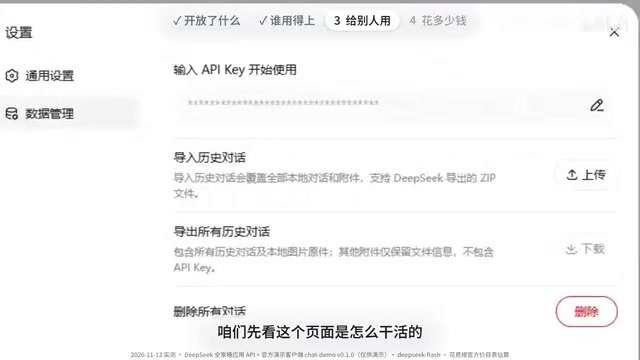
Fortunately, the official team left a door open: the address this page sends requests to can be changed to your own server, and the interface and those features basically don't need rewriting—you just need to replace the step of entering a key at the start with your own login. So what it saves you is "making the chat box as good as the official site"; the most important parts—managing money, managing people, managing compliance—are still up to you.
A third group many overlook: these side dishes aren't only usable by this page; the official team says three common integration methods are supported. So, for example, software that already integrates DeepSeek can add web search and file reading later just by flipping a switch. I suspect many AI tools will progressively add these features.
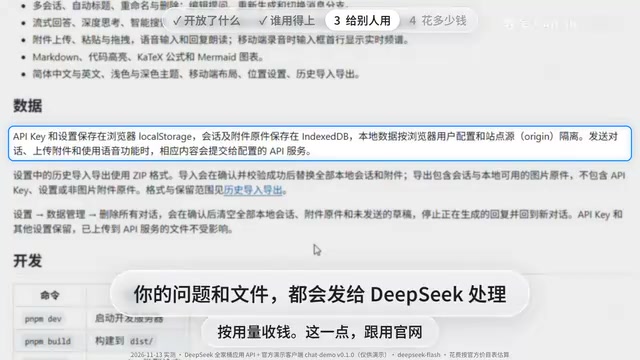
Backend refers to the part running on servers that is not directly user-facing, responsible for business logic, data storage, authentication, and calling third-party services. In contrast, the frontend is the interface users see. In this article's scenario, the frontend chat page sends user questions to the backend; the backend holds the API key and forwards to DeepSeek, then returns the answer to the frontend. This way the key is not exposed to visitors, and usage and records can be centrally controlled. Building your own backend usually requires a cloud server and basic development skills—an unavoidable step for a website offering AI services externally.
Cost testing and minor pitfalls
According to the official price list, a typical question costs less than one cent; enabling web search requires reading a dozen or so web pages, costing roughly under five cents per call; having it read a few hundred characters aloud is also around five cents. But these are evening prices; weekday daytime is peak, and prices double.
In use I hit three minor pitfalls: first, with the downloaded version, every time you click voice input the browser asks whether the microphone can be used—you must click allow before speaking, or nothing comes out; second, I uploaded a very large wallpaper and it hadn't finished after more than a minute, while a small image took seconds; third, switching URLs or computers requires re-entering the key, and chat history doesn't follow.
What the real news is
The real news here isn't an extra web page—it's that DeepSeek has turned the official site's toolkit into parts anyone can buy by usage. For ordinary users, little changes for now, but for those who want to build a product, the barrier has dropped a lot. Remember one line: if you want it to do work for yourself, choose DeepSeek Harness; if you want to offer it to others on a website, use this page as a template and add your own backend.
Related articles

New Breakthrough in Model Merging: Interference Bounds and Curvature-Guided Training
This article interprets new theoretical advances in model merging: characterizing merging excess loss via an interference functional, proposing curvature-guided regularized training, and analyzing its experimental performance and limitations on Transformers.
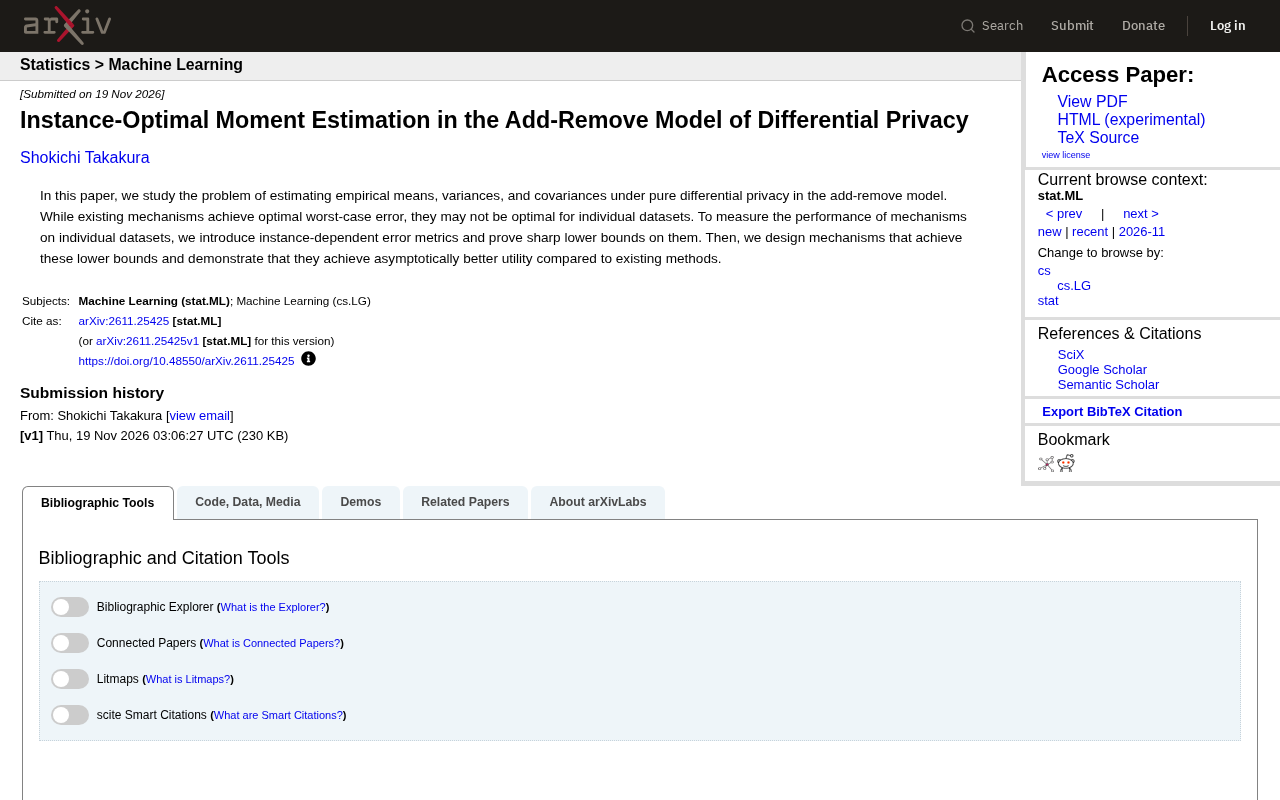
A New Breakthrough in Differential Privacy: How to Achieve Instance-Optimal Moment Estimation?
This article interprets research on instance-optimal moment estimation under the add-remove model of differential privacy, covering instance-dependent error metrics, tight lower bound proofs, and new mechanism design, comparing with existing methods to show utility gains and discussing implications for privacy-preserving practice.

FamilySpace: From Emergent Chemical Semantics to Controllable Crystal Generation
Crystal generation latent spaces spontaneously cluster by elemental family? FamilySpace leverages this emergent chemical semantics to enable composition-controllable crystal generation via multi-source flow models, balancing quality and stable exploration on MP-20 and MPTS-52.