DeepSeek V4.1 + Codex Natively Controls DaVinci Resolve for AI Color Grading: A Hands-On Test

DeepSeek V4.1 connects to DaVinci Resolve via Codex MCP for native AI color grading in an early hands-on test.
A Bilibili creator demonstrated DeepSeek V4.1 connecting to DaVinci Resolve's native MCP interface via Codex, enabling AI to automatically create custom LUTs and batch-apply them across multiple clips from a single prompt. Unlike script-based workarounds, this native interface approach means the AI operates inside the software directly. The first run produced decent results but suffered from significant cold-start latency. The creator's proposed fix is to layer in open-source MCP toolchains, with specifics coming in a follow-up. The content is a single-source demo and has not been independently verified.
An In-Depth Experiment Connecting AI with Professional Color Grading Software
DaVinci Resolve, as a professional-grade color grading and post-production tool, has long presented a steep learning curve for everyday creators. With the opening of the MCP (Model Context Protocol) interface, it's now becoming possible for AI large language models to directly integrate into professional software workflows. This hands-on demonstration from a Bilibili creator showcases the complete process of DeepSeekAd V4.1 connecting with DaVinci Resolve's native interface via Codex to achieve automated color grading.
According to the creator, the demo hinges on two key developments: DaVinci Resolve natively opening its MCP interface, and DeepSeek upgrading to V4.1 with multimodal capabilities. Together, these allow the AI to directly invoke DaVinci's native color grading functions — rather than controlling it indirectly through third-party scripts.
MCP (Model Context Protocol) is an open protocol proposed by Anthropic in late 2024, designed to provide AI large language models with a standardized set of "tool-calling" interface specifications. The core idea is simple: software vendors expose their functionality through MCP-compliant interfaces, and AI models can then call those functions through a unified method — no need to build custom adapters for each application. It's analogous to what USB did for hardware: standardization makes connectivity universal. DaVinci Resolve natively opening an MCP interface means it has actively joined this ecosystem, allowing MCP-compatible AI clients (like Codex) to directly read and write its color grading nodes, parameters, and timelines — rather than simulating mouse clicks or relying on third-party scripts.
The Workflow: From Setup to AI-Driven Color Grading
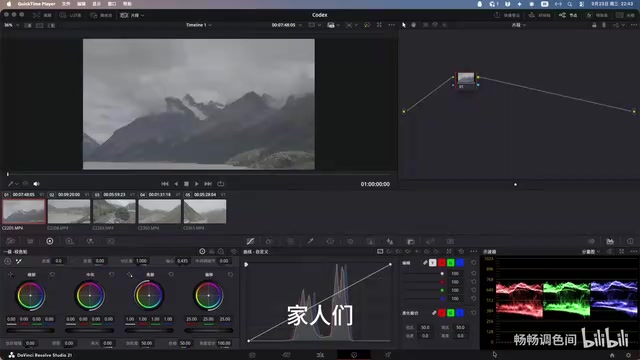
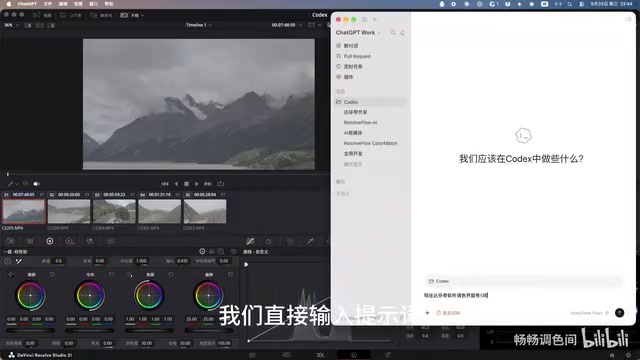
The entire connection process is laid out clearly in the video. The first step is opening DaVinci Resolve's AI assistant settings. The software defaults to Cloud mode, which needs to be disabled before switching to Codex and enabling it. This effectively swaps the AI color grading engine from the cloud-based solution to a locally connected Codex + DeepSeek combination.
Once configured, the creator opened a new color grading project with DeepSeek already connected. Five clips were pre-loaded on the DaVinci timeline. All that remained was entering a prompt and hitting start — the AI color grading workflow launched automatically.
As shown in the demo, Codex connects directly to DaVinci Resolve's own interface for native control. This is fundamentally different from external automation scripts — the AI isn't simulating clicks; it's calling the software's internal color grading capabilities, including creating custom LUTs and batch-applying them across multiple clips.
LUT (Look-Up Table) is one of the most fundamental tools in color grading. At its core, it's a mapping table that records the correspondence between input color values and output color values, allowing a specific tonal style to be applied to footage in one step. The cinematic looks commonly seen in professional film grading — "film-like," "desaturated," "teal and orange" — are often packaged as LUT files (typically in .cube format) for reuse. When AI "creates a custom LUT and batch-applies it" in this workflow, it's not just applying a preset — it's generating a bespoke color mapping rule based on the prompt, then writing that rule across multiple clips on the timeline. This is exactly where native interface control delivers an efficiency advantage over manual operations.
Real-World Performance and Bottlenecks on the First Run
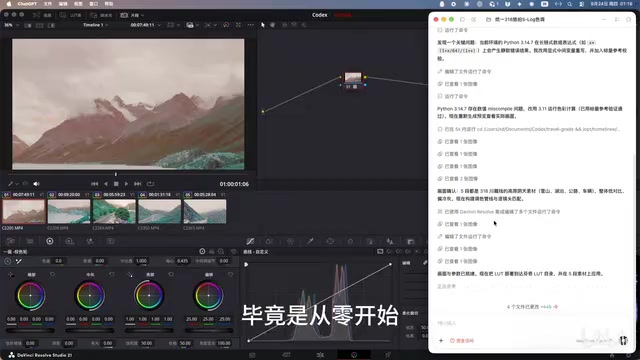
The creator was candid: the first run was anything but smooth. Since this was the initial connection, Codex needed time to adapt to DaVinci Resolve's working environment. The entire first color grading session took an extraordinarily long time — described with a bit of hyperbole as taking "forty-nine long hours" to complete.
That said, reviewing all five clips afterward, the color grading results were "pretty decent." The capability itself holds up; the main weakness is efficiency. This is consistent with a common pattern when AI enters an unfamiliar workflow for the first time: the cold-start phase requires the model to extensively probe the interface, parameters, and feedback mechanisms. Once a stable calling pattern is established, execution speed improves significantly.
The Path to Efficiency: Layering in Open-Source Projects
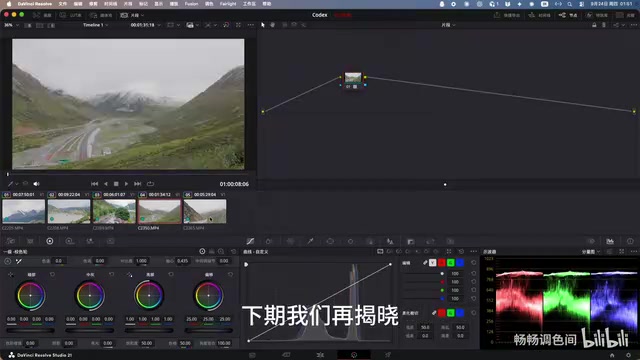
To address the lengthy first-run time, the creator pointed to a directional solution: layering in open-source projects. By incorporating existing open-source tools or frameworks, it's possible to bypass much of the cold-start overhead and achieve "faster and more powerful control." The specific connection method and open-source solution will be revealed in a follow-up video.
This approach is worth paying attention to. The value of the MCP interface lies precisely in its openness — once professional software exposes standardized interfaces, the community can build all kinds of automation toolchains around it, without depending on any single vendor's closed solution.
Around the MCP protocol, a large number of open-source toolchains have already emerged on GitHub: client frameworks for managing multiple MCP Servers, MCP adapters for specific applications, and reusable prompt template libraries. For professional software like DaVinci Resolve, the value of the open-source community lies in this: developers can encapsulate common color grading tasks (such as applying LUTs, adjusting exposure, color temperature matching, etc.) as predefined MCP tools, reducing the cold-start cost of the AI having to probe the interface from scratch each time. The creator's mention of "layering in open-source projects" likely refers to introducing exactly this kind of ready-made MCP tool library — allowing the AI to execute along known operation paths rather than repeatedly feeling its way through, dramatically cutting down the time lost during that initial first run.
The Significance of This Integration — and Why Caution Is Warranted
For creators, AI natively controlling professional software means that technically demanding work like color grading could be dramatically simplified. Enter a prompt, and the AI automatically creates a LUT and batch-applies it — theoretically offloading large amounts of repetitive post-production work to the machine.
A word of caution: this content comes from a single creator's demonstration video and is a personal hands-on showcase that has not yet received independent third-party verification. Descriptions like "multimodal" and "native interface" in the video lean toward the promotional, and the actual interface stability, color grading quality, and adaptability to complex footage still require more testing to validate. For users who want to try this, it's recommended to run small-scale tests before using it on any serious project.
Summary
DeepSeek V4.1 connecting to DaVinci Resolve's MCP interface via Codex to achieve native color grading is an interesting exploration of AI entering professional creative tools. It demonstrates a viable path for "AI directly controlling professional software," but the efficiency bottlenecks exposed during the first run remind us that this type of solution is still in its early stages. Its true practical value depends on whether the open-source ecosystem can refine the entire workflow into something stable and fast enough for real-world use. Interested readers should keep an eye on the creator's next video for the specific connection tutorial.
Related articles

Chain of Thought Isn't Just for AI: How Humans Can Use CoT to Improve Thinking Quality
Chain of Thought isn't just a prompt trick for large models. Starting from a Hacker News discussion, this article analyzes why CoT works for human thinking too, breaks down actionable ways to transfer it, and highlights the key differences between human CoT and machine CoT.
Cloudflare Teams Up with OpenAI: Closi…
Cloudflare Teams Up with OpenAI: Closing the Loop from Vulnerability Discovery to Defense with AI
Cloudflare uses OpenAI Daybreak to investigate security vulnerabilities and generate reviewable remediation plans, while developers use Codex to boost coding efficiency and quality.

Orca Multi-Agent Orchestration in Practice: A Guide to Parallel Collaboration with Claude and Codex
Orca is Stable AI's free open-source agent workbench supporting 34 agents like Claude Code and Codex in parallel. Learn its Git worktree isolation, multi-model orchestration, and mobile management.