Design Studio Review: An All-in-One Platform for Designing Custom Merch in the Browser

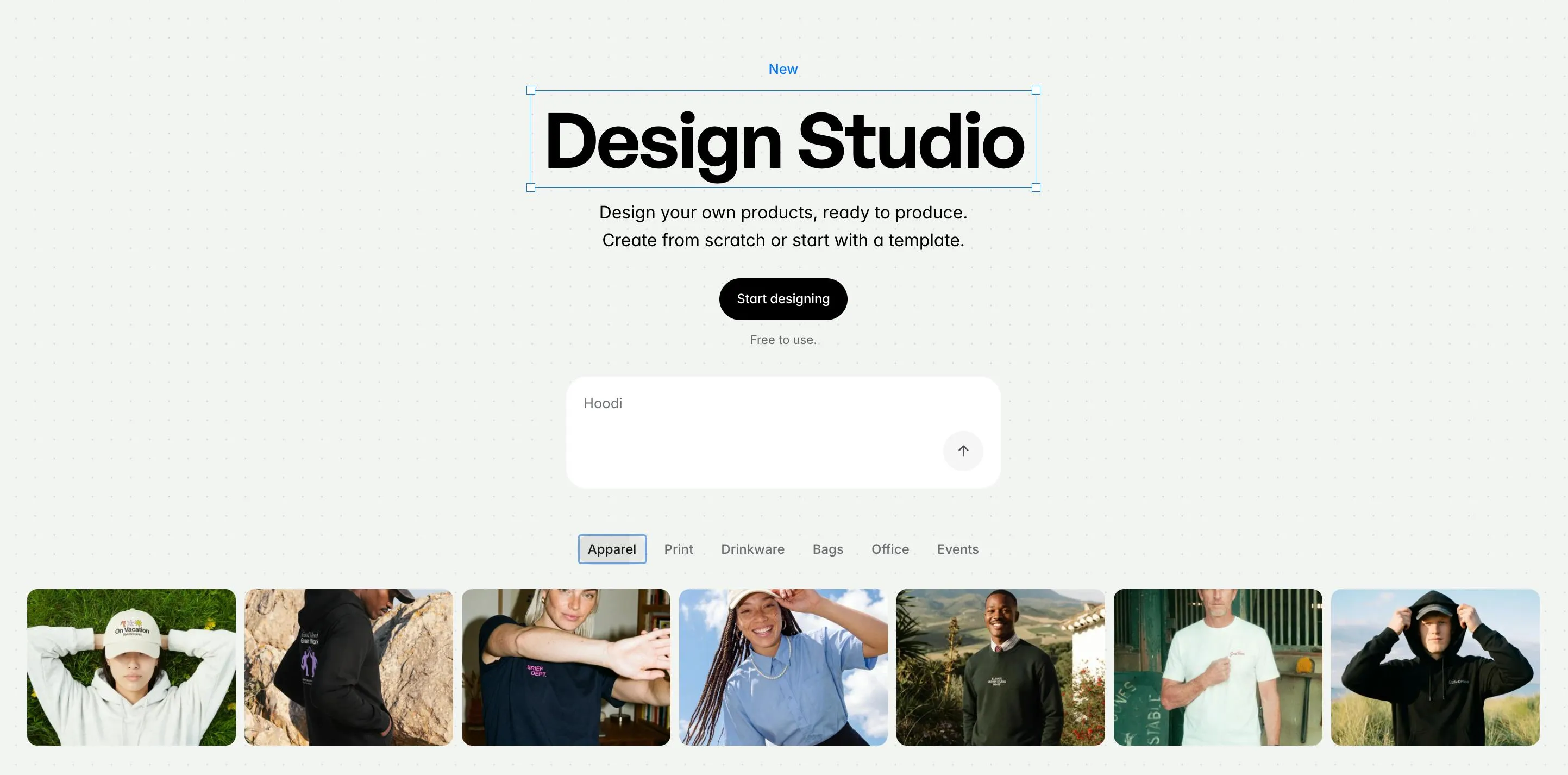
Design Studio brings a Figma-style canvas to custom merch design with built-in print rules and brand asset management.
Design Studio by Monday Merch is an online design platform positioned as "Figma for physical products." Users can design on 1,000+ product templates with multi-angle 2D/3D previews, while built-in print specifications ensure every file is production-ready. The Brand Hub centralizes brand assets for consistent output, and real-time collaboration lets distributed teams work on the same canvas. Challenges remain around limited 3D coverage, unproven supply chain depth, and differentiation against established players like Canva and Printful.
When Design Tools Meet Physical Products
In the world of design collaboration, Figma has long been the go-to tool for UI designers. Now, the Monday Merch team has launched Design Studio on Product Hunt, aiming to bring that same smooth "browser canvas" experience to an entirely different domain — custom physical merchandise (merch) design.
The pitch is refreshingly straightforward: "Think Figma, but for creating real products." No software downloads required — users simply open a canvas in the browser and start designing on over 1,000 physical product types. The product has already earned 85 upvotes and 12 comments on Product Hunt, listed under the Design Tools category.
Breaking Down Design Studio's Core Features
1,000+ Product Templates with Multi-Angle Physical Previews
Design Studio's biggest selling point is its what-you-see-is-what-you-get design experience. It comes with over 1,000 product templates spanning apparel, accessories, office supplies, and more. Instead of laying out artwork inside an abstract bounding box, designers work directly on real product mockups.
Even more impressive, the platform supports multi-angle 2D previews for every product, and select items even offer 3D visualization. You can inspect a hoodie's print from the front, back, and side — effectively eliminating the classic problem of "looks great in the mockup, but the final product is off-center."
Brand Hub: One-Click Access to Brand Assets
For enterprise clients and brand teams, Design Studio offers a Brand Hub feature. Users can centralize logos, color palettes, fonts, and other brand assets, then pull them into any design with a single click to quickly produce on-brand merchandise. For companies that regularly produce team swag or event gifts in bulk, this significantly cuts down on repetitive work while keeping visual identity consistent.
Bridging the Gap Between Design and Production
What truly sets Design Studio apart from ordinary online design tools is that printing rules and production requirements are baked directly into the design workflow.
Why Built-In Print Rules Matter
In traditional custom merch workflows, design and production are often painfully disconnected. A designer creates a polished comp in Photoshop or Illustrator, only for the factory to flag issues with resolution, bleed margins, or color accuracy — triggering rounds of back-and-forth that drain both time and energy.
Design Studio's approach is to front-load these production constraints into the design phase itself. As you create on the canvas, the system automatically validates whether your design meets print specifications, ensuring every design file is production-ready from the start. In effect, this merges the "design tool" and "production management" into a unified platform, dramatically lowering the barrier from concept to finished physical product.
Real-Time Team Collaboration: True to SaaS Design Tool DNA
As a tool built around a "Figma-style" experience, real-time collaboration is a natural baseline expectation. Design Studio lets team members share and co-edit designs simultaneously, enabling brand teams, marketing departments, and external designers to work together on the same canvas — no more chaotic file handoffs.
This online collaboration model fits naturally with remote and distributed teams, and is one of the inherent advantages browser-based design tools hold over locally installed software.
Competitive Landscape and Market Observations
From a product strategy standpoint, Design Studio has zeroed in on a clear pain point: everyday users and small-to-medium businesses want to create custom merch, but lack the professional design skills and production know-how to pull it off. By combining a physical product canvas, built-in print rules, brand asset management, and live collaboration, it compresses what would normally require a designer, a print vendor, and a project manager into a single browser tab.
That said, as a newly launched product, there are still open questions worth watching:
- Limited 3D preview coverage: Currently only available for select products, not rolled out across the full catalog
- Supply chain depth unproven: 1,000+ products is an impressive number, but quality control, SKU variety, and supply chain reliability all need real-world validation
- Competitive pressure is real: Established platforms like Canva, Printful, and Vistaprint are all pursuing integrated "design + custom production" solutions — Design Studio will need to continuously push its experience and differentiation to stand out
Conclusion: A Fresh Efficiency Tool for Custom Merch Design
Design Studio represents a compelling direction for design tools — one focused on vertical specialization and production integration. Rather than keeping designs as pixels on a screen, it's built to take creative work all the way to a tangible, touchable product. For teams that regularly produce branded swag, corporate gifts, or event merchandise, this is a tool well worth keeping an eye on — and giving a try.
Related articles

DeepSeek Harness: A Beginner's Installation and Testing Guide
A DeepSeek Harness tutorial for test engineers: set up Node.js, launch with one NPX command, configure official and third-party models, and explore web search, file I/O, and trace-view agent observability.
AI Game Development in Practice: Designing Levels with the Four-Step Method and Pacing Curves
AI game development lesson 10: design levels with the four-step method (teach, practice, combine, test) and a 1-5 pacing curve, plus sightline guidance and safety zones—implement Animatable Body 2D moving platforms and generate ASCII sketches for 1-2 Underground Cavern and 1-3 Guard Hall.

AI Game Development in Practice: Two-Phase Boss State Machines and Death Heatmap Tuning
AI game development lesson 10: implement a two-phase Boss with a state machine, guarantee fairness with color signals and a 0.4-second warning floor, locate difficulty cliffs with a death heatmap, and apply lightest-to-heaviest fixes one at a time, with an acceptance checklist and common pitfalls.