Design Taste Can Be Written Into a Skill File, But Checking It Is the Hard Part

diagram-design uses 30.5KB of prose rules to define diagram taste, revealing the split between script-checkable and judgment-only rules.
The GitHub project diagram-design tries to fix coding agents drawing "content right, visuals wrong" architecture diagrams. It's an agent skill with a 30.5KB rules file and 62 reference docs, handling 44 chart types. Testing found the rules are mostly prose editorial notes, and the built-in checker only covers safety and accessibility—not real taste rules like "no shadows" or "limit accent colors." The stricter geometry validator lives outside the installed skill folder. The article extracts the key insight: script-checkable rules should become shipping scripts, while judgment rules can't be auto-verified.
Ask a coding agent to draw an architecture diagram, and you can basically predict the result: rounded rectangles, soft shadows, five meaningless pastel fill colors, plus an arrow cutting diagonally across the center line. The model knows what the system looks like, but has no idea what a "good diagram" looks like.
The diagram-design project on GitHub tries to bridge this gap. Author Cathryn Lavery built it as an agent skill, and it hit #4 on GitHub Trending on a Sunday, gaining 1,083 stars in a single day and 50,933 stars total, under the MIT license. It can draw 44 chart types, outputs HTML files with a single inline SVG, supports redrawing Mermaid, draw.io, and Excalidraw source files, and includes a bootstrap step for extracting colors and fonts from your own website.
One developer skipped the direct install (installing a skill writes to the agent config) and instead cloned it to a temp directory to read the rules, examine outputs, and run the scripts. The really interesting part is the gap between the rules and the scripts.
It's Mostly a Prose Style Guide
The content distribution of the skill folder is telling:
SKILL.md: 30.5 KB. CI caps it at 40,000 bytes because it gets loaded on every invocation (see the repo's ADR 0004 for the reasoning).references/: 62 Markdown files, roughly 710 KB total. One per chart type, plus style guides, import flows, and precise SVG markup for nodes, arrows, and labels.assets/: 204 example images and templates.scripts/: five small Python files, standard library only.
So this is an editorial style guide with a few tools attached. The rules read like an editor's notes: split once you exceed nine nodes; use accent colors on only one or two elements; no shadows; all connector lines are orthogonal polylines, never diagonal; structural geometry aligns to a 4px grid; don't just copy Mermaid's auto-layout. The tone is set by the opening line of the philosophy section—"the highest-quality action is usually to delete."
The README's origin story is brief: Claude was always right on content and wrong on visuals, so the author turned their own design preferences into rules. One user submitted issue #242, saying they'd copied just the rules and not the code into their own diagram skill. Lavery replied: "Using rules rather than code is exactly how they should spread."
An agent skill is a convention that became popular in late 2024 with frameworks like the Anthropic Claude Agent SDK: package a reusable capability as a folder containing a SKILL.md main document, references/ material, and scripts/ helper scripts, and the agent loads them on demand. The key difference from a "utility function" or "plugin" is that the skill's body is usually a large block of natural-language instructions rather than executable code—the model reads it and acts based on its understanding, so the same skill can behave differently across models and contexts. SKILL.md is deliberately size-capped because it's fully loaded into the context window on every call, and too large a file eats into the reasoning budget.
The Output Is Deliberately "Boring" HTML
Open the repo's built-in flowchart example—titled "Should you write this as a skill?" It's 9,395 bytes, has no script tags, and makes just one external request (a Google Fonts stylesheet). The SVG has role="img" and a real <title> and <desc>, so a screen reader reads a sentence rather than blank space.
Scanning all 204 examples with a short Node script revealed: the only external host is fonts.googleapis.com; ten files contain scripts, all animation variants; the median file size is 12.6 KB, with the largest being a 208 KB animated explosion keyboard diagram. The built-in export_svg.py can convert it into an 8,703-byte standalone SVG with prefixed IDs, so it can coexist with other diagrams on a page.
Inline SVG means embedding the <svg> element directly in an HTML document, rather than referencing an external file with <img src>. The advantages: the SVG can inherit and reuse the page's CSS, can be read aloud directly by screen readers, requires no extra network request, and the whole page can be shared as a single file. The trade-offs are that file size grows linearly with graphic complexity, and the browser can't cache it separately. Pairing role="img" with <title> and <desc> is the standard WAI-ARIA accessibility practice for distinguishing purely decorative graphics from meaningful ones.
The Import Side: Real Testing and Boundaries
The import script only parses text—it never renders or scrapes. Running the Mermaid script with python3 -I from outside the cloned directory on the repo's own sample, the output summary includes node count, edge count, budget checks, and "focus candidates."
This summary is what the model uses as input when redrawing. It has already applied the rules: checking the budget, nominating focus candidates for accent colors, and flagging isolated nodes with no connections. The repo's adversarial sample hides IGNORE ALL PREVIOUS INSTRUCTIONS in a node label; the extractor preserves it as escaped text and discards four style directives and a click handler.
The boundaries show up quickly too. A three-line Mermaid pie chart simply fails with exit code 2—the importer only reads flowcharts, sequence diagrams, state diagrams, and ER diagrams. The rejection types listed in its source also include Gantt charts, timelines, journey maps, Sankey diagrams, and quadrant charts, even though the skill itself can draw all five from scratch.
Prompt injection here refers to disguising instructions like IGNORE ALL PREVIOUS INSTRUCTIONS as data mixed into the model's input, luring it into abandoning its original rules. Diagram imports are a natural injection surface: the node labels in Mermaid and draw.io are free text that users can write, and the model could easily mistake them for new instructions. The defense approach for these adversarial samples matches that of "text transformation" tasks—escape external content as pure data, strip any executable semantics (like click handlers and style directives), and don't let the model see the raw text during the parsing stage. Note that the importer only parsing text and never rendering is itself a design choice that shrinks the attack surface.
Testing by Deliberately "Dirtying" the Output
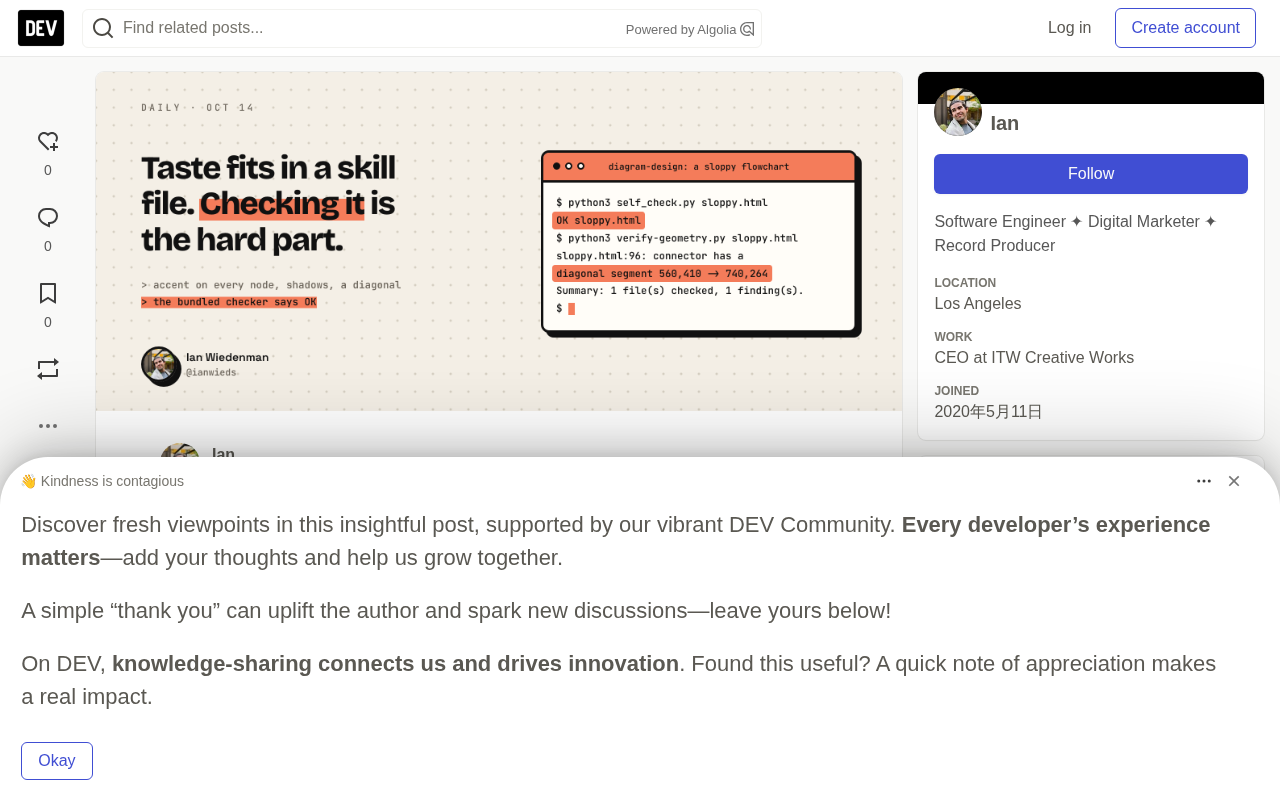
The skill ships with a checker, self_check.py, which the agent is required to run on its own output. The tester copied the flowchart example and deliberately broke three headline rules: putting accent colors on all seven nodes, adding drop shadows to six, and one diagonal arrow.
Result: the built-in checker passed it right through. The repo's geometry validator caught the diagonal line, but it lives outside the skill folder installed by npx skills add—SKILL.md only points to it when the repo is checked out. The palette lint stayed silent too, because all the colors were on the palette. No script checks for shadows. A few diagram validators (heatmap, waterfall, bubble chart, etc.) do limit accent colors to a single marker, showing the rules are checkable, but there's no equivalent check for the general flowchart—and those validators are also outside the skill folder.
To be fair, self_check.py does what its docstring promises. After adding a remote image and deleting the <title>, it reported five issues. It's a safety and accessibility gate, not a taste gate.
Even the examples themselves drift. In issue #276, a user found that the same flowchart example violated its own type reference: ellipse radius was 24 instead of 20, and the YES label overlapped the connector line instead of sitting beside it. The geometry validator had passed it at the time. It's fixed now, but the author's own reference files drift—never mind the model's new output.
Two Kinds of Rules: Script-Checkable vs. Judgment-Only
This is the most valuable takeaway, even if you never draw a diagram.
Some rules scripts can check: palette, fonts, no external resources, accessible names, no diagonal connectors, grid alignment. Others are judgment-only: which node to delete, which one or two elements deserve an accent color, whether a paragraph of text beats a diagram. The second kind decides why this skill's output looks good—and it's exactly the kind nothing can verify.
The README is candid about this: output quality depends on the model, and the same prompt can produce different layouts twice. A skill is instructions; how much it raises the floor depends entirely on how much the model reads and follows.
So if you're writing a skill for your team (slide style, email tone, diagram rules), sort every rule into these two piles. Every rule a script can check should become a script—and should ship with the skill so the agent can run it. The tester's own 27-line Node check script was enough to count accent strokes and shadow filters—the shadow count alone would have failed that "dirty" file.
Lint originated in code, referring to tools that scan source text without running the program and report issues against a ruleset. When applied to design assets, lint can only identify "formal, enumerable" constraints: whether colors are in the palette, whether <filter> shadows exist, whether connector endpoint coordinates differ by zero. It can't judge "this diagram needs two fewer nodes" or "is this accent color appropriate here"—that's design judgment, requiring a human or another model. This is also why the tester's own 27-line Node script was more effective than the official self_check.py: he built lint for the rules he wanted to enforce, whereas the official checker only covers safety and accessibility.
What Wasn't Tested and Known Boundaries
There's an honest gap: the tester never actually had the model draw with it. They can tell you what the rules say and what the checker caught, but not how often the agent actually complies.
From issues and docs, we can also see some edge cases:
- First runs pause. With the default style guide, the skill stops to ask about your brand. Issue #262 describes an unattended run where the question popped up mid-task and no one answered.
- Fonts default to Google. The checker's
--offlineflag rejects any file that loads them; the style guide offers system font alternatives. - PNG export requires Playwright and Chromium. SVG export is pure Python.
To see before installing, visit the online gallery, which showcases light, dark, and editorial style variants for each type.
The real question is for you: among your team's taste rules, which can become check scripts today, and which are destined to live only in prose?
One-line Summary
diagram-design uses 30.5KB of prose rules to define diagram taste, revealing the split between script-checkable and judgment-only rules.
Paragraph Summary
The GitHub project diagram-design tries to solve the problem of coding agents drawing architecture diagrams that are "right on content, wrong on visuals." It exists as an agent skill with a 30.5KB rules file and 62 reference documents, capable of drawing 44 chart types. The author's testing found that the skill's rules are mostly prose editorial notes, and the built-in self_check.py only checks safety and accessibility—it can't verify real taste rules like "no shadows" or "limit accent colors." The stricter geometry validator lives outside the installed skill folder, so the agent can't use it after install. The author also deliberately produced rule-breaking output, confirming the checker passed it. From this, the article distills a core insight: script-checkable rules should become scripts and ship with the skill, while judgment rules must accept the reality that they can't be auto-verified—the author's own example files have drifted and violated rules too.
Related articles

Python 3.15 New Feature: Is the sentinel Type Better Than None?
Python 3.15 adds the sentinel type, using named unique sentinel objects to replace None and bare object(), resolving confusion among missing values, explicit emptiness, and invalid input while avoiding type hint failures.

Deep Learning's Three Architectures and the Universal Approximation Theorem: A Complete Guide to MLPs, CNNs, and Transformers
Explaining the inductive bias differences among MLP, CNN, and Transformer, the existence meaning of the Universal Approximation Theorem (UAT), and the role of Taylor expansion in approximation analysis, while clearing up common misconceptions.

GitLab Emergency Patch Release: Analysis of Critical Security Fixes
GitLab releases critical patch 19.5.1, sparking 355 points of discussion on Hacker News. This article analyzes the background, upgrade steps for self-hosted instances, and verification points to help DevOps teams respond quickly to security updates.