GitLab Emergency Patch Release: Analysis of Critical Security Fixes

GitLab 19.5.1 critical patch released; self-hosted users should upgrade per official guidance and verify promptly.
GitLab released patch version 19.5.1, officially designated as a critical patch release. The news gained 355 points and 83 comments on Hacker News, reflecting strong community interest in GitLab security. Since public material lacks specific vulnerability details, the article focuses on the event: the rare use of "critical" usually means high-risk fixes involving security boundaries, permissions, or data integrity; self-hosted instances host source code, CI/CD secrets, and deployment credentials, so a breach can spread along the pipeline. It advises administrators to confirm version and deployment type, ensure backups and validate in pre-release before upgrading, and check instance health plus LDAP, OAuth, and Webhook integrations afterward.
Background: An Emergency Update That Sparked Community Discussion
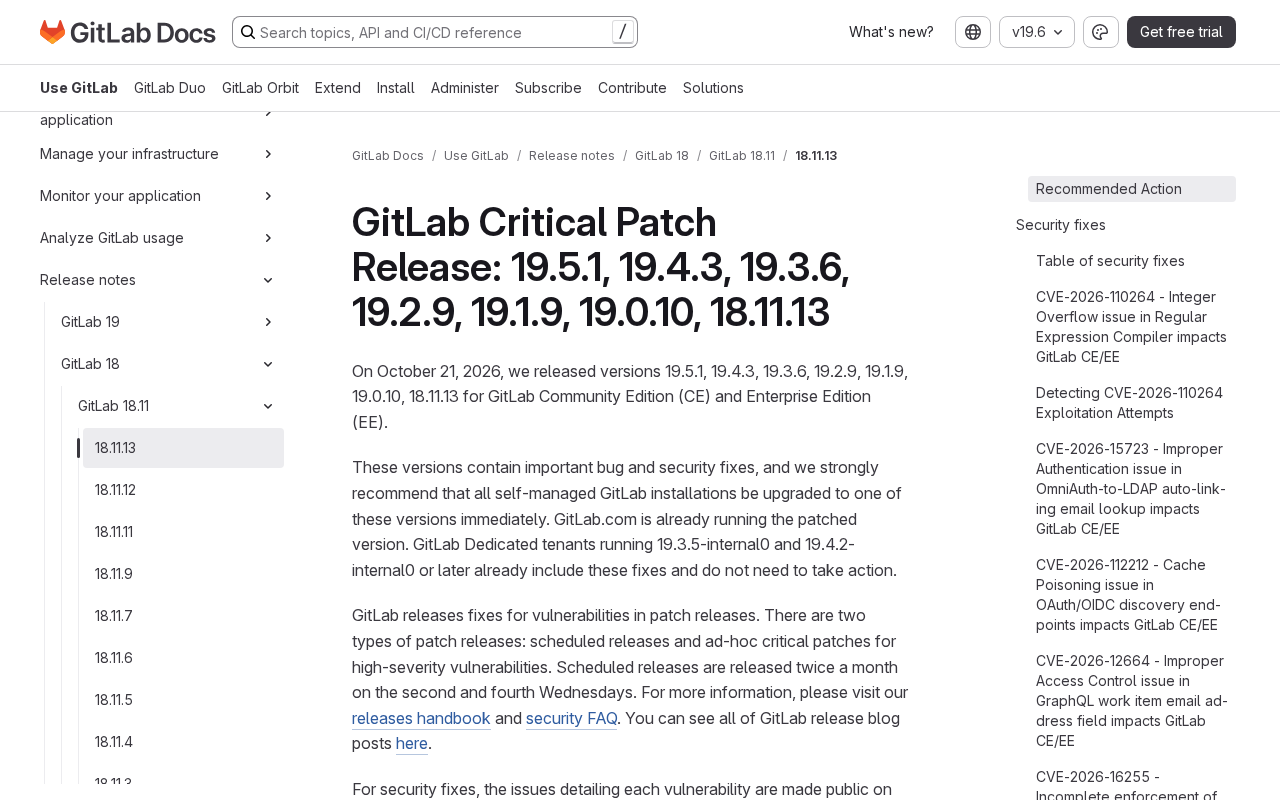
GitLab released patch version 19.5.1, officially designated as a "critical patch release." The news quickly gained 355 points and 83 comments on Hacker News, indicating that the developer community pays close attention to GitLab's security.
It should be noted that the publicly available material only includes the link to the patch release announcement and the community discussion entry point; the full vulnerability details from the official announcement were not included. Therefore, this article does not fabricate specific CVE numbers or attack paths, but instead focuses on the event itself—the "critical patch release"—and discusses why it deserves immediate action from DevOps teams.
Why a "Critical Patch" Deserves Separate Discussion
GitLab's release cadence is relatively regular, and routine monthly version updates typically do not use wording like "critical." Once the official team labels a patch release as critical, it usually means the fixes involve high-risk issues such as security boundaries, permission controls, or data integrity.
For teams self-hosting GitLab, the response window for such patches is often very short. Code repositories contain not only source code but also CI/CD secrets, deployment credentials, environment variables, and other sensitive assets. Once an instance is compromised, the impact spreads downstream along the pipeline and affects production environments.
Judging from the discussion activity on Hacker News, 83 comments mean the community is actively exchanging upgrade experiences, impact assessments, and temporary mitigation measures. This collective response is itself a characteristic of the open-source infrastructure ecosystem: the speed of handling security incidents depends heavily on the efficiency of community information sharing.
GitLab's version numbering system follows a variant of Semantic Versioning (SemVer): the major version number (e.g., 19) indicates a major release containing breaking changes, the minor version number (e.g., 19.5) corresponds to monthly feature iterations, and the third patch number (19.5.1) usually contains only bug fixes and security patches. A regular monthly release is generally 19.5.0, and a subsequent 19.5.1 is an unscheduled emergency patch, often triggered by a disclosed or soon-to-be-disclosed security issue. Understanding this naming convention helps administrators determine that a release with a third version number should usually be handled before the next monthly version, because it carries stability and security fixes rather than new features.
What Self-Hosted Users Should Do
First Confirm the Version and Deployment Type
The first step is to confirm the current instance version and deployment method. GitLab.com is hosted by the official team, and patches are pushed centrally; self-hosted instances (Omnibus, Docker, Kubernetes Chart, etc.) require administrators to upgrade manually. Upgrade steps vary considerably across deployment types, so it is advisable to follow the upgrade instructions on the official patch release page directly to avoid skipping versions or missing database migration steps.
Common GitLab self-hosted deployment types each have their own upgrade paths. Omnibus is the officially recommended package solution, upgraded via gitlab-ctl reconfigure and the package manager, and it automatically performs database migrations; Docker image deployments require pulling a new tag and rebuilding the container, taking care that mounted volumes and configuration files remain compatible; Kubernetes environments are generally upgraded via the Helm Chart, and attention should be paid to the correspondence between Chart versions and GitLab versions. In addition, GitLab officially imposes "upgrade stop" constraints on upgrade paths—for example, certain major versions must pass through designated intermediate versions, and skipping versions may cause migration failures. Therefore, even in emergency patch scenarios, the officially recommended path should be followed rather than jumping directly to the latest version.
Routine Checks Before Upgrading
In critical patch scenarios, teams can easily skip verification in pursuit of speed. A more prudent approach is to first confirm that backups are available, then validate the upgrade process in a pre-release environment, and finally schedule a change window to perform the production upgrade. For instances with high-availability architectures, attention should also be paid to the constraints of zero-downtime upgrades.
Post-Upgrade Verification
After the upgrade is complete, it is advisable to check instance health status, CI Runner connectivity, and whether key integrations (such as LDAP, OAuth, and Webhook) are functioning properly. Critical patches sometimes adjust default configurations or permission policies, and such changes may only surface after the upgrade.
GitLab's CI/CD secrets and credentials system involves multiple components: CI/CD Variables are stored in the database and can be injected into pipelines, Runners establish trust with the instance through registration tokens, and deployment credentials (Deploy Keys, Deploy Tokens) are used to access external repositories or environments. If a critical patch involves permission or token validation logic, symptoms such as Runners going offline, variables failing to decrypt, or Webhook signature verification failures may occur after the upgrade. Therefore, the verification phase should cover these sensitive paths, not just confirm that the login page is accessible.
The Bigger Issue This Event Reflects
As an integrated DevOps platform, GitLab carries the entire chain from code hosting to deployment, so its attack surface is inherently large. Every critical patch release is in effect a reminder to teams that the platform itself is infrastructure that requires ongoing maintenance, not a tool that can be "set and forgotten."
For small teams with limited resources, it is recommended to establish a lightweight patch response process—subscribe to official security announcements, designate an owner, and predefine upgrade windows. This process is not costly, but it can significantly shorten response time when a critical patch actually arrives.
Conclusion
The release of the GitLab 19.5.1 critical patch has attracted widespread attention in the developer community. For self-hosted users, confirming the version as soon as possible, upgrading according to official guidance, and completing verification after the upgrade are the most direct and effective ways to respond at present. For specific vulnerability details, please refer to the official GitLab patch release page.
One-line Summary
GitLab 19.5.1 critical patch released; self-hosted users should upgrade per official guidance and verify as soon as possible.
Paragraph Summary
GitLab released patch version 19.5.1, officially designated as a critical patch release. The news gained 355 points and 83 comments on Hacker News, reflecting the developer community's strong interest in GitLab's security. Since the publicly available material does not include specific vulnerability details, the article analyzes the event itself: the official team's rare use of the word "critical" usually means the fixes involve high-risk issues such as security boundaries, permission controls, or data integrity; self-hosted instances host source code, CI/CD secrets, and deployment credentials, and if compromised, the impact spreads along the pipeline. The article recommends that administrators first confirm the version and deployment type, ensure backups are available and validate in a pre-release environment before upgrading, and check instance health and key integrations such as LDAP, OAuth, and Webhook after upgrading.
Related articles

Is the Agent Harness Dead? Cursor's Early Engineer Breaks Down the Real Architecture of AI Coding Agents
Cursor early engineer Jediah breaks down the real architecture of the agent harness: why "the harness is dead" is only half right, how the data flywheel lets the harness obsolete itself, and how Grokbot, software factories, and primitive design open new frontiers for agents.

Python Visitor Pattern and Better Alternatives Explained
A deep dive into Python's visitor pattern and four alternatives: method pattern, pattern matching, dictionary mapping, and functools.singledispatch. Choose the best decoupling design by change frequency.

357 Days of Deep Experience: Why Omarchy Made Me Stop Distro-Hopping
A 357-day deep dive into Omarchy: 59-second install, out-of-the-box audio and GPU support, the Quattro QuickShell rewrite migration pains, and why Arch users should try it.