diagram-design: The Open-Source Design System That Lets AI Create Editorial-Quality Architecture Diagrams

An open-source design system that transforms AI-generated diagrams from generic to editorial-quality.
diagram-design is a 19.2K-star open-source project that equips Claude Code with a structured design system for generating professional, editorial-style diagrams. It offers 27 visual types, three themes (light, dark, full editorial), 7 behavioral pattern mappings, and compatibility with existing draw.io and Mermaid files — replacing AI's random visual output with consistent, polished architecture diagrams.
When AI Diagrams Are Nothing But Rounded Rectangles
Adding an architecture diagram to a technical article should be a surefire way to boost readability. But many of us have hit the same awkward wall: you toss your requirements at an AI, and what comes back is a monotonous sea of rounded rectangles — bland colors, cookie-cutter layouts, completely out of sync with the rest of your site's visual identity. These diagrams are technically usable, but they always feel like they're "missing something" — more like hastily thrown-together placeholders than thoughtfully crafted visuals.
The root of the problem isn't the AI's drawing ability — it's the absence of a unified design system to constrain the output. A design system is a comprehensive framework that includes design principles, component libraries, style specifications, and usage guidelines. At a granular level, it governs spacing, font hierarchy, icon style, color ratios, and other parameters to ensure visual consistency across different people and timeframes. Without such constraints, every AI output is essentially a probabilistic sample from training data, making stylistic consistency nearly impossible.
This is exactly the core pain point that the open-source project diagram-design aims to solve. It equips Claude Code with a dedicated skill for producing editorial-style diagrams. The repository has already accumulated 19.2K stars, making it quite popular among similar tools. A bit of background: Claude Code is Anthropic's command-line coding tool that allows Claude to read and write files, execute commands, and operate on projects directly from the terminal. Its core strength lies in understanding the full context of a codebase and completing development tasks based on natural language instructions. diagram-design is essentially a set of structured skills written for Claude Code — through preset prompt templates and style specifications, it ensures Claude Code follows a specific design system when generating diagrams rather than falling back on the model's default behavior.
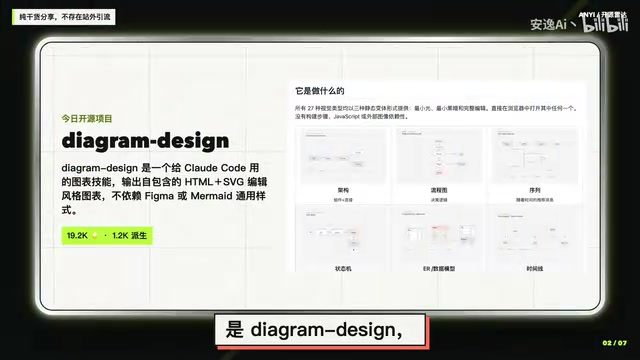
27 Visual Types and Three Static Themes, Ready Out of the Box
The most tangible value of diagram-design is that it bundles 27 visual types in one package. Whether you need to express system architecture, data flow, or process sequencing, there's a ready-made template waiting — no need for the AI to "hallucinate" a layout from scratch every time.
Even more practical: each visual type comes with three static variants — light, dark, and full editorial. This design minimizes the learning curve:
- No build step required: No need to run a build process — just clone or install, and you can see the results immediately;
- No JavaScript dependency: Static rendering, avoiding complex runtime environments;
- No external image dependencies: All assets are self-contained, so you never have to worry about failed resource loads.
For content creators, this "open-and-see" approach dramatically reduces the cost of experimentation. You can browse all the samples first, pick your preferred style, and then get to work — instead of finishing a diagram only to realize you've gone in the wrong direction.
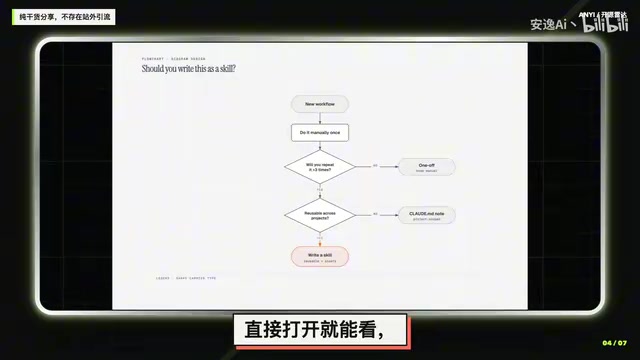
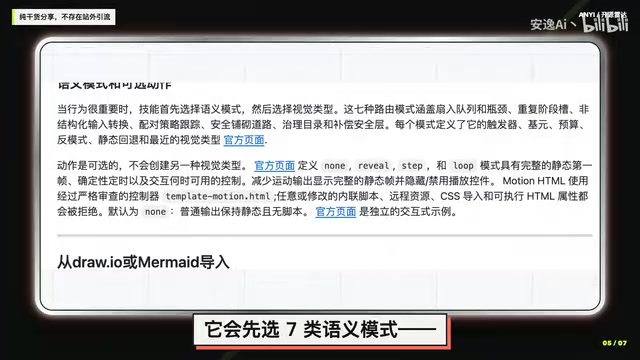
Intelligent Behavioral Pattern Mapping: A Translation Layer from Semantics to Visuals
One clever design choice in diagram-design worth highlighting is how it handles behavior-oriented requirements.
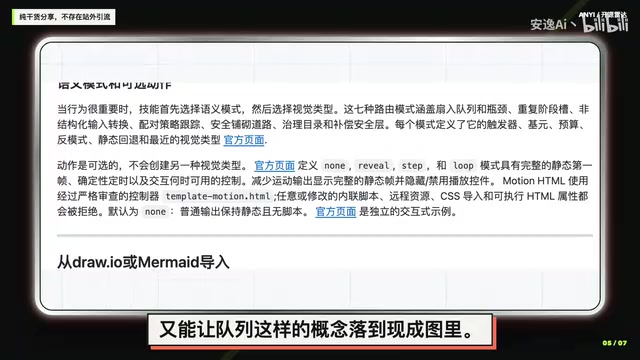
When what we need to describe isn't a static system structure but dynamic behavioral logic — like "how requests are routed," "how strategies are tracked," or "how security is layered" — traditional diagrams often struggle to provide a direct match. diagram-design introduces 7 behavioral pattern categories, first classifying abstract behavioral concepts, then mapping them to the closest existing visual type.
The brilliance of this approach is twofold: it avoids endlessly inflating the number of visual types to cover every behavioral scenario, while still allowing relatively abstract concepts like "routing" and "tracking" to land squarely on a proven, mature diagram template. In essence, this is a "semantics-to-visuals" translation layer that gives the AI a principled basis for its choices rather than leaving it to improvise.
From a technical philosophy standpoint, this mapping approach draws from the classic "abstraction layer" concept in software engineering. In compiler design, Intermediate Representation (IR) abstracts high-level language semantics into a unified intermediate form before mapping them to specific target machine instructions. diagram-design works in exactly the same way: it first abstracts user intent (such as routing, tracking, or layering) into 7 standardized behavioral patterns, then maps each pattern to the best-matching visual template. This indirect mapping avoids combinatorial explosion — if all 27 visual types had to correspond one-to-one with every possible behavioral scenario, the number would quickly balloon to an unmaintainable scale — while also ensuring predictability and consistency in the output.
Compatible with Existing Files: Direct Reuse of draw.io and Mermaid Diagrams
For teams that have already accumulated a large library of diagram assets, migration cost is often the deciding factor in adoption. diagram-design addresses this thoughtfully.
If you already have original files created with draw.io (.io) or Mermaid, there's no need to start from scratch or re-derive the logic. You can hand those original files directly to this skill, and it will redraw them using the same design system, at your specified target size and detail level.
A brief introduction to these two tools: draw.io (now rebranded as diagrams.net) is an open-source online diagramming tool that exports to XML-format .drawio or .io files. It's widely used for system architecture diagrams, flowcharts, and UML diagrams — practically a standard tool for technical teams. Mermaid is a text-based diagram description language where users define diagram logic through concise Markdown-like syntax, and a rendering engine converts it into SVG or PNG images. Mermaid's unique advantage is that it can be embedded directly in Markdown documents and is natively supported by major platforms like GitHub, GitLab, and Notion, making it ideal for a "diagrams-as-code" documentation workflow — diagram changes can be tracked and reviewed via Git just like code.
This means existing diagrams can be "batch-refreshed" and unified under a consistent visual language. For content platforms or technical documentation sites that want to maintain a uniform diagram style across the board, this reuse capability is especially valuable — preserving the original information structure while refreshing the presentation.
Installation Options: Key Differences Between Local and Hosted Installation
The final practical detail to be aware of concerns whether you plan to customize the style.
diagram-design offers two installation paths, but they differ significantly in their update mechanisms:
- Hosted installation: Better suited for users who want to use the official default style directly, but updates will overwrite
styleguide.md— meaning your custom style configuration will be wiped out; - Local path installation (clone the repository): If you want to modify the style and maintain your own design specifications, you must clone the repo and install locally to protect your custom configuration from being overwritten by updates.
The styleguide.md file is essentially the configuration center of the entire design system, similar to .eslintrc or tailwind.config.js in a frontend project — it centrally defines color schemes, font specifications, spacing parameters, component styles, and other key visual variables. The overwrite issue with hosted installation is a common configuration management challenge in software engineering — similar to how npm update might overwrite manually modified dependencies. The standard industry solution is to gain full control through forking or local cloning, leveraging Git's version management capabilities to track differences between custom modifications and upstream updates, and selectively merging upstream features via git merge or git rebase when needed.
This detail may seem minor, but it directly determines the long-term user experience. For any scenario with brand visual consistency requirements or deep customization needs, it's recommended to choose local path installation from the start to avoid unexpected losses from future updates.
Summary
The core philosophy of diagram-design is replacing AI's random improvisation with a design system, transforming diagram creation from makeshift to professional. 27 visual types, three themes, intelligent behavioral pattern mapping, and the ability to reuse existing draw.io/Mermaid files together form its practical value. For creators and teams who frequently need to illustrate technical content but struggle with inconsistent styles, it offers a solution well worth serious consideration. And when adopting it, remember to carefully choose your installation method based on whether you need style customization.
Related articles

DeepCell: One-Click AI Generation of Documents, Spreadsheets, and Slides
DeepCell tops Product Hunt with one-click generation of documents, spreadsheets, and slides, using the .deepcell format for linked updates, designed for System 2 tasks like modeling and sales reviews.

Doneas: 15-Minute Daily Accountability Calls That Keep Indie Developers From Procrastinating
Doneas is a daily accountability tool for indie developers: plan tasks on Monday, join a 15-minute call with five builders each day, and log deliveries on a public progress page. This article analyzes its core mechanics, effectiveness, and potential issues around retention and matching.

Fastlane 2.0: Fully Automated AI Ad Campaigns, From Creative to Optimization
Fastlane 2.0 is an AI ad automation tool: enter your website and it learns your brand, generates video and image ads, and runs and optimizes them on Meta, TikTok, Instagram, and YouTube.