Dify Beginner's Guide: A Complete Tutorial for Building Enterprise-Grade AI Applications from Scratch
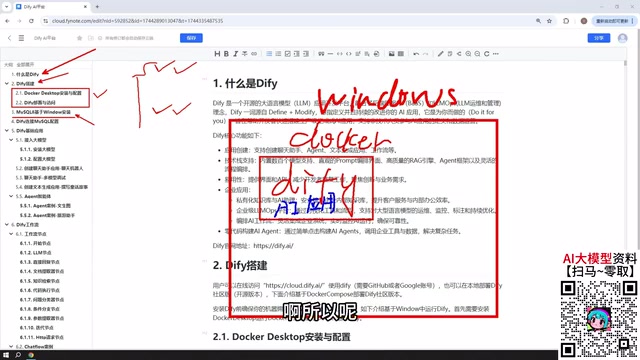
A beginner's guide to building enterprise AI apps with Dify's open-source platform.
This tutorial provides a comprehensive introduction to Dify, an open-source AI application development platform. It covers three deployment methods (Docker, source code, and cloud), five core application types including Chat Assistants, Agents, and Workflows, guidance on integrating cloud and local LLMs, and multiple options for publishing and integrating AI apps into existing business systems.
What Is Dify
Dify is an open-source AI application development platform. Its core value lies in enabling developers to quickly build production-grade AI applications with minimal barriers to entry. Open source means the software's source code is publicly available — anyone can view, modify, and distribute it. In the AI space, open-source platforms lower technical barriers and eliminate the cost of building infrastructure from scratch. As an open-source platform, Dify allows enterprises to self-host, customize as needed, and benefit from continuous community-driven improvements. Whether you're building a complex internal enterprise system or a lightweight personal project, Dify helps you get it up and running quickly through a visual interface.
At its core, Dify encapsulates capabilities like large language model invocation, workflow orchestration, knowledge base management, and Agent tool calling — allowing developers to assemble fully functional AI products without writing low-level code from scratch. A Large Language Model (LLM) is a neural network model trained using deep learning on massive amounts of text data, enabling it to understand and generate natural language. Notable examples include the GPT series, Claude, and ERNIE Bot. Developers typically call these models via APIs (Application Programming Interfaces) — sending user input to the model server and receiving generated text in return. Directly calling LLM APIs involves handling authentication, parameter configuration, error retries, and other engineering details, but platforms like Dify abstract away this complexity, letting developers complete call configurations through a visual interface. This "low-code/no-code" philosophy is the prevailing trend in AI application development — handing off engineering complexity to the platform while leaving creativity and business logic to the developer.
This article systematically covers Dify's core capabilities to help you build a comprehensive understanding of the tool.
Dify Deployment Methods Explained
Dify offers flexible deployment options with three main paths, each suited to different use cases and technical skill levels.
Comparing the Three Deployment Paths
The first is local deployment via Docker, which is the most recommended approach for production environments. Docker is a containerization technology that packages applications and their dependencies into standardized container images, ensuring consistent behavior across different machines. Compared to traditional virtual machines, Docker is more lightweight and faster to start, sharing the host machine's operating system kernel. For complex systems like Dify, the advantage of Docker deployment is clear: a single command can spin up a complete environment including databases, caches, web services, and other components, avoiding the hassle of manual installation and configuration. Developers don't need to worry about Python versions, system library dependencies, or other low-level issues — this is why Docker has become the standard deployment method for modern cloud-native applications. Deploying Dify via Docker on Windows or Linux gives the platform convenient access to local databases and the runtime environment. The second option is source code deployment, suitable for development teams that need deep customization. The third is using the official online version directly, which requires no local environment setup and works out of the box.
Interestingly, the online version and the self-hosted version have nearly identical interfaces and features. The main difference is: if your AI application needs to access a local database or local environment, using the online version requires a NAT traversal tool to expose your local IP to the public internet. NAT traversal refers to techniques for exposing internal network services to the public internet. Home and enterprise networks typically sit behind a router's NAT (Network Address Translation), making internal devices inaccessible from outside. NAT traversal tools like ngrok and frp establish tunnels between internal and public networks by relaying traffic through a public server. For Dify applications deployed locally that need external access, NAT traversal maps a localhost port to a public URL. However, this approach has security risks and stability issues — production environments should use cloud servers or VPN solutions instead. In enterprise production environments, deploying directly to a local machine or internal company server is more secure and convenient.
Database Solutions
In practice, AI applications built with Dify often need to interact with databases. A common approach is installing MySQL 8 on Windows, deploying the database on a Windows node for the Dockerized Dify instance to access.
The deployment location for MySQL is quite flexible — you can install it in a Docker container or in a VMware virtual machine. Once Docker is installed, Dify's network can communicate normally with MySQL on Windows and services in virtual machines. This network interoperability provides the foundation for building AI applications that require data support.
Dify's Five Core Application Types
When you open Dify to create an application, you'll see five application types that form the platform's capability framework. Understanding the appropriate use case for each type is essential for using Dify effectively.
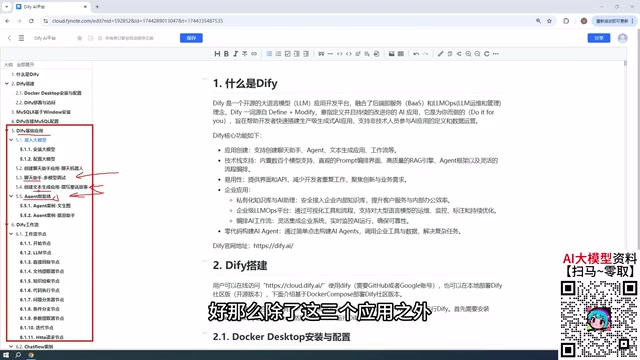
Basic Applications: Chat Assistant, Text Generation & Agent
Chat Assistant is the simplest and most straightforward application type — essentially a conversational interaction with a large model, suitable for building customer service bots, Q&A systems, and similar scenarios. Text Generation focuses on content production, such as writing articles, generating documents, or creative writing — one-shot generation tasks.
Agent is the most powerful of the three. An Agent (intelligent agent) is an important paradigm in current AI applications, originating from the classic AI framework of "perception-decision-action." Unlike simple conversational models, Agents have "tool use" capabilities — they can understand task objectives, autonomously plan execution steps, call external tools (such as search engines, databases, APIs) to gather information or perform actions, and adjust strategies based on feedback. For example, the ReAct (Reasoning + Acting) architecture enables models to interleave tool calls during reasoning, and projects like AutoGPT have demonstrated the potential for Agents to autonomously complete complex tasks. Dify's Agent applications encapsulate infrastructure like tool registration and call chain management — developers only need to configure available tools and instruction templates. The key difference from Chat Assistants and Text Generation is that Agents can call tools, systematically combining multiple capabilities to fulfill user instructions. For example, you can have an Agent first scrape a webpage, then analyze and summarize the content — this kind of multi-step task orchestration is the core value of Agents.
Advanced Applications: Chatflow & Workflow
Workflows are an extremely important capability module in Dify, divided into two parts: Chatflow and Workflow.
Workflow orchestration is a method of decomposing complex tasks into reusable nodes and organizing execution logic through directed graphs. In AI applications, typical nodes include: LLM nodes (calling large models), knowledge base retrieval nodes (RAG — Retrieval-Augmented Generation), code execution nodes, conditional branching nodes, HTTP request nodes, and more. The difference between Chatflow and Workflow lies in state management: Chatflow maintains conversation history and supports contextual references across multiple interaction turns; Workflow is a stateless, single-execution process. This visual orchestration is similar to automation tools like Zapier and n8n, but focuses on combining AI capabilities, with nodes passing text, vectors, structured data, and other AI processing objects between them. The core difference is simple: Chatflow supports multi-turn conversational interaction with the workflow, while Workflow executes once and delivers results directly. A simple analogy — Chatflow is like a process you can chat with, while Workflow is a process that runs once and gives you the result.
Whether Chatflow or Workflow, both are composed of individual nodes. Each node represents a functional module, and multiple nodes chained together form a complete processing pipeline. Dify provides a rich set of node types out of the box — mastering commonly used nodes is the key to building complex workflows.
Model Integration and Selection
Since all AI applications need to interact with large models, integrating a model is the first step in using Dify and a critical factor in determining application performance.
Recommended: Paid Cloud Models
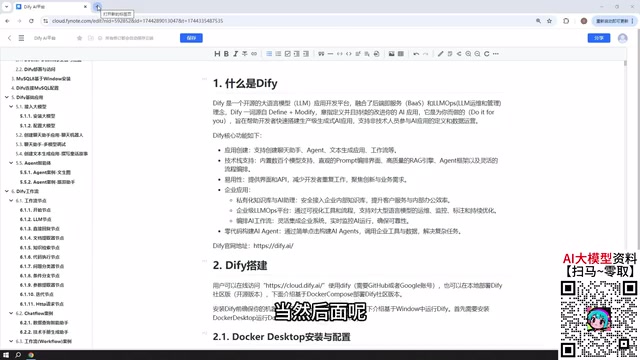
It's recommended to prioritize paid cloud models such as DeepSeekAd, GPT, and other mainstream large models. Additionally, domestic models like Baidu's ERNIE Bot and Alibaba's Tongyi Qianwen often provide millions of free tokens — more than enough for learning and testing.
As for cost concerns, there's really no need to worry too much. LLM services charge by token, which roughly corresponds to 0.75 English words or 0.5 Chinese characters. Model inference costs include input tokens (prompt) and output tokens (completion), with output tokens typically priced higher. For example, DeepSeek's v3 model costs approximately ¥0.07 per million input tokens and ¥0.28 per million output tokens — orders of magnitude cheaper than GPT-4. In practice, a single conversation consumes a few thousand tokens, and ¥10 (roughly $1.40) can support hundreds of thousands of calls. Understanding token pricing helps optimize prompt design: reducing redundant context, using caching mechanisms, and choosing appropriately sized models can all significantly reduce costs. Enterprise applications should monitor token consumption and set quotas. A ¥10 top-up can last a very long time — in actual use, after extensive calling, consumption often doesn't even reach ¥1. For the vast majority of learning and lightweight application scenarios, calling costs are virtually negligible.
When to Use Local Models
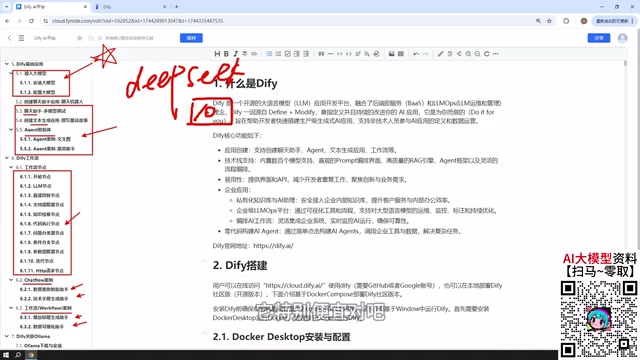
While Dify also supports connecting to local models deployed via Ollama, using small-parameter local models during the learning phase is not recommended, as the results are often subpar and may lead to incorrect assessments of Dify's capabilities. Ollama is a convenient tool for running open-source LLMs locally — similar to Docker but optimized specifically for model inference. It supports mainstream open-source models like Llama, Mistral, and Qwen, and can download and start a model service with a single command. The advantages of local deployment include keeping data on-premises (ideal for handling sensitive information) and no per-token charges. However, the challenges are: small-parameter models (below 7B) have limited effectiveness; large-parameter models (70B+) require high-end GPUs (such as A100 or H100) to run smoothly.
That said, if you have a powerful machine or a cluster deployment environment capable of running large-parameter models (for example, DeepSeek's open-source largest parameter version, which can exceed 400GB after download), then building enterprise-grade applications with local large models is entirely feasible. For instance, the DeepSeek-V3 open-source version has 671B parameters and still requires 400GB+ of VRAM even after quantization. Small and medium enterprises might consider renting GPU cloud resources or using inference optimization technologies (such as vLLM or TensorRT-LLM) to reduce deployment costs. In this case, the larger the model, the better the performance typically is, while also addressing data privacy and security compliance requirements.
Publishing Applications and Business Integration
Applications built with Dify aren't limited to use within the platform — Dify provides multiple publishing methods for easy integration with existing business systems.
You can publish an application as a public website, generating a link accessible to anyone (local deployments require NAT traversal); you can embed it into your own website as an in-page AI component; or you can call it via API, integrating the Dify application into your Python programs or other backend systems. Dify applications can serve externally through RESTful APIs, following the HTTP request-response model. Developers send POST requests with user input from their Python, Java, or other programs and receive model output in JSON format. API keys are used for authentication to prevent unauthorized access. Furthermore, Webhooks allow Dify to proactively push events to external systems — for example, after a workflow completes, automatically calling an enterprise CRM's API to update customer records. This bidirectional integration makes Dify an AI middleware for business systems rather than an isolated application. In real projects, the frontend calls the Dify API for AI capabilities while the backend listens to Webhooks to handle asynchronous tasks.
This flexible publishing mechanism makes Dify not just an application building tool, but an AI capability hub that can connect with real business systems. Developers can rapidly validate AI application prototypes in Dify, then seamlessly integrate them into existing product architectures via API.
Summary
Dify's capability system can be summarized as: five application types (Chat Assistant, Text Generation, Agent, Chatflow, Workflow) + flexible model integration + diverse publishing options. It lowers the barrier to AI application development, allowing developers to focus on business logic rather than underlying engineering implementation.
For individuals and enterprises looking to get started with AI application development, Dify is a platform well worth exploring in depth. From model integration to workflow orchestration to application publishing, it provides a complete end-to-end solution. Once you've mastered this system, you can quickly turn any AI idea into a working product.
Related articles

AI Comic Drama with WorkBuddy from Scratch: A Step-by-Step Skill Pack Installation Guide
Learn how to create AI comic dramas with WorkBuddy from scratch. This guide covers installation, Skill pack import and invocation, plus a script generation demo with manual revision tips to get you through the first step from script to storyboard.

WorkBuddy Agent Runs the Entire GEO Database Mining Pipeline with a Single Prompt
WorkBuddy agent automates GEO database mining: from data search and curation to batch correction, differential analysis, co-expression networks, feature gene screening, and immune infiltration—a single prompt generates a complete bioinformatics report, greatly lowering the barrier to bioinformatics analysis.

PC Memory Wasted? Hacker News Debates Centralized Data Centers
Hacker News users argue that personal computer memory is wasted and should be centralized in data centers, sparking debate on centralized vs. distributed computing resource allocation. This article analyzes the logic behind the claim, the costs of centralization, and new tensions in memory resource allocation in the AI era.