AI Comic Drama with WorkBuddy from Scratch: A Step-by-Step Skill Pack Installation Guide

WorkBuddy + Skill packs: a hands-on guide to running your first AI comic drama script in 10 hours for 70 yuan.
Based on a Bilibili creator's hands-on tutorial, this article breaks down the complete AI comic drama workflow from tool selection to running your first script. The core idea: the right tool halves the barrier, the right skill doubles the quality. It covers the dual ad/paid monetization logic, WorkBuddy's multi-model switching, and what a Skill pack really is—a folder containing skill.md with yaml-declared name and description that boosts script professionalism and format compliance. It then gives a three-step installation method and a 60-second script demo, stressing that AI output must be manually reviewed. It ends with common pitfalls and a "run a small loop first, then serialize" path, noting the 53,000 yuan earnings are a single-source case.
AI comic dramas are shifting from "can it be done" to "who can get the workflow running first." A creator with no screenwriting or directing background produced their first AI short film in 10 hours at a cost of 70 yuan. After posting it on the Hongguo platform, it has earned 53,000 yuan to date—a figure from a real Bilibili creator's documented report. The dual monetization paths of ad-unlock and paid-unlock have shown many newcomers an opportunity, but most get stuck at the first step: no one explains the process, no one shares the method, and no one warns them where they'll stumble.
This article, based on a Bilibili creator's hands-on tutorial, breaks down the WorkBuddyAd process from installation to running your first script. The core conclusion comes down to one line: pick the right tool and the barrier is halved; install the right skills and quality doubles.
The Monetization Logic of AI Comic Dramas and Tool Selection
An AI comic drama is essentially an anime short series that keeps viewers hooked episode after episode, with a direct monetization path: viewers either pay to unlock the next season or watch a few seconds of ads. Once this model gets a series running, it forms a revenue model that can be replicated indefinitely. According to the creator, their first short film cost only 70 yuan and took 10 hours, and after release it earned 53,000 yuan—this is a single-source personal case and does not represent typical earnings, but it's enough to show the potential once the workflow is running.
On the tool side, the creator recommends WorkBuddy because it's not just office software—it also has permission to control a personal computer, and it comes built-in with three types of professional tools for different problems: skills, experts, and connectors. Among these, "skills" stand out for comic drama production. According to the creator's observations, many teams that specialize in comic dramas are currently using this same combination.

Another practical advantage of choosing WorkBuddy is free switching between multiple models. There's a dropdown menu at the bottom right of the homepage input box for switching between different large language models or office models; the plus button at the bottom left is the entry point for skills. This means that within the same workflow, scriptwriting, image-generation prompts, and storyboard descriptions can each call different models as needed, with no need to shuttle between multiple applications.
The Hongguo platform is a free short-drama app under ByteDance that uses a hybrid monetization model of "ad-unlock + paid-unlock": users can choose to watch rewarded ads to unlock episodes or pay directly. The platform shares revenue with creators based on metrics such as valid play counts and ad completion rates—this is the specific mechanism behind the "dual monetization paths of ad-unlock and paid-unlock" mentioned in the article. Earnings for AI comic dramas on Hongguo vary widely depending on completion rates, paid promotion strategies, and number of episodes; 53,000 yuan is a top-tier individual case, and newcomers should focus more on getting the workflow running than on earnings expectations.
What Exactly Is a Skill, and Why You Must Install One
Many newcomers are baffled by the terms "skill" and "Skill." Using the creator's analogy: a Skill is like an encyclopedia—before solving a specialized problem, you first find the corresponding answer in the encyclopedia's table of contents, which naturally makes things easier. Once a Skill is installed, the AI's answers become more professional.
Can you skip installing a Skill? Most large language models can indeed answer directly, but the answers tend to be superficial and aimed at being simple and easy to understand rather than professional. That's good enough when requirements are low, but if you want better content and higher visual quality, you need to install a Skill first. It improves not just efficiency but also the polish of the final product.
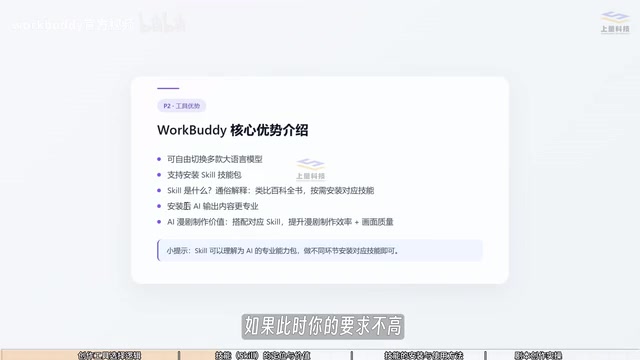
The barrier to creating a skill is actually very low. As long as two conditions are met, it can be uploaded as a skill: first, it's in the form of a folder or compressed file; second, it contains a skill.md file inside, and that file must include the skill name and description in yaml format. Put simply, a skill is a professional teaching document that tells the AI what format to use and what approach to follow when solving this type of problem. Many skills on the market today are written and revised by domain experts before being uploaded.
A further approach: rewrite pre-AI-era professional instructional books on your computer into skills and upload them to WorkBuddy in the required format. In the video, the creator directly drag-and-dropped an AI comic drama skill, and the system first ran a security check. After the check completed, clicking continue install and seeing "skill imported successfully" at the top was enough.
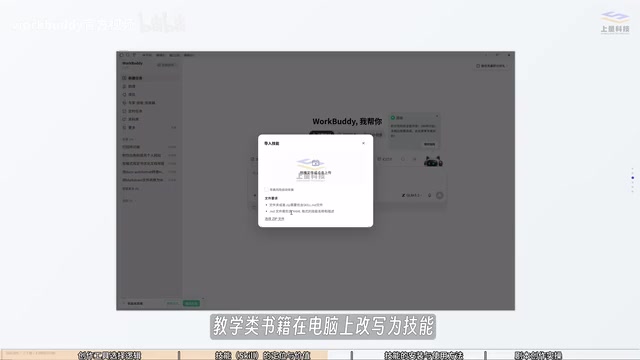
The yaml format in skill.md is the key to a skill being recognized. yaml is a data format that expresses hierarchy through "key: value" pairs and indentation. In skill files it typically includes two required fields—
name(skill name) anddescription(function description)—which the AI uses to decide when to invoke the skill. Beyond that, the body of skill.md is the actual "teaching document," specifying the steps, output format, and cautions to follow when solving a specific task. Without the yaml header, the system can't index the skill; the quality of the body directly determines whether the AI output is generic or professionally standardized.
Installation and Invocation: From Zero to Your First Script
The installation process can be broken into three steps. First, open WorkBuddy, click the plus button at the bottom left of the input box, and select "Skills." Second, in the skills panel, in addition to built-in professional skills, you can click "Add skill from local" to add skills you've organized yourself or that others have provided. Third, after drag-and-drop uploading, wait for the security check; once it passes, click continue install, and the import is complete when you see the success message.
Invocation is equally simple: click the plus at the bottom left, hover over the skills option, search for and add the skill you just uploaded, and then you can use it to write AI comic drama prompts.
In the hands-on demo, the creator asked: "Help me write a 60-second script about a time-travel comeback, with one man and one woman who have dialogue, and a very handsome protagonist." After invoking the skill, WorkBuddy quickly generated a complete script with a format including title, genre, style, aspect ratio, unified generation specifications, and storyboard script content.
What's interesting is the difference in response language: when you ask in Chinese, the response is usually in Chinese too, but this time the response included English portions—precisely because the Skill took effect, since the skill explicitly requires English-format image-generation prompts. This is the difference between installing and not installing a Skill, reflected in format, content of the response, and even the style of the response.
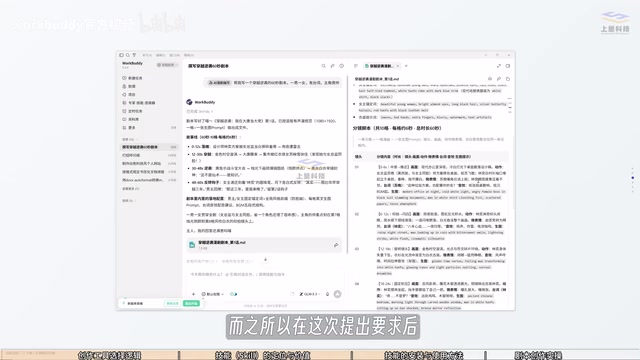
"Response" in this article refers to the result the AI returns for a prompt. The difference between installing and not installing a Skill shows up at three levels: first, format—skills can mandate structured fields such as English image-generation prompts and unified aspect-ratio specifications; second, depth of content—skills guide the AI to break down the plot according to professional storyboard logic rather than just giving a story outline; third, response style—character settings and terminology constraints in the skill make the output closer to comic drama industry conventions. This difference stems from skills固化ing expert experience into prompt templates, equivalent to automatically attaching a professional manual to every question.
The Director Can't Be Fully Delegated to AI: Manual Review and Revision
No matter how powerful the tool, the creator is still the director. The creator explicitly warns that you can't confidently hand everything over to AI—you need to check the script yourself for logical problems or parts that need revision, and only after revising should you proceed to generate the storyboard script.
There are two ways to revise: for small-scope issues, select and edit manually within the generated result; for large-scope setting adjustments, state the revision request directly in the prompt. This "AI generation + human calibration" collaboration is currently the key to stable AI comic drama quality. The creator also noted that generating the same character's three-view reference with the same prompt on Doubao AI and LibTV produces different results, showing that both the tool combination and prompt specifications need repeated tuning in practice.
As the first lesson in a series, its core is to establish one basic concept: tool selection is crucial. Subsequent content will focus on WorkBuddy combined with scriptwriting skills, teaching the complete creation process from scratch, including generating storyboard scripts based on the script.
A character three-view is the foundational material for character consistency in AI comic dramas, typically referring to a combination of front, side, and back views or half-body, full-body, and facial close-up views of the same character, used to keep the character's appearance consistent across subsequent storyboards. Different image-generation models (such as Doubao AI and LibTV) differ in their semantic understanding of the same prompt, style tendencies, and ability to reproduce details, leading to deviations in face shape, clothing, and proportions in the three-view. The practical response is to fix a set of prompt templates and reference image seeds, and to confirm the three-view is usable before generating storyboards—otherwise every subsequent shot will amplify the inconsistency.
Common Pitfalls and Getting-Started Advice
The pitfall newcomers most easily fall into is being scared off by the complex process right at the start. In reality, making AI comic dramas isn't as hard as imagined—choosing the right creation tool can greatly lower the barrier. The second pitfall is skipping the Skill and asking directly; the content you get may look complete, but neither the format nor the depth meets the requirements of a serialized comic drama. The third pitfall is treating AI output as the final draft, missing the human calibration step.
The recommended getting-started path is: first complete WorkBuddy installation and skill import, then use a small-scale script (such as 60 seconds) to run through the closed loop of "skill invocation—script generation—manual revision," and only then move on to storyboarding and final production. Once the workflow runs through once, serialization is just copying and iterating.
Related articles

Mistral Large 4 Open-Sources a Trillion Parameters, Microsoft Offers Voluntary Severance to 60,000 Employees
Mistral Large 4 open-sources a trillion-parameter multimodal model with a coding agent score of 48; SanDisk earnings show AI inference reshaping NAND demand; Google Gemini adds in-app file editing, OpenAI raises Codex quotas, and Microsoft offers voluntary severance to 60,000 employees.
Mistral Large 4 Opens Its Weights: AI Morning Brief Roundup of Models and Ecosystem Trends
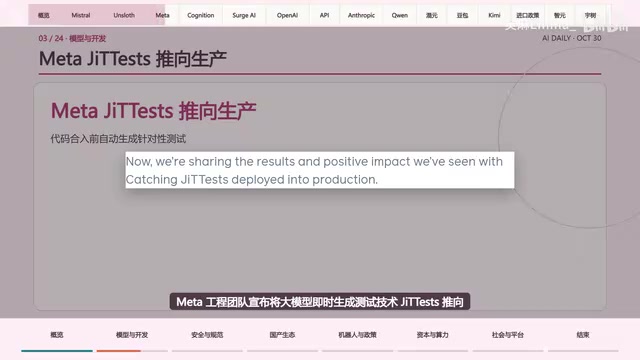
Mistral Large 4 opens its weights, a 1-trillion-parameter MoE architecture that can run locally on MacStudio; Meta's test-generation technology enters production; top tax benchmark pass rate only 10.8%; Canadian government takes a stake in Cohere; Doubao Work opens third-party model calls. This AI Morning Brief rounds up model, ecosystem, capital, and policy developments.
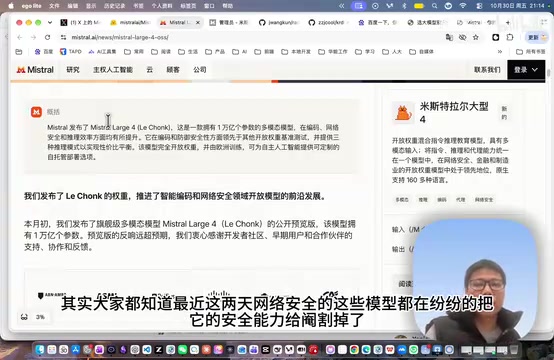
Mistral Large 4 Goes Open Source: A 1T-Parameter European Qwen Challenging DeepSeek
Mistral Large 4 is now open source: 1T total parameters, 52B activated, focused on coding and cybersecurity, with ~610G NVFP4 weights. We analyze its comparison with DeepSeek V4 Flash, API pricing, demo realism, and local deployment value.