Dify From Zero to Production: A Complete Guide to Building AI Workflows Without Prior Experience

Dify is a low-barrier AI app platform covering the full cycle from deployment to publishing.
Dify is a developer-facing AI application platform that wraps complex engineering tasks — LLM integration, workflow orchestration, and database connectivity — into a visual interface. It supports local Docker, source code, and hosted deployment. Dify offers five core app types: Chatbot, Text Generation, tool-calling Agent, multi-turn Chatflow, and one-shot Workflow. For model integration, paid or free-tier commercial models like DeepSeek and Qwen are recommended over small local models. Finished applications can be published as web apps, embedded in websites, or integrated via API.
What Is Dify: A Low-Barrier AI Application Building Platform
Dify is essentially an AI application development platform that lets developers quickly and easily build all kinds of AI applications — whether for enterprise-scale scenarios or personal use. Compared to writing code from scratch to integrate large language models, Dify wraps the complex engineering steps into a visual interface, dramatically lowering the barrier to building AI applications.
For developers who want to get started with AI application development without getting bogged down in tedious environment configuration, Dify offers a relatively smooth on-ramp. It supports both local deployment and direct use of the official hosted version, giving you plenty of flexibility.
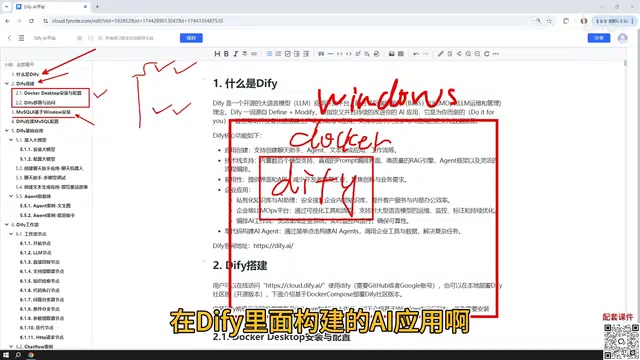
Three Deployment Options: Choosing the Right Approach for You
Dify offers three main deployment paths, each suited to different situations.
Local Docker Deployment (Recommended for Production)
Deploying on Windows + Docker is the primary method covered in this guide. The biggest advantage here is that once Dify is deployed locally, its network can communicate directly with MySQL, virtual machines, and other services on your local machine. For internal enterprise applications, local deployment is more convenient in terms of data access and security.
Source Code Deployment
If you need deeper customization, you can deploy from source code. This offers the most flexibility but also demands a higher level of technical skill.
Official Hosted Version
If you'd rather skip the deployment hassle altogether, you can use Dify's official hosted platform directly. The interface and features of the hosted version are nearly identical to a self-hosted instance. That said, if your AI application needs to access a local database or local environment, the hosted version may require a tunneling tool to expose your local IP to the public internet — which adds extra configuration overhead.
Database Configuration: Connecting Your AI Application to Data
Many practical AI applications need to interact with a database, so installing and connecting MySQL is an unavoidable step.
This guide uses MySQL 8 installed on Windows, because the AI applications we'll build in Dify need to read data from the database to complete interactions. In practice, where you deploy MySQL is quite flexible — you can install it directly on Windows, deploy it via Docker, or run it inside a VMware virtual machine.
The key point is this: once Docker is installed, Dify's network can communicate with MySQL on the Windows host, as well as with services running inside virtual machines on that Windows node. So the location of MySQL doesn't affect usability. After setting up the database, you'll also need to configure the connection inside Dify so your AI applications can read the database contents normally.
Dify's Five Core Application Types
When you open Dify to create an application, you'll see five application types — these are the heart of the entire platform.
Basic Applications: Chatbot, Text Generation, and Agent
Chatbot is the simplest form — essentially a conversational interface with an AI model.
Text Generation is used to produce content in a single pass, such as writing articles, generating documents, or creating stories and fiction.
Agent is the most imaginative of the three. Its core distinction from the other two is that an Agent can call tools to fulfill user instructions. For example, you can have an Agent first scrape a webpage and then analyze its content — multi-step tasks that require calling external capabilities are exactly where Agents shine.
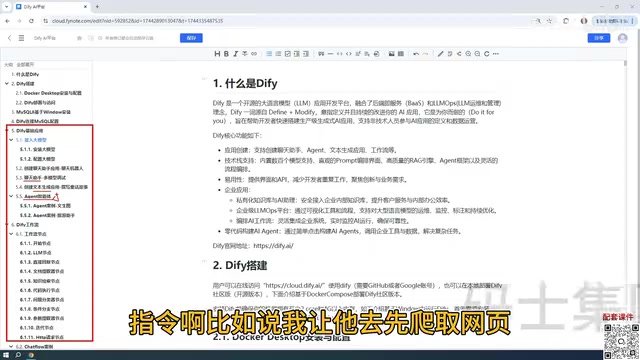
Workflow Applications: Chatflow and Workflow
Workflows represent a more powerful capability within Dify, and they come in two flavors:
- Chatflow: Supports multi-turn conversational interaction with a workflow.
- Workflow: Executes once and outputs a result.
The core difference between them is simply whether ongoing conversation is supported. Workflows are assembled from individual "node" modules — each node handles a specific function, and chaining multiple nodes together builds out a complete processing pipeline. Mastering the commonly used nodes is the foundation for building complex AI applications.
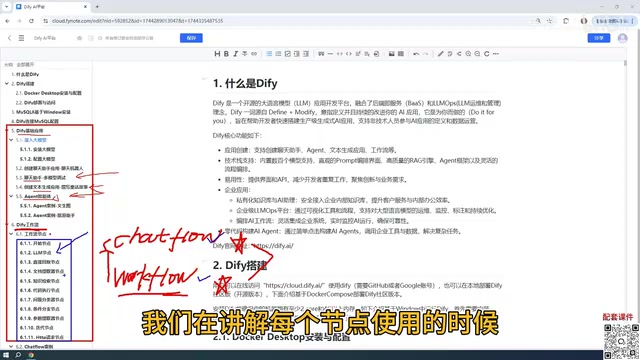
Nodes are the key concept for understanding the entire system. Each node represents an independent processing unit. Common types include: LLM nodes (call a large model to generate text), knowledge retrieval nodes (search a vector database for relevant content), code nodes (execute custom Python/JS logic), HTTP request nodes (call external APIs), and conditional branch nodes (route execution based on a judgment). Data flows between nodes via variables — the output of one node can serve as the input to the next. This design lets complex business logic be assembled visually, without having to hand-write an entire codebase.
Integrating Large Models: Paid API or Local Model?
Since every application example requires interaction with a large model, integrating a model is the first step before any hands-on work.
On the topic of model selection, this guide offers a clear recommendation: prioritize paid external models. Models like DeepSeekAd and ChatGPT offer more stable performance. There are also free-tier options — for example, Baidu ERNIE Bot and Alibaba Qwen both provide millions of free tokens after registration, which is more than enough for learning purposes.
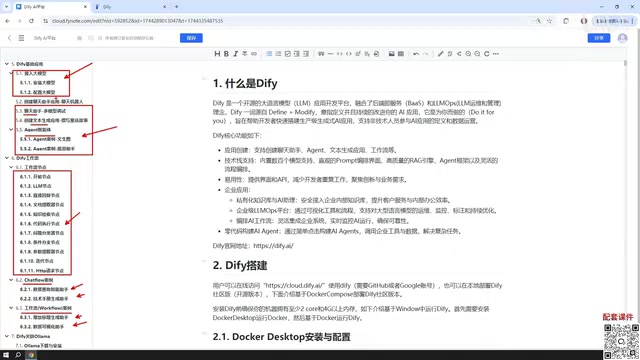
As for local models, Dify also supports integration with local deployment solutions like Ollama. However, a word of caution: local models that can run on ordinary hardware tend to have fewer parameters, and their real-world performance is often underwhelming. Unless you have a high-performance machine or enterprise-grade cluster running large-parameter models, relying on local models during the learning phase is not recommended.
Publishing Your Application: From Local to the Public Web
Applications built in Dify aren't limited to local use — the platform offers several publishing options:
- Publish as a Web App: Generate a public link so anyone can access and use it (requires a tunneling tool for local deployments).
- Embed in a Website: Embed the application into your own website.
- API Access: Integrate and call the application from other systems via API (including Python API).
This means applications built in Dify can genuinely be integrated into real products and business workflows — not just left at the demo stage.
Summary
The entire Dify curriculum centers on practical usage: understanding the platform, completing deployment, configuring the database, mastering the five application types (Chatbot, Text Generation, Agent, Chatflow, Workflow), integrating large models, connecting local Ollama models, and finally publishing applications. For developers who want a systematic path to building AI workflows, this is a clear route from beginner to production-ready.
Background: Key Concepts Explained
The core mechanism behind an Agent is a "plan–tool call–feedback" loop: when the model receives an instruction, it autonomously breaks the task into steps, sequentially calls external tools such as search, code execution, or database queries, and decides the next action based on each step's results — continuing until the goal is complete. This is fundamentally different from the simple "question and answer" pattern of a standard chatbot. Agents have cross-step reasoning and state-tracking capabilities. In Dify, the tools an Agent can call include built-in options like web scraping and a calculator, as well as custom APIs — enabling it to handle many automation tasks that would otherwise require writing scripts.
Ollama is an open-source local LLM runtime framework that supports running open-source models like Llama, Mistral, and Qwen on consumer-grade hardware with just a single command to pull and start a model service. It exposes an HTTP interface on the local machine that is compatible with the OpenAI API format, which Dify can connect to directly. The main advantages of local models are that data never leaves your machine and there are no API usage fees. The limitation is that consumer-grade GPUs (such as the RTX 3060/4060) can typically only run models with 7B parameters or fewer smoothly, and there is a noticeable performance gap compared to commercial models like GPT-4 or DeepSeek on complex reasoning and long-text comprehension tasks.
Related articles

JobRunner MCP Server: AI Agents Can Now Fix Failed Java Jobs
JobRunner launches an open-source MCP server enabling AI agents to view cluster status, diagnose failures, and recover Java jobs—incident response from any cloud coding environment or existing agent.

MLAI Digital Launches 9 Security Agents: MCP Server Safeguards the Full Lifecycle of Agentic AI
MLAI Digital launches Security MCP Server with nine built-in specialized security agents covering vulnerability discovery, attack simulation, prompt injection detection, API and infrastructure assessment, and accelerated remediation—embedding security validation across the full Agentic AI lifecycle from development to production.

Running Isaac Lab on H100 GPUs: Exploring Better Approaches
Exploring optimization methods for running Isaac Lab on NVIDIA H100 GPUs, including MIG configuration, mixed precision, TensorRT acceleration, and community experience to improve robotics simulation and reinforcement learning efficiency.