Director Master Integrates Ollama Local Models: Configuration and Full Workflow Creative Practice

Deploy local Qwen models with Ollama and integrate Director Master Agent to run the full short film creation workflow.
The article explains how to deploy Qwen models locally with Ollama and integrate them into the Agent tool "Director Master" from the Bilibili tutorial, building a video creation pipeline where data stays local and no tokens are consumed. Configuration has three steps: install Ollama and set the model directory, pull Qwen via command line, and add the Ollama provider in Agent settings. The author then demonstrates a four-stage workflow—topic, outline, script, storyboard—with each draft manually reviewed before saving. Boundaries like limited local model stability and uncovered asset generation are also noted.
Local large models are becoming content creators' "private engines" — data never leaves the machine, calls don't consume tokens, and they can run offline. But to truly plug a model into a creative workflow, Ollama alone isn't enough; you also need an Agent tool that can orchestrate topic selection, outlines, scripts, and storyboards. The "Director Master" demonstrated in this Bilibili tutorial is exactly what connects these two things: running a local Qwen model with Ollama and letting the Agent complete the entire process of a short film from topic selection to storyboard.
Why Video Creators Are Eyeing Local Models
The tutorial opens by pointing out where the demand comes from: many people like to use local models to write topics, scripts, and dialogue. These creative tasks are characterized by being "high-frequency, long-text, and repeatedly revised" — if every request goes through a cloud API, cost and usage limits become bottlenecks; with local deployment, the model resides on the machine and can be called at any time without being affected by network fluctuations.
Ollama's value lies in lowering the barrier to deploying local models: one installer, one pull command, and mainstream open-source models are up and running. For creators unfamiliar with the command line, this process is already sufficiently user-friendly.
Ollama is an open-source local large language model runtime framework whose core function is to encapsulate model download, quantization, loading, and inference serving into simple commands. Users only need to execute ollama run <model name>, and the framework will automatically pull the model weights and start a local API service (listening on port 11434 by default). It supports mainstream open-source model families such as Llama, Qwen, and Gemma, and is compatible with Windows, macOS, and Linux. For creators, Ollama's significance is that it simplifies "deploying a local model" from an engineering task requiring Python environment setup, CUDA drivers, and inference frameworks into installing plus one command. The reason Director Master can directly "fetch available models" is precisely because it calls the local model list interface exposed by Ollama.
Three Steps to Set Up the Local Model Environment
Install Ollama and Set the Model Directory
The first step of the tutorial is to download the installer from the Ollama official website. The page provides a "manual download" entry; the download is an exe file, and double-clicking installs it.
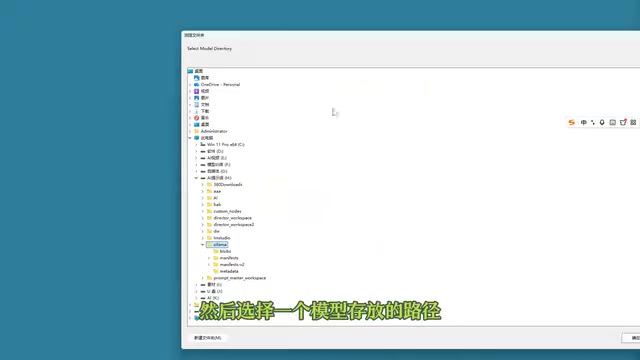
After installation, don't rush to pull models — first specify the storage location for local models in settings. Click "Browse" and select a disk directory with ample space, because model files are sizable and placing them on the system drive can easily strain it.
Pull the Qwen Model via Command Line
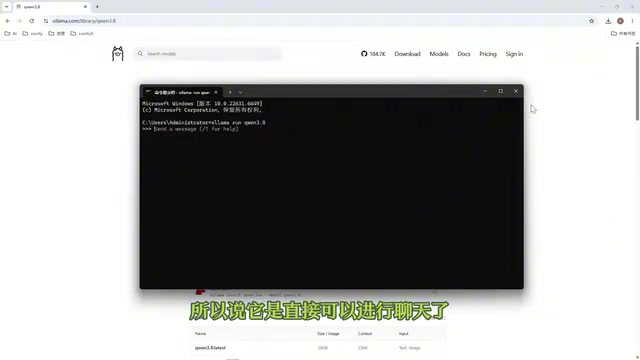
Once the environment is ready, go to the model page and select the model to use. The tutorial uses Qwen 3.8 as an example: copy the run command provided on the page, type cmd in the terminal and press Enter, then paste the command and execute it.
There's a detail worth explaining here: when running a model for the first time, the corresponding files aren't present locally yet, and the command automatically triggers the download process; after the download completes, running it again goes straight into the conversation state. In the tutorial demonstration, the model had already been downloaded, so the waiting step was skipped.
Qwen is an open-source large language model series from Alibaba Cloud's Tongyi Qianwen team, offering multiple parameter sizes from 0.5B to over 72B, with both base models and dialogue fine-tuned versions. The "Qwen 3.8" mentioned in the article should refer to a dialogue model of a certain version in the Qwen series (specifications such as 3B/7B of Qwen2.5 are more common in local scenarios). Open-source models are usually distributed in quantized formats (such as 4-bit quantization) to reduce VRAM and memory usage — this is also why model files are often several GB and require advance disk space planning. Choosing a version with fewer parameters can run on consumer-grade GPUs or even pure CPU, but output quality and long-text coherence will decrease accordingly, which is exactly why manual review is emphasized later.
Add the Ollama Provider in Director Master
Once the local service is up and running, return to Director Master: open Settings → Agent Settings → Add Provider, select Ollama in the provider list, and then click "Fetch Available Models". The tutorial author had two models installed locally (3.5 and 3.8); select 3.8 to add, save and set as default, and the configuration is complete.
The key to this step is "Fetch Available Models" — it lets Director Master directly read the model list exposed by the local Ollama service, without manually filling in the address and parameters.
Provider is the configuration unit in Agent tools that abstracts the model source. A provider represents a model service backend, such as OpenAI, Anthropic, DeepSeekAd, or local Ollama. Each provider includes fields such as service address, authentication method, and available model list. Director Master integrating Ollama as a provider means it isn't bound to a specific model, but instead reads which models are available on the local service through a standard interface. This also explains why the author could see both versions 3.5 and 3.8 at the same time and switch according to task complexity — switching models only requires changing the default model under the provider, without modifying the workflow itself.
Running the Full Workflow of a Short Film with Local Qwen
After configuration is complete, the tutorial demonstrates a complete video production workflow using local Qwen 3.8, with the theme "making an animated film for a three-year-old child".
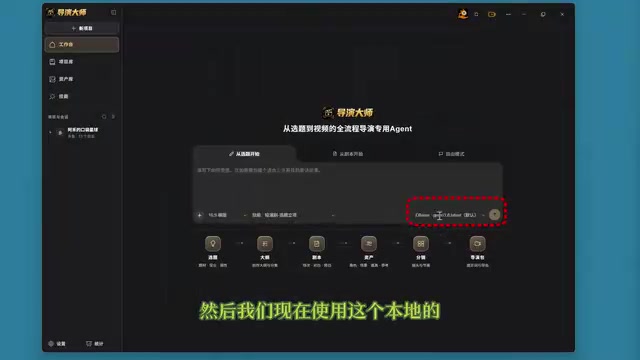
Topic selection stage: After entering the requirements, the Agent returns several topic options; choose any one. The system presents a topic draft confirmation card; after the creator checks it and finds no issues, they click "Save as Formal Topic", and short film production officially begins.
Outline stage: Click the intelligent Agent to generate a creative outline; after the outline is output, it likewise needs to be saved as a formal outline on the confirmation card.
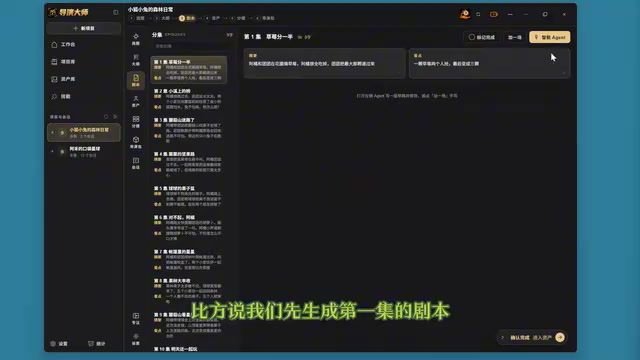
Script stage: First generate the script for the first episode; click the intelligent Agent to send the generation request directly. After obtaining the script draft and confirming it, save it as a formal script.
Storyboard stage: Break the first episode's script into storyboards, generate and send. After the first scene's storyboard is broken down, you can choose to automatically break down the remaining scenes, or only write the current storyboard.
The tutorial clearly wraps up here: subsequent stages such as asset generation are outside the scope of this episode and will be covered in a dedicated video.
Practical Value and Boundaries of This Combination
From the workflow design perspective, Director Master's "draft confirmation card" mechanism is worth mentioning: every step of Agent output first enters a draft state, and only after manual confirmation does it become formal content. This is especially important in local model scenarios — the output stability of small open-source models is inferior to cloud flagship models, and manual checkpoints can prevent errors from being amplified layer by layer throughout the process.
Another notable design is model switchability: the author had both versions 3.5 and 3.8 installed locally, meaning models of different scales can be selected according to task complexity, such as using a large model for outlines and a small model for storyboard breakdown.
The boundaries are equally clear: the capability ceiling of local models depends on hardware and model scale; the tutorial demonstrates workflow completion rather than a horizontal comparison of output quality; and the asset generation stage after storyboarding is not covered, so the completeness of the entire chain remains to be verified.
Who This Is Suitable For
If you already have experience with Ollama and have a machine with ample storage space on hand, the practical cost of this configuration process is very low — the core operations are just three steps: "install Ollama, pull the model, add the provider in Director Master". What really takes time is the workflow itself: topic selection, outline, script, and storyboard each require manual review; the Agent is responsible for drafting, and the creator is responsible for judgment.
One-line Summary
Deploy local Qwen models with Ollama, integrate with the Director Master Agent, and run the full short film creation workflow.
Paragraph Summary
The article explains how to deploy Qwen models locally with Ollama and integrate them into the Agent tool "Director Master" demonstrated in the Bilibili tutorial, thereby building a video creation pipeline where data never leaves the machine and no tokens are consumed. Configuration has three steps: install Ollama and specify the model storage directory, pull the Qwen model via command line, and add the Ollama provider in Director Master's Agent settings and set it as default. The author then uses "an animated film for a three-year-old child" as the theme to demonstrate the complete workflow of four stages: topic selection, outline, script, and storyboard, with each step manually reviewed via the draft confirmation card before being saved as formal content. The article also points out boundaries such as the limited output stability of local models and the fact that asset generation after storyboarding is not yet covered.
Related articles
Ollama+RAG Local Knowledge Base Setup: A Step-by-Step AnythingLLM Tutorial
Based on a Bilibili tutorial, this guide details building a local RAG knowledge base with Ollama + AnythingLLM: from general LLM knowledge limits and RAG principles to document upload, vector storage, and verification.
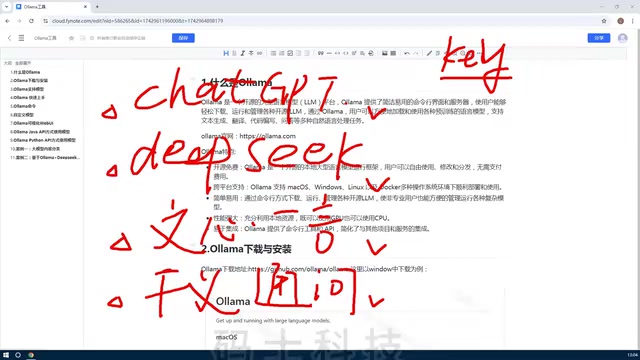
The Ultimate Ollama Tutorial: A Beginner's Guide to Running Large Models Locally for Free
Ollama is an open-source local large model management tool supporting free download and deployment of models like DeepSeek, with command-line and Web UI, cross-platform, automatic GPU/CPU scheduling — ideal for AI beginners and private deployment.
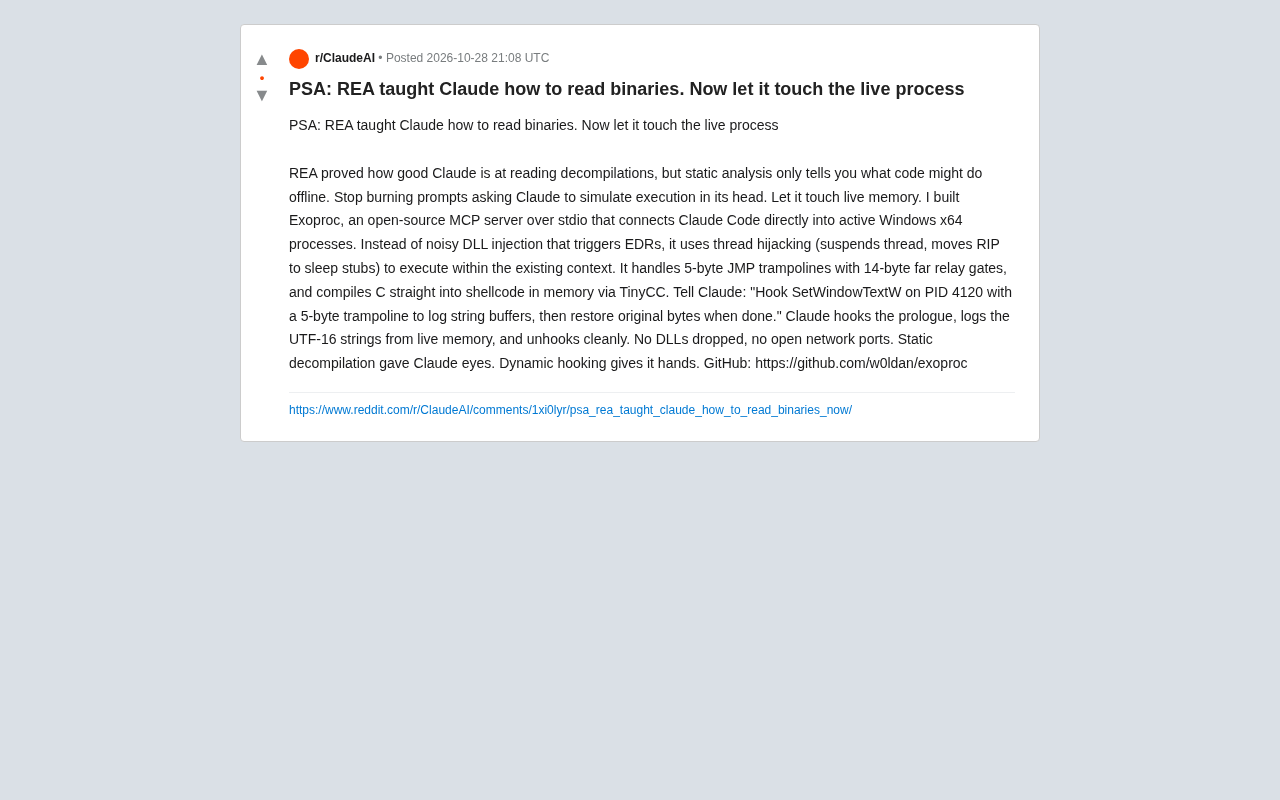
Giving Claude "Hands": Exoproc Open-Source MCP Server Enables Live Process Hooking
Exoproc is an open-source MCP server enabling Claude Code to hook live Windows x64 processes via thread hijacking, bypassing EDR for dynamic analysis. Static decompilation gave Claude eyes; dynamic hooking gives it hands.