Docker Agent: Build AI Agents with YAML, Deploy Like Containers

Docker lets you build and deploy AI agents using YAML files and container registries.
Docker has released Docker Agent, an open-source tool that reduces AI agent definition to a single YAML file — choose a model, write a prompt, configure tools, no coding required. It uses MCP for tooling, includes built-in think/to-do/memory capabilities, supports major cloud and local models, and enables root agents to orchestrate sub-agents for structured task delegation. A built-in RAG stack covers keyword search, vector embeddings, hybrid search, and re-ranking. Most notably, finished agents can be pushed to any container registry and deployed anywhere, plugging directly into existing CI/CD infrastructure. Licensed under Apache 2.0.
Docker Turns AI Agents into a Few Lines of YAML
Docker has released an open-source tool called Docker Agent, built around a deceptively simple idea: define an AI agent with a single YAML file, then distribute it the same way you push a container image. Developed by the Docker engineering team, it integrates directly into the Docker CLI — just run docker agent to get started.
The entire build process comes down to three things: pick a model, write a short prompt, and configure your tools. That's a complete agent. Then run it with a single command. Docker emphasizes the whole workflow requires "no coding," reducing what used to demand mountains of glue code and framework configuration into declarative config.
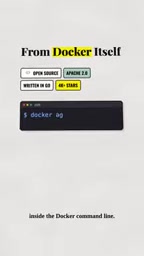
This approach extends Docker's long-standing product philosophy — abstracting complex runtimes into standardized, portable declaration files. For developers already comfortable with Dockerfiles and docker-compose, the mental model here has virtually zero learning curve.
Tool Ecosystem: MCP and Built-in Capabilities
Docker Agent's tooling is powered by MCP (Model Context Protocol) servers, supporting local, remote, and Docker-hosted variants. This means agents can connect to external services, invoke local scripts, or directly reuse containerized toolchains.
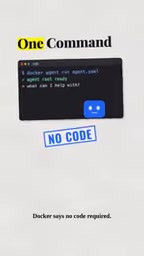
Beyond external tools, Docker Agent ships with three built-in capabilities: think (reasoning), to-do (task management), and memory (context retention). These address the most common agent pain points — how to plan multi-step tasks and how to maintain context across interactions. Making these out-of-the-box components saves developers from reinventing the wheel every time.
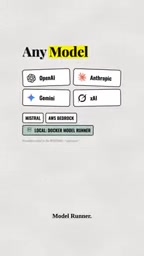
On the model side, Docker Agent takes a model-agnostic approach, supporting major cloud providers like OpenAI, Anthropic, Gemini, xAI, and Mistral, as well as local models via Docker Model Runner. This openness lets teams swap the underlying model based on cost, privacy, or performance requirements without rewriting any agent logic.
What is MCP? MCP (Model Context Protocol) is an open protocol introduced by Anthropic in late 2024, designed to standardize how large language models interact with external tools and data sources. The core idea is to turn "tool calling" into a universal interface: any MCP-compliant service can be invoked directly by a compatible AI agent, with no custom adapter code required. MCP servers can exist as local processes, remote HTTP services, or Docker containers — exactly the three forms Docker Agent supports. MCP addresses the fragmentation that plagued earlier frameworks like LangChain and AutoGPT, where every tool had its own interface. Think of it like USB standardizing peripheral connections. By building on MCP as its tool layer, Docker Agent can immediately tap into the existing MCP ecosystem — hundreds of ready-made servers covering file system access, database queries, web search, and more — dramatically lowering the cost of adding new tools.
Multi-Agent Orchestration: Root and Sub-Agents
Perhaps the most interesting capability is multi-agent orchestration. Docker Agent supports a root agent that manages multiple sub-agents — for example, a developer agent, a reviewer agent, and a tester agent.
The workflow: the root agent uses a transfer tool to delegate tasks to the appropriate sub-agents, waits for results, then aggregates and returns a response to the user. This essentially maps a software team's division of labor onto an agent architecture — different roles handle different responsibilities, coordinated by a single orchestrator. This kind of structured task decomposition tends to be more stable and predictable than forcing a single large model to handle everything.
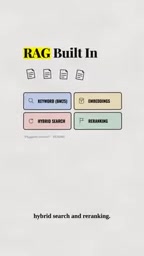
The tool also includes built-in RAG (Retrieval-Augmented Generation) capabilities, covering keyword search, vector embeddings, hybrid search, and re-ranking. For use cases that require connecting to private knowledge bases, this retrieval stack eliminates the need to separately build out a vector database and retrieval pipeline.
What is RAG? RAG (Retrieval-Augmented Generation) is an architectural pattern that combines external knowledge bases with large language models: before generating a response, relevant content is retrieved from a knowledge base and passed to the model as context. This addresses two major LLM pain points — knowledge cutoff dates and hallucinations — since the model can dynamically look up information rather than relying solely on what it learned during training. Docker Agent's built-in retrieval stack includes four layers: keyword search (traditional methods like BM25), vector embedding search (converting text to high-dimensional vectors and retrieving by semantic similarity), hybrid search (combining both approaches), and re-ranking (using a separate scoring model to re-evaluate initial results for higher accuracy). This complete pipeline typically requires developers to manually integrate multiple components like Elasticsearch, Weaviate, and Cohere. Docker Agent ships it as a built-in capability — a significant practical benefit for teams that need to quickly connect agents to private documents, codebases, or product documentation.
Distribute Agents Like Container Images
Docker's real "magic" comes at the final step: you can push a built agent to any container registry, then pull and run it anywhere — just like a regular image.
This step directly applies Docker's years of distribution infrastructure to AI agents. Developing, sharing, and deploying agents requires no new toolchain — it integrates seamlessly with existing CI/CD pipelines and image registries. Docker even notes that they used Docker Agent to build Docker Agent itself, a bootstrapping claim that speaks to the tool's practical utility.
The project is freely available under the Apache 2.0 license, lowering the barrier for both enterprises and individual developers, while leaving room for community contributions and derivative projects.
What It Means
Docker Agent reflects a standardization wave sweeping AI engineering — one that echoes the early days of containerization. Docker once turned application packaging and deployment into a standard practice; now it's attempting the same for AI agents — unifying model selection, tool integration, multi-agent coordination, knowledge retrieval, and deployment into a single familiar workflow.
For developers, the biggest value lies in reducing the barrier to entry and reusing existing skills: no need to learn a new agent framework — YAML and familiar Docker commands are enough to get started. For teams, portable and versionable agent images make sharing and reproducing work as simple as pulling an image. Whether this approach becomes an industry standard remains to be seen, but the direction clearly targets the core challenges of getting AI applications into production.
Related articles

Chain of Thought Isn't Just for AI: How Humans Can Use CoT to Improve Thinking Quality
Chain of Thought isn't just a prompt trick for large models. Starting from a Hacker News discussion, this article analyzes why CoT works for human thinking too, breaks down actionable ways to transfer it, and highlights the key differences between human CoT and machine CoT.
Cloudflare Teams Up with OpenAI: Closi…
Cloudflare Teams Up with OpenAI: Closing the Loop from Vulnerability Discovery to Defense with AI
Cloudflare uses OpenAI Daybreak to investigate security vulnerabilities and generate reviewable remediation plans, while developers use Codex to boost coding efficiency and quality.

Orca Multi-Agent Orchestration in Practice: A Guide to Parallel Collaboration with Claude and Codex
Orca is Stable AI's free open-source agent workbench supporting 34 agents like Claude Code and Codex in parallel. Learn its Git worktree isolation, multi-model orchestration, and mobile management.