DockFix 5.0: Transform Your macOS Dock Into Something Truly Yours
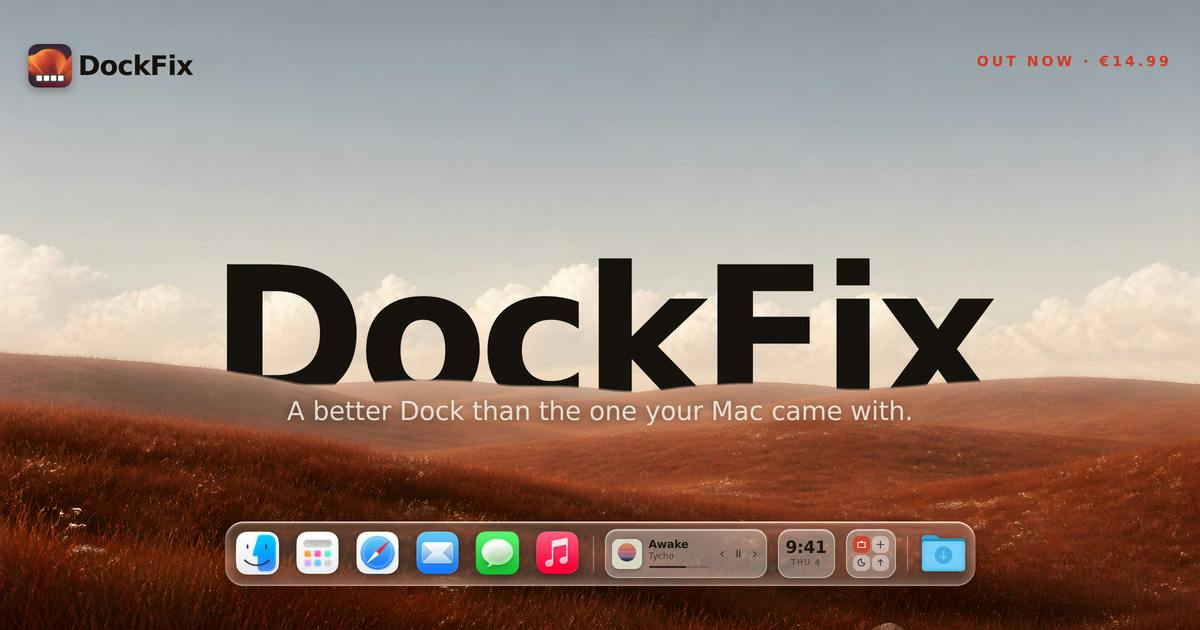
DockFix 5.0 brings deep visual customization and productivity features like window previews and a file shelf to the macOS Dock.
DockFix 5.0 is a third-party macOS Dock enhancement tool by developer Gustav Lübker, earning 80 upvotes and a #6 ranking on Product Hunt. It lets users customize Dock colors, icon styles, and animations, while adding widgets, window hover previews, and a File Shelf for temporary file staging — filling long-standing gaps in the native Dock experience. Rather than replacing system components, it layers enhancements on top of the native Dock, making it ideal for desktop customization enthusiasts and multitasking power users. Apple's historically conservative approach to Dock customization continues to create sustained market space for tools like this.
Redefining the macOS Desktop Gateway
macOS's Dock has been a constant companion for users over the years, but its customization options have always been quite limited — you can adjust its size, position, and magnification, but fundamentally changing its appearance or behavior is another matter entirely. DockFix 5.0 targets exactly this pain point, letting users deeply reshape the system Dock, from colors and icons to animations, all tailored to personal preference.
Built by developer Gustav Lübker, the tool landed at #6 on Product Hunt with 80 upvotes, spanning the Productivity, UX, and Menu Bar Apps categories. Its positioning is straightforward: rather than replacing your launcher with something new, it turns the native Dock into something that's genuinely yours.
Core Features: Visual Customization Meets Efficiency
DockFix 5.0's feature set falls into two main categories: visual customization and productivity enhancements.
Visual Customization
On the appearance side, DockFix lets users customize the Dock's color scheme, icon styles, and animations. That means you can ditch the default translucent gray-white bar and replace it with a color palette that matches your personal aesthetic or overall desktop theme. For users who enjoy desktop customization, this level of granular control is often a must-have — the native system offers almost no flexibility here.
Productivity Enhancements
Beyond looking great, DockFix introduces several practical feature modules:
- Widgets: Embed information cards directly in the Dock area, so you can check at a glance without switching to Notification Center.
- Window Previews: Hovering over an app icon shows thumbnail previews of its open windows — similar to the hover preview experience on the Windows taskbar.
- File Shelf: A temporary staging area for files, making it easier to drag and hold files between different applications.
These features address capabilities the native Dock has long lacked — especially Window Previews and File Shelf, which offer real value for users who frequently multitask.
The File Shelf's design draws inspiration from early macOS's Stacks feature and iOS's file drag-and-drop staging mechanism. In cross-app workflows, users often need a "middle ground" to temporarily park files — for instance, dragging an image from Finder into an email draft becomes cumbersome when both windows aren't simultaneously visible. The File Shelf acts as this buffer zone, letting files "park" at the edge of the Dock before being dropped into the target app at the right moment, without needing to keep multiple windows visible at once. This interaction pattern is already well-established in iPadOS multitasking design; DockFix brings it to the macOS desktop environment, bridging the experiential gap between the two platforms to some degree.
Why Tools Like This Still Have a Market
macOS's closed nature has always made system-level customization a fertile ground for third-party tools. From window managers to menu bar enhancers, the software ecosystem built around "making your Mac work better for you" remains consistently active. DockFix's choice to focus squarely on the Dock — a single, high-frequency interaction point — is a classic "small entry, deep execution" strategy.
It's worth noting that while Apple has opened up system interaction somewhat in recent years, the Dock's customizability remains stuck at a basic level. This gives products like DockFix a continuing reason to exist. When the platform holder doesn't act, third-party developers find opportunity — that's the underlying logic behind the enduring Mac productivity tools market.
macOS third-party system-level customization tools have long faced a technical challenge: Apple's System Integrity Protection (SIP) mechanism restricts modification of core system components, officially introduced with macOS El Capitan in 2015. This means tools like DockFix must achieve visual and interaction-layer injection without touching protected system partitions — typically relying on Accessibility APIs, private framework calls, or process injection techniques. With each major macOS release, such tools face the pressure of compatibility rewrites, which is why many similar tools temporarily stop updating after a major version launch. The fact that DockFix has continued iterating all the way to version 5.0 speaks to the developer's technical depth and commitment to maintenance — an important trust signal for users of system-level tools.
Use Cases and Target Audience
DockFix 5.0 is best suited for two types of users: heavy desktop customization enthusiasts who invest time in maintaining a cohesive visual aesthetic, and power users focused on efficiency, for whom Window Previews and File Shelf can meaningfully reduce the number of steps in common workflows.
For casual users who treat the Dock purely as an app launcher, the value proposition may be less compelling. But once you get used to window hover previews or file staging, it's hard to go back to the native experience.
Conclusion
DockFix 5.0 is a clearly positioned macOS Dock enhancement tool that integrates visual customization with productivity features. Rather than trying to upend how users interact with their Mac, it builds on the native foundation — transforming the Dock from a fixed system component into a personalizable tool you can shape to fit your needs. For users looking to squeeze more out of their macOS experience, it's well worth trying.
(Note: This article is based on Product Hunt release information. Actual feature performance may vary with hands-on use.)
Related articles

How Did Da Vinci Prove the Sun Is Hot? A Neglected Chapter in Science History
How did da Vinci use a concave mirror experiment to overturn Aristotle's cold sun theory? This article traces this neglected chapter in science history, revealing the embryo of scientific thinking in the 15th century and da Vinci's cold observations on solar heat and the nature of life.

SharpLogic: Formalizing Bug Detection for LangGraph Routing Graphs with k-CNF
SharpLogic, an open-source project, maps LangGraph-style multi-agent routing and retry graphs to k-CNF, using a Rust kernel to count deadlocks and failing paths (#F counting), offering a Python AgentGuard hook and CLI for pre-release formal gate checks. This article analyzes its principles, its complementary relationship with evals, and the community's concern about modeling costs.

PPO Training of a Franka Robotic Arm for Pick-and-Place: A Reinforcement Learning Starter Project
A reinforcement learning project using PPO to train a Franka Panda robotic arm for pick-and-place in PyBullet, covering tech stack choices, task design challenges, and future text/voice command interaction plans—a good reference for beginners.