DocxToWP: A Powerful Efficiency Tool for Batch Importing Word Documents to WordPress
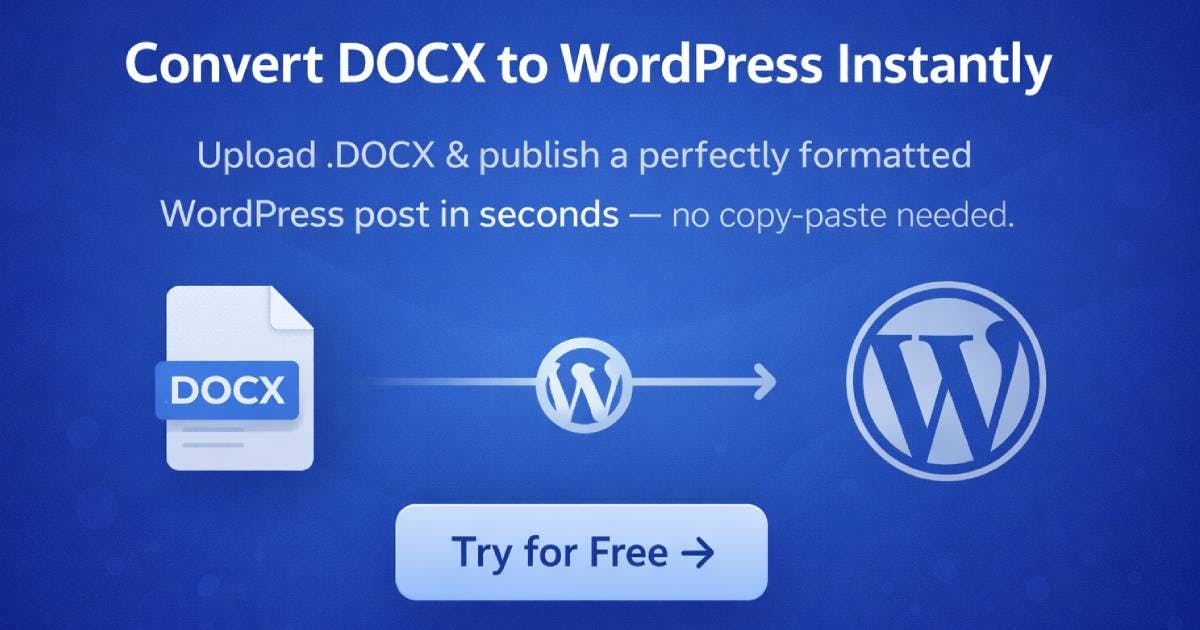
DocxToWP batch-imports up to 100 Word documents into WordPress with auto-scheduling and SEO automation.
DocxToWP is a WordPress plugin that lets users batch-import up to 100 DOCX files, automatically schedule posts on a daily or weekly cadence, and automate SEO metadata. It supports Posts, Pages, and Custom Post Types, offers content preview before publishing, and includes a one-click full import rollback feature. With a one-time payment and lifetime updates model, it's built for content teams, SEO professionals, and anyone migrating large volumes of Word documents to WordPress.
For content operators, bloggers, and SEO teams, migrating large volumes of Word documents to WordPress has always been a time-consuming and labor-intensive task. Manual copy-and-paste is not only inefficient but also frequently accompanied by formatting errors and missing images. DocxToWP, recently launched on Product Hunt, aims to completely solve this pain point — its headline promise is "import 100 Word documents and schedule them in minutes," bringing a new automation approach to the WordPress content workflow.
Core Features: From Batch Import to Smart Scheduling
DocxToWP Pro has a very clear positioning — converting Microsoft Word documents into properly formatted WordPress content in seconds. Its core capabilities revolve around two keywords: "batch" and "automation."
The most eye-catching feature is the ability to import up to 100 DOCX files at once. DOCX is the Open XML document format (Office Open XML) adopted by Microsoft Office since 2007. It's essentially a ZIP archive containing multiple XML files, media resources, and style definitions. The core challenge in converting DOCX to WordPress-compatible HTML lies in style mapping — heading hierarchies, list indentation, table layouts, and embedded images in Word need to be accurately translated into HTML tags and shortcodes recognizable by the WordPress Block Editor (Gutenberg) or Classic Editor. Common failure scenarios include: Word's auto-numbering turning into plain text, embedded image paths being lost and failing to display on the web, and complex tables breaking in responsive themes. This is precisely why simple copy-and-paste often falls short of professional publishing requirements.
For teams that have accumulated a large number of offline drafts, this means that migration work that previously took days can now be compressed into just a few minutes. During the import process, users can preview and review each article's title and images to ensure content accuracy before official publication.
Additionally, the tool supports WordPress's three main content types — Posts, Pages, and Custom Post Types (CPT). WordPress's Custom Post Types are a core extension mechanism for its content architecture. By default, WordPress only provides Posts and Pages, but through CPT, developers can create arbitrary content types such as "Products," "Case Studies," "Team Members," "FAQs," and more — each with its own editing interface, taxonomy system, and URL structure. Many mainstream WordPress plugins like WooCommerce (creating the "Product" type) and LearnDash (creating the "Course" type) rely on CPT. DocxToWP's support for CPT means it's not limited to blogging scenarios — it can also integrate with highly customized enterprise sites, such as batch-importing product manuals into WooCommerce product pages or bulk-migrating knowledge base documents into standalone CPT entries.
Batch Scheduling: Automating the Content Calendar
Beyond importing, DocxToWP includes a built-in batch scheduling feature that allows users to automatically distribute multiple articles to future time slots on a daily or weekly cadence. This design directly addresses a core content operations need: a steady, consistent publishing rhythm is crucial for both SEO and user retention.
From an SEO perspective, this scheduling strategy has clear technical logic. Search engine crawlers (especially Google's) have a learning mechanism for a site's update frequency and regularity. When crawlers visit multiple times and find that a site maintains a steady update rhythm, they increase the crawl frequency (crawl budget allocation), and new content gets indexed faster. Furthermore, publishing dozens of articles all at once may trigger search engine anomaly detection and be flagged as content spam, whereas distributing the same number of articles at a pace of 2-3 per day aligns more closely with a normal site's growth curve. DocxToWP's daily/weekly scheduling feature is designed precisely around this SEO best practice.
Rather than manually setting scheduled publication for each article one by one, it's far more efficient to let the tool handle the entire content calendar arrangement during the import phase.
SEO Automation and Fault-Tolerant Design
On the SEO front, DocxToWP offers automated processing capabilities. "Automate SEO" typically means automatically generating or populating key SEO fields such as title tags, meta descriptions, and URL slugs.
Specifically, SEO optimization for WordPress sites usually relies on plugins like Yoast SEO, Rank Math, or All in One SEO to manage critical metadata fields. These fields include: Title Tag (the page title tag that directly affects the display title in search results), Meta Description (which affects the snippet text in search results), URL Slug (which affects the readability of page addresses and keyword matching), and Open Graph tags (which affect preview appearance when shared on social media). Manually filling in these fields for each article is one of the most mechanical aspects of SEO work. The typical automation approach is to extract key information from the article title and opening paragraphs, then generate initial values for these fields based on preset templates, with SEO professionals making fine-tuning adjustments later. For batch publishing scenarios, this automation can reduce SEO preparation time per article from 5-10 minutes to virtually zero. For sites that need to publish content in bulk, this significantly reduces the post-publication optimization workload.
Worth highlighting is the undo an entire import feature. The biggest risk with batch operations is that if something goes wrong, the cleanup cost is extremely high. DocxToWP allows users to roll back an entire import with one click when needed — a highly pragmatic fault-tolerant design in real-world usage. It lowers the psychological barrier to batch importing, giving users more confidence to experiment.
Business Model: One-Time Payment with Lifetime Updates
Unlike the currently popular subscription model, DocxToWP adopts a one-time payment with lifetime updates model. This buy-once approach is particularly attractive to independent developers and small teams — especially those who don't want to be locked into ongoing subscription fees.
In the WordPress plugin ecosystem, two mainstream business models have long coexisted, each with its own controversies. The annual license subscription model, represented by Elementor and WPBakery, provides continuous updates and technical support, but users face the lock-in effect of "losing updates when you stop paying." The buy-once model (commonly seen on AppSumo and from independent developers) charges a one-time fee with a promise of lifetime updates. The sustainability of the buy-once model has been a persistent industry debate — developers need to continuously acquire new users to maintain revenue, and once the market saturates, long-term product maintenance may face funding pressure. However, from the user's perspective, in a market where WordPress plugins average $50-200 per year, buy-once products have a clear total cost of ownership (TCO) advantage, especially for budget-conscious freelancers and small agencies. In recent years, SaaS Subscription Fatigue has intensified — according to a 2023 Kearney survey, over 40% of consumers feel they have too many subscriptions — creating a differentiated market window for buy-once products.
Looking at Product Hunt data, the product currently has 9 upvotes, 1 comment, and ranks #18, categorized under Productivity, SEO, and WordPress. Product Hunt is one of the world's most influential new product discovery platforms. Since its founding by Ryan Hoover in 2013, it has become a key channel for tech product cold starts. Product rankings on the platform are determined by community upvotes, and the top five daily products typically receive thousands of impressions and hundreds of early users. DocxToWP's current performance is typical of the early stage, but Product Hunt's long-tail effect should not be underestimated — many products continue to receive sustained traffic through platform search and category browsing months or even years after launch day. While traction is still early, the problem it solves is specific and universal enough.
Who Needs DocxToWP the Most?
Overall, DocxToWP's target user profile is quite clear:
- Content teams and agency operators: Those who frequently need to publish Word manuscripts from writers across multiple WordPress sites.
- SEO professionals: Those who rely on large volumes of content to support site rankings and have a strong need for batch publishing and scheduling.
- Migration scenarios: Users migrating historical content from other platforms or offline documents to WordPress.
For individual bloggers with low publishing frequency, the value of this type of tool may be relatively limited. But for any team whose core strategy revolves around content at scale, the time savings are very real.
Conclusion
DocxToWP doesn't try to reinvent content management. Instead, it focuses on a specific workflow step that has been long overlooked — batch migration and scheduling from Word to WordPress. Its value lies not in technical showmanship, but in packaging a series of tedious, repetitive tasks into a smooth "get it done in minutes" experience. Batch import, content preview, SEO automation, full import rollback, and buy-once pricing — these features combine to form a practical solution tailored for content operators. For teams currently struggling with WordPress content migration, it's worth adding to the tool evaluation list.
Related articles

Chain of Thought Isn't Just for AI: How Humans Can Use CoT to Improve Thinking Quality
Chain of Thought isn't just a prompt trick for large models. Starting from a Hacker News discussion, this article analyzes why CoT works for human thinking too, breaks down actionable ways to transfer it, and highlights the key differences between human CoT and machine CoT.
Cloudflare Teams Up with OpenAI: Closi…
Cloudflare Teams Up with OpenAI: Closing the Loop from Vulnerability Discovery to Defense with AI
Cloudflare uses OpenAI Daybreak to investigate security vulnerabilities and generate reviewable remediation plans, while developers use Codex to boost coding efficiency and quality.

Orca Multi-Agent Orchestration in Practice: A Guide to Parallel Collaboration with Claude and Codex
Orca is Stable AI's free open-source agent workbench supporting 34 agents like Claude Code and Codex in parallel. Learn its Git worktree isolation, multi-model orchestration, and mobile management.