Does Claude Code Break Down When Editing Ten Files at Once? Batch Strategy and Diff Review
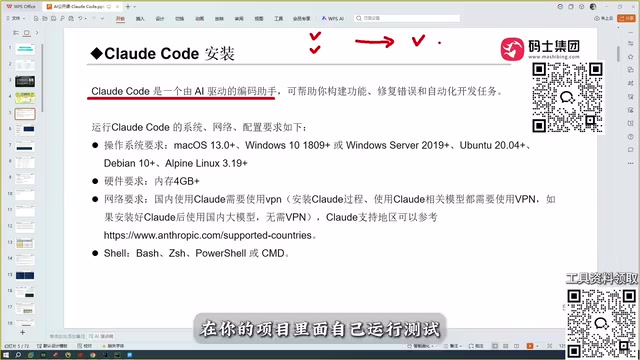
Claude Code leads with global context and auto-debugging, but batch multi-file edits need batching and diff review to control risk.
The article examines the essential difference between Claude Code and conversational coding tools: Claude Code uses the entire project as context and can directly modify files and debug automatically, while tools like DeepSeek and ChatGPT only offer scattered snippets. It traces the evolution from Copilot to Cursor, TRAE, and Claude Code, emphasizing that capability ultimately depends on the underlying model. For the question of editing ten files at once, it analyzes risks in interface consistency, diff review cost, and error amplification on niche stacks, and recommends batching, reviewing diffs each time, and constraining output with project specifications.
Title
Does Claude Code Break Down When Editing Ten Files at Once? Batch Strategy and Diff Review
Meta Description
Claude Code can read project context and modify code automatically, but changing ten files at once still carries risk. Drawing on a public course, this article analyzes the capability differences between Claude Code, Cursor, and TRAE, and offers practical approaches to batch submission, diff review, and specification-based constraints.
Article Content
Claude Code is one of the most discussed AI programming tools today. Its core strength lies in reading the entire project context, automatically generating business code, and debugging automatically when errors occur—unlike web-based chat, which can only offer scattered code snippets. But when a task involves multiple files, a practical question arises: will editing ten files at once mess up the project?
The Essential Difference Between Claude Code and Conversational Coding Tools
According to an explanation in a public course video on Bilibili, many people's first experience with coding assistance was opening a DeepSeekAd or ChatGPT chat page, asking the model for a piece of code, then pasting it back into the project to run tests themselves. The problem with this approach: the model can't read all the code in your project, you have to repeatedly describe the project structure in the conversation, and ultimately you still rely on manual verification of whether the code runs.
What sets Claude Code apart is that it installs directly into your local development environment, requires no login to any website, and can pass the entire project content to the large model as context. The video's author emphasizes that this is the fundamental reason it is "extremely capable" and widely shared. For projects with hundreds of code files, this global view is something conversational tools simply cannot provide.
From Copilot to Claude Code: The Evolution of Programming Assistants
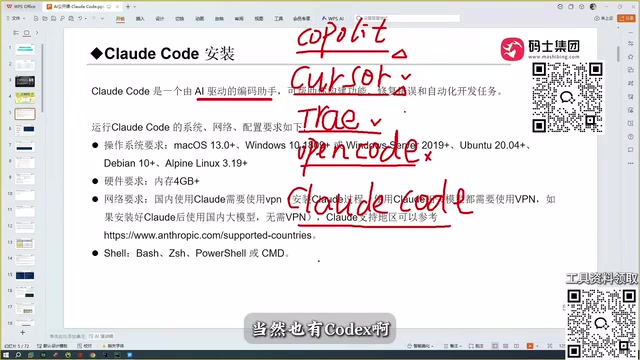
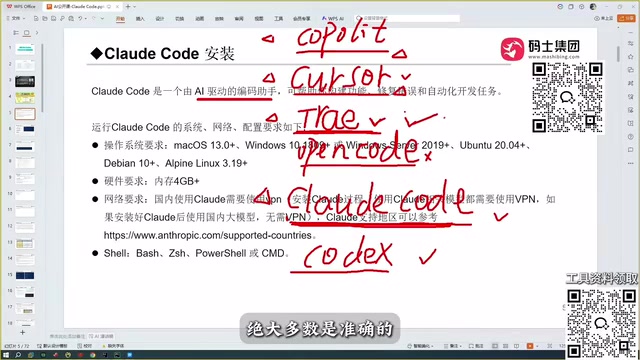
The video lays out a clear line of tool evolution. Early GitHub Copilot brought a sense of disruption with code autocompletion; Cursor built on this to achieve smarter automatic coding; TRAE optimized for Chinese users, understands Chinese requirements fairly well, and its domestic version is free.
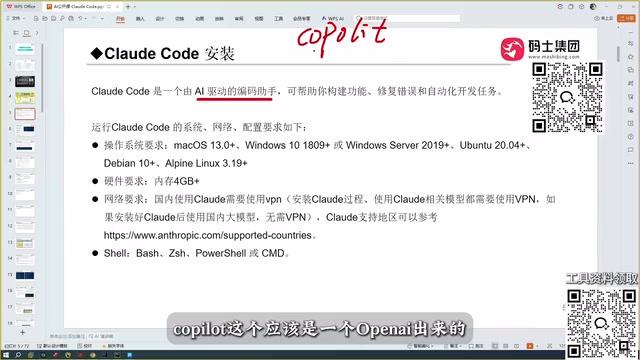
The author's personal experience: he initially thought TRAE was the perfect coding tool, but after using Claude Code he changed his view, believing Claude Code is a level above. The reason is that the capability of any programming assistant ultimately depends on the underlying large model—the Sonnet series behind Claude Code performs powerfully. He also mentions that Codex is likewise a strong tool, with outside evaluations putting it on par with Claude Code, though he hasn't used it much himself.
The key judgment here is: differences at the tool layer are either erased or amplified by model capability. When choosing a programming assistant, don't just look at the interface and feature list—look at whether the model it calls is stable on your tech stack.
Positioning Differences Among GitHub Copilot, Cursor, and TRAE
GitHub Copilot is essentially an IDE plugin, with core capability in line-level or function-level completion based on the current file and nearby code at the cursor; it does not proactively plan cross-file changes. Cursor is a standalone editor rebuilt on top of VS Code, which in addition to completion supports "Composer"-style multi-file editing and conversation, generating or modifying a set of files from natural language instructions. TRAE is an AI IDE launched by ByteDance, similar in form to Cursor, adapted for the Chinese language context and domestic network environment, and offers a free version. What all three share is dependence on the underlying large model, but the context scope opened to the model and the tool-calling permissions (whether it can read/write files, whether it can execute terminal commands) differ, which directly determines their ceiling when handling multi-file tasks.
Where Do the Risks of Multi-File Modification Come From
The original video does not elaborate on the specific process of batch multi-file modification, but the risks can be inferred from its emphasis on the "accuracy" advantage. When a task involves ten files, the model needs to maintain interface consistency, naming consistency, and correct dependency relationships across multiple files. Conversational tools, unable to see the whole picture, can often only give suggestions file by file, and manual stitching easily produces inconsistencies; while Claude Code can read the whole project, the larger the scope of a one-time change, the higher the review cost of a single diff, and the harder it is to locate errors when they occur.
The author mentions in the comparison that TRAE's code on slightly more obscure tech stacks "is just not that good." This points to a common pattern: models are more reliable on mainstream tech stacks and more prone to errors in inference on niche frameworks—batch multi-file modification amplifies the impact scope of such errors.
What Is a diff, and Why Review Cost Rises with the Scope of Changes
diff is the format used by version control systems (such as Git) to represent the differences between two code states, marking added, deleted, and modified content line by line. Reviewing a diff means manually confirming whether these line-level changes meet expectations. When a change involves only one file, the diff is usually a few dozen lines, easy to read line by line; when a task spans ten files, the diff may reach hundreds or even thousands of lines, containing both necessary changes and possibly unrelated code the model changed along the way, renamed variables, or formatting changes. Reviewers need to distinguish, within a larger volume of information, what is expected and what is a side effect, and attention is easily diluted. Moreover, once a cross-file change goes wrong, the error is often not a compilation error but a runtime-exposed issue such as inconsistent interface semantics, and locating it requires tracing back along the call chain—far more costly than single-file modification.
Practical Approaches to Batch Strategy, Diff Review, and Specification Constraints
Combining tool characteristics, a set of practices to reduce the risk of multi-file modification can be formed:
Submit tasks in batches. Split the changes to ten files into several logical units, hand them to Claude Code in batches by module or by dependency order, and verify each batch before moving to the next. This keeps the size of each diff manageable and makes problems easier to locate.
Review the diff each time. Claude Code works by directly modifying files within your development tools, so each change should be viewed through version control to confirm no unrelated code was mistakenly deleted or altered before committing.
Constrain output with specifications. Maintaining a clear directory structure, naming conventions, and interface documentation in the project makes the model's multi-file changes more likely to meet expectations. The clearer the constraints, the less room the model has to improvise, and the higher the consistency of batch modifications.
How to Split Multi-File Tasks into Verifiable Batches
The core principle of batching is to make each batch of changes independently verifiable. One feasible approach is to split by dependency direction: first change the underlying interfaces or data structures referenced by other modules, then change the callers after verification passes, avoiding simultaneous changes upstream and downstream that make problems hard to attribute. Another is vertical splitting by feature, so each batch corresponds to a separately testable behavior, and relevant test cases can be run as soon as the change is done. Before each batch, state in one sentence to the model the scope of this batch and the files "do not modify," which reduces the probability of out-of-bounds changes. There is no universal standard for batch size; generally, a diff that can be fully read in a few minutes is appropriate; for niche frameworks or code the model is unfamiliar with, batches should be smaller.
Judgment Beyond Tools
The video's author mentions that after programmers use Claude Code, they "will feel a deep sense of crisis." Behind this feeling is the reality of AI programming tools moving from completion toward automated development. But no matter how powerful the tool, the final quality of multi-file changes still depends on human review and constraints. Treating Claude Code as a highly capable collaborator that requires acceptance testing, rather than a black-box deliverer, is the more prudent usage at the current stage.
According to the video author's side-by-side comparison, Claude Code's performance on accuracy is its core advantage over tools like Cursor and TRAE. This conclusion comes from a single user's subjective experience and has not been verified by systematic benchmark testing; readers may try it on their own tech stacks before making a judgment.
One-line Summary
Claude Code leads with global context and automatic debugging, but batch multi-file modification requires batching and diff review to control risk.
Paragraph Summary
The article centers on the essential difference between Claude Code and conversational coding tools, pointing out that its core advantage is using the entire project as context and being able to directly modify files and debug automatically within the development environment, whereas conversational tools like DeepSeek and ChatGPT can only provide scattered code snippets. The article traces the evolution from Copilot autocompletion, Cursor automatic coding, TRAE Chinese optimization, to Claude Code, emphasizing that tool capability ultimately depends on the underlying large model, and that Claude Code stands out on accuracy thanks to the Sonnet series. Regarding whether editing ten files at once will mess up the project, the article analyzes the risks of multi-file modification in interface consistency, diff review cost, and error amplification on niche tech stacks, and offers three practical approaches: batch task submission, diff review each time, and constraining output with project specifications. It concludes by reminding readers to treat Claude Code as a collaborator requiring acceptance testing rather than a black-box deliverer.
Related articles

Prompt Engineering for Beginners: From Writing Prompts to Engineering Thinking
Starting from the essence and four functions of prompts, this article systematically explains the six-step process, four success criteria, learning value, and practical limitations of prompt engineering to help you build a complete understanding.

Anthropic Launches Nasdaq IPO: AI Giant's Listing and Risk Disclosures
Anthropic officially launches its Nasdaq IPO under ticker ANT, with market valuation expected to potentially exceed SpaceX's record. The prospectus devotes nearly 100 pages to AI risks, while first-half revenue grew over 14x but net losses widened sharply, reigniting the AI bubble debate.

Rust cURL Clone Uses 4,832 unsafe Blocks—Is the Memory Safety Myth Broken?
A Rust cURL clone uses 4,832 unsafe keywords, challenging Rust's memory safety narrative. We analyze what unsafe really means, compare Fil-C, and examine rewrite motives.