Don't Just Use ChatGPT! These 5 AI Tools Are More Professional

Use specialized AI tools like Perplexity, Notebook LM, Gama, Claude, and Cursor by task type — more efficient than handing everything to ChatGPT.
The article points out that throwing every task at ChatGPT is a common misconception — every niche scenario has a specialized tool optimized for specific tasks. It covers 5 tools: Perplexity's "answer + source" model suits research and verification; Notebook LM can turn long PDFs into audio overviews for digesting documents in fragmented time; Gama generates presentation drafts in minutes, though data and logic still need human oversight; Claude excels at writing, brainstorming, and understanding complex concepts; Cursor embeds AI at the editor level, optimizing programming workflows for developers. The article emphasizes that tool selection should match your workflow — ChatGPT remains strong in generality, but for high-frequency specific tasks, specialized tools deliver noticeably higher efficiency.
Why You Need AI Tools Beyond ChatGPT
A common misconception is to throw every task at ChatGPT. Writing emails, researching information, making slides, writing code — one chat window handles it all. But according to the YouTube channel "AI Beyond," doing so actually wastes AI's true potential. Every niche scenario has a more specialized tool optimized for a specific task, delivering far higher efficiency than a general-purpose chatbot.
Based on that video's recommendations, this article covers 5 AI tools spanning research, document comprehension, presentation creation, writing ideation, and programming, along with an analysis of each tool's applicable scenarios and limitations.
1. Perplexity: Research-Oriented Search with Sources
The video's first recommendation is Perplexity. Its core differentiator: it doesn't just give an AI-generated answer — it also attaches links to the information sources.
Traditional search requires you to jump between a pile of web pages, filter, and compare. Perplexity compresses this step into a single question, with the answer presented directly and citations traceable. For research work that requires fact verification, this "answer + source" model is more reliable than a pure chatbot — you can click through to the source and verify at any time.
Applicable scenarios: information research, fact-checking, quickly getting up to speed on an unfamiliar field. Unsuitable scenarios: open-ended questions requiring deep reasoning, creative writing.
RAG (Retrieval-Augmented Generation) is the key technical background for understanding tools like Perplexity. The core idea of RAG: before the large language model generates an answer, it first retrieves relevant documents from an external knowledge base or real-time web pages, then feeds the retrieved content as context into the model, letting the model answer based on this "verifiable" material. The benefits are twofold: on one hand, the model can cite real-time information beyond its training data, breaking through knowledge cutoff limits; on the other hand, every claim in the answer can be traced to a specific source, greatly reducing the risk of "hallucination" (where the model fabricates content that seems plausible but is actually wrong). Perplexity's "answer + source" model is a typical productized form of RAG, which is the fundamental reason it's better suited to fact-checking work than a pure chatbot.
2. Notebook LM: Turn Documents into Podcasts
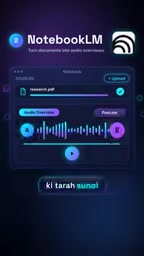
The second tool is Notebook LM. The video uses an intuitive example to illustrate its value: you have a 100-page PDF on hand, upload it, and have it generate an audio overview, letting you digest the document's content like listening to a podcast.
The imaginative potential of this feature is considerable. Long reports, academic papers, meeting minutes — all can be converted into audio form, letting you "finish listening" rather than "finish reading" during your commute or workout. For scenarios that are information-dense but time-fragmented, this is a new way to consume information.
Note that the audio overview is summary in nature — suitable for quickly grasping the framework, but not a substitute for close reading of key details.

The technology behind Audio Overview typically involves a combination of "retrieval-augmented generation" and "multi-speaker speech synthesis." The system first chunks, indexes, and summarizes the uploaded document, extracting core arguments and structure; then a large language model rewrites the summary into a dialogue script, simulating two hosts discussing the document's content; finally, text-to-speech (TTS) technology generates natural, fluent audio. This "document → dialogue script → speech" pipeline enables any static text to be transformed into an easy-to-listen podcast format. Keep in mind that the script generation stage is essentially a lossy compression — the model prioritizes the information it deems important. Therefore, audio overviews are better suited as a "guided reading" than a "replacement for the original text" — especially when precise data, formula derivations, or rigorous arguments are involved, you should still return to the original to verify.
3. Gama: Generate Presentations in Minutes
Making slides is a time sink for many people. Gama's approach: input a topic, and AI generates a structurally complete professional presentation.
The core selling point emphasized in the video is time savings — compressing hours of layout and content organization into minutes. For scenarios requiring rapid draft production, this can indeed significantly speed things up.
But be clear-eyed about it: AI-generated presentations are a starting point, not the endpoint. Data accuracy, logical rigor, and brand style consistency still require human oversight. Treating it as a "draft generator" rather than a "finished-product delivery tool" sets more reasonable expectations.
AI-generated presentations typically use a two-stage process of "outline generation + layout matching." In the first stage, a large language model generates a presentation outline containing titles, bullet points, and logical order based on the user's input topic or pasted text; in the second stage, the system maps each page's content in the outline onto preset layout templates, automatically handling text layout, image selection, and visual style consistency. Some tools also support uploading brand assets (logo, color scheme, fonts) to ensure the output conforms to corporate standards. Understanding this process helps set reasonable expectations: AI excels at programmed work like "structure and layout," while fact-checking, argumentative logic, and brand tone judgment remain human responsibilities. Positioning Gama as a "draft generator" is precisely an accurate understanding of its capability boundaries.
4. Claude: Writing, Brainstorming, and Understanding Complex Concepts
The fourth recommendation is Claude. The applicable scenarios given in the video include writing, brainstorming, and understanding complex concepts.
Claude has long enjoyed a good reputation for long-text processing and nuanced expression. When you need to polish a piece of writing, organize a vague idea, or have AI explain a convoluted concept, it's an option worth trying. The video's exact words are "definitely worth trying" — restrained wording, but the direction is clear: on text-based tasks, it has its own zone of advantage.

5. Cursor: An AI Programming Environment for Developers
The last tool targets developers: Cursor. The video's description is straightforward — use AI to write code, understand errors, and accelerate the development process.
Cursor embeds AI capabilities at the editor level, rather than staying in a side chat window. Code completion, error explanation, and context-aware modification suggestions all happen where you write code. For developers, this reduces the friction of switching back and forth between the browser and the IDE.
The video doesn't elaborate on specific feature details, but from its positioning, it targets an "AI-native" programming workflow rather than patching a traditional editor.
The key difference between an AI-native editor and an "editor + chat plugin" lies in the depth of context awareness. Traditional plugins typically can only read the code snippet you've selected or manually pasted content, whereas tools like Cursor index the entire codebase, understanding dependencies between files, function call chains, and project structure — thereby providing suggestions more aligned with the actual project when completing, refactoring, or explaining errors. This ability to "use the entire repository as context" relies on code indexing and vector retrieval technology, enabling AI to answer cross-file questions like "where is this function called" and "which modules will be affected if I modify this interface." For developers, this means AI upgrades from a "Q&A assistant" to a "collaborative partner that understands project context" — which is why it's regarded as an "AI-native" workflow.
The Underlying Logic of Tool Selection
Looking at these 5 tools together, there's a clear logic: match specialized tools to task types, rather than using one general-purpose model for all scenarios.
- Need information with traceable sources → Perplexity
- Need to digest long documents → Notebook LM
- Need to quickly produce a presentation draft → Gama
- Need to polish writing and ideas → Claude
- Need to write code → Cursor
Of course, this isn't to say ChatGPT has no value. It remains strong in generality, suitable for occasions where task types are mixed and you don't want to manage multiple tools. But if you have a large volume of repetitive specific tasks every day, the efficiency gains from specialized tools are worth serious consideration.
The video ends by asking viewers: which of these 5 tools is your favorite? The question itself also illustrates — tools have no absolute good or bad; matching your workflow is what matters.
FAQ
Do all these tools require payment? The video does not cover pricing information. It's recommended to visit each tool's official website to learn about current free quotas and subscription plans.
What's the essential difference between Perplexity and a regular search engine? A regular search engine returns a list of links, while Perplexity directly provides an integrated answer with sources annotated, reducing the steps of opening web pages one by one to filter.
Can Notebook LM's audio overview replace reading the original text? Not entirely. It's suitable for quickly grasping the document's framework, but key data and argumentative details still need to be verified against the original.
Is Cursor meaningful for non-developers? The video positions it as a developer tool. If you have no programming needs, its priority can be lowered.
Related articles

GPT-6.2 Astra and Sol Released: Dual-Model Architecture and Community Buzz
OpenAI releases GPT-6.2 with Astra and Sol models. This article summarizes the official announcement and Hacker News discussion, analyzing the potential impact of the dual-model architecture on developers and offering selection advice.

Gmod TTT Egyptian-Themed Map: Space Capitalism vs. the Pharaoh
Explore the fun of a Gmod TTT Egyptian-themed map: players pick roles like pharaoh, teleport to space via a cube, and engage in a humorous capitalism vs. communism showdown with chaotic prop fighting.

GraphRAG: Beyond Search, Toward Global Knowledge Discovery
GraphRAG is a knowledge-graph-enhanced retrieval technology from Microsoft Research that goes beyond local search in traditional RAG to enable global knowledge discovery. This article introduces its core ideas, generational evolution, and healthcare use cases.