Don't Rush to Reinstall When DSH Crashes: Open-Source Rescue Kit Captures the Scene in 30 Seconds, AI Diagnoses in Seconds
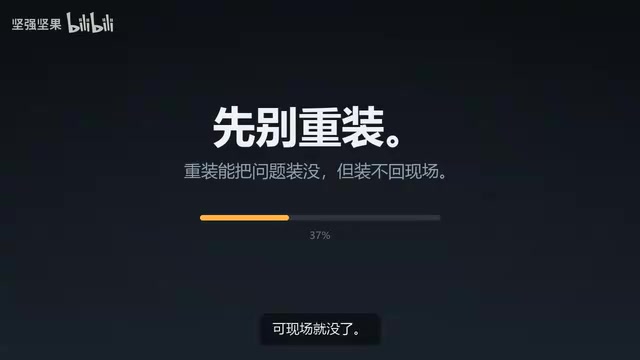
Bilibili creator open-sources DSH Rescue Kit: collects crash scene in 30 seconds with redaction, then hands it to AI for troubleshooting.
The article introduces a small tool called the "DSH Rescue Kit" open-sourced by a Bilibili creator, whose core idea is not to rush into reinstalling after a crash but to first preserve the scene. When DSH crashes, the truly valuable information is the error stack traces, system environment, configuration states, and runtime logs — reinstalling overwrites or wipes these clues, which is especially fatal for intermittent crashes. The tool, via a double-clicked BAT script and about half a minute, collects error and system information into a zip file, replacing the manual workflow of digging through logs, taking screenshots, and copying and pasting, ensuring complete collection items and consistent formatting. Tokens, Keys, and Cookies in the zip are automatically masked to reduce credential leakage risk, after which it can be dragged directly to AI like Doubao or Kimi for analysis and problem localization. The tool claims to be fully offline, read-only, and non-modifying to the system. The author also notes that the original article doesn't specify supported versions or measured success rates, and it should be viewed as an auxiliary means to improve troubleshooting efficiency rather than a universal diagnostic tool.
Rushing to reinstall after a DSH crash is often the costliest choice — you can reinstall the software, but the evidence from the crash scene disappears with it. A Bilibili creator has open-sourced a small tool called the "DSH Rescue Kit," and the idea is straightforward: first fully capture the crash scene, then hand it to AI for analysis, turning troubleshooting from "guessing by feel" into "checking the evidence."
Why Reinstalling Destroys Troubleshooting Clues
When a tool like DSH crashes, the most valuable information isn't on the interface — it's in the background: error stack traces, system environment, configuration file states, and runtime logs. Once you reinstall, this content gets overwritten or wiped, which is like cleaning up the crime scene before looking for the culprit.
The creator's reminder in the video is quite practical — sure, you can reinstall, but the scene is gone. This is especially critical for intermittent crashes: the problem might only reproduce once every few days, and by then you no longer have any first-hand material.
Crash Stack Trace is a snapshot of the function call chain automatically generated by the runtime when a program crashes, listing callers layer by layer from the innermost error location outward, usually accompanied by exception type, error code, and source line numbers. It is the most direct evidence for pinpointing "which line of code, which module triggered the exception": without a stack trace, troubleshooting relies on reproduction and guesswork; with one, most crashes can be root-caused within minutes. Stack information typically resides in application logs, system event logs, or crash dumps (core dump / minidump), and these files are often cleaned up or overwritten when reinstalling software — hence "preserve first, reinstall later" is a universal troubleshooting discipline.
Collecting the Crash Scene in 30 Seconds
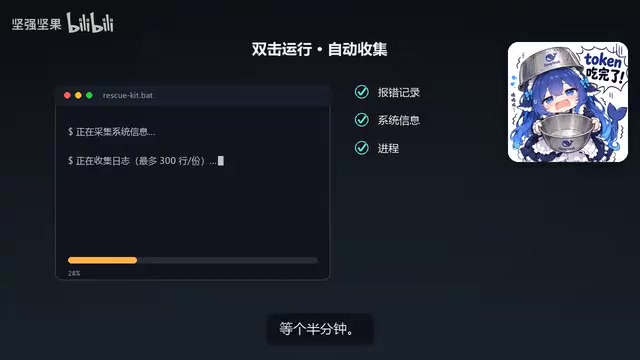
Using this tool requires almost no learning curve: double-click a BAT script, wait about half a minute, and error messages, system information, and other content are automatically packed into a zip file.
For ordinary users, this step replaces the manual workflow of "digging through logs, finding paths, taking screenshots, copying and pasting"; for those with some experience, it also saves the hassle of re-confirming whether all collection items are complete every time they troubleshoot. The benefit of unified collection is a complete scene with consistent formatting — whether you review it yourself or hand it to AI, key information is unlikely to be missed.
After Masking, Drop the Zip Straight into AI
In the completed zip file, sensitive information such as Tokens, Keys, and Cookies is automatically masked. This is crucial — troubleshooting materials often contain credentials, and sending them out directly carries leakage risk; automatic redaction lowers the barrier of "wanting help but not daring to share."
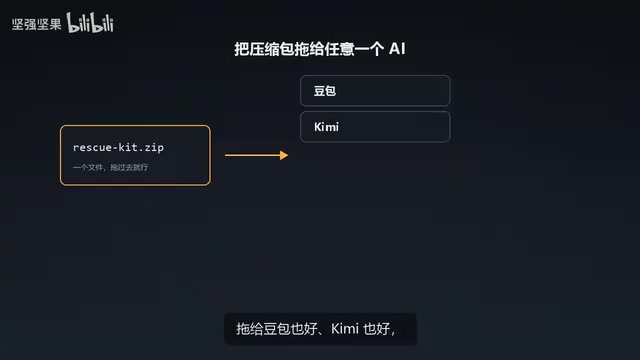
Once processed, just drag the Zip into conversational AI like Doubao or Kimi. The creator emphasizes that it "doesn't require you to explain what happened" — AI can roughly determine which step went wrong at a glance and then suggest a direction for resolution. The logic behind this isn't mysterious: crash logs and system information are themselves structured clues, and AI excels at locating anomalies in such text, far faster than manually searching line by line.
It should be noted that the original article does not mention which specific versions of DSH the tool supports, nor does it provide measured troubleshooting success rates — actual results depend on the crash type and log completeness. It's more reasonable to treat it as "an auxiliary means to improve troubleshooting efficiency" than as "a universal diagnostic tool."
Data Masking / Redaction refers to the process of replacing identifiable sensitive information with placeholders before data leaves the local machine. In troubleshooting materials, the most critical items to redact are access tokens, API Keys, Cookies/Sessions, as well as internal network addresses and usernames. To judge whether redaction is reliable, check three things: whether it covers multiple sources such as logs, configuration files, and environment variables; whether it uses irreversible replacement rather than simple hiding; and whether it preserves context needed for troubleshooting, such as field names and lengths, after replacement. Although automatic redaction reduces external transmission risk, it's still advisable to manually spot-check the zip contents before sending, especially for custom key fields that may appear in self-built configurations.
Read-Only, No Network: The Tool Itself Creates No New Risks
Troubleshooting tools can themselves become risk sources, especially those that need to read configurations and credentials. The creator's explanation for this: it never connects to the network and doesn't modify anything on your computer — read-only, then gone.
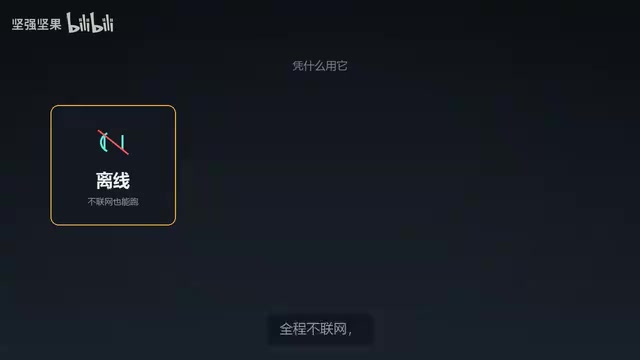
This design orientation is commendable. In troubleshooting scenarios, users are often anxious and prone to casually running scripts of unknown origin; the three constraints of read-only, offline, and no-config-changes at least ensure the tool won't create new problems before solving the existing one. Of course, whether this is truly achieved still requires users to verify the script contents themselves — and that's precisely the point of open source.
"Read-only" and "no network" correspond to two different types of attack surface reduction in security. Read-only means the script has only read permission on the file system and won't write, delete, or modify the registry or configurations — even if the script has flaws, it won't damage system state; no network cuts off channels for data exfiltration and remote command delivery, preventing the tool from transmitting collected credentials in the background. Combined, these two can reduce the risk of "running an unfamiliar script" from "possible backdoor implantation" to "possible leakage of local information to the local user." However, BAT scripts themselves have limited readability, and users should still check for suspicious commands like curl, powershell -enc, or registry writes before deciding to run.
What's the Value of Such a Small Tool
A single-function small tool is unlikely to become a hot topic, but it addresses a genuinely existing friction point: at the moment a crash occurs, what users lack most isn't a solution but "material they can use to seek help." Compressing the three steps of collection, redaction, and organization into a single double-click, then using AI to fill in the interpretation step, effectively outsources the most time-consuming part of the troubleshooting process.
For DSH users, the positioning of this rescue kit is clear — it's not a repair tool but a "scene preservation tool." Next time you encounter a crash, run the collection first, then decide whether to reinstall; by simply switching the order, what you save might be more than just reinstallation time.
One-line Summary
A Bilibili creator open-sources the DSH Rescue Kit: collects the crash scene in 30 seconds with redaction, then hands it to AI for troubleshooting.
Paragraph Summary
The article introduces a small tool called the "DSH Rescue Kit" open-sourced by a Bilibili creator, whose core idea is not to rush into reinstalling after a crash but to first preserve the scene. When DSH crashes, the truly valuable information is the error stack traces, system environment, configuration states, and runtime logs — reinstalling overwrites or wipes these clues, which is especially fatal for intermittent crashes. The tool, via a double-clicked BAT script and about half a minute, collects error and system information into a zip file, replacing the manual workflow of digging through logs, taking screenshots, and copying and pasting, ensuring complete collection items and consistent formatting. Tokens, Keys, and Cookies in the zip are automatically masked to reduce credential leakage risk, after which it can be dragged directly to AI like Doubao or Kimi for analysis and problem localization. The tool claims to be fully offline, read-only, and non-modifying to the system. The author also notes that the original article doesn't specify supported versions or measured success rates, and it should be viewed as an auxiliary means to improve troubleshooting efficiency rather than a universal diagnostic tool.
Related articles
 Tech Frontiers
MuJoCo: An Analysis of DeepMind's Open-Source General-Purpose Physics Simulator
An in-depth analysis of Google DeepMind's open-source physics simulator MuJoCo: high-performance C++ kernel, MJCF modeling format, contact solving principles, MJX GPU acceleration, and robot reinforcement learning use cases.
 Tech Frontiers
Claude API Quick Start: The Official Quickstarts Project Collection
Anthropic's official claude-quickstarts project collection helps developers quickly build deployable apps with the Claude API. Nearly 20k stars, Python-based, great for beginners and prototyping.
 Tech Frontiers
AI Agents Connecting Directly to APIs: Which Calls Can Be Safely Allowed?
AI agents can call any API, but the real challenge is deciding which calls can be safely allowed. This article analyzes allowance decisions from three dimensions—intent matching, least privilege, and controllable impact—and argues that the control layer should sit outside the agent, combined with audit traceability to build a trustworthy API call governance mechanism.