Drawing Arrows on Screen: A New Way to Visualize AI Agent Actions

AI agents gain transparency by drawing real-time arrows and annotations directly on screen to show their intent.
This article covers a project that enables AI agents to draw real-time arrows, bounding boxes, and text annotations on screen, addressing the "last mile" of agent explainability and observability. Current agent interactions rely on text logs, forcing users to mentally reconstruct operations. Screen overlays project agent intent directly onto the live interface, serving debugging, demos, and real-time monitoring. Implementation combines transparent overlay layers with UI understanding via Accessibility APIs or vision models, while guarding against annotation feedback loops in screenshot-based reasoning.
When AI Agents Learn to "Draw" on Your Screen
As AI agents move from background scripts to directly operating user interfaces, a long-overlooked problem has come to the fore: when an agent is executing tasks on your screen, how do you intuitively know what it's doing, what it's about to click, and which area it's focused on?
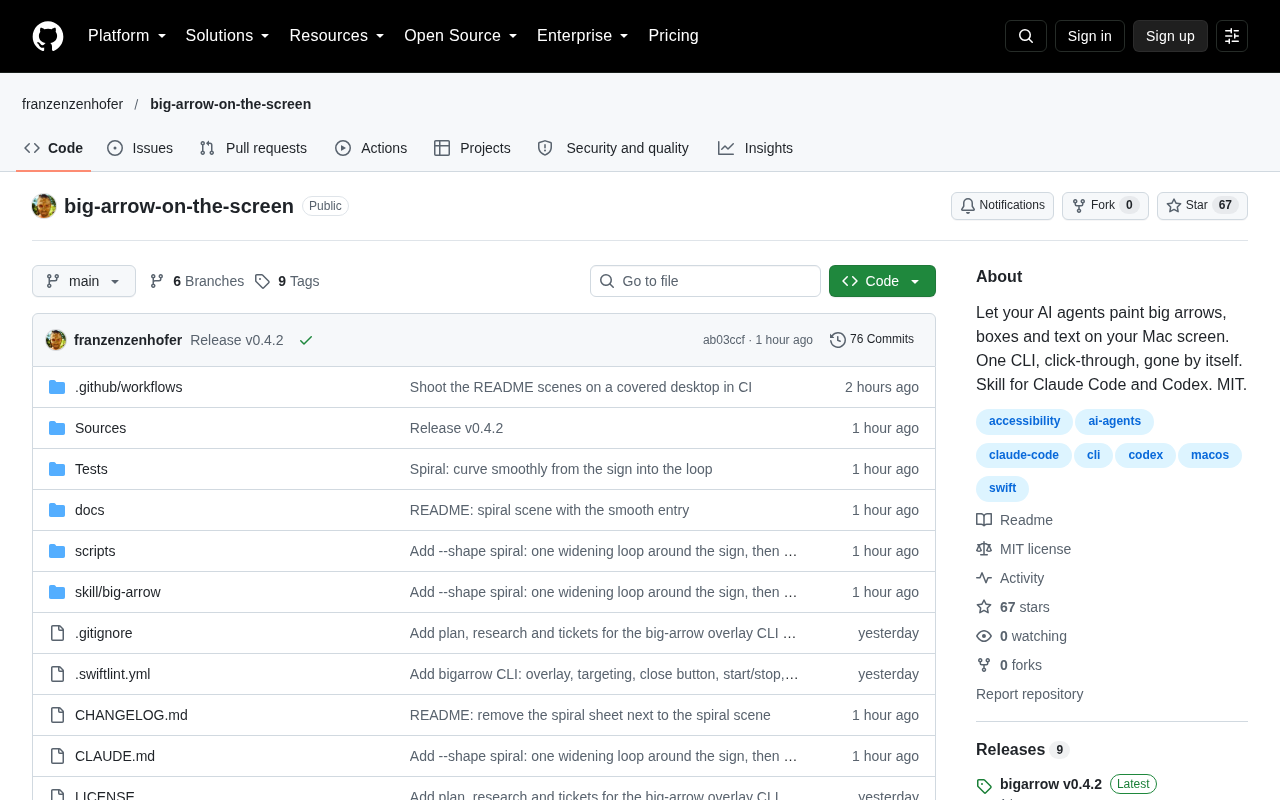
A project that gained traction on Hacker News (64 points, 18 comments) offers a direct answer — let AI agents "draw" large arrows, bounding boxes, and text annotations directly on your screen. This approach transforms an agent's intent from abstract logs and text output into visual signals that are visible to the naked eye.
Why On-Screen Annotations Matter for AI Agents
Today's mainstream AI agent interactions still revolve around text replies, function call logs, or code execution results. Users often have to mentally reconstruct "which window is the agent operating in right now, which button is it clicking" — a significant cognitive burden in complex desktop automation tasks.
On-screen annotation overlays address exactly this "last mile" problem of explainability and observability. By overlaying arrows, highlight boxes, and text descriptions on the actual interface, every step of the agent's intent becomes immediately clear:
- Directionality: Arrows point directly to the UI element the agent is focused on or about to interact with.
- Scope definition: Bounding boxes circle the screen region the agent is currently analyzing.
- Semantic explanation: Text annotations explain the why behind each interaction.
This kind of visualization serves not only user comprehension, but also provides natural material for debugging agent behavior, recording demonstrations, and generating tutorial content.
Key Use Cases
The value of this capability stands out in several scenarios.
Desktop Automation and RPA
In automated workflows, agent operations often span multiple application windows. Real-time arrow and bounding box annotations let observers clearly track each step, making it easy to spot deviations and intervene when necessary.
Teaching and Demonstrations
When using AI to walk through a software workflow, on-screen annotations are the equivalent of a teacher pointing at the screen with a laser pointer. The annotated output can be used directly in screen-recorded tutorials, eliminating the need to manually add arrows and labels in post-production.
Debugging and Observability
One of the biggest pain points for developers building UI-operating agents is the difficulty of reproducing and understanding what the agent "saw" and "intended to do." Projecting these intentions onto the screen in real time is like giving the agent a visible window into its own thinking.
Technical Approach and Trade-offs
The core of implementing screen annotation overlays is rendering a transparent overlay layer on top of everything else — without interfering with the underlying applications. These solutions typically rely on the operating system's window compositing capabilities to draw basic primitives such as arrows, rectangles, and text.
The real challenge isn't the drawing itself, but helping the agent "know where to draw." This requires the agent to understand screen content — either by reading UI element coordinates through an Accessibility API or by recognizing interface structure with a vision model. The accuracy of the annotations is directly tied to the precision of the underlying UI understanding.
Another important trade-off worth noting: can the annotations interfere with the agent's own screen recognition? If the agent relies on screenshots for visual reasoning, and the screen already has its own arrows and boxes overlaid, this could create feedback interference — something that needs to be handled through proper rendering-layer isolation.
A note on Accessibility APIs: The Accessibility API is a standard interface provided by the operating system, originally designed for assistive technologies like screen readers. It allows programs to query the type, position, state, and text content of each UI control in a structured way. On Windows, this primarily manifests as UI Automation (UIA) and the older MSAA framework; macOS provides the AXUIElement system; Linux desktop environments typically rely on AT-SPI. For AI agents, the Accessibility API is a "low-cost shortcut" to precise coordinates: rather than having a vision model infer positions, you can directly read a button's bounding rectangle to place an annotation. However, this approach has its limits — many Electron apps, game interfaces, and custom-drawn controls have inconsistent Accessibility API support, which is why vision-model-based recognition remains necessary. In practice, the two approaches are often combined: use the API where possible, and fall back to screenshot-based visual reasoning where it can't parse the interface.
From "Black Box" to Transparent Agent
This project is small in scope, but it touches on a critical direction in AI agent development — observability and human-AI collaboration. As agents increasingly operate directly within our digital environments, simply "completing the task" is no longer enough. Humans need to be able to understand, trust, and intervene at any time.
Screen annotations are a simple but effective mechanism: they don't change the agent's capability boundaries, yet they dramatically improve how humans perceive agent behavior. As agents gradually take over desktop operations, tools that let AI "draw out its intentions" may well become a standard feature of human-AI collaboration interfaces.
A note on RPA: Robotic Process Automation is the most direct industrial context for this kind of screen annotation technology. Traditional RPA tools like UiPath and Automation Anywhere rely on pre-recorded operation scripts — brittle and expensive to maintain, failing the moment a UI layout changes. The next generation of AI-agent-driven RPA aims to replace hardcoded coordinates with visual understanding and language reasoning, enabling greater generalization. In this evolution, observability has become a core concern for enterprise procurement and compliance auditing: when automated processes handle financial, HR, or customer data, they must leave an auditable operation trail. Screen annotation overlays therefore represent not just a UX improvement, but a potential infrastructure component for meeting audit requirements in enterprise deployments.
Related articles

Chain of Thought Isn't Just for AI: How Humans Can Use CoT to Improve Thinking Quality
Chain of Thought isn't just a prompt trick for large models. Starting from a Hacker News discussion, this article analyzes why CoT works for human thinking too, breaks down actionable ways to transfer it, and highlights the key differences between human CoT and machine CoT.
Cloudflare Teams Up with OpenAI: Closi…
Cloudflare Teams Up with OpenAI: Closing the Loop from Vulnerability Discovery to Defense with AI
Cloudflare uses OpenAI Daybreak to investigate security vulnerabilities and generate reviewable remediation plans, while developers use Codex to boost coding efficiency and quality.

Orca Multi-Agent Orchestration in Practice: A Guide to Parallel Collaboration with Claude and Codex
Orca is Stable AI's free open-source agent workbench supporting 34 agents like Claude Code and Codex in parallel. Learn its Git worktree isolation, multi-model orchestration, and mobile management.