Drowning in GitHub Notifications? This Developer Built an AI-Powered Noise Reduction Tool

GitHub Digest uses three priority tiers and constrained AI summaries to find actionable items in notification noise.
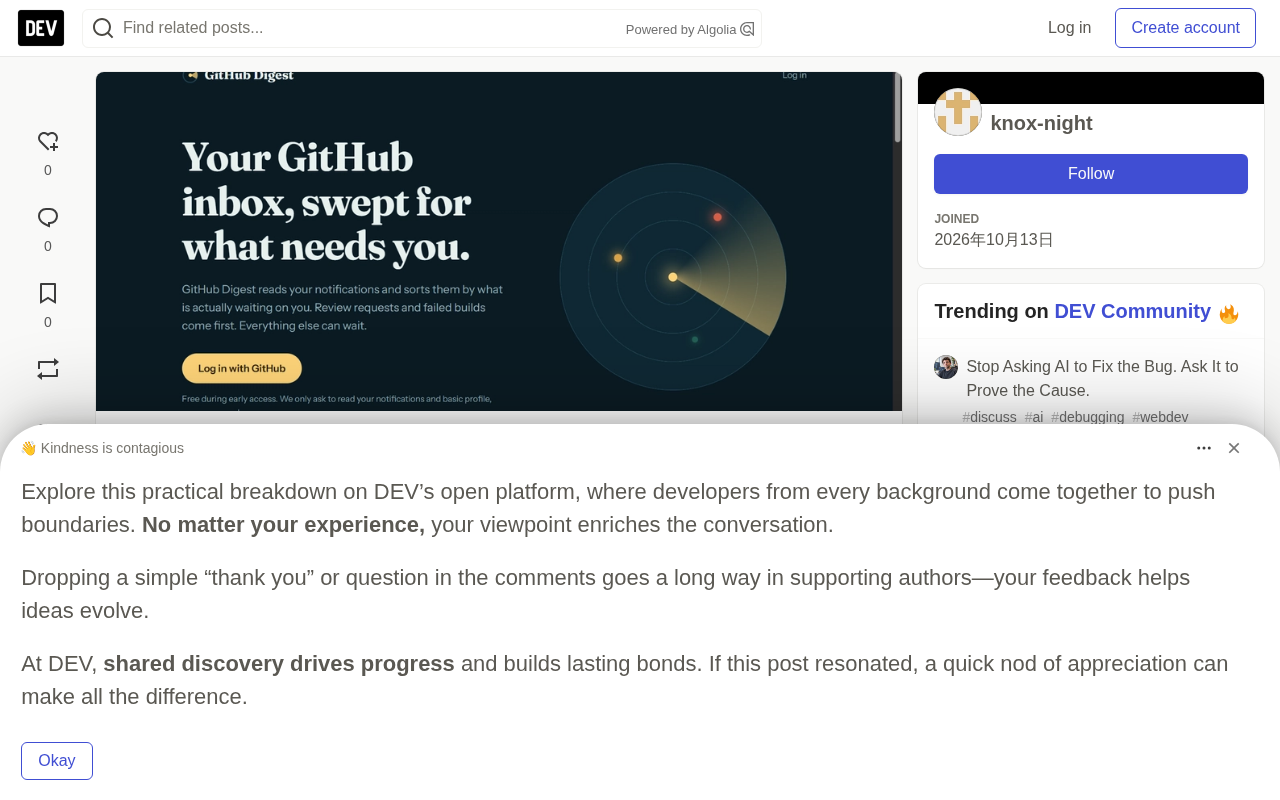
GitHub Digest is an independent tool for GitHub notification overload. It sorts notifications into "Needs you now," "Worth a look today," and "Can wait," with AI short summaries and "Why it's here" reasoning. Review requests over 2 days get a Waiting flag. Built with Node.js + Express, Turso, Gemini, and Render; OAuth requests only read:user and notifications scopes.
GitHub notification pileup is a quiet pain point for many developers: out of hundreds of unread messages, only a handful actually require your action. One developer built a tool called GitHub Digest to tackle this problem using priority classification plus AI summarization.
The Problem: Notifications That Actually Need You Get Buried in Noise
The author describes their real situation — hundreds of unread messages in the notification bar, but no way to tell which ones are waiting for a response and which are just ambient noise. The most typical scenario: a PR review request buried under 40 irrelevant discussion notifications, easily overlooked entirely.
The root cause is that GitHub's native notifications are sorted in reverse chronological order, with no distinction between "is this directed at you" and "does this require action." The more active the repository, the more noise, and the tasks actually blocked on you become harder to find.
The Solution: Three Priority Tiers + One-Line Classification Reasoning
After logging in with a GitHub account, GitHub Digest automatically sorts notifications into three groups:
- Needs you now: review requests, questions directed at you, build failures
- Worth a look today: @ mentions and comments
- Can wait: everything else
Each notification also comes with three layers of information: an AI-generated short summary explaining what the notification wants you to do; a "Why it's here" line, such as "someone needs your review"; and Done and Mute buttons — once handled or muted, the item won't return to the list.
One detail worth mentioning: review requests sitting for more than 2 days get flagged with a "Waiting" marker. This design makes the "procrastinating" state visible, preventing requests from silently rotting in the list.
Technical Implementation: Minimal Permissions, AI Summaries That Don't Touch Content
The author disclosed the full tech stack and several key trade-offs:
- Backend: Node.js + Express
- Login: GitHub OAuth, requesting only
read:userandnotificationsscopes, never touching code repositories - Database: Turso (hosted SQLite), access tokens encrypted before storage
- AI Summarization: Google Gemini, processing only the 20 most urgent threads, and sending only titles, types, classification reasons, and repository names — never notification body text
- Hosting: Render
These constraints show the author made deliberate choices around privacy and permission boundaries: the amount of information AI can see is minimized, tokens are encrypted at rest, and the permission scope covers only notification reading itself. For developers who care about data security, this design offers more reference value than a "just ship it" implementation.
GitHub OAuth's permission system uses scopes to control the data boundary a third-party app can access. read:user only allows reading a user's basic public profile, such as username, avatar, and email; notifications allows reading and managing notifications but cannot access repository contents, Issue bodies, or PR diffs. GitHub has introduced more granular fine-grained tokens in recent years, but OAuth Apps still rely primarily on scopes for control. Therefore, which scopes an app requests directly determines the blast radius if its token is leaked or abused. GitHub Digest requesting only these two scopes means that even if the server is compromised, an attacker cannot use it to read any private repository code — one of the most commendable trade-offs in its permission design.
Turso is a hosted database service built on libSQL (an open-source fork of SQLite), focused on edge deployment and low-latency reads. It's compatible with SQLite's SQL syntax and most ecosystem tools, but provides hosted access over the network and supports an embedded replica mode that lets applications keep a local read-only copy to accelerate queries. For small-to-medium, read-heavy personal projects like GitHub Digest, Turso eliminates the hassle of self-hosting and maintaining a database while preserving SQLite's simplicity. The author specifically mentions that access tokens are encrypted before storage, which addresses the risk of OAuth tokens being readable by internal or external parties once stored in plaintext — an extra layer of protection for sensitive data.
Pitfalls and Iterations: A Mistyped Environment Variable Name in Production Cost Hours of Debugging
The author shared two specific lessons. First, the engineering experience of wiring OAuth, sessions, and the database together end-to-end is more valuable than any tutorial — these integration problems often have no standard answers; you just have to figure them out yourself.
Second, a bug that only appeared in production turned out to be a misnamed environment variable, costing hours. The author's advice is straightforward: check the deployment logs first.
The third iteration came from external feedback. A Reddit user pointed out that priority labels are only trustworthy when they can explain themselves. The author added the "Why it's here" line the same day. This detail shows that the core of a classification tool isn't just sorting accurately — it's also making users understand the classification logic. Otherwise, incorrect priorities actually erode trust.
Environment variable naming errors pass locally but fail in production typically because local development often has defaults, .env files, or IDE-injected variables, while hosted platforms (like Render) require manual configuration in the console. When case, spelling, or prefixes don't match, the code reads the correct value locally but gets undefined in production — causing OAuth callbacks to fail, sessions to be unsignable, or database connections to be rejected. These problems produce no compile-time errors and often manifest as a feature silently failing at runtime, making it easy to suspect code logic first while overlooking configuration. The author's advice to check deployment logs first is precisely because hosting platforms typically print warnings about missing variables during startup or request handling — checking the environment variable list is often faster than line-by-line debugging.
What's Next: Allow Priority Corrections, Email Digest Code Already Written
The author lists two next steps: first, allowing users to manually correct misclassified priorities; second, a daily email digest — the code is written but the toggle hasn't been enabled yet.
The tool is currently free, with the author developing solo and openly soliciting feedback: what's confusing, what's missing, and what feature would actually make you use it. For developers also drowning in notifications, this is a small tool worth watching — it also demonstrates a viable path for solving a specific pain point with minimal permissions plus constrained AI calls.
One-line Summary
GitHub Digest uses three priority tiers and constrained AI summaries to help developers find what actually needs doing amid notification noise.
Paragraph Summary
GitHub Digest is an independent tool targeting GitHub notification pileup. Its core idea is to sort notifications by priority into "Needs you now," "Worth a look today," and "Can wait," attaching an AI short summary and a "Why it's here" line to each. Review requests sitting over 2 days get a Waiting flag to make procrastination visible. The stack uses Node.js + Express, Turso, Google Gemini, and Render. OAuth requests only read:user and notifications scopes, AI summaries send only titles, types, classification reasons, and repository names without transmitting notification bodies, and tokens are encrypted at rest. The author also shares a lesson about an environment variable naming error causing a production bug, and plans to support manual priority correction and enable daily email digests.
Related articles

How Big Can Stars Really Get? The Physical Limits of the Largest Stars
Red supergiants are the largest stars by volume, with radii up to 2,000 times the Sun, engulfing the inner solar system. But there is no precise upper limit on stellar size—models predict up to 15,000 solar radii. The most massive blue stars are far smaller than red supergiants—biggest and heaviest are two different things.

Apple HomeView Smart Display Full Feature Breakdown: Wall-Mount or Desktop, $299
Apple launches HomeView, a $299 smart display with wall-mount and desktop options, 12MP camera for facial recognition, smart home control, music playback, and recipe step-by-step cooking. Full breakdown of watch faces, apps, privacy, and cooking integration.

Where Did the Promised New Studio Go? Craft Computing Answers After Five Years
Craft Computing's host responds to viewer questions: the new studio promised five years ago was shelved as construction costs soared from $30,000 to $75,000, and was replaced by a 168-square-foot garage conversion.