Eliminating Fake Torrents in Sonarr: Building a Truly Hands-Off Media Library

How to stop Sonarr from grabbing fake torrents and build a truly hands-off automated media library.
This article analyzes why Sonarr grabs fake .exe/.scr torrents from public indexers and provides practical solutions: setting quality size minimums, configuring Release Profile keyword filters, applying Prowlarr pre-filtering, and using seeder thresholds. It also discusses the trade-offs between public indexers and private Trackers/Usenet for achieving truly hands-off media library automation.
The Core Problem: "Garbage In, Garbage Out" in Automated Media Libraries
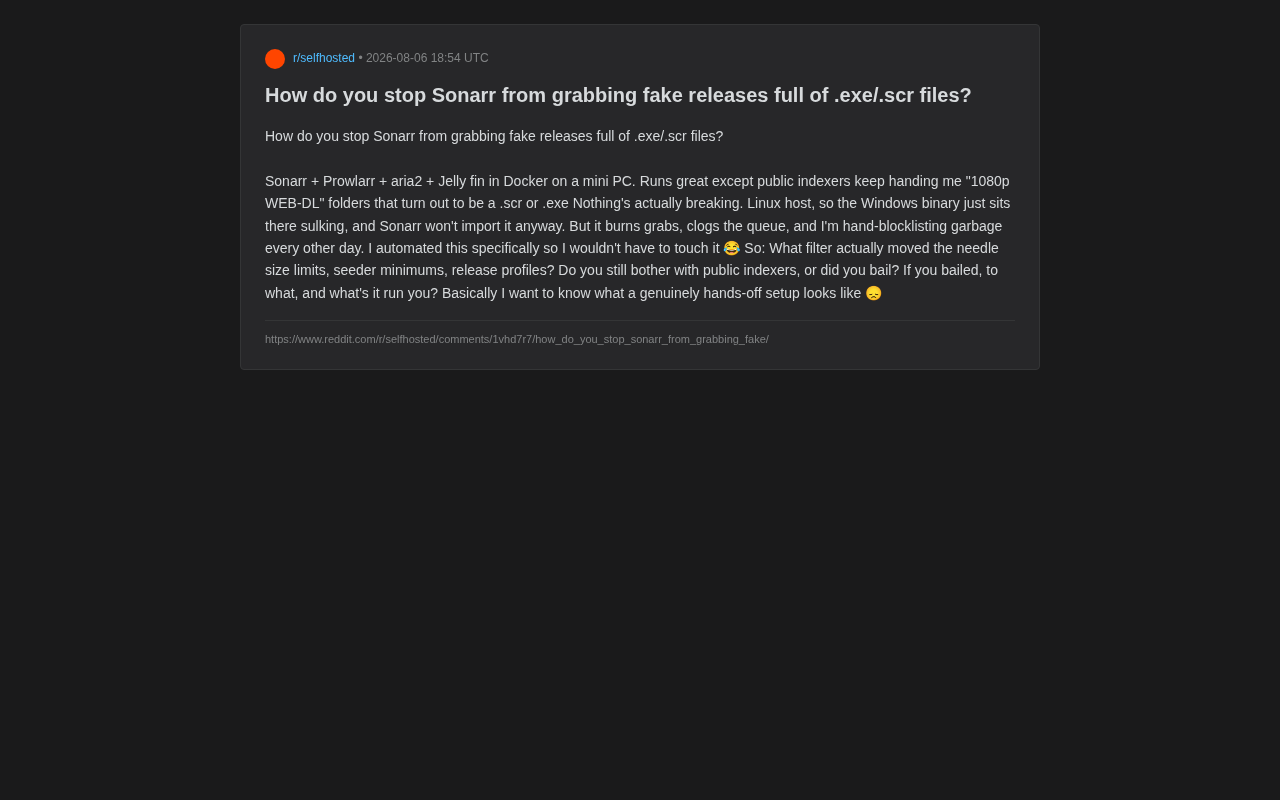
A Reddit user shared his automated media server setup: Sonarr + Prowlarr + aria2 + Jellyfin deployed via Docker on a mini PC. The entire system runs smoothly, but there's one persistent pain point — public indexers keep feeding him fake torrents disguised as "1080p WEB-DL" releases, which turn out to contain .scr or .exe executable files.
Docker containerized deployment is the mainstream architecture choice for self-hosted media libraries. Docker uses containerization to isolate each application (Sonarr, Prowlarr, aria2, Jellyfin) in its own runtime environment, communicating with each other through defined networks and volumes. The advantages of this architecture include: each component can be independently upgraded and restarted without affecting other services; the entire stack can be orchestrated with a single docker-compose file; and migration only requires backing up configuration files and the compose file to quickly restore on new hardware. Mini PCs (such as Intel NUC, N100-series small form factor machines) have become popular choices for home servers due to their low power consumption, silent operation, and compact size — annual electricity costs for 24/7 operation typically don't exceed $15.
Since the host machine runs Linux, these Windows binaries can neither execute nor be recognized by Sonarr for import, so they don't actually "break" the system. But the problem is: they waste grab quotas, clog the download queue, and force the user to manually add items to the blocklist every day or two.
"The whole point of automation is so I don't have to babysit it every day."
This slightly frustrated comment captures the shared aspiration of every self-hosted media library enthusiast: truly hands-off operation. This article will analyze how to filter fake torrents, optimize grab strategies, and address whether to keep or ditch public indexers.
Why Does Sonarr Grab .exe/.scr Fake Torrents?
Sonarr's Automated Grab Workflow
To understand how fake torrents fool Sonarr, you first need to understand how the entire automated grab chain works. Sonarr (for TV shows) and Radarr (for movies) are the core applications in the *arr family. Their workflow goes like this: user adds a desired series → Sonarr queries configured indexers through Prowlarr → results are scored and filtered based on Quality Profiles and Release Profiles → qualifying torrents/NZBs are sent to the download client (e.g., aria2, qBittorrent, SABnzbd) → after download completes, Sonarr automatically renames the file and moves it to the media library directory → Jellyfin/Plex detects the new file and scrapes metadata. In this entire chain, the "grab" is the critical step — once a fake torrent is grabbed, all subsequent steps are wasted.
How Fake Torrents Work
Public indexers (such as various public Torrent/Usenet sites) have no entry barriers — anyone can upload content. Malicious uploaders exploit the naming conventions of popular TV shows and movies (adding enticing keywords like 1080p.WEB-DL.x264), while actually packaging malicious executables or junk files. These fake torrents typically exhibit:
- Abnormal file size: A real 1080p episode is usually 1–4GB per episode, while fake torrents might be only a few MB or a few hundred MB.
- Suspicious file extensions:
.exe,.scr,.lnk,.bat— extensions that should never appear in video resources. - Nested archives: Executables stuffed inside
.raror.zipfiles to evade simple extension filtering.
Why Sonarr's Default Protections Fall Short
Sonarr has some quality identification capability, but it primarily relies on metadata in the release name to determine quality tiers — and fake torrents are precisely crafted to game this. At the grab stage, Sonarr can only see the title information returned by the indexer (e.g., Show.Name.S01E01.1080p.WEB-DL.x264-FakeGroup) and cannot pre-check the actual file list within the torrent. Therefore, with default settings alone, Sonarr easily gets "tricked" into grabbing, only discovering there are no valid media files when it attempts to import after download completion.
Sonarr Fake Torrent Filtering Strategies: What Actually Works
1. Set Reasonable Quality Size Minimums
This is the most cost-effective first line of defense. In Sonarr's Quality Definitions, set a reasonable Min Size for each resolution tier. For example, setting the minimum per-episode size for 1080p WEB-DL to 500MB–800MB or above will directly exclude the vast majority of fake torrents that are only a few MB, preventing them from ever entering the grab queue.
For season packs, you'll need to calculate reasonable thresholds based on episode count. This single trick can filter out a significant proportion of "empty shell" fake torrents.
2. Configure Release Profiles with Keyword Filtering
Sonarr's Release Profiles support Must Contain / Must Not Contain regex keyword filtering. You can configure:
- Must Not Contain: Add keywords like
\.exe,\.scr,\.lnkto directly block torrents whose titles or descriptions reveal executable files. - Preferred: Boost scores for trusted release groups, prioritizing resources from reputable sources.
Note that Sonarr v4 has evolved Release Profiles into the Custom Formats system, providing more flexible scoring and condition combinations. Users can create complex filtering rules based on filename regex, size ranges, indexer tags, and other dimensions.
3. Apply Pre-Filtering at the Prowlarr Level
Prowlarr, as an indexer aggregation management tool, can filter at the source. Prowlarr's core value lies in: unified management of all BT and Usenet indexer configurations; syncing indexers by category to downstream applications like Sonarr/Radarr/Lidarr through Sync Profiles; and supporting independent seeder count filters, priority weights, and search frequency limits for different indexers. It also has built-in support for FlareSolverr to bypass Cloudflare and similar anti-scraping protections. In the fake torrent filtering scenario, Prowlarr can perform an initial screening pass before results reach Sonarr, reducing the judgment burden downstream.
By configuring different priorities and minimum seeder counts for different indexers, and leveraging Prowlarr's sync profiles, you can effectively reduce the chance of low-quality sources reaching Sonarr.
4. Seeder Count and Age Thresholds
Setting a minimum seeder count requirement for BT resources (e.g., Seeders ≥ 3–5) can filter out "dead torrents" with no seeders and suspicious newly uploaded torrents. Fake torrents often lack real user seeders, so this threshold can weed out a lot of junk. Additionally, setting a "minimum age" (e.g., requiring a resource to have been uploaded for at least 15–30 minutes before grabbing) can also prevent grabbing suspicious resources that are too new to have been verified or reported by the community.
Public Indexers vs. Private Trackers: Should You Ditch Public Sources Entirely?
The Inherent Limitations of Public Indexers
The original poster raised a key question: "Are you still using public indexers, or have you ditched them entirely?" This touches on a core contradiction in self-hosted media libraries.
Public indexers have the advantage of being free and barrier-free, but the cost is:
- Rampant fake and malicious torrents;
- Poor seeding quality and unstable download speeds;
- Continuous manual blocklist maintenance required.
In other words, using public sources means you can never achieve truly hands-off operation — the membership fees you save will ultimately be repaid in the form of "manual maintenance time."
The Trust Mechanism of Private Trackers
Private Trackers (PT sites) ensure resource quality through a sophisticated trust and incentive system. Core elements include: invite-only or interview-based admission to ensure users have basic technical literacy and community awareness; strict ratio requirements where users must upload a certain amount of data to continue downloading; upload review systems where new torrents must pass admin or automated tool verification for file integrity and naming standards; and Trump rules that allow higher-quality resources to replace lower-quality versions. From an economics perspective, this system creates an environment where "high maintenance cost = high trust" — the cost for malicious uploaders is extremely high (being banned means losing a painstakingly maintained account and ratio), so fake torrents essentially don't exist. Well-known PT sites like BTN, PTP, and HDB are widely recognized as having industry-leading resource quality.
The Practical Value of Private Trackers and Usenet
The community consensus is clear: for a truly hands-off experience, private Trackers or paid Usenet are unavoidable choices.
- Private BT sites: With strict upload reviews and ratio requirements, fake torrents are virtually nonexistent, and resource quality and seeding health far surpass public sources. The downside is that admission has barriers, and you need to maintain your share ratio.
- Usenet + Indexer: Usenet is a distributed discussion system born in the 1980s that later evolved into an important file-sharing channel. Unlike BT's P2P architecture, Usenet uses a client-server model: files are uploaded to centralized server clusters of Usenet providers, and users download directly from servers at high speed via SSL-encrypted connections — there's no concept of seeding/leeching. The three key components of Usenet are: Provider (services like Newshosting, Eweka, providing download bandwidth and file retention days), Indexer (indexing services like NZBGeek, DrunkenSlug, responsible for parsing and indexing resources on Usenet and generating NZB files), and download clients (like SABnzbd, NZBGet). Since uploading to mainstream Usenet providers requires a certain threshold and indexers have manual review mechanisms, the fake torrent problem is far less prevalent than on public BT sites. Cost-wise, Usenet providers run about a few dollars per month, and indexers typically cost $10–20 per year. For users who prioritize stability, this is the universally acknowledged most hassle-free solution.
Architecture Recommendations for a Truly Hands-Off Media Library
Taking everything into account, a highly automated, low-maintenance media library stack should follow these principles:
- Gate the source: Use private Trackers or Usenet as primary indexer sources; use public sources only as supplements or abandon them entirely.
- Multi-layer filtering: Quality size minimums + Release Profile keyword blocking + Seeder thresholds — a three-pronged approach.
- Reputation first: Use Preferred keywords or Custom Formats to lock in trusted release groups (such as well-known scene groups and P2P internal groups), making the system prioritize grabbing known reliable resources.
- Linux as a natural barrier: As the original poster noted, a Linux host renders Windows malicious binaries completely harmless — this itself is a layer of passive security protection. However, note that if the media library is shared to Windows clients via Samba/NFS, there's still an indirect propagation risk. It's recommended to perform periodic scans with open-source antivirus tools like ClamAV.
- Monitoring and alerting: Leverage Sonarr/Radarr's webhook functionality to integrate with Telegram/Discord notifications. When consecutive grab failures or frequent blocklist triggers occur, alerts fire immediately — upgrading "hands-off" from "completely unmonitored" to "intervene only when anomalies occur."
Conclusion
From the seemingly small problem of .exe fake torrents, we can actually see a fundamental principle of automated media libraries: the quality of automation depends on the quality of the data source. This is identical to the classic software engineering principle of "garbage in, garbage out." You can apply endless filtering rules as patches, but as long as you rely on public indexers that accept anything, you'll never escape the fate of "clearing the blocklist every other day."
For users who truly want a "configure once, enjoy long-term peace of mind" experience, investing a small amount to migrate to private Trackers or Usenet is often more cost-effective than endlessly tweaking filter rules. After all, the ultimate goal of automation is to let you completely forget it exists.
Related articles

Training-Free Object Localization with DINOv2: One-Shot Open-World Detection and Segmentation
Explore a training-free object localization approach using DINOv2 patch embeddings — no fine-tuning needed. Achieve open-world one-shot detection and segmentation with touching instance separation.

How to Spend $100/Month on AI Subscriptions: Single Pro Plan vs. Combo Approach — A Deep Comparison
Should you spend $100/month on ChatGPT Pro alone or combine ChatGPT Plus, Cursor Pro, and SuperGrok? A deep comparison of single vs. combo AI subscription strategies for developers and knowledge workers.

Complete Guide to IT Career Paths: 6 Major Tracks & Education-Matching Strategy
In-depth analysis of 6 IT career tracks: Algorithm Engineer, Large Model Developer, AI+Programming, Embodied Intelligence, FDE, and Intelligent Testing, with probability-based guidance matched to education level.