Excel Now Supports Multiple Values in a Single Cell: A Major Shift in Its Data Model

Excel cells can now natively store multiple values, marking a key step toward a structured data platform.
Microsoft has announced that Excel now supports storing multiple values in a single cell, breaking the software's decades-old "one cell, one value" design assumption. This is more than a display-layer change — it's a foundational expansion of the data model, continuing the trajectory of Dynamic Arrays, spill formulas, and LAMBDA functions. For power users and developers, it promises to simplify handling of JSON and multi-tag records, reducing reliance on helper columns or Power Query scripts. The tech community is divided, with some welcoming the data processing potential and others concerned about added complexity and backward compatibility.
Microsoft recently announced a significant upgrade to Excel's foundational data capabilities — a single cell can now hold multiple values. While this might seem like a minor feature, it strikes at one of Excel's most fundamental design assumptions since its inception: one cell, one value. The announcement garnered over 200 upvotes and nearly 150 comments on Hacker News, reflecting the tech community's keen interest in this change.
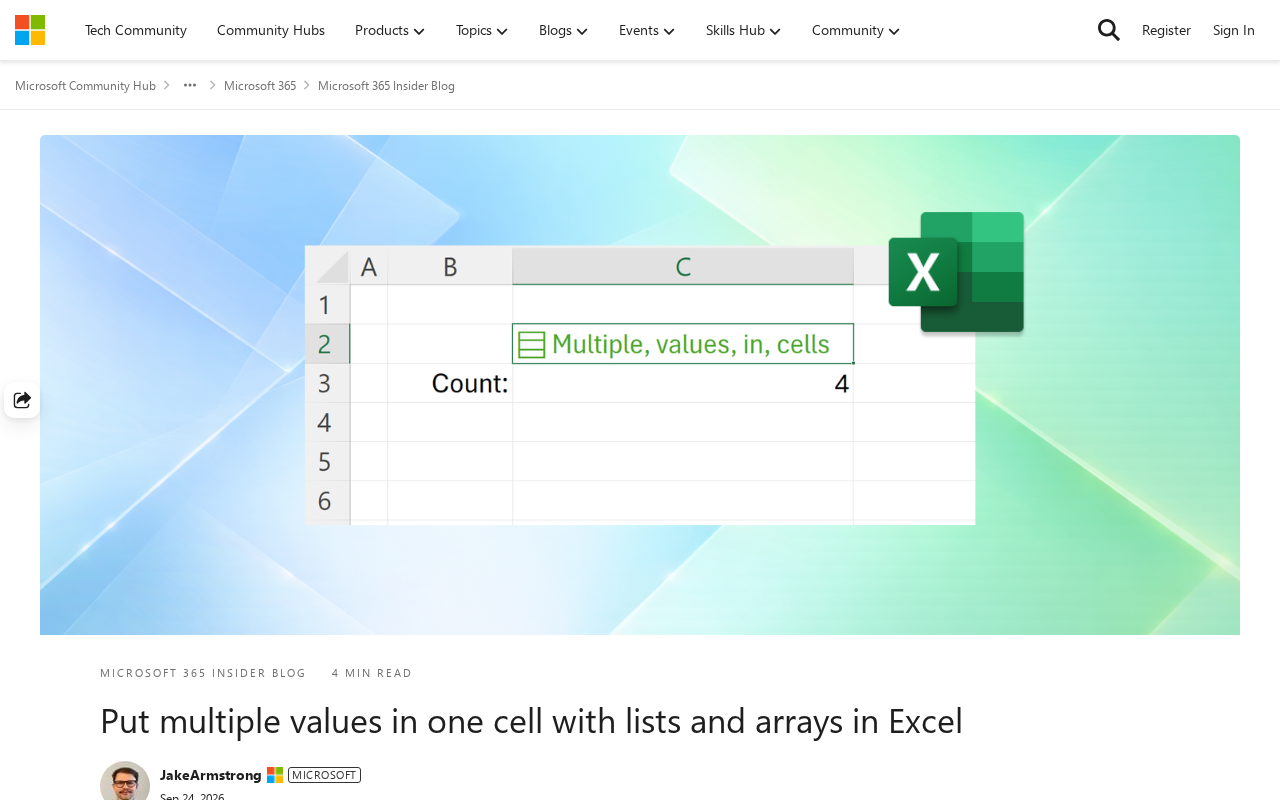
Breaking the "One Cell, One Value" Convention
For decades, Excel's core logic has been built on the premise that a single cell stores a single scalar value — whether a number, text, or date, each cell is essentially an independent data container. When users needed to express multiple related values within a single logical unit — such as multiple phone numbers for one person or multiple items in an order — the traditional workaround was to split columns, concatenate strings with delimiters, or rely on pivot tables and helper sheets.
This update means cells can natively hold a collection of values. This isn't just a display-layer improvement; it's an expansion at the data model level. It brings Excel closer to the expressive power of "arrays" or "nested structures" found in modern databases, and aligns naturally with features Microsoft has been rolling out in recent years, such as Dynamic Arrays and spill formulas.
Dynamic Arrays, introduced to Excel around 2019, allow a single formula to "spill" its results into multiple adjacent cells without manually selecting a range or pressing Ctrl+Shift+Enter. Spill is the core behavior of this mechanism — when a formula returns multiple values, Excel automatically expands the results across the needed rows and columns, with the spill range highlighted by a blue border. Combined with new functions like
FILTER,SORT, andUNIQUE, Dynamic Arrays greatly simplify data operations that previously required complex nested formulas. Multi-value cell support can be seen as an extension of the Dynamic Array concept at the storage layer — where before it was "one formula outputting multiple cells," it now goes further to allow "one cell itself containing multiple values." Together, they form the underlying foundation of Excel's evolution toward structured data processing.
Why This Matters
From a product evolution standpoint, Excel's update trajectory over recent years has become increasingly clear: it is moving from a two-dimensional spreadsheet tool toward a platform with structured data processing capabilities. Features like Dynamic Arrays, LAMBDA custom functions, and Data Types have all been pushing beyond the traditional boundaries of spreadsheets.
Multi-value cell support reinforces this trend. For scenarios involving hierarchical or irregular data, it can significantly reduce the need for helper columns and complex formula stacking. For example, JSON data retrieved from APIs or records containing multiple tags can now land in a spreadsheet in a much more natural way.
Impact on Everyday Users
For most everyday users, this capability may not be immediately noticeable. The real value lies in the foundation it lays for more advanced data operations — how formulas, filtering, and aggregation work in conjunction with multi-value cells will be the key factor determining how practical this feature actually is.
Significance for Power Users and Developers
For analysts and developers who work with data regularly, native multi-value support has the potential to streamline data cleaning workflows and reduce reliance on Power Query or external scripts. It may also affect compatibility expectations for certain existing workbooks, making it worth keeping an eye on how formula references and file formats evolve.
Power Query is a built-in data connection and transformation tool in Excel (and Power BI) that allows users to perform data cleaning, format conversion, and query merging through a graphical interface or M language scripts. It is especially adept at handling complex structured data from APIs, databases, or irregular files. For years, when a data source contained nested objects (such as array fields in JSON), users typically had to perform "expand column" operations in Power Query to flatten the nested structure into multiple rows before it could be used normally in a spreadsheet. If native multi-value cell support can be deeply integrated with Power Query, it could in theory reduce the need for such forced expansion steps — preserving hierarchical relationships until the user actually needs to flatten them — making the overall data processing workflow much cleaner.
Key Themes in the Community Discussion
The lively discussion on Hacker News reflects two contrasting attitudes. Some developers welcome Excel's continued enhancement of data capabilities, seeing it as making the tool more competitive for lightweight data processing use cases. Others worry that new features will further increase Excel's complexity, along with compatibility concerns for existing files and third-party tools.
Spreadsheets have long been described as "the most widely used programming environment," and any change to their fundamental assumptions affects a massive user base and countless existing workbooks. How Microsoft balances capability expansion with backward compatibility will be central to how widely this feature is adopted.
Conclusion
Excel's support for multiple values in a single cell is another step in its data model modernization journey. It continues the evolutionary logic of features like Dynamic Arrays, moving spreadsheets further toward a structured data processing platform. The feature's true potential depends on how deeply it is integrated downstream with the formula system, filtering and aggregation, and file formats. For users who rely on Excel to handle complex data, it is worth closely following its specific implementation details and compatibility behavior.
Related articles

Chain of Thought Isn't Just for AI: How Humans Can Use CoT to Improve Thinking Quality
Chain of Thought isn't just a prompt trick for large models. Starting from a Hacker News discussion, this article analyzes why CoT works for human thinking too, breaks down actionable ways to transfer it, and highlights the key differences between human CoT and machine CoT.
Cloudflare Teams Up with OpenAI: Closi…
Cloudflare Teams Up with OpenAI: Closing the Loop from Vulnerability Discovery to Defense with AI
Cloudflare uses OpenAI Daybreak to investigate security vulnerabilities and generate reviewable remediation plans, while developers use Codex to boost coding efficiency and quality.

Orca Multi-Agent Orchestration in Practice: A Guide to Parallel Collaboration with Claude and Codex
Orca is Stable AI's free open-source agent workbench supporting 34 agents like Claude Code and Codex in parallel. Learn its Git worktree isolation, multi-model orchestration, and mobile management.