FastH3-Live v1.2.0 Benchmarked: Full Optimization Log for Hitting 22fps on a Consumer GPU

FastH3-Live v1.2.0 reaches 22fps on a single consumer GPU through targeted systems-level optimizations.
FastH3-Live v1.2.0 raises real-time video generation from 18fps to 22fps through four coordinated optimizations: acceleration node selection, text encoder replacement, weight scheme comparison, and VRAM tuning. Key findings include Sage+Spectrum as the best speed/quality balance, fused-turbo weights outperforming self-quantized ones thanks to motion smoothing and dual-mode support, and a standout engineering insight — using `--vram-headroom 3` to reserve 3GB of free VRAM drops per-clip timing standard deviation from 1.62 to 0.11, eliminating PCIe-thrashing instability. The author believes water cooling would close the remaining gap to a stable 24fps.
A Performance Breakthrough in Real-Time Video Generation
Real-time performance has always been one of the core challenges facing developers in AI video generation. Recently, a community developer posted detailed notes about the FastH3-Live v1.2.0 update on Reddit, demonstrating how to push real-time video generation frame rates toward near-smooth playback on a single consumer-grade GPU.
According to the author, v1.1.0 ran at 18fps — just 75% of the standard 24fps target — while v1.2.0 jumps to 22fps, covering 91.6% of that benchmark. As the author put it: "At this speed, you can barely tell it's running slow." This improvement isn't just a number — it signals that real-time AI video streaming on consumer hardware is moving from concept to practical reality.
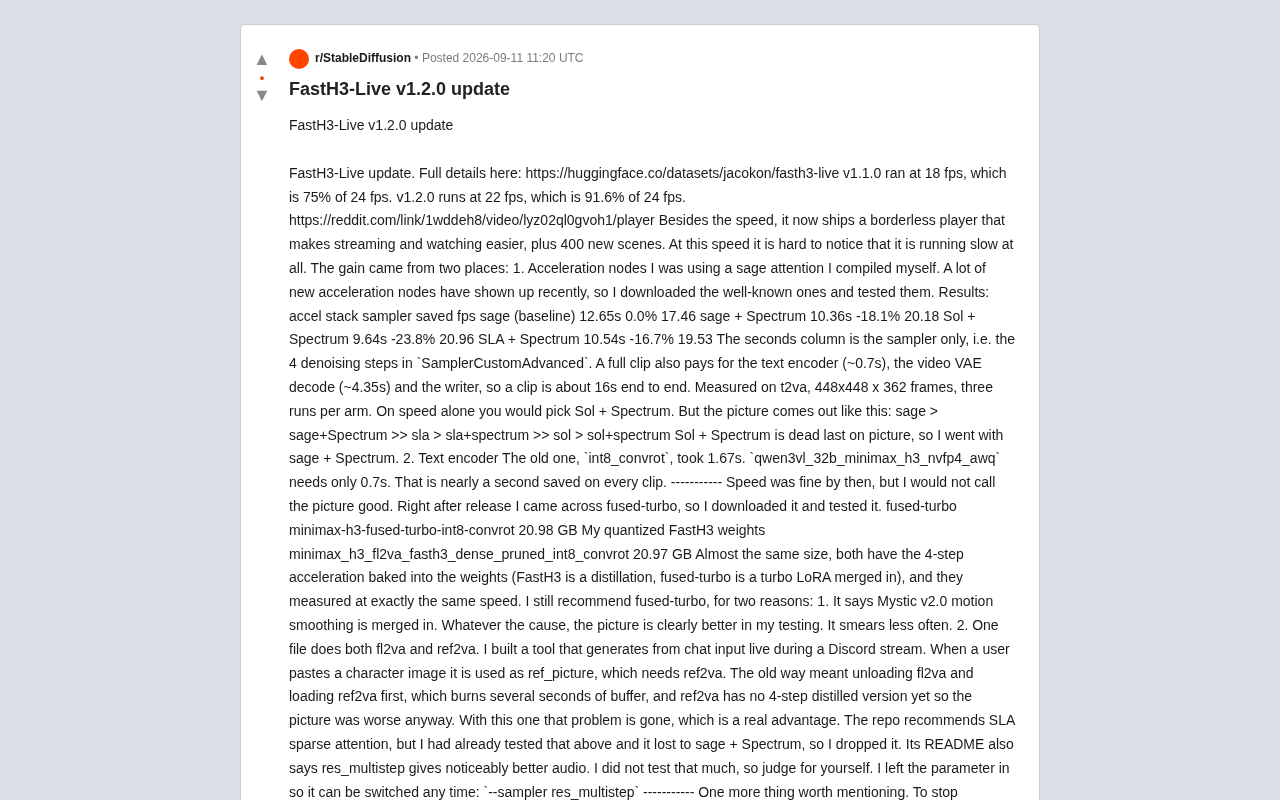
Beyond the speed gains, the new version also introduces a borderless player for smoother streaming and viewing, along with 400 new scenes. Together, these improvements form a complete toolchain targeting real-time applications like Discord livestreaming.
Acceleration Node Benchmarks: Balancing Speed and Quality
The performance gains came primarily from two directions, the first being optimization of acceleration nodes. The author had previously been using a self-compiled version of Sage Attention, but with many new acceleration nodes appearing recently, they systematically tested several popular options.
Sampler Performance Data
Using a t2va task at 448×448 resolution, 362 frames, and three runs per configuration, the author measured the following results (counting only the sampling time for the 4-step denoising inside SamplerCustomAdvanced):
| Acceleration Combo | Sampling Time | Speed Gain | FPS |
|---|---|---|---|
| Sage (baseline) | 12.65s | 0.0% | 17.46 |
| Sage + Spectrum | 10.36s | -18.1% | 20.18 |
| Sol + Spectrum | 9.64s | -23.8% | 20.96 |
| SLA + Spectrum | 10.54s | -16.7% | 19.53 |
From a pure speed standpoint, the Sol + Spectrum combination performed best. However, the author found that speed wasn't the only consideration — image quality ranked in exactly the opposite order: Sage > Sage+Spectrum >> SLA > SLA+Spectrum >> Sol > Sol+Spectrum. Sol + Spectrum came in last on quality, so the author ultimately settled on Sage + Spectrum as the sweet spot between speed and quality.
This detail is worth noting: in generative AI optimization, chasing throughput alone often sacrifices output quality, and real-world deployment requires a rational trade-off between the two.
Extra Gains from Swapping the Text Encoder
The second source of performance gains was replacing the text encoder. The old int8_convrot encoder took 1.67 seconds, while the newly adopted qwen3vl_32b_minimax_h3_nvfp4_awq takes only 0.7 seconds — saving nearly a full second per generation.
It's worth noting that generating a complete video clip involves more than just the sampling step. Time costs also include the text encoder (~0.7s), video VAE decoding (~4.35s), and write operations, bringing the end-to-end time for a video clip to around 16 seconds. This is a reminder that real-time video generation is a systems engineering problem — optimizing any single stage needs to be evaluated in the context of the full pipeline to assess its marginal benefit.
The Practical Choice Between fused-turbo and Quantized Weights
Once the speed issue was partially addressed, the author was still unsatisfied with image quality. Shortly after the release, the fused-turbo approach became available, prompting a comparison test.
fused-turbo (minimax-h3-fused-turbo-int8-convrot, 20.98 GB) and the author's own quantized FastH3 weights (20.97 GB) are nearly identical in size, and both bake 4-step acceleration into the weights — the difference being that FastH3 is a distillation product while fused-turbo merges a turbo LoRA. Measured speed was identical between the two.
Nevertheless, the author recommends fused-turbo for two reasons:
Better image quality. fused-turbo incorporates Mystic v2.0 motion smoothing, and in testing produced noticeably better visuals with less smearing.
More convenient workflow. A single fused-turbo file supports both fl2va and ref2va modes simultaneously. The author built a tool that generates video in real time during Discord livestreams based on chat input, and when users paste character images, ref2va mode is needed. The old approach required unloading fl2va and loading ref2va, wasting several seconds of buffer time — and ref2va had no 4-step distilled version, making quality even worse. fused-turbo resolves both pain points at once.
It's worth mentioning that the fused-turbo repository recommends using SLA sparse attention, but the author's earlier tests had already shown it underperforms Sage + Spectrum, so it was not adopted. The README also mentions that the res_multistep sampler can deliver better audio quality; the author didn't test this deeply but kept --sampler res_multistep as a parameter available for easy switching.
Counterintuitive VRAM Tuning That Actually Works
One of the most valuable engineering insights in this update concerns VRAM management tuning in ComfyUI. The author found that to maintain stable real-time frame rates, the startup parameter --vram-headroom 3 was essential.
The logic here is counterintuitive: forcing ComfyUI to keep 3GB of VRAM completely free actually fixes performance stuttering. The author explains that ComfyUI's dynamic VRAM mechanism treats the GPU like a cache and fills it to capacity. Once there's no headroom, the allocator evicts old weights while loading new ones, causing the same weights to repeatedly shuttle in and out of VRAM — creating thrashing.
Data-Backed Diagnosis
The author used precise measurements to rule out disk swapping and system memory as causes: disk reads were 0.00 GB during the stutter, and available RAM showed no change — the issue was PCIe transfers between VRAM and system RAM. Under normal generation, PCIe reads ran around 1.5 GB/s; during stuttering, they spiked to 9–13 GB/s, while GPU power consumption simultaneously dropped from 450W to 340W — because the GPU was waiting on data transfers rather than doing computation.
After setting the VRAM headroom, the results were immediate: the standard deviation of per-clip generation time dropped from 1.62 (with outliers of 21–25 seconds) to 0.11, with the worst case at just 15.73 seconds. This case study is an excellent lesson in understanding GPU VRAM allocation mechanics, and illustrates how in real-time inference scenarios, stability can matter more than peak performance.
How Far Away Is True 24fps?
In the closing section, the author raises a tantalizing goal: 22fps is only 2fps short of 24fps. Hitting 24fps would mean claiming genuine real-time streaming generation on a single consumer GPU.
With the gap under 10%, and the author's CPU and GPU both running undervolted, underclocked, and power-limited, they tried overclocking the GPU only: core clock from 2300 MHz to 3200 MHz, and memory clock from 14000 MHz to 16800 MHz. Testing showed the hardware could sustain 24fps at the start, with a slight drop-off shortly after.
The author attributes the bottleneck to cooling — both the CPU and GPU use air cooling, which isn't suited for sustained high-load overclocked computation. They believe that with a water-cooling setup, maintaining a stable 24fps should be entirely achievable.
Engineering Lessons for Consumer-Grade Real-Time AI Video
The FastH3-Live v1.2.0 update demonstrates how community developers can push real-time video generation to the edge of practical usability through careful systems engineering: acceleration node selection, encoder replacement, weight scheme comparison, and VRAM management tuning. These optimization insights are highly applicable to any developer deploying generative AI on consumer hardware.
When 24fps real-time generation shifts from requiring professional hardware to being within reach of a single overclocked consumer GPU, the barrier to creating and livestreaming AI video content drops significantly. This may be exactly the kind of inflection point that moves generative AI from the lab into mainstream use.
Related articles

Coinbase Engineer: How to Determine Whether an AI Agent Can Operate Unattended
Coinbase engineer Evan Kormos shares an engineering method for judging whether an AI agent can run unattended: model processes with DAG/DCG, replace output comparison with statistical evaluation, and hand over control in three phases—supervision, sampling, and exception handling.

WorkBuddy Beginner's Guide: How AI Agents Automate Office Tasks
WorkBuddy tutorial: learn how this desktop AI agent workbench automates files, organizes data, and generates documents, compared with LLMs and Codex, plus a beginner path and cost analysis.

Doubao Work in Practice: Three Modes That Let AI Actually Get Work Done
Doubao Work practical tutorial: from chat mode to Work Mode Lite and Pro, explaining the logic for choosing among three modes with real office task demonstrations. Even complete beginners can learn to use an AI agent to handle local files, organize materials, and generate documents.