Fide Island: Turning the MacBook Notch into a Productivity Command Center

Fide Island turns the MacBook notch into a Dynamic Island-style productivity command center.
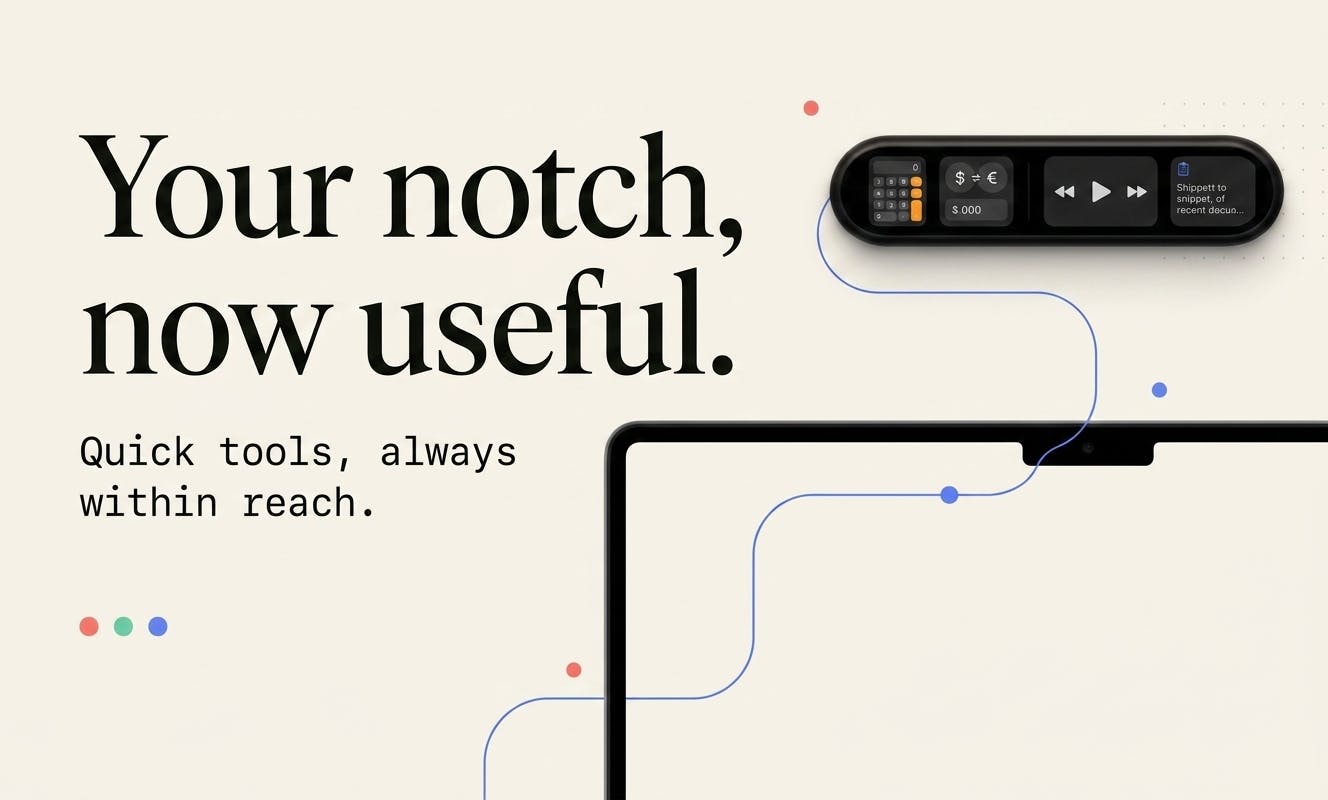
Fide Island is a Mac productivity tool that transforms the MacBook notch into a dynamic command panel inspired by iPhone's Dynamic Island. It integrates media controls, calendar viewing, clipboard management, and quick calculations into one unified hub, helping users reduce context switching and boost workflow efficiency.
The Wasted Notch Space
Ever since Apple introduced the notch design on the MacBook Pro in 2021, this black area at the top of the screen has been a source of constant debate. It houses a high-definition camera module, but it also takes up precious menu bar real estate. For most users, the notch serves virtually no practical purpose — other than occasionally obscuring menu items.
Fide Island, recently launched on Product Hunt, wants to change that. Built by developer Sergey Murzak, this Mac productivity tool transforms the MacBook notch into a compact, fluid "command hub." Since its launch, it has earned 92 upvotes and ranked 15th on the Product Hunt daily leaderboard.
Fide Island: Key Features at a Glance
Fide Island's design philosophy is straightforward: let users perform a range of common tasks without leaving their current workflow. Drawing inspiration from iPhone's Dynamic Island interaction model, it turns the static notch area into a dynamic panel that can expand and collapse.
All-in-One Integration
According to the official description, Fide Island integrates the following categories of features:
- Media Controls: Play, pause, and skip tracks without switching to your music app.
- Calendar View: Glance at upcoming events and schedules at any time.
- File & Clipboard Management: Keep frequently used files and clipboard history right at your fingertips for quick access.
- Quick Calculations: Perform simple math operations directly from the notch area.
- System Feedback: Display system status changes in a visual, intuitive way.
This "all-in-one, always accessible" design essentially consolidates common actions scattered across the menu bar, Dock, and various apps into a single, unified entry point. For efficiency-minded Mac users, reducing context switching is the key to boosting productivity.
From "Design Flaw" to "Interaction Innovation"
Fide Island isn't the first app to target the MacBook notch. Products like NotchNook and Boring Notch have already explored similar territory, mostly mimicking the iPhone Dynamic Island's form factor to turn the notch into a hub for information display and quick actions.
The continued emergence of these products reflects an interesting phenomenon: a "compromise" in hardware design has actually created fertile ground for software innovation. Apple originally introduced the notch as an engineering trade-off — a way to slim down bezels while retaining the camera module. Third-party developers have astutely recognized that rather than leaving this area idle, they can give it real interactive value.
Judging from Fide Island's emphasis on a "fluid command surface," the team has put considerable effort into visual animations and interaction logic, aiming to make the notch's expand-and-collapse behavior feel as smooth and natural as iPhone's Dynamic Island.
Product Positioning and Target Users
Fide Island is categorized under "Productivity," "Menu Bar Apps," and "Apple" — making its target audience crystal clear: power Mac users who want to squeeze value out of every inch of screen space and optimize their workflow to the fullest.
These small, polished utilities typically share a few common traits: they're lightweight, focused, and work right out of the box. They don't aim to be all-encompassing platforms; instead, they solve a specific pain point. For MacBook users who've long been "bothered" by the notch, Fide Island offers a way to turn a passive annoyance into an active advantage.
That said, tools like this face shared challenges: compatibility with macOS system updates is one concern, and establishing differentiation against competitors like NotchNook and Boring Notch is another. With only 12 comments so far, the volume of feedback is still relatively small, and the actual user experience and long-term stability remain to be validated by a broader user base.
Final Thoughts
Fide Island represents a classic case of "working with what you've got": since the notch is unavoidable, why not make it genuinely useful? By integrating media controls, calendar, clipboard management, quick calculations, and more into this otherwise idle space, it opens up a new efficiency gateway for MacBook users.
For creative professionals and developers who frequently juggle multiple tasks, this kind of Mac productivity tool is worth trying out. It won't revolutionize your workflow, but it might quietly save you countless window switches throughout the day. And that's precisely where great productivity tools deliver their value.
Related articles

Python 3.15 New Feature: Is the sentinel Type Better Than None?
Python 3.15 adds the sentinel type, using named unique sentinel objects to replace None and bare object(), resolving confusion among missing values, explicit emptiness, and invalid input while avoiding type hint failures.

Deep Learning's Three Architectures and the Universal Approximation Theorem: A Complete Guide to MLPs, CNNs, and Transformers
Explaining the inductive bias differences among MLP, CNN, and Transformer, the existence meaning of the Universal Approximation Theorem (UAT), and the role of Taylor expansion in approximation analysis, while clearing up common misconceptions.

GitLab Emergency Patch Release: Analysis of Critical Security Fixes
GitLab releases critical patch 19.5.1, sparking 355 points of discussion on Hacker News. This article analyzes the background, upgrade steps for self-hosted instances, and verification points to help DevOps teams respond quickly to security updates.