Firebase Studio in Action: Build an AI App in 5 Minutes

Firebase Studio generates and deploys an app from a natural language prompt in five minutes—but security still needs a human touch.
This article introduces Firebase Studio, the AI-driven development environment Google showcased at DevFest Sousse 2025. It supports natural language requirements and automatically generates web apps, mobile apps, and even AI agents, with features like point-and-click editing, annotation drawing, code explanation, and scoped updates that lower the barrier to entry. It also offers one-click integration with Firebase and Google Cloud, enabling the entire journey from prompt to deployment in five minutes. The article also emphasizes a security warning: AI assistance is not the same as no-code, and a lack of security awareness can lead to user data leaks. It's ideal for rapid prototype validation, team collaboration, and technical learning, but is better suited for developers with some technical foundation who want to improve efficiency.
When Ideas Meet Execution: What Is Firebase Studio
Have you ever had a brilliant app idea, only to shelve it because setting up servers and writing front-end and back-end code seemed too complex? At DevFest Sousse 2025, AI solutions architect and Google Developer Expert Mariam Aslam shared a prototyping tool that can turn your idea into reality in minutes—Firebase Studio.
Firebase Studio is an AI-driven development environment that supports building web apps, mobile apps, databases, and even AI agents. You can write code in the languages you're already familiar with (Python, JavaScript, TypeScript, etc.)—just give it a clear prompt, and it will generate the app framework for you. Mariam emphasized that the entire process—from building and testing to deployment—can be completed in five minutes.

Breaking Down the Core Features: From Prompt to Running App
Firebase Studio's capabilities go far beyond generating code. It offers a range of features designed around the goal of "rapid prototyping" that lower the barrier to development.
Describe Your Requirements in Natural Language
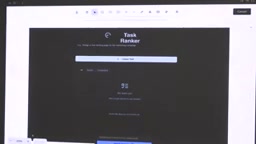
You simply describe the app you want to build in natural language, and Firebase Studio will analyze your intent and generate a feature description for you to confirm. For example, in the demo, Mariam asked it to create a "task ranker": you input tasks, and the AI judges their difficulty (easy, medium, hard) and color-codes them. The system first presents a feature list, and once you confirm, it starts building.

Point-and-Click and Annotation: Real-Time Edits Without Code
In the prototype interface, you can directly click on UI elements and modify them. Mariam demonstrated two intuitive editing methods:
- Point-and-click editing: Click a button and type "rename the button to 'Create Task'"—the system will locate it in the code and update it.
- Annotation drawing: Draw lines, add text, or drag images onto the interface, and the AI will translate these visual instructions into code.
From Prototype to Code: Editor Mode with AI Assistance
Switching to editor mode takes you into a full development environment similar to VS Code. Here are some AI features that are very developer-friendly:
- Explain code: Select any code block and have the AI add comments or explain what it does.
- Scoped updates: Modify only the selected code segment without affecting other parts—similar to Cursor AI's functionality.
- Terminal integration: Open a terminal directly in the interface to install dependencies or run commands.

Cursor AI is an AI code editor deeply customized based on VS Code, whose core capability is "conversational scoped editing": you can select a piece of code, describe your intended change in natural language, and the AI only rewrites the selected range without touching other parts of the file. This "scope-controlled" editing approach solved the problem of early AI programming tools rewriting entire files and breaking existing logic. Firebase Studio's scoped update feature follows the same philosophy as Cursor—constraining the AI's output to the code range the developer has explicitly delineated, thereby reducing the risk of unintended changes. Understanding this mechanism helps you judge: whether AI-generated code is trustworthy depends largely on how precisely you've defined the scope.
Security Warning: AI Is Not a Panacea
Mariam highlighted a real case in her talk: someone built and deployed an app using Cursor AI, but due to a lack of security safeguards, all user data was exposed—anyone could simply right-click to access customer data.
She pointed out that even with AI assistance, developers still need to understand the basic logic of the code, especially when it comes to security. You don't have to be a programming expert, but you can't be completely ignorant of code. While Firebase Studio simplifies development, it is not a "no-code" tool—it's an "AI-assisted" tool. It requires users to have some technical judgment so they can set up necessary safeguards.
Target Audience and Use Cases
Firebase Studio is suitable for the following scenarios:
- Rapid prototype validation: Quickly build interactive prototypes before committing significant resources.
- Team collaboration: Easily share project links so product managers, designers, or other developers can review and provide feedback.
- Learning and exploration: Accelerate learning new tech stacks through AI-generated code and explanations.
Mariam also cautioned that if you have no programming background at all, you can certainly try it, but you might overlook critical aspects like security and performance. Therefore, it's better suited for developers with some technical foundation who want to boost their development efficiency.
Live Demo: Building and Deploying a Task Ranker
To demonstrate the complete workflow, Mariam built a task ranking app live. After she entered the prompt, the system chose Next.js, TypeScript, and Gemini as the tech stack. During generation, the system prompted for a Gemini API key, which could be auto-generated with a single click.
She then entered three tasks: "Walk the dog," "Book an appointment with the right doctor," and "Create a digital assistant for a banking app." The AI rated them as "easy," "medium," and "hard" respectively, along with reasons for each rating. Finally, she clicked "Publish," selected a billing account, and the app was deployed within five minutes, generating a publicly accessible URL.
Mariam concluded with a reminder: "This is just a prototype—please don't enter any customer data into the demo app."
A Gemini API key is the credential for calling Google Gemini large model capabilities. In environments like Firebase Studio, the app needs to use this key to send requests to the model (for example, to judge task difficulty) and receive results. "Auto-generated with a single click" in the demo means the key is automatically created and bound through a Google Cloud project, eliminating the manual steps of applying, copying, and pasting. It's important to note that once an API key is leaked, others can use your account quota to call the model, incurring costs or even abuse risks. Therefore, in real projects, keys should not be hardcoded into front-end code but stored on the server side or in environment variables, with the backend forwarding requests on your behalf—this is the concrete manifestation of the article's emphasis that "AI assistance does not remove security responsibility."
One-line Summary
Firebase Studio generates and deploys an app from a natural language prompt in five minutes—but security still needs a human touch.
Paragraph Summary
This article introduces Firebase Studio, the AI-driven development environment Google showcased at DevFest Sousse 2025. It supports describing requirements in natural language and automatically generating web apps, mobile apps, and even AI agents, with features like point-and-click editing, annotation drawing, code explanation, and scoped updates that lower the barrier to entry. It also offers one-click integration with Firebase and Google Cloud, enabling the entire journey from prompt to deployment in five minutes. The article also emphasizes a security warning: AI assistance is not the same as no-code, and a lack of security awareness can lead to user data leaks—developers still need to understand the basic logic of the code. It's ideal for rapid prototype validation, team collaboration, and technical learning, but is better suited for developers with some technical foundation who want to improve efficiency.
Related articles

How Big Can Stars Really Get? The Physical Limits of the Largest Stars
Red supergiants are the largest stars by volume, with radii up to 2,000 times the Sun, engulfing the inner solar system. But there is no precise upper limit on stellar size—models predict up to 15,000 solar radii. The most massive blue stars are far smaller than red supergiants—biggest and heaviest are two different things.

Apple HomeView Smart Display Full Feature Breakdown: Wall-Mount or Desktop, $299
Apple launches HomeView, a $299 smart display with wall-mount and desktop options, 12MP camera for facial recognition, smart home control, music playback, and recipe step-by-step cooking. Full breakdown of watch faces, apps, privacy, and cooking integration.

Where Did the Promised New Studio Go? Craft Computing Answers After Five Years
Craft Computing's host responds to viewer questions: the new studio promised five years ago was shelved as construction costs soared from $30,000 to $75,000, and was replaced by a 168-square-foot garage conversion.