FlyEnv Plugin Review: Visually Running llama.cpp and Managing GGUF Models
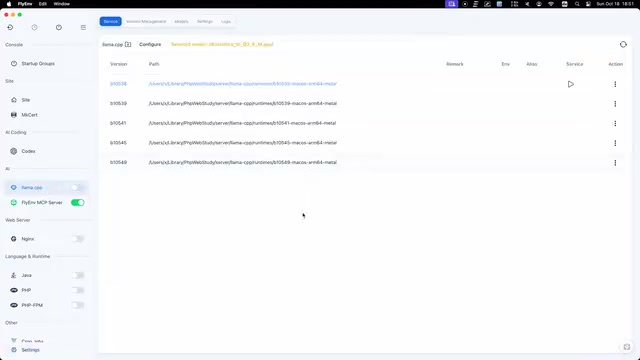
FlyEnv releases a llama.cpp graphical plugin integrating runtime, GGUF model, and inference parameter management.
FlyEnv's official llama.cpp plugin exists as a plugin marketplace module—install and enable it without maintaining separate service processes. It supports multiple Metal runtime versions side by side for easy rollback and compatibility checks; the model library indexes public GGUF repositories with name search and labels files as main model, shard, draft, MTP, and multimodal projector to reduce selection errors. Parameters cover context size, threads, and GPU layers, with templates, thinking mode, speculative decoding, and sampling saved with the model. It also offers unsaved edit protection and one-click launch—ideal for Apple Silicon developers frequently switching models, though dependence on FlyEnv adds some learning cost.
The barrier to local LLM inference is being continuously lowered by tooling. FlyEnv's official llama.cpp plugin aims to integrate Metal runtime version management, GGUF model downloads, and inference parameter configuration into a single graphical interface. For developers who don't want to repeatedly assemble command-line arguments in a terminal, this approach is worth a look.
Plugin Positioning: An Inference Runtime Manager in the Official Plugin Marketplace
The FlyEnv llama.cpp plugin is not a standalone application but a module in the official plugin marketplace—install it and enable it in place. This means it reuses FlyEnv's existing environment management capabilities, so users don't need to maintain a separate set of service processes or configuration files.
In terms of its role, it serves as a "local inference console": managing llama.cpp runtimes and model files underneath, while providing visual configuration entry points on top. This positioning is similar to tools like LM Studio and Ollama, but leans toward lightweight integration rather than an all-in-one suite.
GGUF is the model file format led by the llama.cpp project, short for GPT-Generated Unified Format (continuing the naming evolution from the earlier GGML), designed to package model weights, tokenizer configuration, hyperparameters, and metadata into a single file for easy distribution and loading across different hardware backends. Compared to PyTorch's combination of .bin/.safetensors plus separate config files, GGUF's "self-contained single file" characteristic has made it the de facto standard for local inference tools, with a large number of community quantized models on Hugging Face published in this format. GGUF supports multiple quantization schemes (such as Q4_K_M, Q8_0), allowing the same model to trade off between size and precision—one reason why multiple files with the same model name exist in model libraries.
Runtime Management: Multiple Metal Versions Side by Side
The plugin supports installing and retaining multiple Metal runtime versions coexisting side by side. This is useful for users who need to verify behavior across different llama.cpp builds—after upgrading to a new version, you don't have to immediately delete the old one, and you can quickly roll back if compatibility issues arise.
The Metal backend indicates that the current implementation primarily targets the Apple Silicon platform, leveraging the unified memory architecture for GPU-accelerated inference. The plugin doesn't abstract the runtime into a single "latest version" but retains the version dimension—a design choice that's friendlier for stability-first scenarios.
Model Library: Indexing Public GGUF Repositories with Local Categorization
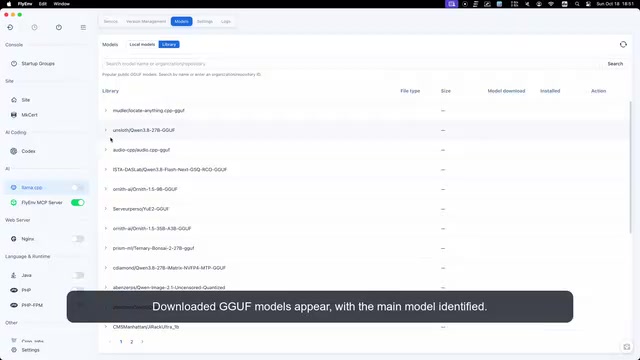
Model management is one of the plugin's core features. According to the video demo, its model library indexes public GGUF repositories and supports searching by name. Downloaded models appear in the local list, with the main model automatically identified.
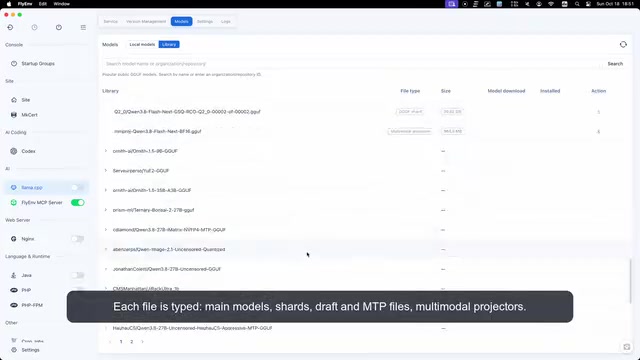
A finer layer is file type labeling. The plugin marks each file with its corresponding role: main model, shard, draft model, MTP file, multimodal projector. In the GGUF ecosystem, a model directory often mixes files for multiple purposes, and manual distinction is error-prone—typed labeling reduces the probability of picking the wrong file.
Speculative decoding is an inference technique that accelerates autoregressive generation without changing the output distribution: a smaller, faster "draft model" first guesses several candidate tokens in sequence, then the target large model verifies these candidates in parallel at once, accepting matching portions, rejecting mismatches, and resampling from the point of divergence. When the draft model's distribution is close to the target model's, most candidates are accepted, compressing multiple serial forward passes into a few parallel verifications and significantly reducing latency. This is why the plugin labels draft models separately and manages them alongside speculative decoding parameters—enabling this acceleration requires pairing the target model with a compatible smaller model.
Parameter Configuration: Context, Threads, and GPU Layers
The model settings section covers llama.cpp's common tuning options: context size, thread count, and GPU layers. These three directly determine the balance between VRAM usage and inference speed, and are the most frequently adjusted parameters in local deployment.
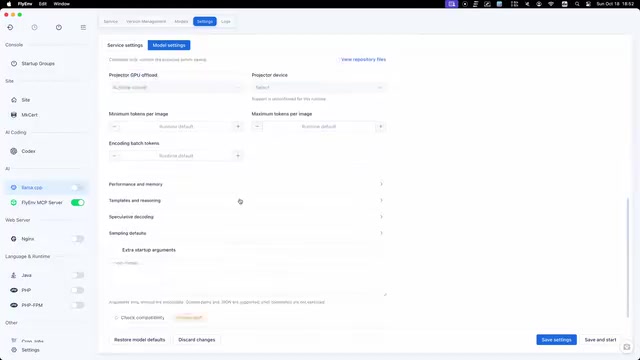
The video also mentions that templates, thinking mode, speculative decoding, and sampling parameters are saved along with the model. Binding configuration to the model rather than globally means presets automatically follow when switching models, reducing repetitive configuration work. The side-by-side appearance of draft models and speculative decoding indicates targeted support for accelerating the inference pipeline.
GPU layers (typically corresponding to llama.cpp's -ngl / --n-gpu-layers parameter) control how many layers of model weights are offloaded to the GPU for execution, with the remaining layers staying on the CPU. Due to limited VRAM capacity, setting the layer count too high can cause loading failures or trigger memory swapping, while setting it too low pushes a large amount of computation back to the CPU and noticeably slows inference. For the Metal backend, Apple Silicon's unified memory architecture lets the CPU and GPU share the same memory, making offloading constraints relatively relaxed, but space still needs to be reserved for the system and other applications. In practice, it's common to start from "the maximum number of layers that fit" and then adjust back based on measured throughput and memory pressure—together with context size, this determines the memory usage ceiling for a single inference.
User Experience: Unsaved Edit Protection and One-Click Launch
In terms of details, the plugin protects unsaved configuration changes to prevent accidental loss of adjustments. Launching inference takes just one action—llama.cpp immediately serves using the selected model and reports text input status.
This workflow compresses "select model—tune parameters—start service" into graphical operations, suitable for developers who need to frequently switch models for comparison testing. However, the plugin depends on FlyEnv itself, which introduces some learning cost for teams unfamiliar with the tool.
Who It's For
If your workflow centers on local LLM inference on Apple Silicon, and you want to retain multiple runtime versions, perform typed management of GGUF files, and persist parameters, this plugin offers a complete but not over-abstracted solution. Users accustomed to full command-line control may still find the graphical layer to be an extra layer of abstraction.
One-line Summary
FlyEnv releases a llama.cpp graphical plugin integrating runtime, GGUF model, and inference parameter management.
Paragraph Summary
The FlyEnv llama.cpp official plugin exists as a plugin marketplace module—install and enable it without maintaining separate service processes. It supports multiple Metal runtime versions coexisting side by side for easy rollback and compatibility verification after upgrades; the model library indexes public GGUF repositories with search by name, and labels files as main model, shard, draft model, MTP, and multimodal projector, reducing the chance of picking the wrong file. The parameter section covers context size, thread count, and GPU layers, with templates, thinking mode, speculative decoding, and sampling configuration saved with the model so presets follow automatically when switching models. The plugin also provides unsaved edit protection and one-click service launch—suitable for developers frequently switching models for comparison testing on Apple Silicon, though its dependence on FlyEnv itself introduces some learning cost.
Related articles
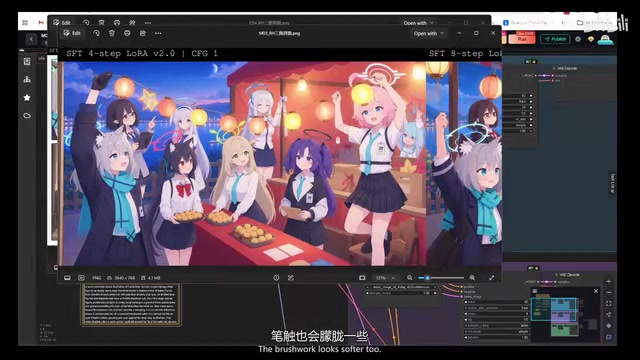
MOSS Image Acceleration LoRA Tested: How Big Is the Gap Between 4 Steps and 8 Steps?
Bilibili creator tests MOSS Image acceleration LoRA: 4-step vs 8-step compared with native 25-step across anime, multi-person, and comic scenes. 4-step is more stable but hazy in detail; 8-step has composition misalignment. Note SFT vs 2.0 version selection. Full workflow and parameters included.
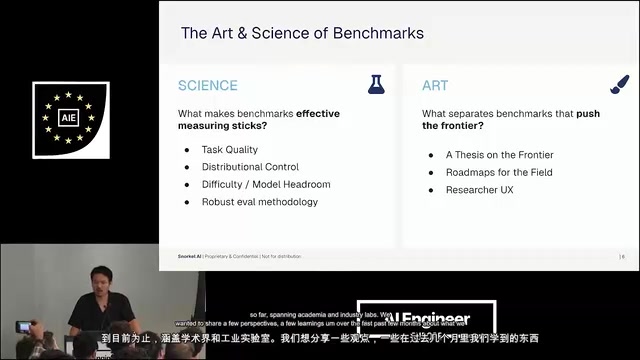
Agent Deployment Stuck at Evaluation: Snorkel AI Breaks Down Six Rules for Effective Benchmarks
Snorkel AI co-founder Vincent breaks down the Agent evaluation gap: from task quality, distribution diversity, model headroom to evaluation methodology, analyzing the science and art of effective benchmarks and looking ahead to next-gen directions like environment complexity and autonomy duration.
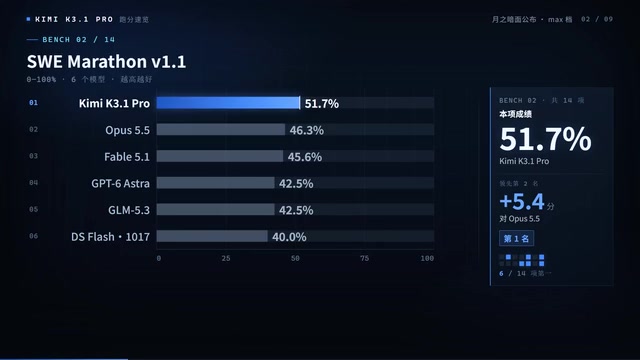
Kimi K3.1 Pro Benchmark Results Revealed: First Place in 6 of 14 Tests, Coding Nearly Catches Opus
Kimi K3.1 Pro benchmark results: first place in 6 of 14 tests, field-task coding 51.7 beats Opus, terminal combat 65.7 just 0.7 behind, hallucination rate drops from 23.4% to 8.3%, high-speed version supports million-token context with open weights planned.