Fotor Video Agent: A Deep Dive into the AI Tool That Generates Editable Videos Through Conversation

Fotor Video Agent generates videos through chat while keeping every element editable on a multi-track timeline.
Fotor's Video Agent topped Product Hunt on launch day by solving a core AI video problem: the black-box output. It uses natural language conversation to handle scene composition and motion effects, while keeping text, data, logos, and charts as independently editable elements on a multi-track timeline. This "AI drafts, human refines" model lets marketers produce polished videos without knowing keyframe animation — and update data or brand elements instantly, without regenerating the entire video.
Generate Videos Through Conversation — Without Losing Precise Control
AI video generation tools have exploded in number over the past two years, yet most of them share the same fundamental awkwardness: the output is a "black box." You enter a prompt, wait for rendering, then have no choice but to accept the result wholesale or start from scratch. For commercial use cases that demand precise control over text, data, logos, and brand elements, this lack of controllability is practically a fatal flaw.
Fotor recently launched Video Agent on Product Hunt, aiming squarely at this pain point — and the response was immediate, earning 202 upvotes and 16 comments to claim the #1 spot of the day across the Design Tools, Artificial Intelligence, and Video categories.

Its core positioning is clear: create and edit precise motion graphics and videos through chat. In other words, Video Agent wants to preserve the efficiency of AI generation while returning final creative control to the creator.
What Problem Does Fotor Video Agent Actually Solve?
According to the official introduction, Video Agent is designed for founders, marketers, and content creators — three groups with a common trait: they frequently need to transform ideas, scripts, or raw materials into promotional or explainer videos quickly, but lack professional motion design skills and have no time to manually adjust keyframes.
In a traditional workflow, producing a promotional video with kinetic typography, data charts, and visual effects typically requires proficiency in professional software like After Effects — high cost, long turnaround. Video Agent's approach is to let AI handle the heavy lifting of composition and layout, dramatically lowering the barrier to video production.
The Dual Advantage: Automatic Composition + Full Editability
Video Agent automatically arranges scenes, timelines, visual effects, and animated captions, freeing creators from scattered technical details. But the real differentiator is the second part — it keeps text, numbers, logos, and charts in an editable state on a multi-track timeline, all the way until you confirm rendering.
What does that mean in practice? Imagine this scenario: you've finished a quarterly performance video, and the numbers get updated right before launch. With a traditional AI video tool, you'd likely need to regenerate the entire video. With Video Agent, you simply edit that number directly on the timeline — no regeneration required. As the team puts it: "update stats at the last minute, or fine-tune timing, without regenerating the entire video."
A multi-track timeline is the core interaction paradigm of professional video editing software, popularized by tools like Premiere Pro and Final Cut Pro. It stacks video, audio, subtitles, and effects on separate layers along a shared timeline, allowing editors to work on each track independently without affecting the others. This structure makes "local edits" possible — changing a number doesn't require touching anything else in the video. By bringing this interface logic into an AI generation workflow, Video Agent establishes a clear division of labor: AI handles the initial composition, humans retain direct control over each layer. For marketers without a professional editing background, the visual track structure is also far more intuitive than issuing abstract "regenerate" commands.
The Product Philosophy: Zero Black-Box Outputs, No Tedious Keyframes
Video Agent repeatedly emphasizes two keywords in its messaging: zero black-box outputs and no tedious keyframes. These two points speak directly to the two biggest anxieties users have with current AI video tools.
The first anxiety is the unpredictability of AI-generated output. Most text-to-video products chase "stunning one-click generation," but for commercial deliverables, predictability and editability matter far more than being impressive. By breaking generated results into operable layers and tracks, Video Agent seeks a balance between AI efficiency and the controllability of professional software.
The second anxiety is the steep learning curve of professional tools. Keyframe animation is the foundation of motion design — and the single biggest barrier for newcomers. Through conversation-driven, auto-arranged composition, Video Agent enables users who know nothing about keyframes to produce rhythmically dynamic videos.
Is This a New Paradigm for AI Video Tools?
From a broader perspective, Video Agent represents an important evolutionary direction in AI applications: shifting from "the Agent does everything for you" to a collaborative model of "Agent drafts, human refines." This human-in-the-loop design philosophy is especially critical in marketing, where brand consistency and data accuracy are non-negotiable.
The editable multi-track timeline is, at its core, a fusion of professional video software's interface logic with AI's intelligent composition capabilities. It doesn't aim to fully replace video editors — it dramatically compresses the distance from "idea" to "finished video."
A keyframe is a foundational concept in traditional motion design: designers mark several "key moments" on the timeline and define an element's state (position, opacity, size, etc.) at each point; the software then automatically interpolates between them to create smooth animated transitions. This mechanism gives designers extremely high precision control, but also requires understanding time, easing curves, layer parent-child relationships, and other specialized knowledge — which is exactly why After Effects has such a steep learning curve. When Video Agent says "no tedious keyframes," it means replacing manual keyframe placement with conversational commands. The user says "slide this text in from the left," and the AI automatically generates the corresponding keyframe data under the hood — the user never has to touch that layer of technical detail.
Human-in-the-Loop (HITL) is an architectural principle in AI system design that emphasizes preserving opportunities for human review, correction, or decision-making at critical nodes in an automated workflow — controlling error propagation and maintaining output quality. The concept was originally widely applied in data labeling and machine learning training; in recent years, as generative AI has proliferated, it has extended increasingly into content creation. Compared to the binary "accept or reject" model of fully automated generation, HITL workflows allow humans to intervene at multiple stages during the generation process, reducing the cost of correcting errors. This is particularly important in brand marketing: a wrong data point or an off-color logo appearing in a finished video can cost far more than a few extra minutes of refinement.
Questions Worth Watching Before You Use Video Agent
As a newly launched product, Video Agent's real-world performance still needs validation across more actual use cases. A few areas are worth monitoring:
- Accuracy of conversational understanding: Whether natural language instructions can be accurately translated into specific scene and animation adjustments directly determines the ceiling of the "edit video by chatting" experience.
- The boundaries of editable elements: The team emphasizes that text, numbers, logos, and charts are editable — but how much flexibility exists for visual effects and overall pacing remains to be verified in practice.
- Balancing templates with originality: Automated composition often tends toward homogeneity. How to navigate the trade-off between production efficiency and visual differentiation is a long-term challenge.
Video Agent was built by nora, Joseph Z, Coral Guo, Power Valsha, and others — backed by Fotor, a brand with deep accumulated expertise in image editing. The product's starting point is far from humble.
Conclusion: A Pragmatic Path for AI Video Production
In an increasingly crowded AI video landscape, Fotor Video Agent doesn't chase flashy generative spectacle. Instead, it zeroes in on what commercial creators actually need: fast, accurate, and editable at any time. By combining the convenience of "conversational generation" with the controllability of "timeline editing," it offers a more pragmatic path for practical use cases like marketing campaigns and product explainers.
For teams that need to produce video content daily but are held back by the barrier of professional software, this kind of "AI drafts + precise editability" approach to video production may be the productivity solution that can actually be put to work.
Related articles
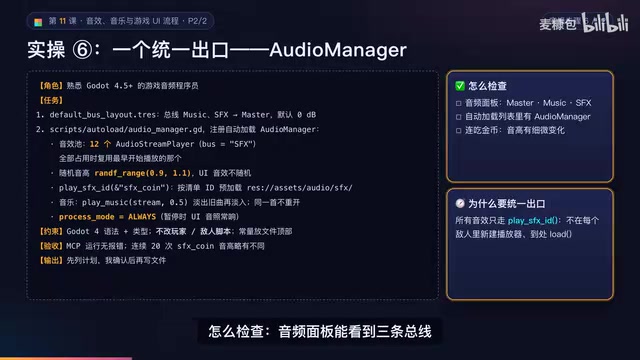
AI Game Development in Practice: Audio Buses and Building the Full UI Flow
AI game dev lesson 11 part 2: Godot's audio trio, audio buses and dB conversion, AudioManager's player pool and random pitch, autoload boundaries, the full UI flow from title to clear, fault-tolerant JSON saves, and pixel font anti-aliasing and integer-size rules.

AI Game Dev Acceptance Lesson: Using GUT Tests and Agent Self-Checks to Make Bugs Impossible to Hide
Lesson 12 of AI game development: use GUT automated tests, Agent self-check loops, browser smoke acceptance, and external playtesting to turn "AI says done" into verifiable evidence.

DoorDash Reveals Only Hundreds of Orders from AI Agents, Open Collaboration Seen as Key
DoorDash reveals only hundreds of orders from AI agents and says it is open to working with third-party agent developers. This article analyzes the early state of agentic commerce, platform openness, and transaction trust bottlenecks.