Free Claude Opus 4.6 Access: Complete Guide to Connecting Antigravity via CLIProxyAPI

Use CLIProxyAPI to run Claude Opus 4.6 and Gemini 3 Pro from Antigravity in any AI coding tool for free.
Antigravity IDE offers free access to Claude Opus 4.6 Thinking and Gemini 3 Pro, but locks them inside its own environment. CLIProxyAPI is an open-source tool that wraps your Antigravity account as a local API service compatible with OpenAI, Gemini, and Anthropic formats — letting you use these models in Claude Code, Cline, OpenCode, and more at zero cost.
Top-Tier Models Locked Inside an IDE
Google's AI-powered agent IDE Antigravity has been generating significant buzz lately. But what really caught developers' attention isn't the IDE itself — it's the model lineup built into it.
With nothing more than a regular Google account, you can log into Antigravity and access a suite of top-tier models for free: Gemini 3 Pro, Gemini 3.5 Flash, and even Claude Opus 4.6 Thinking and Sonnet 4.6 — with a surprisingly generous quota. Keep in mind that Claude's official API is among the most expensive on the market, making this combination almost unimaginable.
Antigravity's Strategic Logic: With GitHub Copilot, Cursor, and Windsurf already holding substantial market share, Google chose "free top-tier models" as its differentiation play — not selling IDE features, but using model access to incentivize developer migration. The inclusion of Claude Opus 4.6 is particularly telling: Google is essentially purchasing Anthropic API capacity to compensate for its own model's shortcomings in coding and reasoning tasks. It's fundamentally a customer acquisition cost paid to win developer mindshare.
The problem is that these powerful models are completely locked inside the Antigravity IDE. You can't call Opus 4.6 from Claude Code, and you can't access Gemini 3 Pro from OpenCode, Cline, or Roo Code. For developers, a familiar toolchain matters just as much as the models themselves — which makes "liberating" these models a challenge worth solving.
CLIProxyAPI: Turning Antigravity into a Local API Service
The solution is the open-source project CLIProxyAPI. Its core concept is straightforward: it wraps your Antigravity account into a locally-running API service that's simultaneously compatible with three mainstream API formats — OpenAI, Gemini, and Claude (Anthropic).
OpenAI-Compatible Protocol: The Emergence of a De Facto Standard: OpenAI's REST API format (the
/v1/chat/completionsendpoint, Bearer Token authentication, and streaming SSE responses) has evolved into the de facto standard for AI inference services. Ollama, Together AI, Groq, and other major inference platforms have since announced compatibility, allowing tool developers to implement a single client and connect to dozens of backends. CLIProxyAPI's technical challenge in supporting all three formats lies in performing bidirectional conversion between different vendors' divergent implementations of Tool Use, System Prompts, and Streaming Chunks — and that's where its core technical value lies.
Any tool that supports these protocols can now indirectly call models inside Antigravity. But CLIProxyAPI goes further — it can also aggregate accounts from ChatGPT Codex, Claude subscriptions, Grok, Kimi, Gemini, and more, consolidating everything into a single endpoint with multi-account load balancing.
The Engineering Value of Multi-Account Load Balancing: When a single account hits its rate limit or exhausts its quota window, the proxy can automatically round-robin requests to backup accounts, providing near-seamless continuity from the caller's perspective. This design mirrors the Upstream Pool concept in enterprise API gateways, simplified into a lightweight implementation for individual users. For long-running AI tasks — such as full codebase refactoring or large-scale test generation — this mechanism significantly reduces the risk of context loss due to rate-limiting interruptions.
In short, it acts as both a "protocol translation layer" and an "account aggregator" — a compelling value proposition for developers who hold multiple subscriptions and want to flexibly switch between models within a single toolchain.
Installation: Nearly Zero Barrier Across All Platforms
CLIProxyAPI supports virtually every major platform, with a smooth deployment experience.
Installation by Platform
- macOS: Run
brew install cliproxyapiin your terminal, then executebrew services start cliproxyapito run it as a background service. - Linux: A one-click install script is available — just copy the Curl command from the official docs and run it. The script handles downloading and configuration automatically. Arch users can install directly from the AUR.
- Windows: Download the latest release from the GitHub repository, unzip it, and run the exe. A standalone desktop app is also available.
- Docker: If you'd rather avoid the command line, a ready-made Docker image is available for direct server deployment.
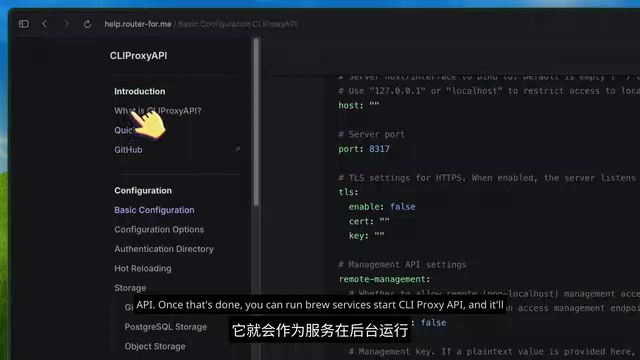
Key Configuration
After installation, macOS and Linux will generate a config.yaml file (typically located in a home directory subfolder or Homebrew's etc directory). The default configuration works out of the box, and the service listens on port 8317 by default.
The only thing you need to fill in manually is the Token in the API Keys section of the config file — this is the credential used by clients to communicate with the proxy. For local use, you can set it to anything you like; if you plan to expose it to the public internet, make sure to use a sufficiently strong token.
Connecting Your Antigravity Account
This is the core step of the entire setup — and it's surprisingly simple, essentially requiring just one command.
Run the CLIProxyAPI executable in your terminal with the antigravity login argument, and the program will automatically open a browser to complete the login flow. The OAuth callback is returned via a local port, the token is saved to the config directory and auto-refreshed in the background — no repeated actions needed.
OAuth Local Callback Mechanism: This is the standard approach for CLI tools handling third-party logins — the application listens on a fixed local port, redirects the user to Google's authorization page, and once authorization is complete, Google calls back to the local port with an Authorization Code. The application then exchanges it for an Access Token and Refresh Token, which are persisted to storage. This is exactly how GitHub CLI (
gh auth login) and Google Cloud SDK (gcloud auth login) work. Compared to manually extracting cookies, OAuth tokens can auto-renew, so users don't have to repeat the process when credentials expire — this is key to the smooth overall experience.
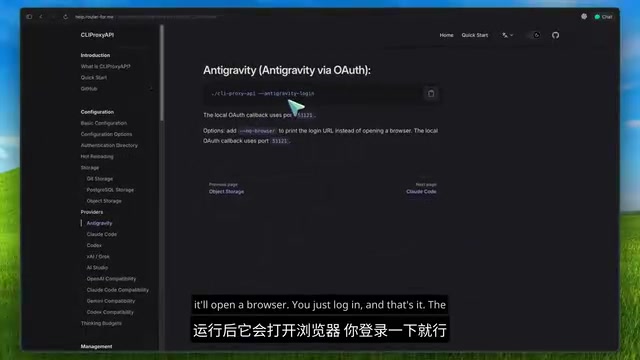
Once logged in, visit the Models endpoint at localhost:8317 to see the full list of available models. Models provided by the Antigravity provider include:
- Claude Opus 4.6 Thinking
- Claude Sonnet 4.6
- Gemini 3 Pro (high and low reasoning variants)
- Gemini 3.5 Flash (multiple effort levels)
- Gemini 3 Flash, Flash image model
- GPT-OSS 120B
About Claude Opus 4.6 Thinking: This is the version of Anthropic's flagship series that integrates "Extended Thinking" capabilities. The model performs a visible internal reasoning chain before producing its final answer — similar to the approach taken by the OpenAI o1/o3 series. This mechanism offers significant advantages for complex code generation, multi-step debugging, and architectural decision tasks. Anthropic's API pricing for the Opus series is typically 3–5x that of Sonnet, which explains the intense developer reaction to this free access channel.
Having flagship models from three top AI labs available simultaneously is a genuinely unusual combination.
Connecting to Popular AI Coding Tools
With the local proxy up and running, the next step is connecting it to your preferred development tools. Different tools support different API protocols, so knowing which format is compatible is key to a successful configuration.
Claude Code: Opus 4.6 at Zero Cost
This is the biggest highlight of the entire setup. Using Opus 4.6 inside Claude Code requires no payment to Anthropic whatsoever. Since Claude Code tightened its usage policies, many developers have been looking for alternative paths — and this is a viable one.
Configuration requires just a few environment variables:
- Point
ANTHROPIC_BASE_URLto your local proxy athttp://localhost:8317 - Set
ANTHROPIC_AUTH_TOKENto your configured API key - Complete the model mapping: Opus →
claude-opus-4.6-thinking, Sonnet →claude-sonnet-4.6
A useful tip: you can point the Haiku environment variable to a model like Gemini 3.5 Flash — the proxy will automatically handle the protocol conversion between Claude format and other providers.
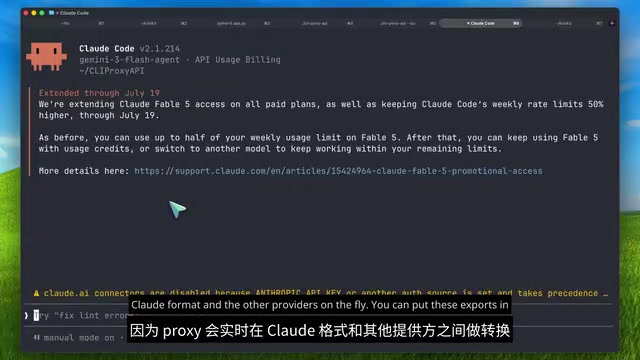
Add these export statements to your shell profile or wrap them in a startup script, and every time you launch Claude Code it will automatically connect to the local proxy, which forwards requests to Antigravity — ultimately running on Opus 4.6 paid for by Google. All at zero cost to you.
OpenCode / Codex / Cline Configuration
- OpenCode: In the Provider configuration of
opencode.json, enterlocalhost:8317/v1as the Base URL along with your API key — you can then select any Antigravity model from the model list. Gemini 3 Pro performs particularly well in OpenCode. - Codex: Edit the
config.tomlin the Codex configuration directory, add a custom Model Provider config block, set the Base URL tolocalhost:8317/v1, and set Wire API toresponses. - Cline / Roo Code: In settings, select the "OpenAI Compatible" provider, fill in the Base URL and key, and you're done.
This configuration approach works for virtually any tool that supports custom OpenAI-compatible endpoints — you can even call the proxy directly in project code using the OpenAI or Anthropic SDK by simply changing the Base URL.
In Practice: Building a Complete App at Zero Cost
In Claude Code with the environment variables configured, enter a prompt like "build a simple expense tracking web app with charts."
Claude Code's workflow proceeds exactly as normal: creating files, running commands, streaming responses, calling tools. From the tool's perspective, it believes it's still communicating with Anthropic's official service. Checking the proxy logs clearly shows that requests are actually being forwarded to the Antigravity backend.

The app ran successfully on the first attempt — because it was running on the original Opus 4.6 Thinking model, not any quantized version. Zero cost, start to finish.
Things to Keep in Mind
Free resources have limits. Here are a few things to be aware of upfront:
- Quotas are calculated on a 5-hour rolling window and reset gradually over time.
The Design Logic Behind the 5-Hour Rolling Window: Antigravity uses a rolling time window rather than a traditional fixed daily reset. Quota consumed at any given moment is gradually released 5 hours later, rather than clearing all at once at midnight. This is more developer-friendly for irregular working patterns and represents a newer, fairer rate-limiting strategy emerging in AI services.
- Gemini model quotas are more generous; Claude model quotas are tighter — Google must purchase Claude tokens from Anthropic at per-token rates, while Gemini is a first-party model with far lower marginal costs. This cost differential is directly reflected in Antigravity's internal quota weighting.
- The project includes a built-in web management interface for checking account status, monitoring usage, and managing keys.
- The community ecosystem is fairly active — for example, there are menu bar tools that track remaining quota across all accounts in real time.
Summary
CLIProxyAPI is currently one of the most mature and actively maintained solutions for "liberating" Antigravity's model capabilities. It lets you freely use Claude Opus 4.6 Thinking, Gemini 3 Pro, and Gemini 3.5 Flash in whichever development tools you prefer.
This setup is particularly valuable for two groups: students, and developers who question whether a $200/month coding subscription is worth the cost.
It's worth being clear-eyed about the nature of this approach: it fundamentally depends on the stability of the service provider's policies, and could become unavailable at any time due to official changes. But as a technical exercise, it nicely demonstrates the unique value of protocol compatibility layers in a multi-model era — using a single unified interface to harness frontier models from different vendors.
Key Takeaways
Related articles
AI Buzz Weekly: GPT-6.5 Leak, New Claude Model, and MiniMax's Cost-Effectiveness
This week's AI buzz roundup: suspected GPT-6.5 leak, Microsoft configs showing GPT-6.1 Tera, Anthropic's new model that can identify entire classes of bugs, disappointing early Gemini 4 Carbon results, and MiniMax M3.1 Flash beating Claude Opus 5 and GPT-5.6 Sol in benchmarks at extremely low cost.
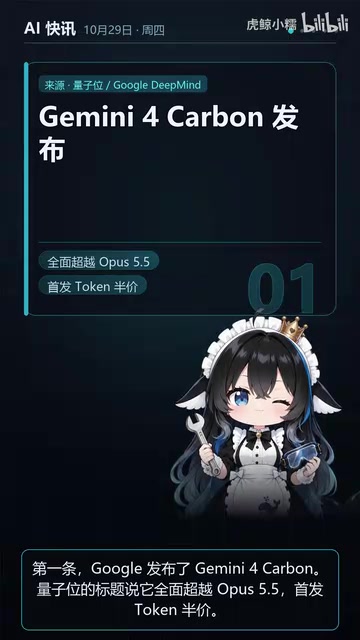
AI Briefing: Gemini 4 Carbon Released, Ant Open-Sources Ling-3.1
AI Briefing: Google releases Gemini 4 Carbon qubit model, claiming to surpass Opus 5.5 with half-price tokens; Ant open-sources Ling-3.1-1019 for real-task Personal Agents; domestic AI drug discovery succeeds in 18 of 19 projects, hitting all 6 GPCR targets; zero-revenue company valued at $20B raises another $1B; Sichuan convenience store robot sales fail.
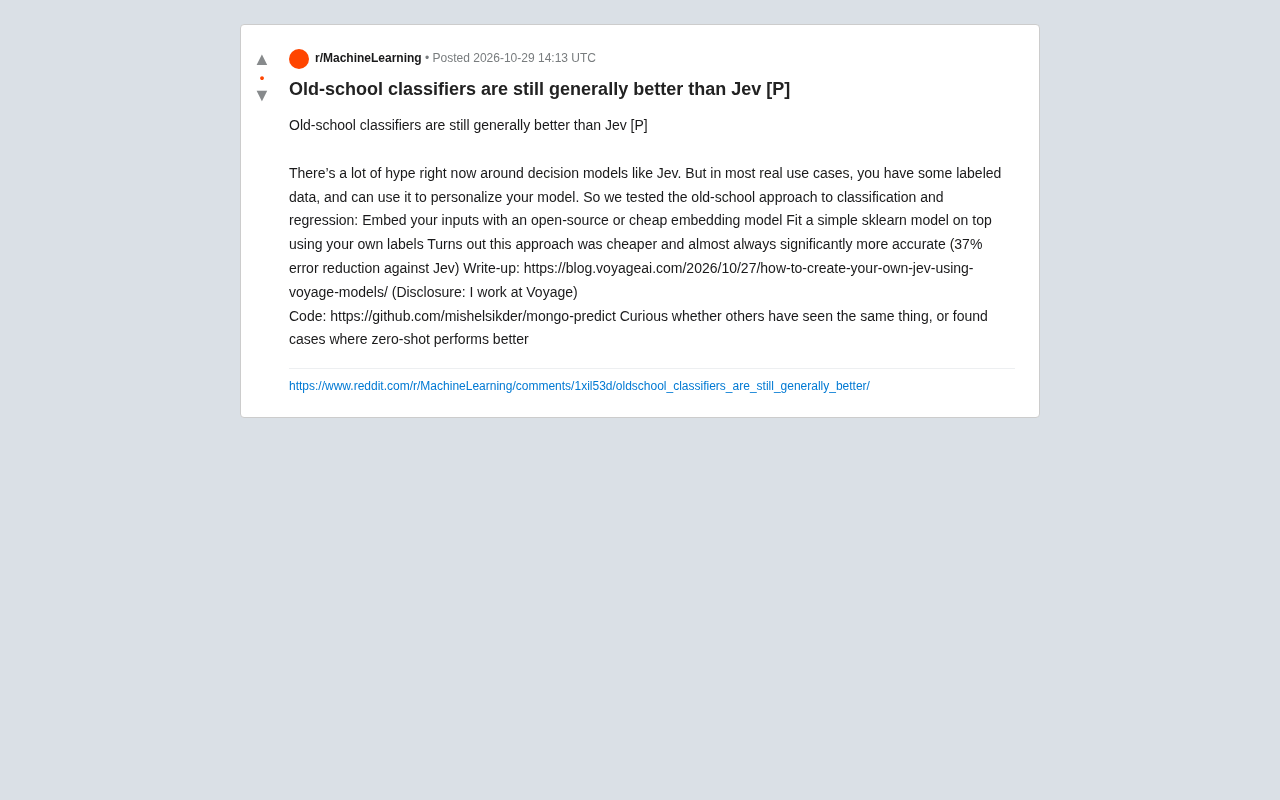
Old-School Classifiers Still Beat Jev: Embeddings + sklearn Cuts Error by 37%
Voyage AI engineers found that an old-school approach using open-source embedding models plus sklearn classifiers is cheaper and cuts error by 37% versus the popular decision model Jev. Discussing whether traditional methods are undervalued when labeled data exists, and the boundaries between zero-shot and supervised learning.