Free Email & SMS for Vibe Coding Projects: A Practical Guide with Resend at the Core

Use Resend for transactional email, Mailtrap for staging, and Twilio for OTP SMS in vibe coding projects.
This guide helps vibe coding developers choose between five email services (Resend, Brevo, AWS SES, Loops, Mailtrap) and Twilio for SMS OTP. The core recommendation: start with Resend for API-first transactional email (3,000 free emails/month, no credit card), use Mailtrap sandbox for staging, Loops for SaaS lifecycle marketing, and Twilio Verify for SMS OTP. Email and SMS are separate products — keep a single production sender, complete DNS verification (SPF/DKIM/DMARC) first, and understand each service's free-to-paid tipping point to plan upgrades accordingly.
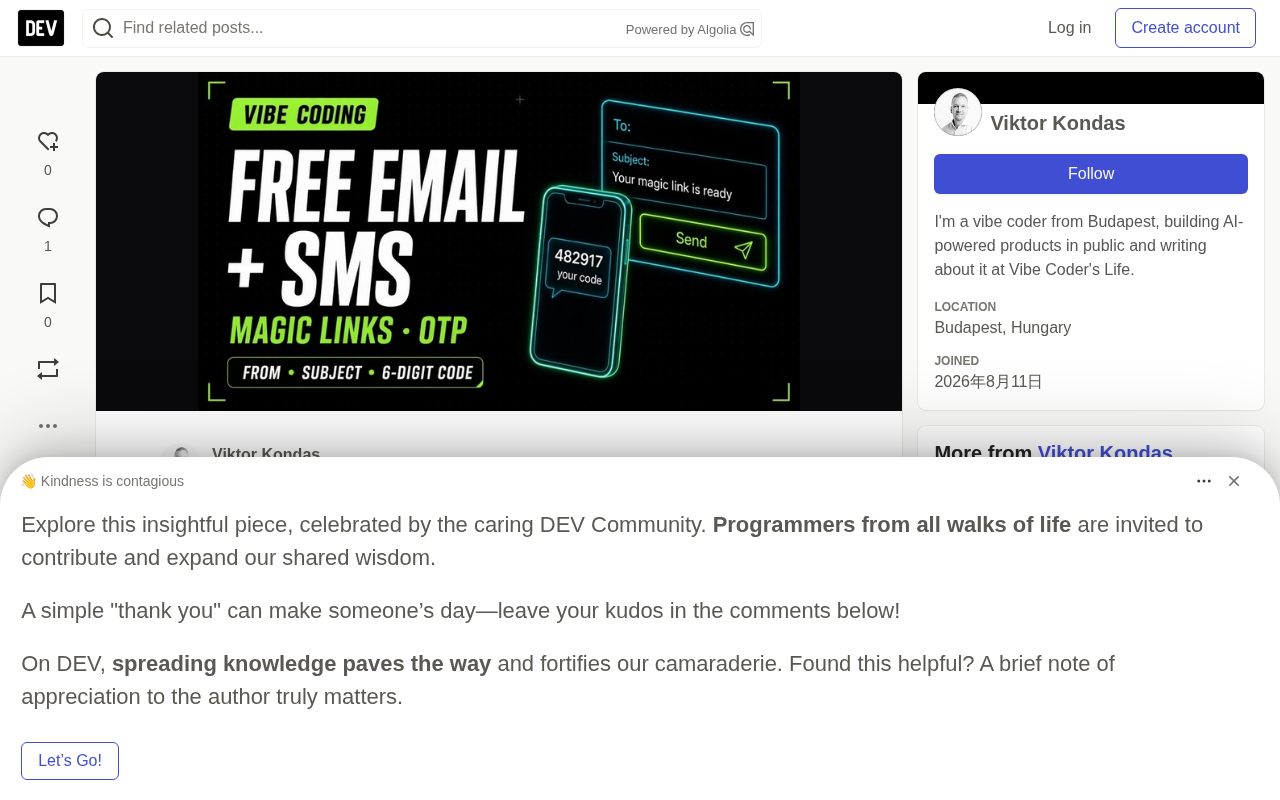
Adding real email delivery to a vibe-coded project — whether for magic link logins, order confirmations, or "your download is ready" notifications — requires a reliable transactional email service. This guide covers five email services (Resend, Brevo, AWS SES, Loops, Mailtrap) and Twilio as a standalone SMS OTP solution, so you can get up and running within free tiers.
The core recommendation is straightforward: use Resend for transactional email and newsletters; use Mailtrap sandbox for staging test inboxes; use Loops for marketing audience management; switch to Twilio for OTP SMS after your trial credits run out. Don't use Gmail SMTP for product emails, and note that Resend doesn't offer SMS — when you need OTP text messages, Twilio is a separate line in your stack, not a second email API.
Email Service Comparison: Positioning Five Options
Each service occupies a distinct niche. The key is matching your actual needs rather than blindly chasing the highest free tier.
Resend is the recommended starting point, focused on transactional API plus digest. The free tier offers 3,000 emails/month, 100 emails/day, and up to 3 domains — no credit card required. The first paid tier, Pro, is $20/month for 50,000 emails, no daily cap, and up to 10 domains. It offers the best developer experience (DX) of the bunch, with a Node SDK, React Email integration, webhooks, and inbound support.
Brevo is a better fit when you need a higher daily free sending volume. The free tier allows 300 emails/day (marketing + transactional combined), activated after account review. Be aware that unused daily quota resets at midnight. The first paid tier starts at $9/month for 5,000 emails/month with no daily cap. Brevo is the right alternative when Resend's 100/day limit becomes a bottleneck and you're comfortable with a marketing-suite-style UX.
AWS SES doesn't have a traditional "first paid tier" — it's pay-as-you-go at roughly $0.10/1,000 emails, with the newer Essentials plan around $0.16/1,000. The pain point is that new accounts start in sandbox mode (only verified addresses can receive mail) until AWS grants production access, with the added overhead of IAM configuration. It's best suited for teams that need large-scale, low-cost sending and can absorb the operational complexity.
Loops is built for SaaS lifecycle marketing and audience management. The free tier supports 1,000 subscribed contacts and 4,000 sends within a rolling 30-day window. The first paid tier is around $49/month for up to 5,000 contacts, unlimited sends, and no branding. It's fundamentally an audience/lifecycle tool — if Loops handles your product newsletter, password resets and similar emails should stay with Resend to avoid two services triggering the same transactional receipt simultaneously.
Mailtrap shines as a staging test tool. Its product line is split in two: the Email Sandbox free tier allows 50 test emails/month — enough to check HTML rendering but not for load testing. The Email API free tier offers 4,000 emails/month and 150/day. The recommended pattern is to point preview/staging environments at the sandbox SMTP and always keep Resend in production.
What is a transactional email? Transactional emails are one-to-one messages triggered directly by user actions — password resets, order confirmations, magic link logins, billing receipts, and so on. They differ fundamentally from bulk marketing emails (newsletters, promotional campaigns) in that they're a system response to a user-initiated action, with high time-sensitivity and a high expectation of delivery. This makes deliverability requirements much stricter. Most email services route these two categories through separate sending channels (IP pools) to prevent marketing email unsubscribes and complaints from damaging the reputation of transactional sends. This is why the guide emphasizes "one service for transactional, another for newsletters" and avoiding two services triggering the same receipt — mixing them causes duplicate sends and can harm your domain's sender reputation.
SMS: Twilio for OTP
SMS is an entirely separate product involving user consent, sender IDs, and per-country rates. It should not be conflated with email.
Twilio gives you trial credits upon signup with no credit card required to start. There's no fixed "first paid tier" — after the trial, it's pay-as-you-go: sending or receiving an SMS starts at around $0.0083 (US rates; Hungary, Poland, and other regions vary), and Verify starts at $0.05/verification. You'll need the environment variables TWILIO_ACCOUNT_SID, TWILIO_AUTH_TOKEN, and a Verify service SID. Note: don't use a trial number to send marketing SMS and expect it to be delivered.
What is Twilio Verify? Twilio Verify is a managed service from Twilio specifically built for OTP (one-time password) verification, distinct from using Twilio's base SMS API to send custom messages. Verify automatically handles OTP generation, expiry (default 10 minutes), retry throttling, and validation logic — no need to maintain OTP state yourself. It's billed per verification attempt (pass or fail) at around $0.05/verification, not per SMS. For projects that only need simple login verification, Verify dramatically reduces the security risks that come with rolling your own — like OTPs without expiry or without brute-force protection.
Connecting to Email Services from Cursor
A prompt you can paste directly into Cursor walks through the process clearly: use RESEND_API_KEY from your .env to connect transactional email, complete domain verification (SPF/DKIM), add the key to .env and include it in .gitignore, configure the same environment variable in your hosting platform's dashboard, and finally test a contact form or magic link send.
The prompt also enforces key constraints: don't use Gmail SMTP, don't layer a second email provider on top in production, and if you need SMS OTP, add Twilio Verify in a separate change — because Resend doesn't do SMS. This "single production sender + standalone SMS service" architecture is the key to avoiding duplicate sends and deliverability issues.
Onboarding with Resend is three simple steps: create an API key and write it to .env; add your domain and copy the DNS records (SPF, DKIM, DMARC) then wait for verification; only send from verified domains, and rotate the key immediately if it leaks to GitHub.
SPF, DKIM, and DMARC are three DNS records that underpin email deliverability — missing any one of them significantly increases the chance of landing in spam. SPF (Sender Policy Framework) declares which IPs are authorized to send on behalf of your domain. DKIM (DomainKeys Identified Mail) adds a cryptographic signature to each email so the receiving server can verify it hasn't been tampered with. DMARC (Domain-based Message Authentication, Reporting & Conformance) tells receiving servers what to do when SPF/DKIM checks fail (quarantine or reject), and can be configured to send failure reports back to you. Together, these three records form the foundation of modern email authentication. The "green checkmark" in Resend's dashboard means all three records have propagated through your DNS provider — this typically takes anywhere from a few minutes to a few hours.
The Real Free-to-Paid Tipping Points
Understanding when each service hits a wall is more valuable than comparing raw numbers.
- Resend: When you exceed 100 emails/day (easy to trigger with even a small send list) or 3,000/month, upgrade to Pro ($20/month) for 50,000 emails and no daily cap.
- Brevo: When 300 emails/day or branding becomes a problem, Starter ($9/month) lets you purchase monthly send volume.
- Loops: When you exceed 1,000 subscribed contacts or need unlimited sends without a footer, move to paid (~$49/month).
- Mailtrap: When the 50 test emails/month sandbox limit isn't enough, upgrade Sandbox Basic; when the free API cap is too restrictive, upgrade API Basic (keep production on Resend).
- SES: Requires applying for production access and absorbing IAM setup costs in exchange for low-cost scale — there's no friendly onboarding experience.
- Twilio: Once trial credits are gone, SMS/Verify has never been "unlimited free."
Practical Tips
A few lessons that help you avoid the most common pitfalls:
- DNS first: Unverified domains go to spam. Always wait for Resend's green checkmark.
- Mailtrap for preview, Resend for production: Same code path, different environment variables.
- Avoid duplicate sends: Use either Loops or Resend for broadcasts — don't trigger both simultaneously.
- SMS is a separate product: Consent mechanisms, sender IDs, and per-country rates all require separate handling.
FAQ
How do I add free transactional email? Create a Resend API key, verify your domain, add RESEND_API_KEY to .env and your hosting platform, then use the Cursor prompt from this guide.
How do I choose between Resend, Brevo, and Loops? Use Resend for API-first transactional email; Brevo for higher daily free volume within a marketing suite; Loops for contact-based SaaS lifecycle email. Pick one as your production sender.
Can Resend send SMS? No. Use Twilio Verify/SMS — Resend is email only.
Can I use Gmail to send product emails? Not if you care about deliverability or worry about App Passwords expiring. Use Resend (or SES for scale).
Do I need a credit card? The free tiers for Resend, Brevo, Loops, Mailtrap, and the Twilio trial don't require one. AWS and paid upgrades require billing to be set up.
Related articles

Felix Rieseberg Personal Homepage
Felix Rieseberg's personal homepage sparks attention on Hacker News. This article covers the Slack engineer's technical background, the rise and fall of nativefier, and the value of a developer homepage as a tech calling card.

@ai-sdk/vue 3.0.306 Patch Release Syncs with [email protected] Update
@ai-sdk/vue 3.0.306 released, synced with [email protected]. A routine patch release for the Vercel AI SDK ecosystem with no public API changes; the Vue adapter layer stays version-aligned with the core package.

Gemini 4 Argon API Launches: The Era of Million-Token Output Begins
Google launches Gemini 4 Argon with sparse MoE architecture, up to 1M output tokens, and a 68.90% Vals Index score, available across API, AI Studio, and the Gemini app.