Free Local Deployment of Claude Code: Build an Offline AI Coding Agent with Ollama + Codex

Connect Codex to Ollama local models for a zero-cost offline coding Agent, with setup and tuning tips.
Based on a Bilibili creator's demo, this article explains how to connect the latest OpenAI Codex client to Ollama local open-source models, enabling an offline coding Agent on consumer GPUs that analyzes projects, generates code, and fixes bugs. It covers five deployment steps—installing Codex and Ollama, choosing a model by VRAM (e.g., Qwen 3.6 27B or Gemma 4 30B), one-click integration, and optional browser/computer control—plus tested tasks like building a whack-a-mole game and fixing an air-combat game. It also shares a tuning tip (lowering context from 32K to 16K/8K to fix reconnect loops) and warns about limited local model capability and file-modification risks with full access.
OpenAI Codex can now be driven for free by local open-source large models—no API Key, no tokens, not even an internet connection. With Ollama and the latest Codex client, you can run a real AI Agent on your own GPU that automatically analyzes projects, modifies code, and fixes bugs. This article is based on a hands-on demo by a Bilibili creator, and provides a complete walkthrough of the local deployment process and tested results, along with key details and risk warnings.
Core Breakthrough: A Coding Agent That Runs Offline
According to the Bilibili creator's demo, the latest Codex client can connect directly to Ollama local models, turning a consumer-grade GPU into an AI coding assistant. In the demo, the creator put the machine in airplane mode and had Codex develop a whack-a-mole game—from feature design to UI generation, everything was completed automatically by the AI and playable within minutes. In another test, Codex automatically fixed an air-combat game that wouldn't start—it located two bugs and fixed them in one go, restoring the game to normal.
The key change behind this: Codex is no longer tightly bound to the OpenAI cloud API, but instead acts as a front-end Agent that calls models on the local GPU. Even offline, it can still generate code, read and write files, and automate browser operations—meaning token costs and data privacy concerns are both bypassed.
Full Deployment Walkthrough: Five Steps to a Local Codex
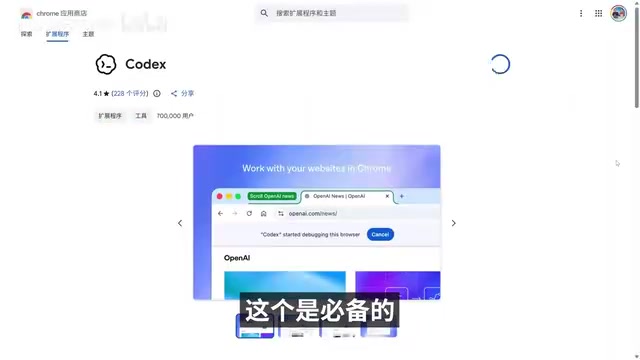
Step 1: Install the Latest Codex Client
Download the latest Codex installer (about 500MB) from the link provided by the creator, choosing the Windows or Mac version for your system. Mac users should note the distinction between Intel chip and M chip versions. After installation, don't rush to configure—the following steps will cover model integration.
Step 2: Install the Ollama Client
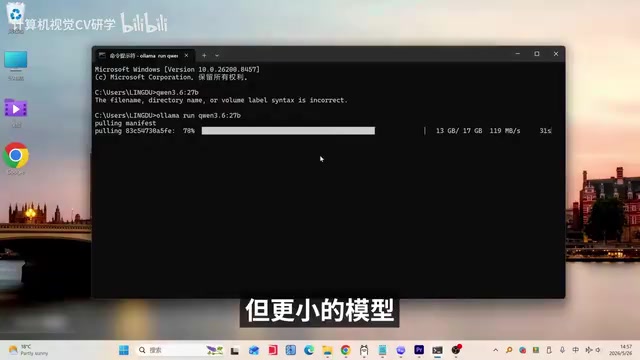
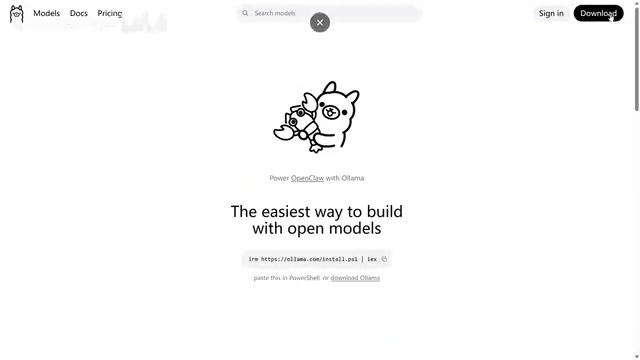
Ollama is the local model runtime environment, and you must use the latest version (older versions don't support Codex integration). The download is about 1.9GB; run Install after downloading. Ollama not only supports Codex but can also connect to other front-ends like LM Studio, offering high flexibility.
Ollama is an open-source tool for running and managing large language models locally. It provides a command-line interface and background service, and automatically handles underlying details such as model downloads, quantized format loading, and GPU/CPU inference scheduling. It supports Windows, macOS, and Linux, and includes a built-in local API service (listening on port 11434 by default), so it can be called not only by Codex but also used as a general backend by front-ends like LM Studio and Open WebUI. Its model library is organized as tags like qwen3.6:27b; users can pull models with ollama pull and view downloaded models with ollama list. The article's note that "the latest version is required" is because Codex integration relies on newer Ollama API endpoints and model metadata fields; older versions may lack the corresponding interfaces and fail to be recognized.
Step 3: Download a Local Model That Fits Your VRAM
For coding scenarios, the creator recommends prioritizing the Gemma 4 or Qwen 3.6 series. For consumer-grade GPUs (4B–40B parameter range), Qwen 3.6 27B and 35B A3B are small open-source models with relatively high intelligence, and Gemma 4 30B is also on the recommended list. If you're unsure which to choose, Ollama offers a "Select model" button that automatically matches model size to your VRAM—in the demo, the system recommended the 22GB Qwen 3.6 model.
If VRAM is insufficient, be sure to downgrade the model. The creator originally downloaded the 19GB Gemma 4 model, but to avoid maxing out VRAM, switched to the smaller Qwen 3.6 27B. The larger the model, the stronger the Agent's agency—but the higher the risk of lag.
Parameter scale (e.g., 27B, 30B) refers to the number of model weights, which directly determines the capability ceiling and VRAM usage; however, actual VRAM requirements also depend on quantization precision. With 4-bit quantization, for example, every 1 billion parameters occupies roughly 0.5–0.8GB of VRAM, so a 27B model typically falls in the 16–22GB range—just covering 24GB consumer-grade GPUs (such as RTX 3090/4090). The "A3B" in the name refers to a Mixture-of-Experts (MoE) architecture: total parameters are large, but only some experts are activated per token, so inference VRAM usage and speed are close to a smaller dense model—a common choice in local deployment that balances capability and efficiency. If VRAM is insufficient, the model will be forced to partially offload to RAM or the system disk, causing inference speed to plummet—this is why the article recommends "downgrading the model when VRAM is insufficient."
Step 4: One-Click Integration of Codex and Ollama
Paste the one-click integration command provided by the creator into the terminal; the script will automatically list downloaded local models. After selecting Qwen 3.6 27B, confirm loading the local configuration file and restart Codex. After restarting, an Ollama logo will appear in the bottom-right corner, indicating successful integration. At this point, you can select "Full access" in the permission settings, allowing the Agent to automatically create files and modify project code.
Step 5: Configure Browser and Computer Control (Optional)
If you need Codex to automatically operate a browser, enable "Allow Codex to control the built-in browser" and "Computer control permission" in settings, and install the Chrome extension. The creator tested having Codex automatically open a browser to search for resources and download images; after the task completed, the images were saved to the desktop.

Tested Results and Performance Tuning
The creator validated the local Codex's capabilities with three tasks: developing a whack-a-mole game, creating an Apple-style AI product homepage, and fixing bugs in an air-combat game. All three tasks were completed within minutes; the web game could score and count down properly, and the fixed air-combat game could fire, turn, and shoot normally.
A common problem is the Agent getting stuck in a "reconnecting" loop when running code. The creator points out the cause: Ollama's default context length is too long (32K); changing it to 16K or 8K noticeably improves agent speed. This is an easily overlooked performance tuning point in local deployment.
Context Window refers to the total number of tokens the model can "see" at once in a single session, including system prompts, conversation history, code file contents, and tool return results. An Agent like Codex must stuff project-related files and tool outputs into the context every round; a 32K window makes the local model process a large number of tokens per request, significantly slowing inference and potentially triggering timeouts—manifesting as the client repeatedly "reconnecting." Reducing the context to 16K or 8K reduces the computation per request and speeds up responses, but at the cost of a smaller code range the Agent can reference at once; handling large files or complex projects may require more frequent chunked reads. This is typically adjusted by setting num_ctx in Ollama's model parameters or Modelfile.
Advanced: Connect to LM Studio to Load Stronger Models
If you want faster inference or larger models, you can connect Codex through LM Studio. The creator demonstrated loading a model in LM Studio, copying the model name, replacing the corresponding field in the Codex configuration file, and then launching LM Studio from the command line (specific parameters required) to complete the integration. In testing, Codex wrote a novel and ran normally.
Real-World Boundaries and Caveats
The core value of this approach is zero cost, offline availability, and data never leaving your machine—but there are several real constraints to face: first, model capability is limited by local hardware, and 27B-level models still lag behind cloud flagship models on complex projects; second, the creator's demo tasks are somewhat demonstration-oriented, and stability for refactoring and debugging large projects has not been verified; third, full access permission means the Agent can freely modify files, so it's advisable to use it in an isolated directory or under version control.
Also, Codex's claim of being "built on GPT-5" is not credible—the offline test already proved it actually calls a local model. Such self-descriptions are mostly remnants of training data and should not be used as a basis for judgment.
Overall, the Ollama + Codex combination brings the barrier to local AI Agents down to what consumer-grade GPUs can handle. For developers who want to experience automated coding at low cost while caring about data privacy, it's worth trying.
Model Context Protocol (MCP) is an open protocol that lets AI clients connect to external tools and data sources in a unified way. Codex's file read/write, terminal execution, browser control, and other capabilities are typically exposed to the model through such tool interfaces. This means the Agent's "permissions" are essentially the scope of authorization for these tools: after enabling full access, the model can autonomously call tools like file writing and command execution, so risk is directly related to permission granularity. Common practice is to restrict the working directory, operate within a Git repository for easy rollback, and separately tighten sensitive tools such as deletion and network requests. Understanding this tool-calling mechanism helps clarify that "still usable offline" means model inference is local, while tool execution still acts on the local file system.
One-line Summary
Codex connects to Ollama local models to run a zero-cost coding Agent offline, with deployment steps and tuning tips.
Paragraph Summary
Based on a hands-on demo by a Bilibili creator, this article walks through how to connect the latest OpenAI Codex client to Ollama local open-source models, enabling an offline coding Agent on consumer-grade GPUs that can automatically analyze projects, generate code, and fix bugs. Deployment has five steps: install the Codex client, install the latest Ollama, choose a model such as Qwen 3.6 27B or Gemma 4 30B based on VRAM, complete integration with a one-click script, and enable browser and computer control permissions as needed. In testing, Codex completed whack-a-mole game development, AI product homepage generation, and air-combat game bug fixes within minutes. The article also offers a tuning tip—lowering context from 32K to 16K/8K to resolve the reconnect loop—and notes that local model capability is limited and full access permission carries file modification risks.
Related articles

AI New Grad Resume Diagnosis: How to Stand Out for ML/CV Roles?
How can AI/ML new grads optimize their resumes to get interviews? Based on a real Reddit case, this article analyzes project selection, depth display, and structure for ML/CV roles, with actionable revision advice.

OpenAI Opens Up Decision Models as Competition with Jev Heats Up
OpenAI makes its decision model widely available, directly challenging first mover Jev. We analyze the impact on the decision model competitive landscape and key considerations for developers and enterprises.

Startup Growth Secrets: Early Sales Are Not the Key
At Disrupt, experts from Lovable, Polska, and Theory Ventures said early startup growth depends not on early sales but on a repeatable sales process, a clear ICP, team development, and data-driven iteration.