Free Local n8n Deployment: Run AI Automation Workflows on Your Laptop

Demo of running n8n locally for free on a laptop with one command and getting an email automation workflow working.
The article covers a creator's complete demo of deploying the open-source workflow automation tool n8n locally for free: installing from source, launching a local instance with a single PowerShell command, and running an Email Automation workflow that sends emails automatically. It notes that local running saves on cloud subscription fees, keeps data on-device, and allows free modification of node logic. A ChatGPT-based step-by-step guide is offered to lower the barrier, though AI guides can't cover environment differences and dependency conflicts. It best suits cost-conscious individuals, privacy-focused teams, and developers willing to tinker—at the cost of self-maintenance.
Why Run n8n Locally for Free?
n8n is an open-source workflow automation tool often compared to Zapier. The official offering includes a paid cloud subscription, but its source code is open, so you can absolutely deploy it on your own laptop and run it at zero cost. A creator on YouTube demonstrated the complete process: installing from source, launching with PowerShell, and running a working automation workflow that sends emails automatically. The motivation is straightforward—you don't want to pay for a cloud subscription, but you still want to automate repetitive work locally.
The value of this approach isn't just saving money. Your data stays local, you don't depend on a third-party service's availability, and you can modify node logic however you like. For individual developers and small-to-medium teams, that has real practical significance.
Installation and Launch: Really Just One Command?
According to the video demo, the creator completed a local installation from n8n's source code, and the launch method is extremely lightweight: open PowerShell, run one command, and n8n runs locally on your laptop. The whole process requires no login to n8n Cloud and no paid subscription.

It's worth noting that the video doesn't detail what this command actually is—it only emphasizes the experience that "once it's installed, launching is just one command." For developers familiar with the Node.js ecosystem, this matches how n8n is typically deployed as an open-source project; but the video itself doesn't provide complete installation steps, so readers who want to reproduce it still need to consult the official documentation or the guide provided by the author.
The two operating modes of n8n: n8n is essentially a Node.js application, and how it's launched determines the use case it's aimed at. Local mode (also called single-instance mode) starts the process directly with n8n start or via npx, with data written by default to a local SQLite file—suitable for personal trials and small-scale automation. Production mode, by contrast, typically runs via Docker with PostgreSQL, supporting queue mode to distribute workflow execution across multiple workers for concurrency and reliability. The "one command to launch" mentioned in the article corresponds to the former, which sacrifices multi-instance and high availability in exchange for zero configuration and extremely low resource usage—which is exactly why it runs so easily on a laptop.
Hands-On Demo: A Workflow That Sends Emails Automatically
After installation, the creator showed a working Email Automation Workflow—one that automatically handles sending emails without manual, one-by-one processing. This is one of the most typical real-world applications of automation tools: chaining "trigger conditions + execution actions" into a flow so the machine does the repetitive work for you.
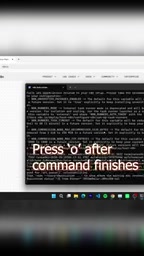
From what the screenshot reveals, this workflow runs in a local n8n instance, with nodes arranged on a canvas. The video doesn't go deep into the workflow's specific node configuration and trigger logic, but its very existence proves one thing: a locally deployed n8n has full automation execution capability—it's not just an empty shell.
n8n's node and trigger model: An n8n workflow is made up of nodes, each encapsulating an operation or a data transformation. By role, they fall into trigger nodes and regular nodes: trigger nodes start the flow, with common types including the Schedule Trigger (runs on a cron expression), the Webhook Trigger (listens for incoming webhook requests), and App Triggers that poll or subscribe to external events; regular nodes perform concrete actions, such as the Email/SMTP node for sending mail, reading/writing databases, or calling HTTP endpoints. Data passes between nodes as JSON data items (items), where upstream output becomes downstream input, so you can reference fields from a previous node using expressions on the canvas. The email automation workflow demonstrated in the video is exactly the quintessential minimal combination of "one trigger node + one send-email node."
Accompanying Guide and the Barrier to Entry
Recognizing that local deployment still poses a barrier for beginners, the creator prepared a Step-by-Step installation guide based on ChatGPT, linked in the video description. Users can choose specific options or simply click the Continue button to begin, then follow the guidance step by step; they can also ask questions at any point along the way.
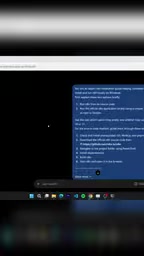
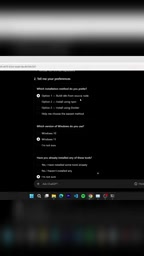
This combination of "video demo + AI conversational guide" lowers the onboarding cost of open-source tools. But let's be objective: the guide is generated by ChatGPT, and when you hit environment differences or dependency conflicts, manual troubleshooting may still be required—you can't expect it to cover every error scenario.
Why local deployment often gets stuck on environment configuration: n8n depends on the Node.js runtime, and different major Node versions support n8n to varying degrees—too new or too old a version can trigger native module compilation failures. In addition, on Windows, global npm installation involves path and permission settings, and without a build toolchain, certain packages with native dependencies will fail to install. What these problems have in common is that the error messages often point to underlying dependencies rather than n8n itself, making them hard to pinpoint for users unfamiliar with the command line. This also explains why the author used an AI conversational guide as an aid—it's good at explaining general steps clearly, but it struggles to anticipate the specific environment differences of every machine, and dependency conflicts still require manual comparison of versions and logs.
Who Is This Approach For?
Running n8n locally for free best suits three types of people: individual users who don't want to bear subscription fees; teams sensitive to data privacy that want workflow data to stay on their own machines; and tech enthusiasts with some development background who are willing to tinker with source code and the command line. Conversely, complete beginners with no command-line knowledge may still get stuck on environment configuration during their first deployment, even with an AI guide to help.
The barrier to automation tools is being steadily lowered by content like this, but the price of "free" is self-maintenance—updates, backups, and troubleshooting are all on you. Think that through before deciding whether to migrate your workflows locally.
One-line Summary
A demo of running n8n locally for free on a laptop with a single command, and getting an email automation workflow up and running.
Paragraph Summary
The article walks through a creator's complete demo of deploying the open-source workflow automation tool n8n locally for free: installing from source, launching a local instance with a single PowerShell command, and running a working Email Automation workflow that sends emails automatically. The author points out that the value of running locally isn't just saving on cloud subscription fees—it also keeps data on your own machine, avoids dependence on third-party service availability, and lets you freely modify node logic. To lower the barrier, the creator provided a ChatGPT-based step-by-step installation guide, but also cautions that AI guides struggle to cover environment differences and dependency conflicts. The approach best suits cost-conscious individual users, privacy-focused teams, and tech enthusiasts with development experience—at the cost of having to maintain updates, backups, and troubleshooting yourself.
Related articles

Chain of Thought Isn't Just for AI: How Humans Can Use CoT to Improve Thinking Quality
Chain of Thought isn't just a prompt trick for large models. Starting from a Hacker News discussion, this article analyzes why CoT works for human thinking too, breaks down actionable ways to transfer it, and highlights the key differences between human CoT and machine CoT.
Cloudflare Teams Up with OpenAI: Closi…
Cloudflare Teams Up with OpenAI: Closing the Loop from Vulnerability Discovery to Defense with AI
Cloudflare uses OpenAI Daybreak to investigate security vulnerabilities and generate reviewable remediation plans, while developers use Codex to boost coding efficiency and quality.

Orca Multi-Agent Orchestration in Practice: A Guide to Parallel Collaboration with Claude and Codex
Orca is Stable AI's free open-source agent workbench supporting 34 agents like Claude Code and Codex in parallel. Learn its Git worktree isolation, multi-model orchestration, and mobile management.