Free Open-Source AI Prompt Collector Chrome Extension: One-Click Image & Video Import
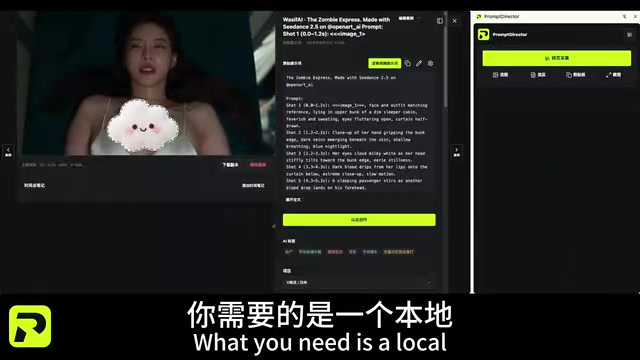
Free open-source Chrome plugin to collect AI images, reverse-engineer prompts, and build a reusable local visual reference library.
Built by a Bilibili creator, this Chrome extension addresses a common pain point for AI visual creators: great images get saved but become unsearchable, and their prompts are lost. It supports one-click saving from any webpage, includes 1,000+ pre-loaded curated cases for batch import, and connects via DeepSync to mainstream AI models for batch tagging and prompt reverse engineering. A Creation Studio then links the library directly to a generation workflow, assembling prompts and summarizing the user's aesthetic preferences. The entire loop — collect, analyze, generate, summarize — is free, open-source, and stored locally, giving users full data ownership.
If you frequently come across stunning AI-generated images or videos online but can never find a convenient place to save them along with their prompts, a local visual reference library tool might be exactly what you need. This free, open-source Chrome extension — built by a Bilibili creator — is designed specifically for the continuous collection and systematic management of visual prompts, helping you turn scattered inspiration into reusable creative assets.
Why You Need a Local Visual Reference Library
The biggest challenge in AI image and video creation often isn't a lack of powerful tools — it's the absence of a personal, continuously growing visual reference library. Casually saving images you like leads to a cluttered collection that's hard to search, and more importantly, the prompts behind those images are frequently lost. The result: you can see great work but can't learn from it or replicate it.
The core idea behind this extension is to connect three elements: visual references, prompts, and AI Agents. Instead of saving images in isolation, you're building a structured reference library that AI can understand and work with. The creator's vision is clear: make locally accumulated visual materials genuinely useful for downstream creative decisions.
One-Click Saving and a Curated Starter Library
The basic operation is straightforward — when you spot an AI image or video you like while browsing, a single click adds it to your library. This low-friction interaction makes collecting feel effortless, so your library grows naturally over time.
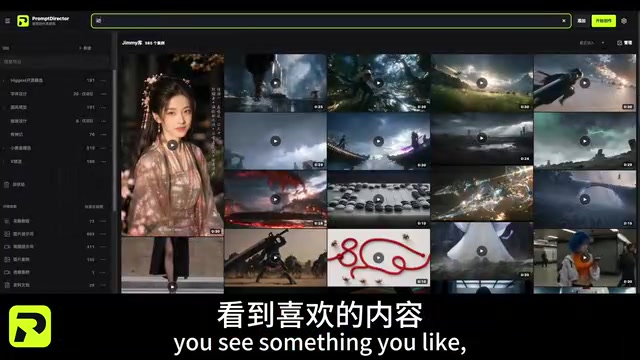
For users who don't want to start from scratch, the creator has pre-loaded over a thousand curated cases. Simply go to the "Featured Cases" page and batch-import them all with one click, eliminating the need to spend hours building an initial collection. For beginners, this is essentially a ready-made, high-quality visual starter library.
Connect to Leading AI Models: Batch Tagging and Prompt Reverse Engineering
Simple saving is just the first step. The extension's more advanced capability lies in connecting to AI for deeper processing. Through DeepSync, it can link to mainstream AI models, batch-analyze your saved images, auto-generate tags, and reverse-engineer the corresponding prompts.
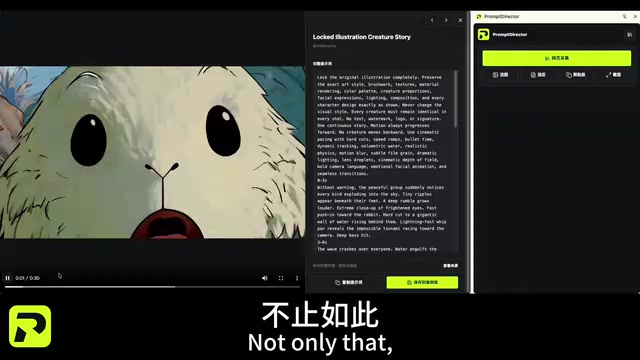
Prompt reverse engineering is the key value proposition here — many images found online don't come with their original prompts. By having AI analyze them in reverse, you can understand how a great image was actually described. This transforms "passive collecting" into "active learning," making your reference library genuinely reusable.
What is Prompt Reverse Engineering? Also known as "image-to-text" or "reverse prompting" in the AI image space, this technique uses vision-language models (such as GPT-4V, Claude, Gemini, and other multimodal models) to analyze a image's composition, tone, style, and subject matter, then automatically generate a text description capable of reproducing that image. The challenge is that original prompts used to generate AI images are typically highly dependent on specific model versions and random seeds — reverse-engineered results may not be a 100% reproduction, but they can effectively extract transferable creative elements like style keywords, cinematic language, and lighting descriptions. DeepSync acts as a local AI routing middleware, directing image requests to various cloud or local large language models for batch processing, eliminating the need to manually upload images one by one. Even when the reverse-engineered prompt isn't a perfect replica, the structured prompt breakdown itself has significant learning and reference value.
Creation Studio: From Reference Library to Generated Works
After collecting and tagging, users can enter the Creation Studio, where AI can directly access your entire saved library. Using the "Prompt Assembly" feature, the extension can quickly generate new images and summarize your personal aesthetic preferences, distilling them into your own creative skill set.
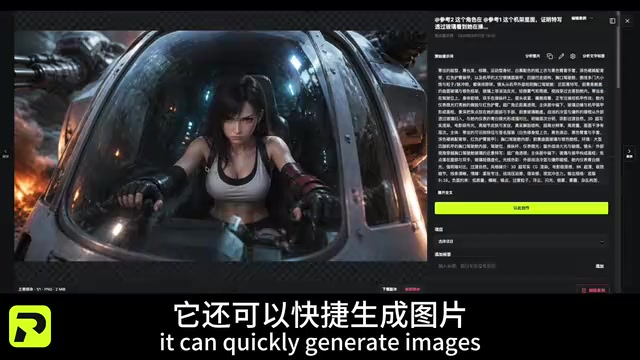
This stage reflects the tool's closed-loop design philosophy: collect → analyze → generate → summarize preferences, forming a complete creative workflow. The reference library is no longer a static folder — it's a living knowledge asset that continuously feeds back into your creative process, with AI delivering outputs that better match your accumulated aesthetic preferences.
The Value of Free, Open-Source, and Local
One of the most commendable aspects of this extension is that it's completely free, open-source, and runs locally. Local data storage means you have full control — you can export and import at any time, even carry your entire reference library on a USB drive, with no worry about platform shutdowns or data lock-in.
For creators who care about data sovereignty and privacy, the local approach eliminates the risk of hosting personal asset libraries on third-party servers. The open-source nature also gives technical users the ability to audit the code, fork the project, or customize functionality.
The extension is now available in the Chrome Web Store — search for "提示词导入" to install it. For creators who have been navigating the AI visual creation space without a systematic asset management solution, this is a lightweight tool well worth trying.
A note on local storage: Chrome extension data is typically stored locally using the browser's built-in IndexedDB or localStorage mechanisms, meaning data is saved in a structured format within the user's local browser sandbox directory — not uploaded to the developer's servers. Compared to SaaS-based collection tools (like Pinterest or Notion), the local approach offers no subscription costs, no network latency for access, and no risk of account breaches. The trade-off is that data is tied to the browser, requiring manual export/import for cross-device sync. Being open-source (typically hosted on platforms like GitHub) means anyone can audit the code logic to confirm the extension isn't silently capturing sensitive data or making undisclosed network requests — an important security assurance for users managing large libraries of images and creative assets.
Summary
This extension takes the simple impulse of "I want to save this great image" and extends it into a full creative system connecting visuals, prompts, and AI. Its free, open-source, and local-first positioning further lowers the barrier to entry and removes data privacy concerns. That said, as an independently developed tool, its real-world performance in areas like model integration stability and large-scale library management still awaits long-term validation from a broader user base.
Related articles
AI Programming at Xiamen University: A Full Breakdown from Textbook to Teaching
Xiamen University's Lin Ziyu shares how he built an AI programming course — covering three coding eras, Claude Code's production-ready milestone, three methodologies, and a fully free, reproducible curriculum design.

A DeepSeek Researcher's Confession: The AI He Trained Is About to Replace Him
DeepSeek V4.1 kernel engineer Liu Shengyu admits the AI he trained will surpass his own skills within a year—yet he keeps pushing forward. Here's why.
n8n Automation in Practice: How AI Workflows Help SMBs Cut Costs and Boost Efficiency
Learn how SMBs use n8n and AI tools to automate multi-platform messaging, AI customer service replies, and bulk exam data entry — real-world workflows for cutting costs.