Full Workflow: Solo Developer Builds and Ships a 3D Web Game with Claude Opus 5.5

Solo dev ships a 3D browser game in 6.5 hours using Claude Opus 5.5, Rust, WASM, and WebGPU.
A solo developer used Claude Opus 5.5 as the core engine, leveraging a parallel sub-agent workflow to build and ship a 3D pressure washer cleaning web game in just six and a half hours — attracting nearly a thousand players. Built on Rust + WebAssembly + WebGPU with no traditional game engine, the workflow hinged on generating visual mockups first, validating core mechanics with a gray box prototype, and running character rigging, environment modeling, and code generation as parallel tracks. The developer strongly advises against one-shotting games, emphasizing that creative direction and detail control must stay with the human while AI handles execution.
A solo developer used AI to build and ship a 3D "pressure washer cleaning" web game from scratch. After launch, it attracted nearly a thousand players with an average session length of about two minutes. Almost the entire game — game logic, character models, environment art, and all supporting systems — was built using Anthropic's latest Claude Opus 5.5. This article breaks down his complete workflow and explores just how far AI-assisted game development can go.
One Person, Six and a Half Hours, a Playable Game
The gameplay is straightforward: clean all the dirt in a level within the time limit without trampling plants or spraying the homeowner's pet — otherwise it's game over. Do well and you'll clear the stage and unlock upgrades. It looks like a simple casual game, but behind it lies a remarkably mature AI collaboration workflow.
The developer admits he doesn't obsessively track costs since he uses a Claude Max subscription (recently upgraded from the 5x to the 20x plan). But he had Opus 5.5 estimate it: the entire project took about six and a half hours, which at API pricing would cost roughly $233 at launch — and about double that after ongoing content additions and bug fixes. The key insight is that those six hours didn't require him to be glued to the screen — he'd fire off a batch of prompts and let the AI run in the background, checking in periodically.

One detail worth noting is how he used sub-agents. Although the logs show up to 21 sub-agents, they weren't all running simultaneously. His approach: any given task typically has one primary agent, with one or two sub-agents spawned for parallelizable work. Meanwhile, a batch of background sub-agents was dedicated to capturing prompts, committing code, and taking screenshots — automatically generating a documentation page for later video retrospectives. The main game-building task used Opus 5.5, while the mundane commits and screenshots were handed off to the lighter Sonnet 5.
Why WebAssembly + WebGPU Instead of a Game Engine
This game uses no traditional game engine. It runs directly in the browser using Rust, WebAssembly, and WebGPU. Players need nothing installed — just open a link on desktop or mobile and start playing. He hosted the game on Wavedash, making it instantly accessible to anyone with the link.
He credits this choice to a post about WASM and WebGPU from another developer. The core logic: since most people no longer read code line by line, abstraction layers like Three.js — which exist primarily to provide human-readable APIs — may no longer be necessary for LLMs. The models are powerful enough to work at a lower level directly. For this developer, the stack delivered excellent browser-side visuals, solid mobile compatibility, and an extremely fast iteration cycle.
WebAssembly (WASM) is a binary instruction format that runs at near-native speed in modern browsers. The developer writes game logic in Rust, compiles it to WASM bytecode via the toolchain, and the browser's sandboxed virtual machine executes it directly — no plugins or installers required. WebGPU is the W3C-standardized next-generation browser graphics API, exposing modern GPU capabilities (compute shaders, explicit memory management, etc.) with far greater performance and expressiveness than the older WebGL. It's now shipping in Chrome, Safari, and other major browsers. Together, this means game logic runs in an efficient WASM runtime while render calls go straight to the GPU — bypassing JavaScript's performance bottlenecks while keeping the zero-install "click to play" experience. For AI-assisted development, there's a hidden bonus: Rust's type system and compile-time checks filter out many low-level errors in AI-generated code, making output more predictable.
From Brainstorming to Gray Box Prototype: The Key Steps
The developer repeatedly emphasizes one core principle: stop one-shotting games. Those projects that run for 12, 13 hours or even two days of one-shot generation are impressive technical demos that showcase model capabilities, but you have almost no creative control over the result. If you want to build something that's truly yours, you need to stay continuously aligned with the AI on the details.
His workflow always starts with generating multiple art mockups. This time he used Gemini (Gremity) 2.5's image model to generate sketches in multiple art styles, explicitly requesting designs that work on both mobile and desktop, locking in the visual direction before any building begins.

For pipeline setup, he keeps characters, environments, and props in separate Blender files rather than modeling directly in the game. Character models can be rigged and animated independently, while environments are handled as more static props. This separation lets him run multiple production lines in parallel.
He then kicked off three parallel tracks: one sub-agent generating character models (by creating turnaround reference sheets, using image-to-3D tools like Tripo to generate models, then rigging them in Blender); another generating environment props (trees, cars, etc.); and a third agent building a "gray box level" with placeholder art to test the core pressure washer mechanic.
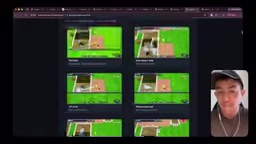
He stresses the importance of getting the core gameplay "right and fun" first — exaggerated action feedback and the physical feel of the water stream are the priority. You can start playtesting and tuning feel during the gray box phase while art assets are being generated in parallel. He describes it like having a full team: a character artist and an environment artist each doing their job, except now those roles are played by AI running in parallel.
"Gray box" is a game development prototyping technique where simple untextured geometry (cubes, planes, capsules) is used to lay out a level, with the goal of validating core mechanics and feel before investing any art resources. The approach originates from level design, and its core philosophy is treating "does the design work" and "does it look good" as two separate problems to solve in sequence. In AI-assisted workflows, gray box prototyping becomes even more valuable: AI can generate final art assets in parallel while the developer simultaneously tunes parameters and tests feedback loops in the gray box version — neither track blocks the other. When the art assets are ready, you swap out the placeholder geometry. No rebuilding from scratch. This is why the author insists on "getting the core gameplay right and fun first" — if you pile on polished art before validating the mechanics, any needed changes will be resisted by the sunk cost of existing assets.
Opus 5.5's Improvement: Rigging and Weights Right the First Time
One improvement that genuinely impressed the developer was rigging and weight painting. A few weeks earlier, when he tried doing animation, he'd still needed to manually fix weights and adjust bones. This time, Opus 5.5 was essentially plug-and-play — getting the rigging and weights right on the first try with almost no manual intervention.
Even more impressive was handling the connection between the pressure washer nozzle and the character's hand. In the final game, the character simply holds the spray gun when not shooting, and once spraying begins, the nozzle correctly binds to the hand bone. He hadn't expected to get this right on the first pass, but thanks to the pre-built test scene, the AI pulled it off quite cleanly.
He also did something interesting: he had Opus 5.5 generate an explanation page describing "how the spray aiming is implemented." Since everything runs in Rust and WebAssembly, calculations can happen at 120Hz (120 times per second), enabling real-time model rotation so the water stream automatically points toward the cursor. The AI provided not just code snippets but a plain-language explanation: the nozzle is essentially a "spring" that continuously tries to swing from its current position toward wherever the cursor is — and that elasticity naturally mimics the visual feel of a water stream.
He uses this to make an interesting point: even though "nobody reads code" anymore, AI shouldn't just blindly implement what you ask and move on — it's also a fantastic learning tool. If he were writing this himself from scratch, he'd spend a lot of time searching and researching. But after AI delivers the result, it can also turn around and explain how it works, like a teacher.
Rigging is the process in 3D animation of attaching a skeleton system to a mesh model, where bone movement drives surrounding vertices to deform and produce character motion. Weight painting is the refinement step of specifying which bone each vertex "listens to" and at what ratio — poorly distributed weights cause intersections, collapses, or unnatural twisting at joints, and typically require repeated manual adjustment by an artist. These two tasks belong to the technical art specialty in traditional pipelines, demanding both spatial reasoning and deep experience — historically one of the hardest areas for AI automation to crack. The author's observation that Opus 5.5 was "essentially plug-and-play" on this, compared to the significant manual intervention still needed for similar tasks just weeks earlier, signals a perceptible generational leap in the model's understanding of 3D skeletal topology and skinning logic. For solo developers hoping to use AI for a complete 3D character production pipeline, this is an important reference point.
From Prototype to Shippable: Polishing and First-Time User Experience
Going from gray box prototype to finished product, the remaining work was mostly polish. He shared a few practical tips:
- Add a skybox: The previously gray background made the game feel thin. Using an image generation tool to create a skybox image wrapping the scene instantly elevated the atmosphere and sense of quality.
- Fill the neighborhood: The character originally looked like they were standing on a random patch of grass. He asked the AI to "fill the entire neighborhood," which generated a complete residential environment and left room to build out different neighborhoods later.
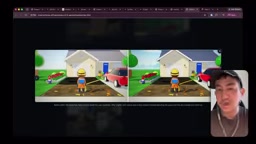
Before launch, he focused heavily on polishing the First-Time User Experience (FTUE). He designed a progressive tutorial: the first level teaches you to use the fan spray head to clear leaves while learning to avoid obstacles. Next, you encounter oil stains that require the high-pressure jet mode to remove. Only in the third level does the time pressure kick in. Mechanics are taught through levels, not through instruction text the player has to read.
In the end, the game shipped with a mission system, level progression, and upgrade mechanics — growing from a gray box prototype into a complete "vertical slice." The developer says AI spent about six hours generating the game's core, with the rest of the time going to polish. Given the positive reception, he plans to keep adding content: more neighborhoods, more spray types, more game modes.
What This Means for Indie Developers
The biggest takeaway from this case isn't simply that "AI can write games." It's that it demonstrates a complete closed loop — from idea to launch to distribution reaching real players. With a parallelizable sub-agent workflow, a separated art pipeline, and a browser-native WASM/WebGPU stack, a single developer can turn an idea into a genuinely playable, hostable, and nearly-thousand-player game in just a few hours.
For anyone who has ever dreamed of making games solo, the barrier is being meaningfully lowered. But the developer repeatedly cautions: AI is great at execution — creative direction and detail control still require a human at the helm. Align first, then build. Resist the urge to one-shot it. That's the right approach to making a game that's truly yours.
Related articles

Chain of Thought Isn't Just for AI: How Humans Can Use CoT to Improve Thinking Quality
Chain of Thought isn't just a prompt trick for large models. Starting from a Hacker News discussion, this article analyzes why CoT works for human thinking too, breaks down actionable ways to transfer it, and highlights the key differences between human CoT and machine CoT.
Cloudflare Teams Up with OpenAI: Closi…
Cloudflare Teams Up with OpenAI: Closing the Loop from Vulnerability Discovery to Defense with AI
Cloudflare uses OpenAI Daybreak to investigate security vulnerabilities and generate reviewable remediation plans, while developers use Codex to boost coding efficiency and quality.

Orca Multi-Agent Orchestration in Practice: A Guide to Parallel Collaboration with Claude and Codex
Orca is Stable AI's free open-source agent workbench supporting 34 agents like Claude Code and Codex in parallel. Learn its Git worktree isolation, multi-model orchestration, and mobile management.