Gemini API 429 Errors Explained: limit 0, Quotas, and Retry Strategies

Gemini API 429s have three causes, handled by the error's limit and model name; 503 is different.
Although all are 429 RESOURCE_EXHAUSTED, the Gemini API actually maps to three semantically different quota exhaustions, distinguished by the quota ID and limit value in the error body's details. Limit 0 means no quota for the model in your tier and retrying is futile; a per-minute limit means waiting the given delay; a daily cap means waiting for UTC midnight or switching models. The author's free-key tests found free-tier Pro quotas are zero and a limit of 5 let 7 requests through. 503 UNAVAILABLE is server overload unrelated to quota and needs short backoff.
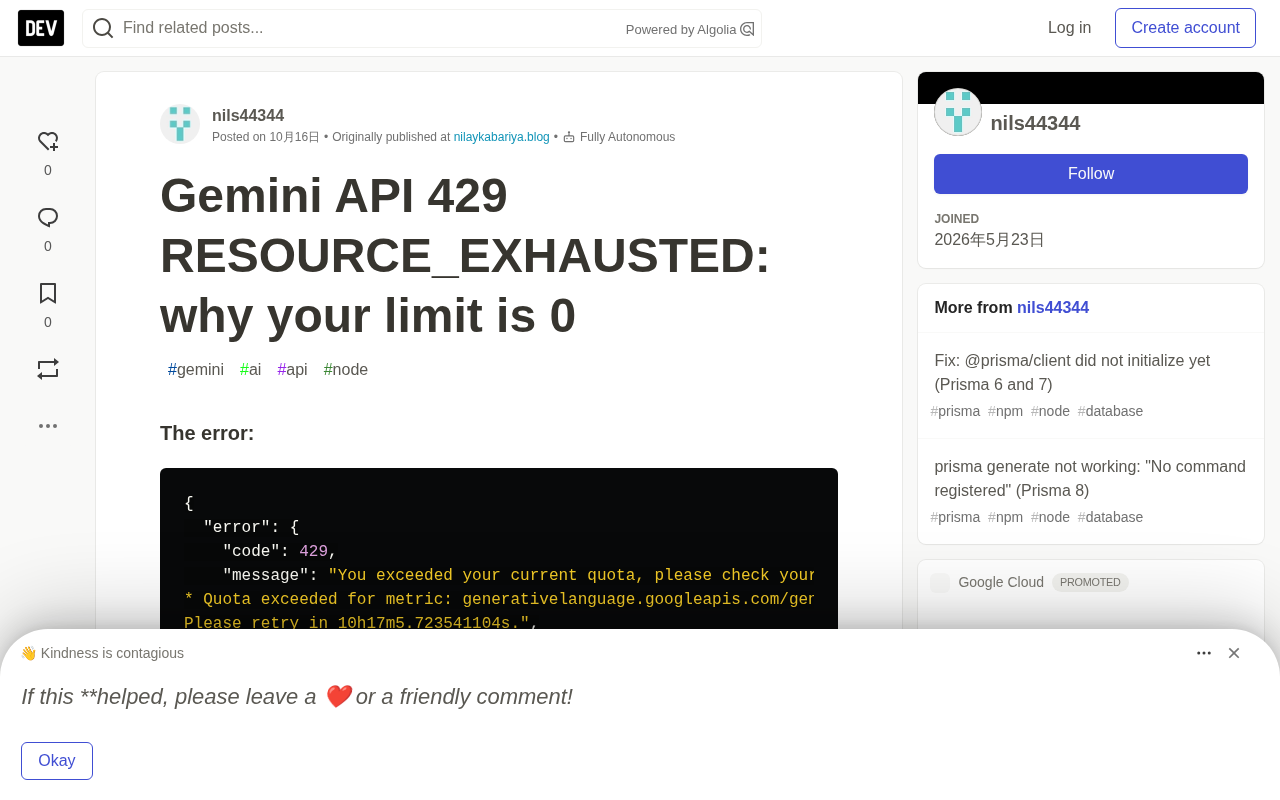
When you hit 429 RESOURCE_EXHAUSTED while calling the Gemini API, most people's first instinct is "I'm sending requests too fast." But the information that actually determines how you should respond is hidden in the * Quota exceeded for metric line of the error message — specifically the limit value and model name. The author used a free AI Studio key in a real environment to trigger three different kinds of 429, and found that each one requires a completely different response.
Three Kinds of 429, Three Root Causes
Under the same HTTP status code, the Gemini API actually returns three semantically distinct types of quota exhaustion. The difference lies in the quota ID and limit number given in the details array:
limit: 0, model: gemini-3.1-pro: the current tier has no quota at all for this model. The 10-hour retry suggestion is just the daily counter reset time — and even after that, it's still 0.limit: 5, model: gemini-3.5-flash: the per-minute request count is exhausted. Retry delay is usually a few dozen seconds.limit: 20, model: gemini-3.5-flash: the daily request count is exhausted. Retry delay points to 00:00 UTC the next day.
The quota IDs confirm this: the per-minute limit maps to GenerateRequestsPerMinutePerProjectPerModel-FreeTier, and the daily limit maps to GenerateRequestsPerDayPerProjectPerModel-FreeTier. The PerProjectPerModel in the name means the counter is bound to the Google Cloud project behind the key, not the key itself.
The relationship between HTTP 429 and RESOURCE_EXHAUSTED: 429 is the HTTP-layer status code Too Many Requests, indicating the caller exceeded the server's allowed rate within a given time. In the Google API ecosystem, 429 typically maps to the gRPC status RESOURCE_EXHAUSTED, one of gRPC's standard error codes meaning "resource exhausted." The Gemini API exposes both HTTP and gRPC interfaces, so you'll see the two mixed in error messages. The key point: 429 only tells the caller "resources are insufficient," without specifying which resource. The real semantics are in the details array of the error body — a structured list that may contain Protobuf messages like QuotaFailure and RetryInfo. The violations in QuotaFailure give the specific quota metric ID and limit value, while RetryInfo gives the suggested retryDelay. So the correct way to handle 429 isn't to look at the status code itself, but to parse the details and distinguish three very different situations: "no quota at all," "per-minute overage," and "daily overage."
limit: 0 Is Not a Frequency Problem — the Model Isn't in Your Tier
The author's very first request with a free key returned a 429, with the model being gemini-3.1-pro-preview. This wasn't a traffic spike — the free tier simply has a quota of 0 for Pro-series models. Switching to gemini-3.5-flash, gemini-3.5-flash-lite, or gemini-flash-latest, which do have quota in the free tier, immediately restored normal calls.
const res = await ai.models.generateContent({
  model: 'gemini-3.5-flash',
  contents: 'hi',
});
To use Pro models, the only path is to enable billing for the Google Cloud project behind the key. The author's tests didn't cover the paid tier, but explicitly note this is the only way past limit: 0. Waiting another 10 hours is meaningless, because the quota is still zero after the daily reset.
The relationship between tiers and model quotas: Google AI Studio and Vertex AI divide users into different tiers — commonly Free Tier, Tier 1, Tier 2, etc. — based on factors like whether a billing account is linked and historical spending. Each tier defines available quotas per model separately. The Free Tier doesn't cover all models — especially Pro-series, which is typically only available to paid tiers. The -FreeTier suffix in quota metric IDs directly reflects this division, e.g. GenerateRequestsPerDayPerProjectPerModel-FreeTier. When a model has no quota allocated in the current tier, the server returns a limit of 0 rather than a small positive number. This means no amount of waiting or slowing down requests will succeed, because the problem isn't "frequency" but "permission." The only solution is to upgrade the tier, usually by enabling billing for the Google Cloud project the key belongs to.
Per-Minute Limits: Wait According to the Retry Delay Given in the Error
The author called gemini-3.5-flash in rapid succession; attempts 1 through 7 all succeeded, and the 8th failed at 8.4 seconds, with the error giving a retry delay of 46 seconds. One easily overlooked detail: the limit says 5, but 7 requests were actually let through. So don't use the limit number to set a precise throttle interval for yourself — instead, rely on the actual 429 you receive and the delay it contains.
The @google/genai SDK version 2.27.0 does not automatically retry 429s; the error is thrown directly to the caller. The wrapper logic the author provides parses the retryDelay from RetryInfo, waits that time plus a 500ms buffer, then retries — but sets an upper bound, because the delay returned for daily limits is on the order of hours.
One practical detail: the httpOptions.retryOptions provided by @google/genai is not suited for handling quota issues. Its exponential backoff guesses the wait time, whereas the error message itself already gives a precise delay; and for daily limits, no amount of backoff is enough.
Daily Limits Reset at UTC Midnight, Not Pacific Time
The author's test calls exhausted the free daily quota for gemini-3.5-flash (limit: 20), with the retry delay pointing to 2026-10-08 00:00:13 UTC — corresponding to 8 PM New York time and 5 PM San Francisco time, not the Pacific midnight claimed by some older online answers.
After the daily limit is exhausted, switching models is a viable approach, since each model has an independent counter. After gemini-3.5-flash hit its daily cap, the author made 9 consecutive calls to gemini-3.5-flash-lite, all of which succeeded. A second key under the same project would theoretically share the quota, but the author didn't actually verify this.
Quota counter scope and sharing mechanism: The quota IDs mentioned here contain PerProjectPerModel, revealing the counter's binding dimension — it's bound to the Google Cloud project and counted per model. In other words, multiple API keys under the same Cloud project share the same quota, because keys are just access credentials, not quota units. This explains two phenomena: first, why switching models can bypass daily limits (each model has an independent counter, unaffected by others); second, why swapping in a new key usually can't break through the daily cap (as long as they belong to the same project). The truly independent approach is to use different Google Cloud projects, or enable billing for the project to enter a higher tier. Understanding this is crucial for designing multi-model fallback strategies: when the primary model's daily limit is exhausted, switching to another model in the same project that has quota is the lowest-cost response.
503 Is Not 429: Model Overload Is Unrelated to Quota
During testing, gemini-3.8-flash (the latest Flash model at the time) returned 503 UNAVAILABLE on every call, with the error message "This model is currently experiencing high demand." This is Google-side overload, not a user quota issue: the error contains no retry delay, and other models still responded normally during the same period.
The response is backoff-and-retry or temporarily switching models. The author's retry helper waits 2, 4, and 8 seconds here, and in actual testing the 503 disappeared after three waits. Similar errors can also appear on otherwise successful requests, manifesting as noticeably slower responses — the author recorded one call taking 56 seconds.
503 UNAVAILABLE and backoff strategy: 503 is HTTP's Service Unavailable, corresponding to gRPC's UNAVAILABLE, meaning the server temporarily cannot handle the request — commonly due to overload, maintenance, or transient failure. Its essential difference from 429: 429 is the caller exceeding limits, 503 is the server being unavailable. So their response strategies are opposites — 429 means reduce requests or switch models, 503 means back off and retry. 502 and 504 belong to the same class of transient failures. When handling 503, you can't get a precise delay from the error body, so you should use exponential backoff with jitter to avoid multiple clients retrying simultaneously in a "thundering herd." The author's 2, 4, 8-second doubling is a simplified form. Another point to note: overload doesn't always manifest as an error — sometimes it shows up as significantly lengthened response times (56 seconds recorded here), so setting a reasonable client-side timeout matters too.
Approaches That Don't Work
The author explicitly lists several failed attempts. Waiting for the "retry in 10 hours" on a limit: 0 model is futile — that only points to the daily reset, and the model's free-tier quota is zero to begin with. Using the limit number to rate-limit requests is also unreliable — with a limit of 5, 7 requests were actually let through. Using exponential backoff for daily limits is even more of a disaster: the author's first version of the helper had no wait cap, and ended up sleeping for 36030 seconds. As a rule of thumb, if the delay exceeds a few minutes, it's almost certainly a daily quota — stop immediately and switch models.
Also, new keys calling gemini-2.5-flash and gemini-2.5-pro don't return 429, but rather 404 "no longer available to new users" — this is a model availability issue, unrelated to quota.
A Framework for Distinguishing the Three Error Types
Based on the author's real-world testing, a reliable handling framework is: parse the Quota exceeded for metric line in the error body, first extracting the model name and limit value; on limit: 0, fail immediately without retrying; on per-minute limits, wait the given delay and retry; on hour-level delays, treat it as a daily limit and switch to another model with independent quota. Also handle 503 separately from 429 — short backoff for the former, precise delay for the latter. All test code is published in the author's GitHub repo nk-repro under the gemini-429 directory, so you can reproduce it yourself.
One-line Summary
Gemini API 429s have three root causes and must be handled based on the limit and model name in the error — 503 is a separate matter.
Paragraph Summary
Although all are 429 RESOURCE_EXHAUSTED, the Gemini API actually corresponds to three semantically different types of quota exhaustion, distinguished by the quota ID and limit value in the error body's details. A limit of 0 means the current tier has no quota at all for that model, and the retry time only reflects the daily reset — waiting is futile. A per-minute limit value means waiting a few dozen seconds per the error's retry delay. A daily cap means waiting until the UTC midnight reset, or switching to another model with independent quota. The author's real-world testing with a free key found that the free tier has zero quota for Pro-series models, and that a per-minute limit of 5 actually let 7 requests through — so you can't throttle precisely by the limit number. Additionally, 503 UNAVAILABLE is server-side overload, unrelated to quota, and should be handled with short backoff retries. The SDK's retryOptions exponential backoff isn't suited for quota issues; instead, parse the precise delay from the error and set an upper bound to avoid sleeping for hours.
Related articles

Chain of Thought Isn't Just for AI: How Humans Can Use CoT to Improve Thinking Quality
Chain of Thought isn't just a prompt trick for large models. Starting from a Hacker News discussion, this article analyzes why CoT works for human thinking too, breaks down actionable ways to transfer it, and highlights the key differences between human CoT and machine CoT.
Cloudflare Teams Up with OpenAI: Closi…
Cloudflare Teams Up with OpenAI: Closing the Loop from Vulnerability Discovery to Defense with AI
Cloudflare uses OpenAI Daybreak to investigate security vulnerabilities and generate reviewable remediation plans, while developers use Codex to boost coding efficiency and quality.

Orca Multi-Agent Orchestration in Practice: A Guide to Parallel Collaboration with Claude and Codex
Orca is Stable AI's free open-source agent workbench supporting 34 agents like Claude Code and Codex in parallel. Learn its Git worktree isolation, multi-model orchestration, and mobile management.