Getting Started with Claude Code: Capabilities and Installation Essentials for This AI Coding Assistant
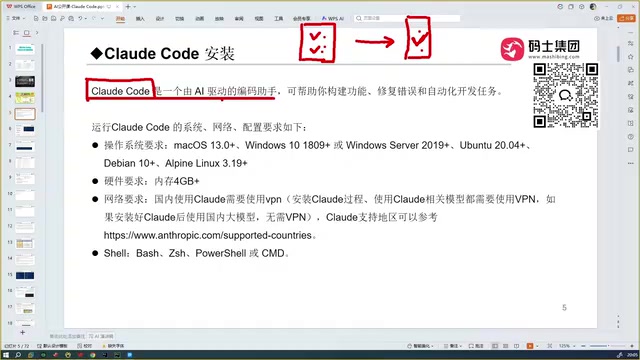
Claude Code is an AI coding agent that beats Cursor and TRAE on accuracy by reading your entire codebase as context.
Claude Code is Anthropic's AI coding agent that sets itself apart from conversational coding tools by reading every file in your project and feeding the complete codebase as context to the model, enabling accurate code generation and automatic debugging in one automated workflow. After benchmarking it against GitHub Copilot, Cursor, TRAE, Codex, and Chinese models, the verdict is that Claude Code wins on accuracy thanks to the strength of the underlying Claude/Sonnet model. Key prerequisites: it's a plugin (not an IDE) that integrates with VS Code, Cursor, and JetBrains tools; requires 4GB+ RAM; and needs a VPN only during installation.
What Is Claude Code
Claude Code is an AI coding assistant developed by Anthropic. Unlike using DeepSeekAd or ChatGPT through a browser for conversational coding, it doesn't require you to open any website — you install it locally on your machine and integrate it directly into your development tools.
The pain points of conversational AI coding are well known: you chat with a language model, it returns code snippets, you copy them back into your project and run them yourself, and when things break, you go back to the conversation and try again. More critically, a chat window can't read your project's full context — a project might have hundreds of code files, and the model can only see what you manually paste in.
This is exactly where Claude Code differentiates itself. It can read through all the files in your project, feeding the entire codebase as context to the model, which then generates code that actually fits your business logic. It can also debug automatically and produce a working, runnable result. This is an end-to-end automated coding workflow — not just a code completion tool.
The Evolution of AI Coding Tools
To understand why Claude Code has taken off, it helps to trace the trajectory of AI coding tools.
From Copilot to Cursor
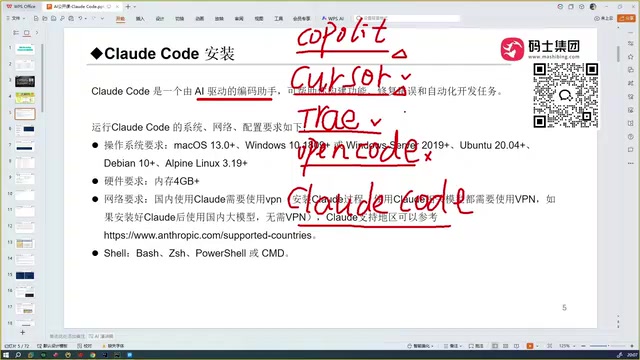
The first tool to feel truly disruptive was GitHub Copilot, which spread widely among developers as a plugin. Its code autocomplete capability was genuinely impressive at the time. Cursor took things further, offering automatic coding that surpassed Copilot in intelligence and caused its own wave of industry buzz. In terms of automated coding ability, Cursor is a legitimate competitor to today's Claude Code.
GitHub Copilot was co-developed by GitHub and OpenAI, released in 2021, and is essentially a code completion plugin trained on GPT-series models. Embedded into editors like VS Code, it predicts the next line or function based on comments and surrounding context. Its limitation is that it's primarily a "completion" tool — it can't proactively understand requirements or modify logic across multiple files. Cursor, by contrast, is a standalone IDE rebuilt on top of the VS Code core that gained rapid adoption after 2023. Its key breakthrough was the introduction of "Agent mode" — it can accept natural language instructions, automatically make changes across multiple files, run terminal commands, and feed error messages back to the model for self-correction. This leap from "completion" to "task execution" marked AI coding tools officially entering the agentic coding era — the same product paradigm Claude Code belongs to.
TRAE, Codex, and Open Code
Further along the timeline, ByteDance released TRAE in both international and domestic Chinese versions. The domestic version is free and well-optimized for Chinese-language understanding, making it a localized solution for developers in China. The author considers it the "most complete" coding tool they used before discovering Claude Code.
Open Code is another coding tool, but after testing it, the author found it the least user-friendly among its peers and doesn't recommend it. OpenAI's Codex, on the other hand, performs strongly — configured with GPT-5, its coding capability is reportedly on par with Claude Code.
Why Claude Code Comes Out on Top
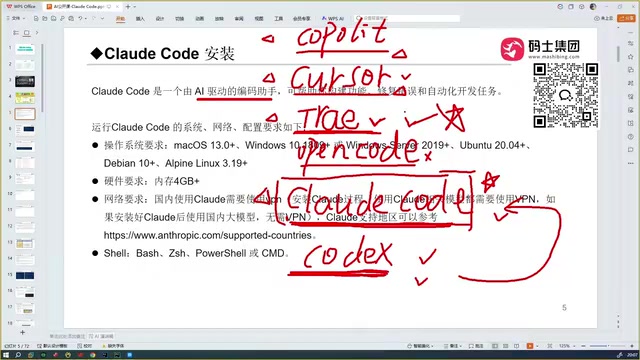
After comparing Copilot, Cursor, TRAE, Codex, and domestic Chinese models like Tongyi Qianwen and GLM, the author's conclusion is clear: Claude Code is still the best tool available.
The core reason comes down to accuracy. Cursor and TRAE can both handle automated coding, but the code Claude Code generates is noticeably more accurate. The underlying logic is straightforward — every coding assistant's capability is only as good as the model behind it. Claude Code is powered by the Claude (Sonnet) model, which is already quite capable, and Anthropic offers even more powerful models as options.
By comparison, TRAE's free tier is a real advantage for developers in China, but the generated code isn't reliably accurate, and performance drops when the technical complexity increases. The author put it bluntly: Claude Code is so capable that "programmers who use it will feel a deep sense of existential anxiety."
What You Need to Know Before Installing
Claude Code Is Not an IDE
This is the most common source of confusion. Cursor and TRAE are both IDEs (integrated development environments) — you download them, double-click to install, and start coding right away. Both are built on top of VS Code.
Claude Code is not an IDE. Think of it as a software agent that, once installed, needs to be integrated into your existing development tools. It can plug into Cursor or VS Code as an extension, and it also integrates with JetBrains tools like IntelliJ IDEA and PyCharm. This is the officially recommended usage pattern.
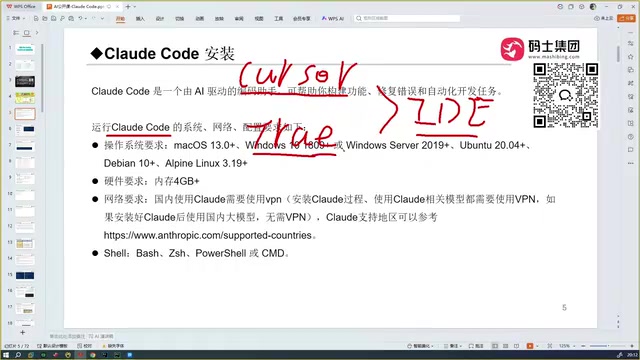
An IDE (Integrated Development Environment) is a complete tool that combines code editing, compilation, debugging, version control, and more into a single interface — VS Code, IntelliJ IDEA, and PyCharm all fall into this category. Claude Code's positioning is as a "Coding Agent" — it doesn't provide its own code editing interface. Instead, it mounts onto an existing IDE via a plugin protocol, reads the current project's file structure and code, uses the language model to generate modifications, and writes those changes directly back to the files. The advantage of this architecture is that developers don't have to abandon their familiar working environment; they can use Claude Code as a "background brain" to drive their existing tools through complex tasks. JetBrains tools (IntelliJ IDEA, PyCharm, GoLand, etc.) all support official plugin marketplaces, so you can connect Claude Code by installing the corresponding plugin.
System and Hardware Requirements
Claude Code supports all major operating systems, including Windows, macOS, and Linux. Developers in China primarily use Windows or macOS, and both work fine. On the hardware side, your machine needs at least 4GB of RAM.
Network Considerations
Installing Claude Code requires a VPN or proxy to bypass restrictions in China — without one, the installation cannot complete. However, there's an important nuance worth noting: once installation is complete, if you're not using a foreign-hosted model, you can run it without a proxy and use it directly from within China. This significantly lowers the day-to-day network barrier for ongoing development work.
Summary
Claude Code's value isn't in being "yet another code completion tool" — it's in the fact that it chains together full project context reading, code generation, and automatic debugging into a complete, end-to-end automated workflow. Its deep dependence on model capability also explains why it consistently wins accuracy comparisons across tool benchmarks. For developers thinking about giving it a try, keep three prerequisites in mind: it's a plugin, not an IDE; it requires at least 4GB of RAM; and a VPN is needed during installation. Getting these basics straight is the first step to a smooth onboarding experience.
Related articles

AI Coding Enters the Team Collaboration Era: Interpreting Three Major Moves from Meta, GitHub, and Mistral
Meta acquires Conductor, GitHub Copilot Fusion becomes available, Mistral opens Large 4 weights—three moves show AI coding shifting from code generation to organizing development workflows. This article explains task orchestration, model collaboration, and cost control for developers.

Building a RAG Assistant with Dify: A Practical Guide to Knowledge Bases, Workflows, and Agent Nodes
How should knowledge bases, workflows, and Agent nodes connect in a Dify RAG assistant? We break down the division of labor and wiring logic for a shippable app.
 Tech Frontiers
The AI Industry Doesn't Lack Marketing—It Lacks Good Products
AI faces market selloffs and public skepticism—is marketing really the problem? This analysis of market signals and product experience argues the core困境 is incomplete products and a gap between promises and experience; the only way to change perceptions is to ship better products.